1
Good for multi-source records
CoinLedger makes the most sense when your tax data is spread across exchanges, wallets, and files that are painful to combine by hand.

Enter your email to receive the free PDF checklist.
Read our Privacy Policy. For subscriber questions or corrections, use the Contact & Corrections page.
Bitcoin tax software review
CoinLedger earns its place when your records are scattered across exchanges, wallets, and CSV files and manual tracking has become the bottleneck, and it gets risky the moment you treat its polished report as proof. We walked the product from a blank dashboard to the report paywall; this review covers what that showed, what it costs, and who should skip it.
Official CoinLedger site affiliate link. We may earn a commission at no extra cost to you.
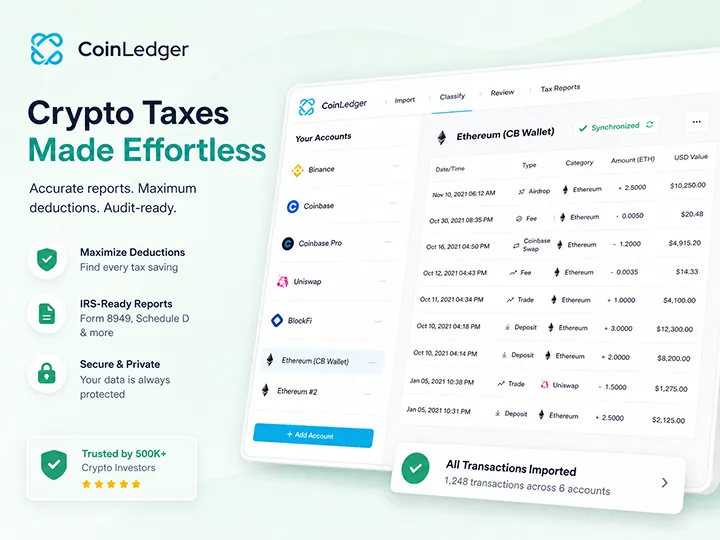

Review scope
This page evaluates CoinLedger as a transaction-import and tax-report preparation tool. It does not claim filing accuracy, provide tax advice, or treat software output as a substitute for verification.
How we evaluated
What we did: we started from CoinLedger's blank dashboard the way a new user does. The account is empty until a source is connected. We connected an exchange over API: in our walkthrough that meant finding the platform, Binance in our test, generating an API key and secret with read permission, and pasting both into CoinLedger. We browsed imported transactions by year, re-ran auto-sync to pull newer activity, filtered by account, asset, and date, and worked through the warning layer. Missing cost basis and uncategorized transactions arrive as a reviewable queue, not a verdict.
We then followed the report flow up to the paywall: the capital-gains figure, income view, and tax-loss-harvesting view are visible before paying; downloading the actual reports is what the paid tier unlocks. We also switched the cost-basis method between FIFO, LIFO, and HIFO to watch the liability figure move.
What we did not do: complete a tax filing through CoinLedger, test every exchange, wallet, or blockchain on its integration list, run an independent technical security audit, or purchase every plan tier.
Product details on this page were last checked in July 2026. Pricing, supported integrations, and checkout terms change, so verify them on CoinLedger's official site before you buy. If a claim on this page stops matching the product, tell us through the Contact & Corrections page and we will fix it.
Bottom line
CoinLedger can save hours of spreadsheet work and it surfaces its own data problems well, but it cannot turn an incomplete transaction history into a reliable tax report, and it does not pretend to.
The product is strongest at turning scattered exchange, wallet, and CSV records into one inspectable workspace with a visible problem list.
The free layer is a real trial: you can see capital-gains, income, warnings, and tax-loss-harvesting views before paying for report downloads.
The output is only as complete as the sources you connect. Missing wallets, old accounts, and unlabeled transfers stay your job to find.
CoinLedger makes the most sense when your tax data is spread across exchanges, wallets, and files that are painful to combine by hand.
Missing cost basis and uncategorized transactions arrive as a to-do list. That list is CoinLedger's real value, and resolving it is still your work.
It prepares data. It does not decide treatment questions, know jurisdiction edge cases, or replace qualified review when the stakes are real.
CoinLedger coupon
If the fit above matches your record problem, coupon CRYPTOTAX10 takes 10% off the paid report tier. Start free, import your real data, clear the warnings, and only buy the report layer if the workflow earns it.
CRYPTOTAX10 Enter the code at checkout. Coupon availability depends on CoinLedger's current checkout flow. Confirm the discount is applied before you pay.
Affiliate disclosure
Official CoinLedger site affiliate link. We may earn a commission at no extra cost to you.
Product snapshot
CoinLedger is not a portfolio viewer with a tax button. Its core job is collecting transaction history from the sources you connect, organizing it, showing you what is broken, and preparing reports from what survives that review.
Practical role
CoinLedger is most useful when manual tracking is becoming the bottleneck. It gives the user a workflow for importing, reviewing, correcting, and exporting records.
Core use
Transaction import hub Brings records from exchanges, wallets, CSV files, and supported activity sources into one review workspace.Free layer
Real preview before paying Import data, see capital gains, income, warnings, and tax-loss-harvesting opportunities. Payment unlocks report downloads.Report engine
US-first IRS Form 8949, income and audit-trail reports, and common tax-software exports. Non-US holders should verify country formats first.Main limit
Input quality controls output Sources you never connect stay invisible. The report inherits every gap you leave behind.Workflow
The order is the whole game. The software organizes the work; you confirm the data story before trusting the output.
In our walkthrough, a fresh CoinLedger account showed nothing until a source was connected. That emptiness is honest: the product becomes useful only after it can see transactions. The first job is getting the right sources in, not report generation.
One rule governs everything downstream: CoinLedger can only organize records it can see. Old accounts, missing wallets, and partial CSV history weaken the result before any calculation starts.
Connecting an exchange over API worked like this in our test: locate the platform, create a read-permission API key and secret on the exchange side, paste both into CoinLedger, and let the sync run. Wallet history can come in from a public address; CSV upload and manual entry remain fallback paths when direct connection is unavailable or incomplete. Auto-sync can be re-run later to pull newer transactions.
The warning layer behaved like a to-do list in our walkthrough, not a verdict. Missing cost basis, uncategorized transactions, and unclear entries arrived as a reviewable, filterable list by account, asset, and date. Getting a problem list beats hunting through a spreadsheet, but a flag is not a fix. You still connect the missing source, import the absent history, or enter the basis yourself.
The pre-payment preview shows capital-gains, income, and tax-loss-harvesting views. If those numbers already look wrong, or the warning list is still long, that is the signal to fix sources, not to buy a report.

Paid reports
Based on our walkthrough and CoinLedger published materials, the paid tier unlocks the report downloads themselves: short-term and long-term capital gains reports, IRS Form 8949, a cryptocurrency income report, an audit-trail report, and a tax-loss-harvesting report.
Two features stood out as practically useful. First, cost-basis method switching: the product supports FIFO, LIFO, and HIFO, and flipping between them shows how the calculated liability moves. That is worth understanding before you commit to a method, and worth confirming against your jurisdiction rules. Second, the export path: reports can feed TurboTax, TaxAct, TaxSlayer, and H&R Block. The materials we reviewed also mention QuickBooks integration for users who track wider finances in accounting software.
The orientation is clearly US-first. IRS forms are the flagship output; if you file outside the US, verify that your country report format is supported before paying. The free import layer is the right place to check.
Fit check
The buying question is not whether CoinLedger is generally useful. It is whether your specific record set is complex enough for the workflow to save time and reduce errors.
CoinLedger may fit if
Pause or skip if
For the Bitcoin-only holder
DeFi protocol coverage, NFT metadata handling, staking classification, and wrapped tokens do not apply to a Bitcoin-only history. In the material behind this review, classification friction concentrated in that non-Bitcoin territory. A buy-hold-withdraw history skips that class of problems, so your evaluation is narrower than the feature list.
Your exchanges
Your wallets and transfers
Strengths
These are the parts that make CoinLedger useful when the record problem is real.
Capital gains, income, warnings, and tax-loss-harvesting opportunities are visible before payment. You find out whether your records import cleanly before spending anything.
Missing cost basis and uncategorized entries surface as a filterable problem list instead of errors you have to hunt for yourself.
API connections, CSV upload, public-address wallet import, and manual corrections give several routes to a complete record set, and auto-sync can be re-run as activity accumulates.
Switching between FIFO, LIFO, and HIFO shows how the liability figure moves, which turns an abstract tax concept into something you can see before committing.
Weaknesses and friction
None of these is disqualifying. Together they define the honest expectation: an import-and-review workspace with real gaps to manage, not a passive tax machine.
User reports in the material behind this review mention occasionally missing transactions after an import, so imported counts should be checked against source records.
NFT-heavy histories, wrapped tokens, and staking entries were described as manual-correction territory. Bitcoin-only holders mostly avoid this, but broader crypto users should budget review time.
You can preview useful tax views for free, but exporting complete reports requires payment. There is no cheaper just-this-one-form option in the material we reviewed.
User reports describe chat and email support, no phone line, not 24/7, and replies often arriving within about a day. That may be fine early, but less comfortable near a deadline.
The material we reviewed showed a desktop-browser workflow, not a dedicated mobile app workflow.
The materials indicate you cannot pay for the plan in cryptocurrency, which is ironic for a crypto tax product but not a functional blocker.
Review before confidence
A clean dashboard is not proof that every source and classification is correct. These checks keep the tool in the right role.
Limits
The boundary is the same across the tax-software lane: software organizes and calculates from supplied records. It does not know missing facts, and it does not decide treatment questions.
What CoinLedger can do well
What CoinLedger cannot do for you
Integrations
Coverage claims are useful only after your actual sources import completely.
CoinLedger publicly claims more than 1,000 integrations on its pricing page. The practical advice is narrower than the count: an integration total tells you nothing about whether your platforms import completely. Use the free layer to test your actual sources, including whether a supported exchange pulls full history, before treating coverage as solved.
Platforms named across the materials behind this review include common exchanges, public-address wallet imports, and broader DeFi and NFT sources. Those names are not recommendations. They are reminders that breadth is not the same as completeness.
Read CSV import cautions before trusting any imported record set.
How CoinLedger compares
This is a fit-based comparison, not a ranking. The deciding factor is your record set, not the feature list.
We reviewed CoinLedger alongside Koinly and CoinTracking, and all three run the same core loop: import, review, report. None of them removes the review step. What differs is the lean.
CoinLedger is the most direct path from import to a US tax report: the smallest learning curve of the three, a useful pre-payment preview, and a report engine built around IRS forms. Koinly is the closest overlap, strongest as a data-centralization hub. In our Koinly walkthrough, an entire first pass over roughly a thousand transactions ran without paying. CoinTracking trades simplicity for depth: heavier portfolio and trade analytics, more configuration, and the steepest learning curve, built for users who want a full record system rather than a report generator.
This page does not rank them. Test the tool that matches your history against your real data before paying for any of them. See the Koinly review, the CoinTracking review, and the tax software evaluation criteria.
Pricing
CoinLedger pricing is free to test and paid to download. The live pricing page checked on July 2, 2026 showed portfolio tracking at $0, a Hobbyist report tier at $49 for up to 100 transactions, an Investor tier at $99 for up to 1,000 transactions, and Pro pricing starting at $199+ for 3,000+ transactions. It also states that each tax report is a one-time purchase, with reports available for years 2010 through 2025.
The structural consequence is worth planning around: cost pressure rises with volume. A long-term holder with a modest number of buys and transfers may stay in the cheapest paid tier; an active trader with many small transactions can climb tiers quickly. When you compare plans, check transaction count for the tax year, which reports are included, whether you need multiple years, and the export formats you actually use.
The same page says all plans include customer support, unlimited wallet and exchange syncs, 1,000+ integrations, and portfolio tracking. Those are useful claims, but the practical question is still whether your actual accounts and wallets import completely in the free layer before you pay.
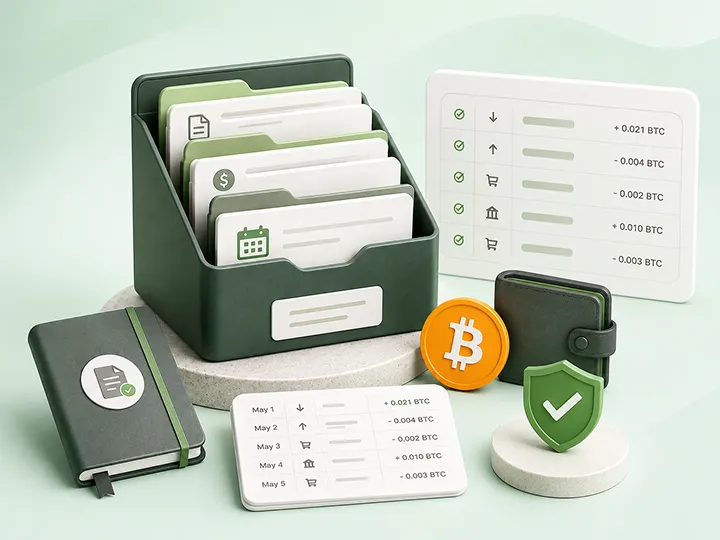
Support and security posture
On security, the practical rule stands regardless of vendor: crypto tax software should never need your seed phrase, private keys, or withdrawal permissions. Its job is transaction visibility, not custody. In our walkthrough the exchange connection used a read-permission API key, and wallet history came in from a public address. That is the posture you want.
CoinLedger publicly describes encryption and secure data storage, but the materials we reviewed do not detail the full security model and we did not run an independent audit, so treat permissions and data control as part of your own review. When you create an API key on your exchange, grant read access only.
On support: chat and email, no phone, not 24/7. User reports describe replies within about a day, often pointing to help-center articles. CoinLedger also runs a public feature-request board where users can propose and track features, a small but genuine transparency signal.
Final read
CoinLedger is best for the holder whose transaction history has outgrown manual tracking, and who is willing to work the warning queue before relying on reports.
For a simple holder with a handful of clean purchases on one platform, the paid report may be more than the job requires; the free preview will tell you quickly. For a US filer with scattered records, the combination of a real free trial, a visible problem list, and IRS-ready outputs makes it one of the most direct paths in this lane. For non-US filers and for heavy DeFi or NFT users, the calculus is narrower: verify report formats and budget real cleanup time.
The best use is practical and unglamorous: connect everything, check the imported counts against your sources, clear the warnings, compare the preview against your own expectation, verify current pricing, and only then decide whether the report download is worth buying.
FAQ
The useful answer is conditional: CoinLedger can organize and prepare records, but it does not remove the need to review imported data.
Read tax disclaimerIt can be, but the evaluation is narrower than the feature list. Most of CoinLedger's breadth, including DeFi, NFTs, staking, and wrapped tokens, does not apply to a Bitcoin-only history, and that is where the product's classification friction tends to concentrate anyway. What decides the fit is whether your exchanges import completely, whether wallet-address import covers your self-custody history, whether transfers between your own wallets are matched instead of read as basis-less coins, and whether fees and warnings survive the import. Test all of it in the free layer before paying.
Final coupon reminder
Start free, import the sources you actually used, clear the warnings, then use coupon CRYPTOTAX10 for 10% off if the paid report layer earns it.
CRYPTOTAX10 Apply this code at checkout if prompted.
Affiliate disclosure
Official CoinLedger site affiliate link. We may earn a commission at no extra cost to you.
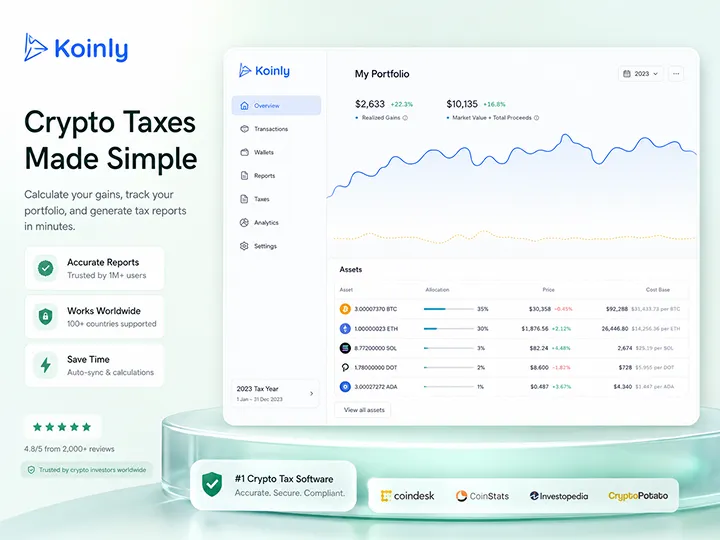
Data centralization with a generous free preview and a transfer-label review step Bitcoin holders should not skip.
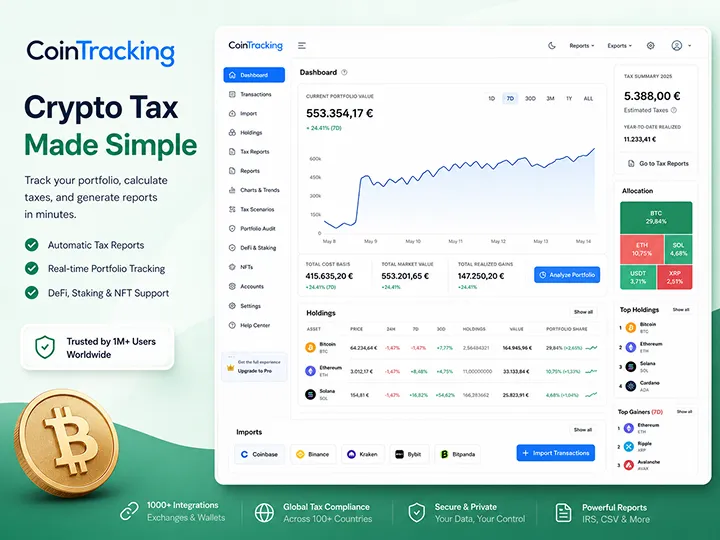
A deeper portfolio and tax-record system with more import routes, more control, and a steeper learning curve.

Start with the broader Bitcoin tax software framework before choosing a product workflow.
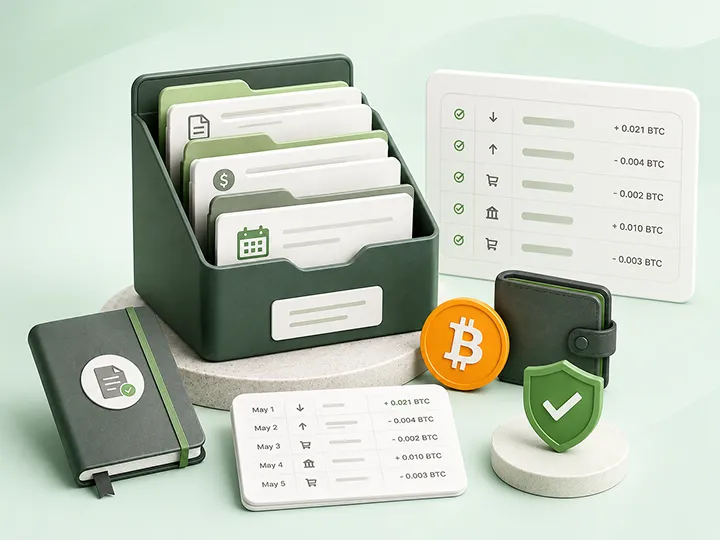
Understand why record completeness matters before any tax software output can be useful.
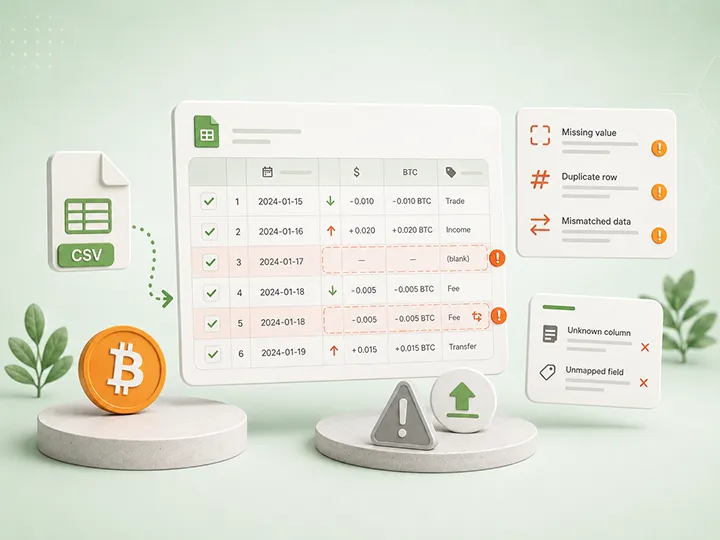
Know the difference between a loud import failure and a silent record problem before trusting imported data.

Use a calm reviewability framework before comparing tax tools or trusting a generated report.