BitBox02 Bitcoin-only hands-on review

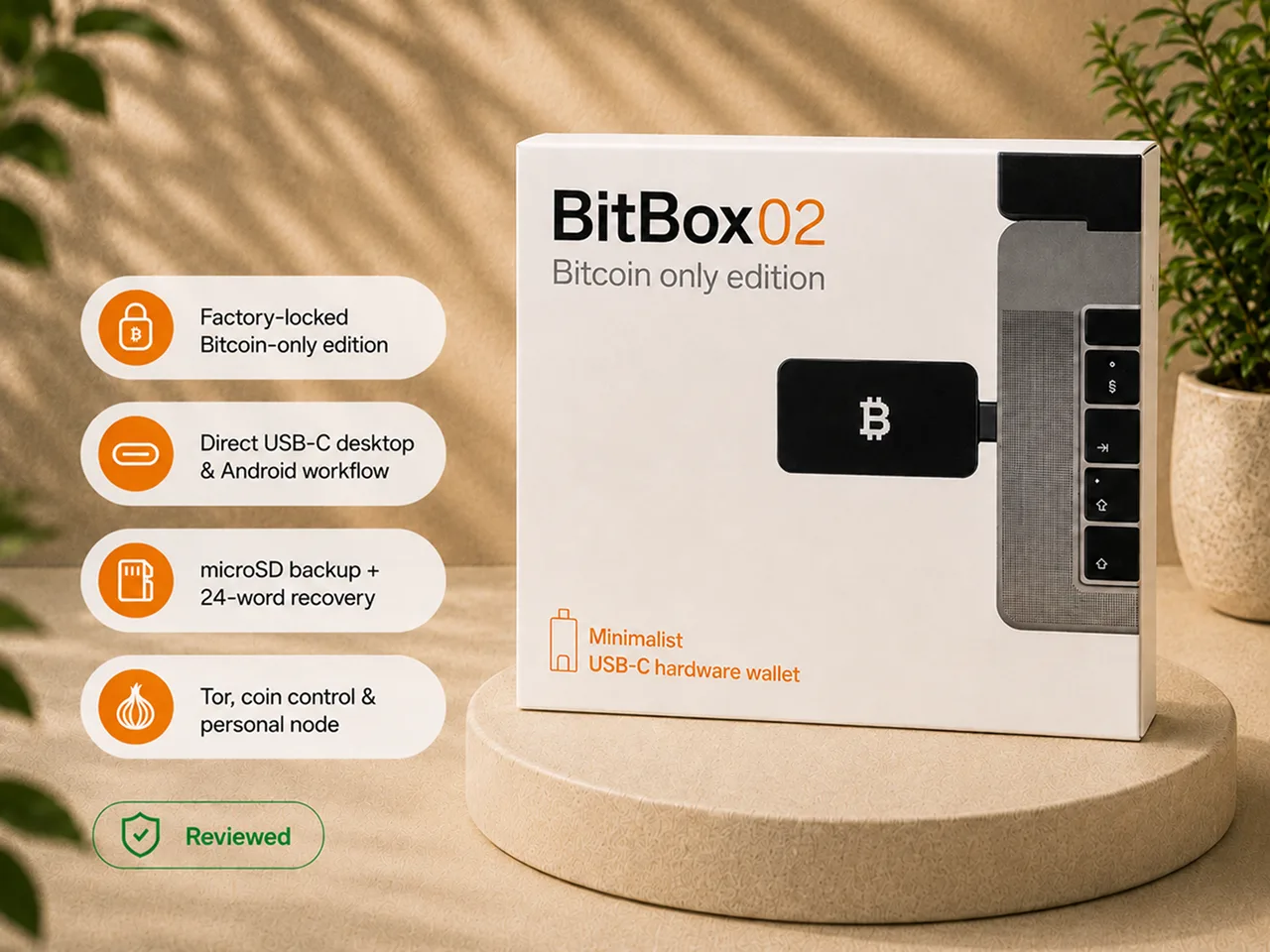
I bought the original BitBox02 Bitcoin-only edition, opened it from a sealed package, installed the BitBoxApp, updated the firmware, confirmed the pairing code, created a wallet, made the default microSD backup, wrote down the 24 recovery words, received Bitcoin, and sent a small amount back out.
The experience left me with a clear verdict.
The original BitBox02 Bitcoin-only is one of the strongest purpose-built options for a desktop or Android Bitcoin holder who values focused firmware, inspectable software, useful privacy tooling, and a compact USB-C workflow.
It is also a poor fit for several common buyers.
The original model does not work with iPhone or iPad. It does not offer air-gapped QR signing. Its small screen and touch controls reward patience rather than immediate familiarity. Its microSD backup is convenient, but the card is complete recovery material and must be protected accordingly.
Review accountability
Frederick Staunch is Bitcoin Plaster's Founder, Editor-in-Chief, and Technical Editor.
For this review, I personally tested:
- the sealed package and included accessories;
- BitBoxApp installation;
- firmware setup and update;
- pairing-code confirmation;
- wallet creation;
- password entry through the device controls;
- the default microSD backup flow;
- manual recording of the 24 recovery words;
- receive-address verification;
- a small Bitcoin receive and send test;
- the touch-control system;
- the normal BitBoxApp workflow;
- the available Bitcoin privacy settings.
I did not perform:
- a hardware teardown;
- a secure-chip inspection;
- a physical extraction attack;
- a firmware audit;
- a reproducible-build verification;
- a penetration test;
- a complete wipe-and-restore recovery test;
- a long-term durability test.
Claims about the dual-chip architecture, secure-chip behavior, Anti-Klepto, reproducible builds, published hardware design, and cryptographic authentication come from BitBox documentation unless I explicitly describe something I observed myself.
That evidence boundary matters. A hands-on review should tell you what the reviewer did, what the manufacturer documents, and where the first-hand evidence stops.
My verdict
The BitBox02 Bitcoin-only succeeds because it stays narrow.
It does not try to become a mobile-first flagship, a multi-chain platform, or a trading application. It focuses on signing Bitcoin transactions, keeping sensitive input on the hardware wallet, supporting stronger privacy practices, and exposing more of its design to inspection than many competing devices.
The strongest reasons to buy it are:
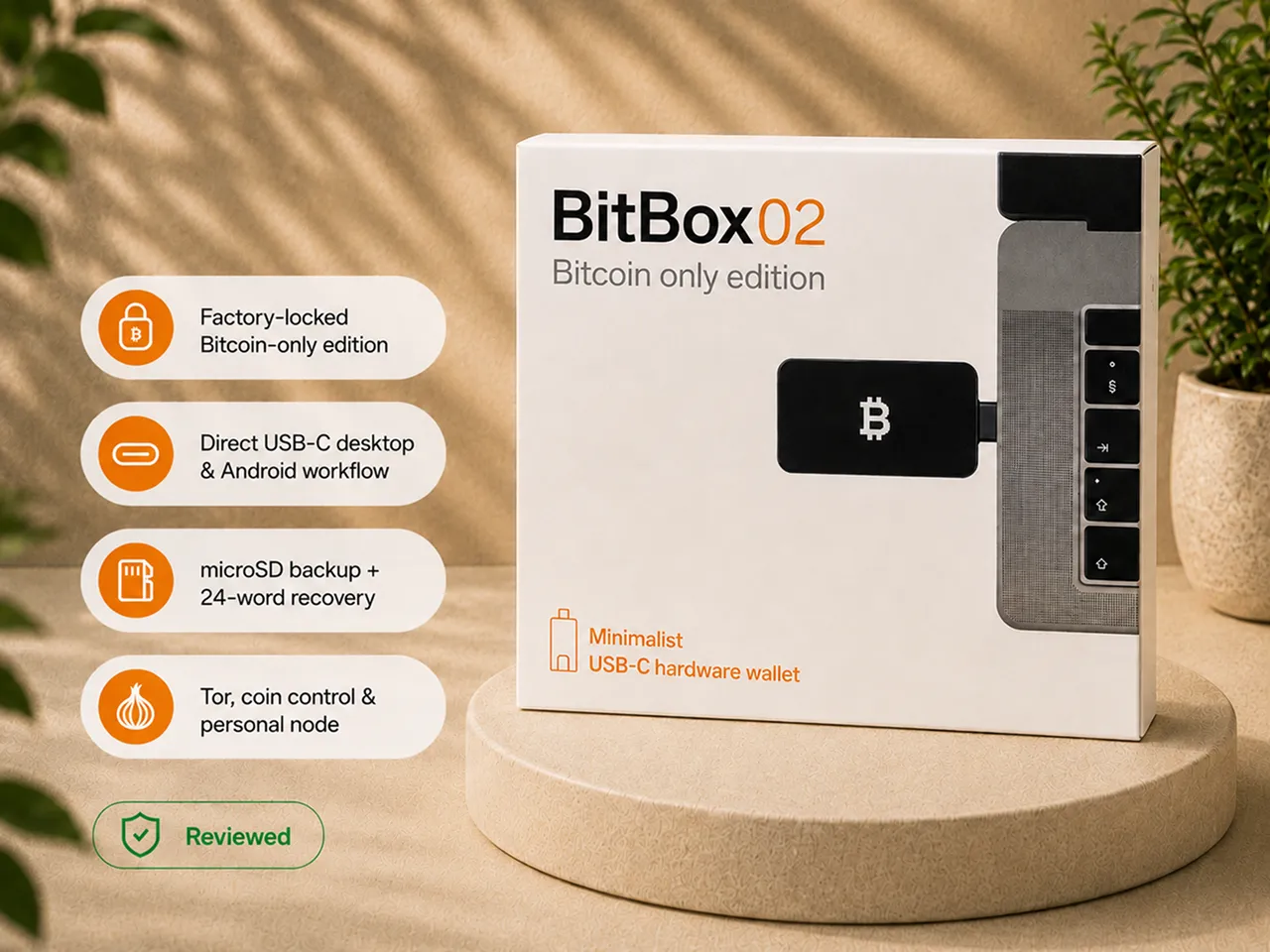
- factory-locked Bitcoin-only scope;
- a clean desktop and Android workflow;
- password entry on the device;
- address and transaction verification on the device screen;
- open-source firmware and application;
- documented reproducible builds and published hardware information;
- coin control, Tor support, and personal-node connectivity;
- compatibility with established Bitcoin wallet software;
- a compact direct USB-C form.
The main reasons to skip it are equally clear:
- no iPhone or iPad support on the original model;
- no air-gapped QR workflow;
- touch controls that require a learning period;
- a small confirmation screen;
- USB-C ergonomics that depend on the layout of your computer or phone;
- a lightweight physical feel rather than a premium one;
- a microSD backup that is easy to underestimate because of its size.
Bottom line: for a desktop or Android Bitcoin holder who wants a focused, transparent, privacy-capable signing device, the original BitBox02 Bitcoin-only is one of the easiest wallets to evaluate seriously. For an iPhone-first user, an air-gap-first buyer, or someone who needs a large and immediately familiar interface, it is the wrong device.
BitBox02 Bitcoin-only at a glance
| Item | What it means in practice |
|---|---|
| Review scope | Original BitBox02 Bitcoin-only, not BitBox02 Nova and not Multi Edition |
| Best fit | Desktop or Android Bitcoin holder who values transparency and privacy tooling |
| Connection | Direct USB-C or the included USB-C extension cable |
| iPhone and iPad | Not supported by this original model |
| Air-gapped signing | No camera, no QR workflow, and no offline transaction-transfer mode |
| Interface | Small OLED display with capacitive touch zones |
| Backup | microSD recovery material plus a manually viewable recovery phrase |
| Tested recovery phrase | 24 words |
| Firmware scope | Factory-locked Bitcoin-only edition |
| Software | BitBoxApp plus documented compatibility with established Bitcoin wallets |
| Main advantage | Focused Bitcoin workflow with an unusually inspectable trust model |
| Main drawback | Platform, screen, and control limitations matter more than the specification sheet suggests |
| Recovery test in this review | Backup creation completed; full wipe-and-restore not performed |
| Price | Confirm the current official-store price before ordering |
What impressed me
| Strength | What I experienced |
|---|---|
| Clear pairing boundary | The BitBoxApp and device displayed the same code, giving me a concrete check that I was communicating with the device in my hand |
| Device-side password entry | I entered the password through the BitBox02 controls rather than through the computer keyboard |
| Focused software | The BitBoxApp felt like a custody application, not a trading platform |
| Receive verification | The receive address had to be checked on the hardware wallet rather than trusted from the computer alone |
| Transaction confirmation | Address, amount, and fee information returned to the device before signing |
| Bitcoin-only scope | The edition I tested was deliberately limited to Bitcoin rather than presented as a temporary app setting |
| Privacy path | Coin control, Tor support, and personal-node connectivity give the device room to grow with the owner |
| Compact connection | With a clear USB-C port, the device connects without requiring a cable |
| Screen rotation | The display orientation can be flipped to remain readable from either side of a laptop |
| Backup flexibility | The default microSD path reduces setup friction, while the recovery words provide a human-readable recovery route |
What frustrated me
| Friction | Why it matters |
|---|---|
| Touch controls take practice | The tap, slide, and hold logic is less familiar than physical buttons or a touchscreen |
| Small screen | It is sufficient for verification but less comfortable for reading long addresses |
| Direct USB-C ergonomics | Nearby charging cables or peripherals can leave too little room for fingers |
| Lightweight construction | The device feels compact and practical rather than premium |
| Plastic display surface | The original model requires more care than a device with a tougher glass display |
| microSD is easy to underestimate | The card looks like a tiny accessory even though it contains complete recovery material |
| No iPhone or iPad support | This is a complete workflow blocker for an iOS-first holder |
| No air-gapped signing | USB-C communication remains part of normal signing |
| Recovery not fully tested here | I created both backup forms but did not wipe and restore the device during this review |
How I tested the original BitBox02 Bitcoin-only
I began with the sealed package and the original Bitcoin-only device.
The device is small enough to resemble a specialized USB-C stick rather than an obvious crypto product. That discretion is useful. It does not advertise its purpose when it is sitting on a desk or stored with ordinary electronics.
I inserted the supplied microSD card before beginning the default setup flow, installed the BitBoxApp, connected the device, and completed the firmware step.
The BitBoxApp and the BitBox02 then showed a pairing code. I compared the two values before continuing.
That was one of the strongest moments in the onboarding. The application did not silently ask me to trust the connection. It gave me a value on the computer and a value on the independent device screen, then required me to decide whether they matched.
I created a new wallet and entered the password through the BitBox02 controls. I followed the default microSD backup path and then displayed the 24 recovery words on the device so I could record them manually.
After setup, I generated a receive address in the BitBoxApp and verified it on the BitBox02. I sent a small amount of Bitcoin to the wallet, then later prepared and signed a transaction back out.
The BitBoxApp constructed and broadcast the transaction. The BitBox02 displayed the information that required authorization.
I also examined the Bitcoin-focused application settings and privacy options.
This was enough to evaluate setup, pairing, password entry, backup creation, controls, receive and send behavior, and the normal software boundary.
It was not enough to claim that I completed a recovery drill, reproduced the firmware build, verified the internal chips, or proved long-term durability.
What comes in the box
The package I reviewed included the core items needed for the expected desktop workflow:
- the original BitBox02 device;
- a microSD card for the default backup flow;
- a USB-C extension cable;
- a USB-C to USB-A adapter;
- printed backup or recovery materials;
- basic package documentation and small accessories.
The extension cable matters more than it first appears.
Direct USB-C is one of the device's most convenient features, but it works best when the computer has a free port with clear space around it. The cable gives you an alternative when the device body would otherwise crowd another connector or leave too little room for the touch controls.
Package contents can change. Confirm the current official-store listing before ordering.
The connector is elegant until your ports are crowded
Direct USB-C looks like the cleanest possible hardware-wallet design when you see the device by itself.
On a laptop with a clear port, it is excellent. There is no cable to find, the device is ready quickly, and the confirmation screen sits beside the transaction being prepared.
The experience changes when the port is beside a charging cable, webcam cable, cooling stand, external drive, or another peripheral.
The BitBox02 controls are touch zones on the body around the display. You need physical space for your fingers. When the surrounding ports are crowded, a simple confirmation can become awkward.
The included extension cable fixes that problem. It also removes part of the direct-connect advantage.
This is not a security weakness. It is a real ergonomic tradeoff that depends on the equipment you already own.
The same issue can appear with Android phones. A thick phone case or recessed USB-C port may make direct connection less comfortable. The extension cable or an appropriate adapter can help, but the buyer should not assume that every USB-C port produces the same physical experience.
Two design details partly balance the compromise.
First, the device is very light, so it places little physical strain on the USB-C port when connected directly.
Second, the screen orientation can be flipped. The display remains readable whether the device is connected on the left or right side of a laptop.
That rotation feature is small, but it is exactly the kind of detail that becomes useful only after the device is plugged into real hardware.
How the touch controls actually work
Most of the uncertainty around the BitBox02 interface comes from one question:
How do you use a wallet with no visible buttons?
The touch zones perform three basic actions:
- Tap: move or select using the upper or lower touch area;
- Slide: scroll through options or characters;
- Hold: confirm an important action.
My first instinct was to interact with the screen itself. The screen is not a touchscreen.
Once the tap, slide, and hold logic became clear, moving through the menus was easier than it looked in product photographs.
The first few minutes were still the weakest part of the experience. Password entry requires deliberate movement, and the small body leaves less room for imprecise gestures. I slowed down because I did not yet trust my own input rhythm.
After that short learning period, the controls became normal.
The honest conclusion is not that the touch system is easier than every alternative. It is that the system is less familiar, not fundamentally difficult.
That distinction matters for buyer fit.
A patient user will probably adapt quickly. A buyer with limited dexterity, poor close-up eyesight, larger fingers, or a strong preference for tactile feedback should take the controls seriously.
The interface is well suited to occasional, deliberate signing. It is less suited to someone who wants the comfort of a large touchscreen or frequent menu navigation.
Setup kept the sensitive moments on the device
The onboarding followed a clear sequence:
- insert the microSD card for the default backup path;
- install the BitBoxApp from the expected source;
- connect the device;
- complete the firmware step;
- compare the pairing code;
- create the wallet;
- enter the device password;
- create and document the recovery paths;
- verify receiving and sending with a small amount.
The most important feature was not speed.
It was where the sensitive actions happened.
The password was entered on the BitBox02 rather than through the computer keyboard. The recovery words were shown on the hardware wallet rather than displayed in the desktop application. Transaction approval returned to the device screen.
That is the correct trust boundary.
The computer remains responsible for presenting account information, constructing transactions, and communicating with the Bitcoin network. It is not treated as the final authority for the address or amount being signed.
A hardware wallet cannot make a compromised computer harmless in every scenario.
Its protection is more specific: malware on the host should not be able to change a transaction invisibly when the owner carefully verifies the final details on the independent hardware screen.
Receiving and sending showed the real purpose of the screen
A hardware-wallet display is not useful because it looks modern.
It is useful because it provides a separate place to verify information before the device authorizes a transaction.
When receiving Bitcoin, I generated the address through the BitBoxApp and then checked it on the BitBox02.
That protects against blindly trusting the host computer. A compromised application could attempt to replace an address displayed in software. The hardware wallet derives and displays the address associated with the wallet it controls.
When sending, the BitBoxApp prepared the transaction. The BitBox02 then displayed the destination, amount, and fee information needed for authorization.
I checked those details before confirming.
The screen is small, so the flow requires attention. It provides enough information to perform the check, but it does not make long addresses as comfortable to review as a larger display would.
The transaction test reduced the security model to one sentence:
The BitBoxApp prepares the transaction. The BitBox02 decides whether it is authorized.
That division of responsibility is more important than any individual product specification.
The microSD backup is useful, but it is not protected by your device password
The default microSD backup is one of the BitBox02's most distinctive features.
It reduces some of the stress of the initial setup. Instead of relying only on manually copied words from the first moment, the device creates complete recovery material on the supplied card.
The convenience is real.
The risk is also real.
The microSD backup is not protected by the BitBox02 device password by default. It must be treated as complete wallet recovery material. A person who obtains the card may be able to restore the wallet.
That means the card is not:
- an ordinary settings card;
- a harmless accessory;
- a backup that can be stored beside the device;
- something to insert into a normal computer for inspection;
- something that becomes safe simply because the file is not readable as a list of words.
It belongs in the same security category as a recovery phrase.
Keep it offline, private, separate from the hardware wallet, and protected against loss, theft, and damage.
The physical size makes the operational problem easy to underestimate. The card is tiny enough to disappear inside ordinary paperwork, fall from an envelope, or be mistaken for an unimportant storage card.
I also displayed and recorded the 24 recovery words because I did not want the microSD card to be the only long-term recovery path.
The words introduce their own risks. They can be photographed, copied, damaged, or found. The goal is not to declare one format magically safe. The goal is to recognize every complete recovery path and protect each one deliberately.
You are not limited to the default backup flow
The review followed the default microSD setup path.
BitBox documentation also describes advanced setup options that can skip the microSD backup and begin with a manual recovery-word backup instead.
That choice matters for an owner who already has a preferred recovery process or who does not want an additional electronic recovery object.
Confirm the currently supported setup and recovery-word options in the BitBoxApp before creating the wallet. Some wallet-creation choices cannot be casually changed after the wallet exists.
Recovery limitation in this review
I created the microSD backup and recorded the 24 recovery words.
I did not wipe the device and restore the wallet from either backup during this review.
The page therefore evaluates backup creation and explains the recovery model. It does not claim a completed first-hand restore test.
The BitBoxApp is focused, but not empty
The BitBoxApp was one of the more coherent parts of the experience.
Its core custody functions are easy to locate:
- accounts and balances;
- receive;
- send;
- device settings;
- firmware controls;
- backup-related functions;
- Bitcoin privacy settings.
The application does not feel like it is trying to transform the hardware wallet into a trading platform. That restraint fits the Bitcoin-only edition.
The basic interface is suitable for a new owner, while the settings leave room for more advanced use.
The supplied review material identifies useful options such as:
- displaying Bitcoin in satoshis;
- choosing the local display currency;
- hiding portfolio values;
- using a dark interface;
- adding accounts;
- setting transaction fees;
- coin control;
- optional Tor routing;
- connecting a personal Bitcoin node.
Not every owner needs those features immediately.
Their value is that the software can support a gradual self-custody progression:
- withdraw Bitcoin from an exchange;
- verify addresses and transactions on the hardware wallet;
- learn how UTXOs affect privacy;
- use coin control deliberately;
- route traffic through Tor when appropriate;
- connect a personal node to reduce dependence on third-party infrastructure.
Hardware-wallet security and transaction privacy are different problems.
The BitBox02 can isolate signing keys while a wallet application still reveals address and balance information to an external service. Personal-node connectivity and privacy controls help address that second problem.
You are not locked into the BitBoxApp
BitBoxApp is the simplest default route for setup, firmware management, and ordinary use.
It is not the only software path.
The original BitBox02 is documented as compatible with established Bitcoin wallet applications such as:
- Sparrow;
- Electrum;
- Specter.
That flexibility matters for owners who want deeper UTXO control, more advanced transaction construction, or multisignature workflows.
Compatibility should always be confirmed against the exact current software version before relying on it. Wallet support can change, and new releases can temporarily introduce gaps.
The durable benefit is software choice.
A serious Bitcoin holder can begin with the manufacturer's application and later move toward tools that better match a more advanced setup.
What the dual-chip design means
This section is based on BitBox documentation, not on a teardown performed for this review.
The original BitBox02 combines an open microcontroller with a separate secure chip.
The microcontroller runs the open firmware and stores encrypted wallet material. The secure chip contributes a secret intended to harden access. The owner password adds another required element.
The practical goal is layered protection:
- open firmware and published design reduce the amount of hidden behavior;
- the secure chip raises the difficulty of physical extraction;
- the owner password creates another access requirement;
- the device screen provides an independent confirmation surface;
- the application and device pairing process helps establish the intended connection.
BitBox also documents Anti-Klepto, a protocol intended to reduce the risk that a malicious signing implementation leaks secret material through manipulated signatures.
I did not independently verify that cryptography.
I did not open the device, inspect the secure chip, test physical extraction, or reproduce the firmware build.
These documented features are reasons to study the design, not reasons to pretend that a consumer review proved the internal security claims.
The strongest version of the trust argument is not "trust nothing."
It is:
More of the system is published, more of the assumptions can be inspected, and the remaining trust boundaries are easier to identify.
What open source does and does not prove
The BitBox02 Bitcoin-only has a stronger transparency story than many competing hardware wallets.
Per BitBox documentation:
- the BitBoxApp is open source;
- the firmware is open source;
- firmware builds are reproducible;
- hardware design information is published;
- the Bitcoin-only firmware is a distinct locked edition.
That matters because skilled reviewers can inspect code, compare builds, examine design information, and challenge assumptions that would remain hidden in a fully closed product.
It does not mean that every owner personally verified the release.
I did not reproduce the firmware build used in this review.
It also does not mean every component is open. The specialized secure chip remains a closed component inside an otherwise more inspectable design.
Most importantly, open source does not protect against common self-custody failure:
- downloading a fake application;
- exposing the microSD backup;
- photographing recovery words;
- approving the wrong address;
- forgetting a passphrase;
- storing the device and recovery material together;
- confirming a transaction without reading the hardware screen.
Open design reduces one category of trust. It does not replace operating discipline.
Original BitBox02, Nova, and Multi are different products
This page reviews the original BitBox02 Bitcoin-only edition.
The product-family distinction must remain explicit because the workflows are different.
Original BitBox02 Bitcoin-only
This is the device tested here.
- factory-locked Bitcoin-only firmware;
- desktop and Android workflow;
- direct USB-C connection;
- no iPhone or iPad support;
- no Bluetooth;
- no air-gapped QR signing;
- original compact display and touch-control design.
BitBox02 Nova
Nova is a newer product with a different mobile and hardware proposition.
The supplied Nova review material describes iPhone and iPad support and a tougher glass display. Those are not features of the original device tested on this page.
If iPhone support is mandatory, the original model is automatically disqualified. Evaluate Nova as a separate product rather than importing Nova features into this review.
BitBox02 Multi Edition
Multi Edition is also a separate choice.
Its non-Bitcoin asset support and additional functions do not determine the verdict for the Bitcoin-only device reviewed here.
Do not buy one edition while assuming it can be casually converted into the other later.
Choose the edition before checkout
The Bitcoin-only and Multi editions belong to the same hardware family, but the firmware scope is a permanent product decision rather than a casual settings toggle.
Choose Bitcoin-only when:
- the device will hold Bitcoin;
- you want the narrower firmware scope;
- you do not need Multi Edition features;
- removing non-Bitcoin functionality is part of your threat-model preference.
Choose Multi Edition when:
- you need assets or functions that are deliberately absent from Bitcoin-only firmware;
- the broader software scope is acceptable for your use case.
The Bitcoin-only edition is not automatically safer in every practical situation. A narrower codebase does not protect an exposed backup or an approved malicious transaction.
Its benefit is narrower and more honest: fewer unrelated functions and less software surface to reason about.
Decide the edition before ordering.
Who should buy the original BitBox02 Bitcoin-only
Desktop or Android Bitcoin holders
The original model fits naturally when the main signing environment is a laptop, desktop computer, or compatible Android device.
The direct USB-C design is especially useful when the port layout provides enough space.
Buyers who value verifiability over premium materials
The strongest reason to choose this wallet is not the physical finish.
It is the combination of focused firmware, open software, documented hardware design, reproducible-build claims, and a layered security model.
Bitcoin-only owners who want the device to remain Bitcoin-only
The tested edition removes multi-asset functionality from the expected workflow.
That makes sense for someone who does not want unused asset support inside a dedicated Bitcoin signing device.
Owners who plan to improve privacy practices
Coin control, Tor support, personal-node connectivity, and compatibility with Bitcoin-focused wallet software make the device more useful as the owner becomes more advanced.
Owners who can protect multiple recovery paths
The microSD card and recovery words provide flexibility.
They also create separate complete recovery objects that must be identified, separated, and protected.
Patient users who can learn the controls
The touch interface became usable after a short learning period.
It fits deliberate use better than someone demanding immediate touchscreen familiarity.
Who should skip it
iPhone-first users
The original BitBox02 does not support iPhone or iPad.
That is a workflow blocker, not a minor inconvenience. Evaluate BitBox02 Nova or another iOS-compatible product separately.
Air-gap-first buyers
The original device signs through USB-C.
If your threat model requires camera-based QR signing or another isolated transaction-transfer workflow, choose another device category.
Buyers who need a large screen
The display is sufficient for confirmation, but not generous.
A user with limited eyesight or a strong preference for easier address review should prioritize a larger screen.
Buyers who want familiar physical controls
The tap, slide, and hold system requires adaptation.
Conventional buttons or a full touchscreen may be more comfortable.
Owners without a recovery-storage plan
The microSD card is complete recovery material.
Do not let the fast default backup flow persuade you that the storage problem has disappeared.
Buyers who want a premium object
The BitBox02 is compact, light, and functional.
It does not offer the substantial metal-and-glass experience of premium flagship devices.
BitBox02 Bitcoin-only versus other buyer paths
| Buyer priority | Better direction |
|---|---|
| Open and focused desktop Bitcoin workflow | Original BitBox02 Bitcoin-only |
| iPhone or iPad support inside the BitBox family | Evaluate BitBox02 Nova separately |
| Large touchscreen and guided beginner experience | Consider a touchscreen Trezor review |
| Fully air-gapped QR signing | Consider an air-gapped Bitcoin wallet |
| Lowest credible entry price | Compare budget Bitcoin-only hardware wallets |
| Advanced desktop privacy and UTXO control | BitBox02 with BitBoxApp or compatible Bitcoin software |
| Premium materials and frequent mobile use | Compare newer premium mobile-first devices |
The original BitBox02 is easier to recommend as a specific fit winner than as a universal winner.
It wins when the buyer wants a compact, inspectable, Bitcoin-only desktop signing device and accepts its interface and connection model.
Mid-review product route
The strongest reason to consider this device is its focused Bitcoin workflow, not a claim that it fits every holder.
Buy from a source you can verify
A sealed package is a useful first signal, but packaging is not the final authenticity test.
Buy from the official BitBox store or a currently authorized source.
When the device arrives:
- inspect the package;
- confirm that the device is uninitialized;
- install the BitBoxApp through the official software path;
- complete the expected firmware and authentication steps;
- compare the pairing code;
- stop if the setup presents recovery material that somebody else could have seen;
- begin with a small amount.
The affiliate route on this page points to the official BitBox store.
That makes the purchase path commercially useful to Bitcoin Plaster. It does not replace the owner's verification.
Final verdict
The original BitBox02 Bitcoin-only is a strong hardware wallet because it knows what it is.
It is a compact USB-C Bitcoin signing device with:
- factory-locked Bitcoin-only firmware;
- device-side password entry;
- on-device transaction verification;
- a focused application;
- meaningful privacy controls;
- third-party Bitcoin wallet compatibility;
- an unusually inspectable security posture;
- a convenient backup path that must be treated with full seriousness.
Its weaknesses are equally specific:
- no iPhone or iPad support;
- no air-gapped QR signing;
- a small screen;
- controls that require practice;
- ergonomics that depend on the host device;
- a lightweight physical feel;
- a microSD backup that can be dangerously easy to underestimate.
For a desktop or Android Bitcoin holder who values transparency, focused firmware, and room to grow into stronger privacy practices, this is one of the best purpose-built devices to evaluate.
For everyone else, the correct decision is not to force the fit.
Choose the wallet whose connection model, confirmation screen, interface, and recovery process match the way you will actually use it.
Official product route
If the original BitBox02 Bitcoin-only still fits after the limitations above, verify the current price, availability, package contents, supported platforms, and setup guidance directly at the official BitBox store.
Frequently asked questions
Did you actually test the BitBox02 Bitcoin-only?
Yes. I bought the original Bitcoin-only edition, opened it from a sealed package, installed the BitBoxApp, completed the firmware and pairing steps, created a wallet, entered the password on the device, created the microSD backup, wrote down the 24 recovery words, received Bitcoin, and sent a small amount back out.
Did you perform a complete recovery test?
No. I created the microSD backup and recorded the 24 words, but I did not wipe and restore the device during this review.
Is this review about BitBox02 Nova?
No. It covers the original BitBox02 Bitcoin-only. Nova is a separate product with a different mobile and display proposition.
Is this review about Multi Edition?
No. The tested device is the factory-locked Bitcoin-only edition. Multi-asset functions do not determine this verdict.
Can the original BitBox02 work with an iPhone?
No. The original model reviewed here does not support iPhone or iPad.
Is the BitBox02 air-gapped?
No. It communicates over USB-C and does not provide camera-based QR signing or an offline transaction-transfer workflow.
Is the microSD backup encrypted by my device password?
No. The backup is not protected by the BitBox02 device password by default. Treat the card as complete recovery material.
Should the microSD card be my only backup?
I would not use it as the only long-term recovery path. I also recorded the 24 recovery words.
Can I skip the microSD backup?
BitBox documents advanced setup options that can begin with manual recovery words instead of the default microSD path. Confirm the current setup options before creating the wallet.
Why keep both microSD and recovery words?
They provide different recovery formats. The card can make restoration on compatible hardware convenient, while the words provide a human-readable recovery route. Both are sensitive.
Are the touch controls difficult?
They require a short learning period. The system uses tap, slide, and hold gestures. After practice, it became usable, but it remains less familiar than conventional buttons or a touchscreen.
Is the small screen sufficient for transaction verification?
It displays the information required for confirmation, but the owner must slow down and read carefully. A larger screen may be more comfortable.
What is the advantage of Bitcoin-only firmware?
It removes multi-asset functionality and keeps the firmware scope focused on Bitcoin. It does not replace backup security or careful transaction verification.
What is the dual-chip design?
Per BitBox documentation, the device combines an open microcontroller, a separate secure chip, and an owner password to create layered access protection.
Did you verify the reproducible build yourself?
No. BitBox documents reproducible firmware builds, but I did not independently compile and compare the release used in this review.
Can I use Sparrow, Electrum, or Specter?
The BitBox02 is documented as compatible with established Bitcoin wallet software, including Sparrow, Electrum, and Specter. Confirm current support for the exact software version before relying on a specific setup.
Does the BitBoxApp support privacy-focused Bitcoin use?
The reviewed application exposes tools such as coin control, optional Tor routing, and personal-node connectivity. These features help only when the owner understands and uses them correctly.
Should I use a passphrase?
Not casually. A passphrase creates a separate wallet. A different entry can open a different valid wallet rather than producing a simple error. Use it only when you understand the recovery burden.
Who should buy the BitBox02 Bitcoin-only?
A desktop or Android Bitcoin holder who values Bitcoin-only firmware, software and hardware transparency, compact USB-C use, privacy tooling, and compatibility with advanced Bitcoin software.
Who should skip it?
Skip it if you are iPhone-first, require air-gapped signing, need a larger screen, want immediately familiar controls, or lack a plan for protecting both recovery formats.
Does Bitcoin Plaster earn a commission?
Yes. Bitcoin Plaster may earn a commission if you purchase through the official-store affiliate link, at no extra cost to you. The commercial relationship does not remove the device's limitations.