Blockstream Jade hands-on review

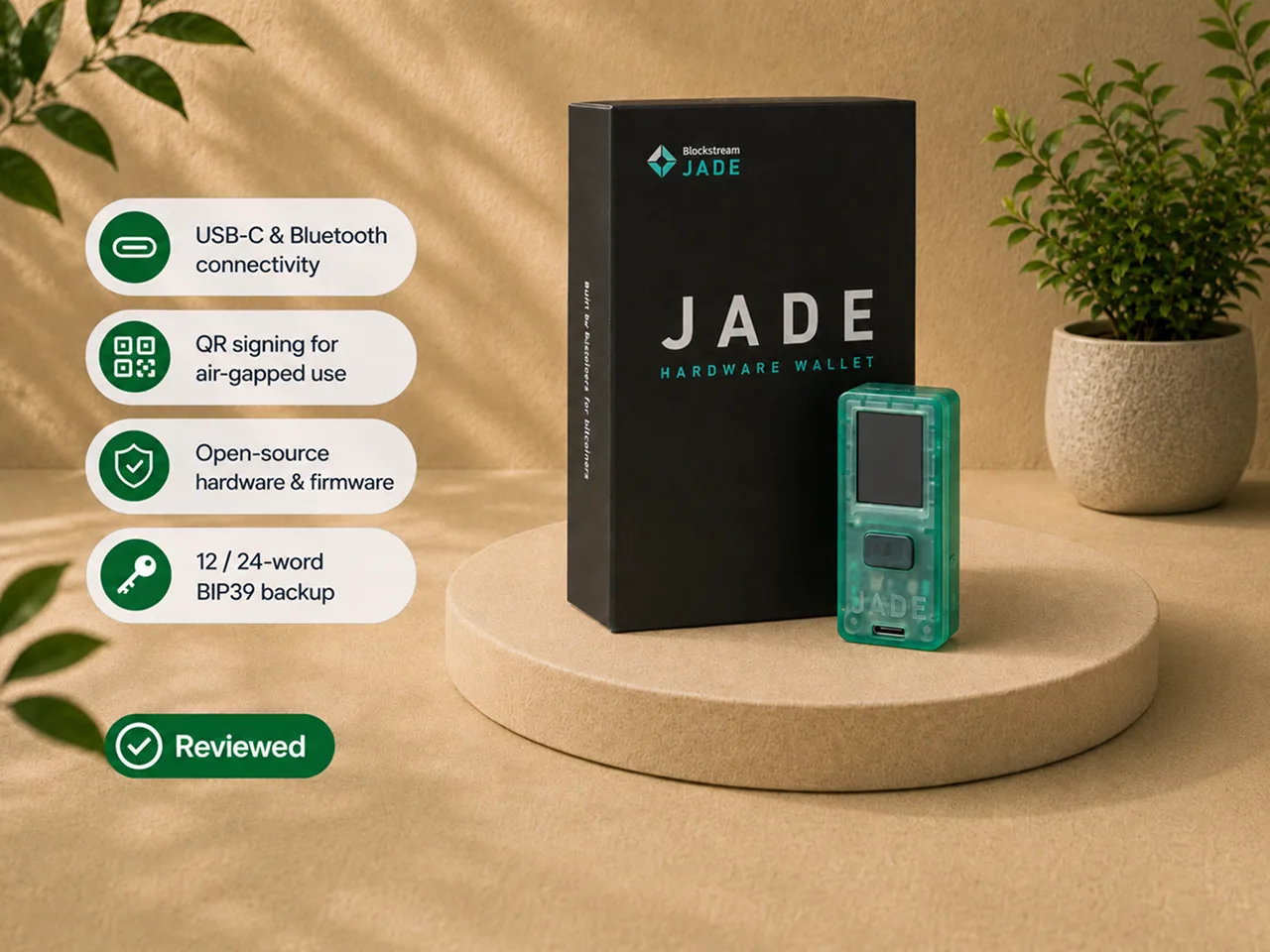
I tested Blockstream Jade from initial setup through real receive and send workflows. I recorded the recovery phrase, used USB-C and Bluetooth, completed QR signing flows, verified addresses and transaction details on the device, selected custom fees, and used replace-by-fee when one transaction was confirming too slowly.
That experience produced a clear verdict.
Blockstream Jade gives a patient Bitcoin holder an unusually broad set of signing options in one compact device that remains the value-focused entry point into the Jade family. USB-C is simple. Bluetooth is convenient when it behaves. QR signing creates a cleaner isolation boundary. The open-source hardware and firmware reward buyers who want more of the trust model available for inspection.
The tradeoff is polish.
My unit arrived with so little charge that it powered off during the initial setup, close to the point where I was handling the recovery phrase. Bluetooth reconnection became a repeated troubleshooting exercise. The original camera completed QR flows, but it required careful positioning and patience. The small display and budget controls performed the essential job without making the process feel premium.
My bottom line: Blockstream Jade is a strong Bitcoin signing device for someone who wants to choose between USB-C, Bluetooth, and QR workflows and is willing to learn the tradeoffs. It is not the smoothest hardware wallet I have used, and it is not the device I would hand to someone who expects every interaction to feel effortless. If the small screen or the camera friction bothers you, the answer is not "avoid Jade" - it is Jade Plus, and I explain exactly where that line falls below.
Hands-on scope and evidence boundary
The hands-on work behind this review covered:
- opening and handling Blockstream Jade;
- charging the device and completing first setup;
- creating a new wallet;
- selecting and recording a recovery phrase;
- confirming recovery words during setup;
- setting and using the PIN;
- pairing the device over Bluetooth;
- connecting it over USB-C;
- completing camera-based QR signing flows;
- generating receive addresses;
- verifying addresses on the Jade screen;
- preparing and signing send transactions;
- reviewing destination, amount, and fee information on the device;
- selecting custom fees;
- using replace-by-fee on a slow transaction;
- inspecting the Blockstream app's account, transaction, and device settings;
- encountering Bluetooth reconnection and account-display friction.
This review does not claim that I:
- perform a hardware teardown;
- inspect the processor or internal board;
- reproduce a physical side-channel attack;
- audit the firmware;
- independently reproduce a public vulnerability;
- test every compatible third-party wallet;
- perform a multi-year battery test;
- use Jade as the only signer in a large treasury setup;
- treat QR signing as proof that every threat had disappeared.
My separate hands-on notes on Jade Plus and Jade Core live on their own pages. The Blind Oracle model, public security disclosures, firmware history, and third-party compatibility below are documentation-based unless I explicitly describe something I tested.
My verdict
Blockstream Jade succeeds because it gives one Bitcoin signer three meaningfully different workflows.
With USB-C, it behaves like a straightforward connected hardware wallet.
With Bluetooth, it supports a phone workflow without a cable, although reconnection was the least reliable part of my test.
With QR, it exchanges transaction data visually without a direct cable or radio connection during signing. That is the most interesting path for isolation, but the original camera and QR PIN flow add time and friction.
Blockstream Jade also uses a different security architecture from hardware wallets built around a sealed secure element. Per Blockstream documentation, Jade uses a Blind Oracle virtual secure-element design, and the same model runs across every Jade device.
That architecture is not automatically better or worse. It changes what the owner must trust and understand. If you want the background before you buy, read secure element vs open source.
Blockstream Jade is easiest to recommend when the buyer wants:
- Bitcoin and Liquid support rather than a broad multi-chain wallet;
- a compact and flexible Bitcoin signing device at the value end of the Jade lineup;
- USB-C simplicity with QR available for more isolated sessions;
- open-source hardware and firmware;
- compatibility with several established Bitcoin wallet applications;
- practical fee controls;
- a device that can later participate in more advanced workflows.
It is harder to recommend when the buyer wants:
- flawless mobile reconnection;
- a large display and premium controls;
- a traditional sealed-secure-element model;
- broad altcoin support;
- a setup that requires almost no troubleshooting;
- one inexpensive device to serve as the entire custody plan for life-changing value.
Blockstream Jade at a glance
| Item | What it means in practice |
|---|---|
| Official lineup name | Blockstream Jade ("the origin device") |
| Model tested | The Blockstream Jade |
| Asset scope | Bitcoin and Liquid |
| Connections | USB-C, Bluetooth, and camera-based QR |
| Dimensions | 60 x 24 x 17 mm |
| Weight | 21 g |
| Battery | 240 mAh |
| Controls | Click wheel, application button, and power control |
| Best tested workflow | USB-C |
| Most isolated tested workflow | QR signing |
| Roughest tested workflow | Bluetooth reconnection |
| Backup | 12-word or 24-word recovery phrase; SeedQR is also complete recovery material |
| Security architecture | Blind Oracle virtual secure element, per Blockstream documentation |
| Firmware | Open-source standard and no-radio builds |
| Firmware guidance | Use the current official stable release |
| Companion software | Blockstream app (formerly Blockstream Green) |
| Main advantage | More workflow flexibility than the hardware quality suggests |
| Main drawback | The original model makes the owner work for that flexibility |
The strengths and tradeoffs in one table
| Area | Strength | Tradeoff |
|---|---|---|
| Value position | Entry model with an unusually broad feature set | You feel the budget in the hardware, not the security model |
| USB-C | Stable and easy to repeat | Direct connection to the host |
| Bluetooth | Convenient for phone use | Reconnection was frustrating in my test |
| QR signing | No cable or Bluetooth session during transaction exchange | More scans, slower unlock, and camera patience |
| Screen | Provides independent address and transaction verification | Small for long addresses and repeated navigation |
| Controls | Physical confirmation and focused menus | Functional rather than refined |
| Battery | Supports untethered Bluetooth and QR use | Must be charged and will age over time |
| Open-source design | More of the hardware and firmware can be inspected | The owner still depends on current firmware and documented assumptions |
| Blind Oracle | Avoids a proprietary sealed secure element | Introduces an off-device component in the default unlock model |
| SeedQR | Makes documented stateless workflows practical | It is complete recovery material in scannable form |
| Wallet support | Allows growth beyond the manufacturer app | Compatibility depends on model, connection, firmware, and wallet version |
| Value | Camera, battery, Bluetooth, USB-C, and a screen in one small signer | The overall experience remains visibly budget-oriented |
How I tested Blockstream Jade
I began with the original Jade and the included package materials.
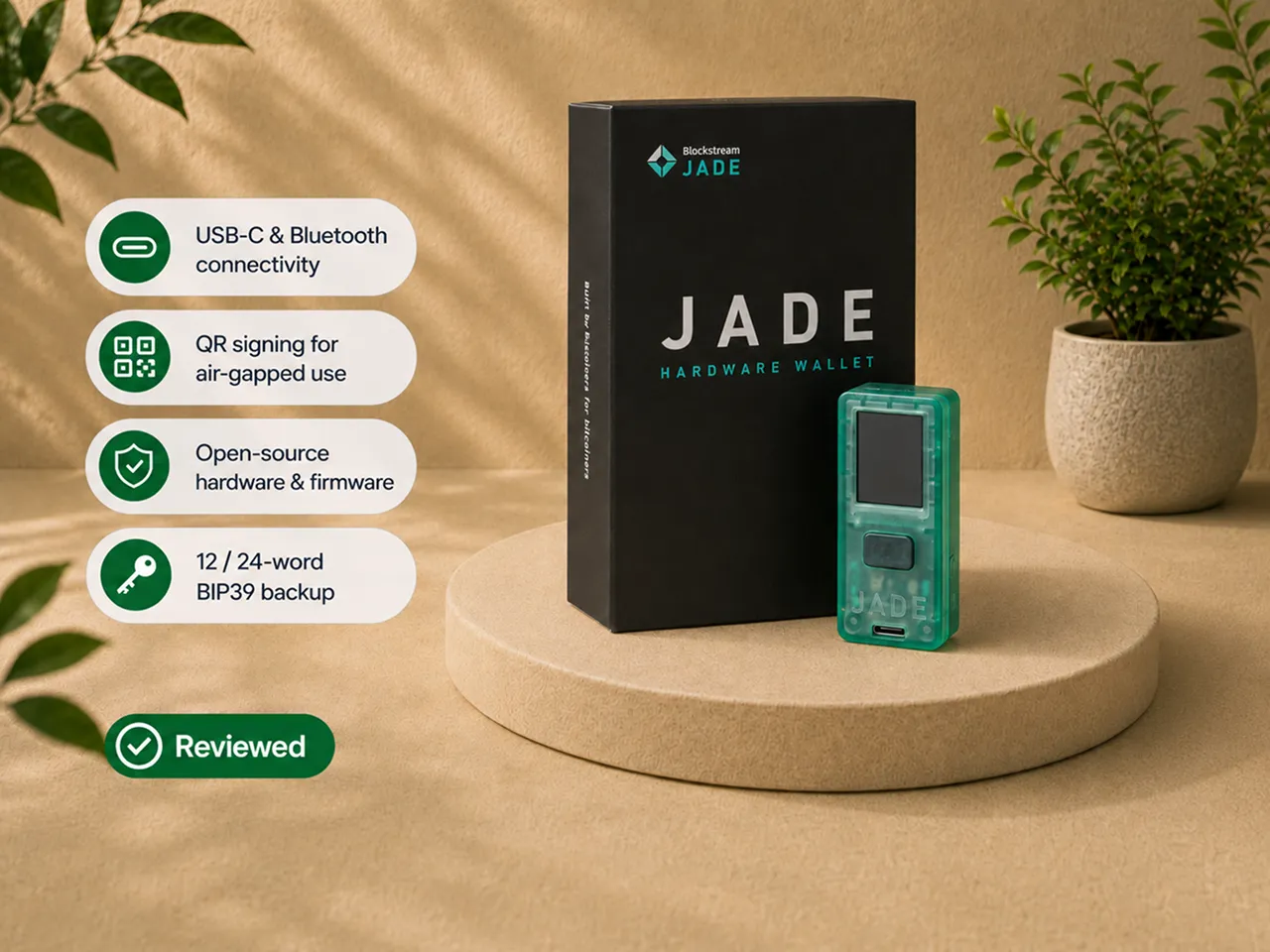
The device is small, plastic, and slightly translucent. It feels like a practical electronics tool rather than a luxury object. The official specification lists it at 21 grams, and the low weight matches the physical impression.
My first lesson arrived before the wallet was fully created.
The Jade had very little charge. It powered off during the initial setup, close to the stage where I was handling the recovery phrase.
Nothing was lost, but the interruption was badly timed.
Seed creation is the moment when the user should be calm, focused, and certain about what has been recorded. A shutdown adds doubt exactly where the process should reduce it.
I charged the device before continuing.
After setup, I used Blockstream Jade through:
- USB-C for the simplest connected workflow;
- Bluetooth for phone convenience;
- QR signing for visual transaction transfer without a direct connection during signing.
I created receive addresses in the app and checked them on Jade. I prepared send transactions, reviewed the final information on the hardware wallet, and physically approved them.
I also used custom fee selection. When one transaction was confirming too slowly, I used replace-by-fee to increase the fee.
That was a more useful test than simply proving that the send button worked. Bitcoin network conditions change, and a wallet becomes more practical when it gives the owner a clear way to respond.
Charge Jade before beginning setup
This is the first recommendation I would give a new owner.
Charge the device fully before creating the wallet.
My unit powered off close to the recovery-phrase stage. The interruption did not reveal the words or move any Bitcoin, but it forced me to stop and question whether the sequence had completed correctly.
That is avoidable.
Before setup:
- charge the battery;
- prepare a private space;
- remove unnecessary cameras and phones;
- have the recovery sheets and a pen ready;
- allow enough uninterrupted time;
- do not begin if you expect to rush.
Jade supports a 12-word or 24-word recovery phrase. Choose deliberately, record every word in the correct order, and complete the confirmation process before treating the wallet as ready. If any of that is unfamiliar, our hardware wallet setup guide and backup basics walk through the discipline that actually keeps funds recoverable.
The menus include the settings expected from a focused Bitcoin signer, including passphrase controls, screen settings, Bluetooth, timeout behavior, and device management.
A patient beginner can complete this setup. A beginner should not activate every advanced option at once. Start with a simple single-signature Bitcoin account and USB-C. Learn receive verification, transaction confirmation, and recovery discipline before adding QR, passphrases, stateless use, or multisignature.
Blockstream Jade feels functional, not premium
The original Jade is compact and light.
Its plastic body does not create the substantial physical impression of a metal wallet. The small display, click wheel, application button, and basic navigation reveal the product category quickly.
That is not automatically a problem.
A hardware wallet spends most of its life stored rather than held. The more important questions are whether the display supports verification, whether the controls allow deliberate confirmation, and whether the device can survive normal handling.
The screen was sufficient for addresses, amounts, fees, and prompts. The controls were usable. The device did not feel luxurious, but it performed the signing role.
The budget hardware becomes more noticeable during interactive workflows. QR scanning requires the camera, display, and controls to work together. Longer menu navigation makes the screen feel smaller. Mobile use exposes the Bluetooth behavior. In those sessions, the physical design affects patience more than basic functionality.
The built-in battery adds flexibility, but it also introduces a component that ages. For a device expected to sit unused for long periods, that deserves acknowledgment. A degraded battery should not remove access to the Bitcoin, because the recovery phrase remains the ultimate recovery path, but it can change how convenient the device is years later. (This is the exact tradeoff that makes the battery-free Jade Core interesting to a narrow set of buyers.)
Blockstream Jade makes the most sense as an inexpensive signing tool used deliberately, not as a premium device handled constantly.
USB-C was the easiest workflow
USB-C was the most stable connection in my testing.
The process was direct:
- connect Jade to the computer;
- unlock the device;
- load the wallet;
- prepare the transaction;
- review the details on Jade;
- approve the signature.
There was no pairing history to repair and no camera alignment to manage. That makes USB-C the workflow I would recommend for a buyer who wants Jade's flexibility without turning every transaction into a technical exercise.
The tradeoff is obvious. The hardware wallet is connected to an internet-capable computer. Private keys remain on Jade during normal signing, but the host constructs the transaction and communicates with the network.
That is why the device screen remains the source of truth. A cable is not the security failure. Blind approval is.
Bluetooth was convenient until reconnection became work
Bluetooth was the roughest part of my day-to-day test.
The initial pairing was understandable. The phone found Jade, the pairing information was confirmed, and the wallet could be used without a cable.
The frustration appeared after the device slept or the connection dropped. A normal reconnection sometimes became a sequence:
- wake or restart Jade;
- toggle Bluetooth on the phone;
- close and reopen the app;
- remove the old pairing;
- pair the device again.
That is too much work for a function whose main purpose is convenience. The problem did not prevent Jade from signing. It changed which connection method I expected to work without preparation.
Bluetooth still has a role. It is useful when the phone is the main interface and a cable is inconvenient. After the reconnection friction I experienced, I would not buy Blockstream Jade primarily for Bluetooth.
Owners who do not want a radio in their normal setup can evaluate Blockstream's no-radio firmware build. The current official firmware path offers a stable no-radio version with USB and QR support but without Bluetooth. That is a better response to radio concerns than buying a Bluetooth-capable device and merely hoping never to use the function.
QR signing created the cleanest boundary and the slowest session
QR signing is the function that makes Blockstream Jade more than a basic connected wallet.
The workflow separates transaction construction from signing:
- the phone or computer prepares the unsigned transaction;
- the application displays transaction data as QR codes;
- Jade scans the data through its camera;
- Jade displays the destination, amount, and fee;
- the owner approves the transaction;
- Jade displays the signed transaction data as QR codes;
- the application scans the signed data and broadcasts it.
During that transaction exchange, Jade does not need a USB or Bluetooth connection to the online device. That is a cleaner isolation boundary. It is not proof that the complete setup is safe. If you want the nuance, read air-gapped hardware wallets.
The owner still needs:
- secure recovery material;
- current firmware;
- a legitimate companion application;
- careful address and amount verification;
- a correct understanding of what the QR data represents.
The original Jade camera requires patience. I had to find a workable distance, angle, and screen brightness. The scan completed, but it did not feel as polished as a camera-first device. QR PIN unlock adds another visual exchange before signing.
The extra steps are acceptable when isolation is the reason for using the device. They are inefficient when speed is the priority. And this is exactly where the family splits: if QR is going to be your main workflow, the camera on Jade Plus is the single biggest reason to spend the extra.
The real workflow decision is:
- use USB-C for simplicity;
- use Bluetooth for phone convenience, with reconnection caveats;
- use QR when the isolation benefit justifies additional steps.
The better question is not whether Jade supports all three. The better question is which one you will actually use.
Receiving and sending made the Jade screen the authority
The app is useful for constructing and broadcasting transactions. Jade is useful because it creates a separate confirmation surface.
When receiving Bitcoin, I generated the address in the application and checked it on the Jade display. That matters because a compromised phone or computer could attempt to replace an address shown in software. The hardware wallet display is the value that should be compared before funds are sent.
When sending, I entered the destination, amount, and fee in the application. Jade displayed the transaction information for approval. I reviewed the destination, the amount, the fee, and the confirmation prompt. Only then did I sign.
The security lesson is simple:
The app prepares and broadcasts. Jade displays and authorizes.
USB, Bluetooth, and QR all fail as security practices if the owner confirms without reading.
Custom fees and replace-by-fee mattered in real use
Many hardware-wallet reviews stop after one successful receive and one successful send. That proves the basic signing path. It does not prove that the software helps when Bitcoin network conditions change.
The Blockstream app allowed me to choose the transaction fee. When one transaction was confirming too slowly, I used replace-by-fee to increase the fee.
The application also exposed practical transaction information, including transaction ID, fee, confirmation status, confirmation count, notes, and block-explorer access.
These are not headline functions, but they matter during real use. A hardware wallet should not force the owner to choose between secure signing and practical Bitcoin transaction management. Jade's signing role and the app's transaction controls worked together well in this part of the test.
The Blockstream app was clear, with distracting rough edges
The Blockstream companion application (formerly Blockstream Green) was reasonably organized. The main surfaces were understandable: accounts and balances, send, receive, transaction history, fee selection, settings, and transaction details. The app also supports useful presentation and privacy controls, including BTC or satoshi denomination, exchange-rate display, and Tor routing.
For a basic single-signature Bitcoin setup, the app can be used without turning the experience into a technical project.
The account model can still confuse a new user. Single-signature Bitcoin, multisignature Bitcoin, Liquid, and Liquid multisignature are different setups, not four boxes that every beginner needs to activate. Legacy and SegWit accounts can also appear separately. An archived legacy account resurfaced during my use. That did not expose keys or change a transaction, but it added unnecessary interface noise.
For most new Bitcoin holders, one suitable SegWit single-signature account is enough to begin. The app was good enough to use. It was not polished enough to disappear.
Jade is not locked to one wallet application
The Blockstream app is the default route, but Jade's usefulness is not limited to one interface.
Blockstream currently lists compatibility with Bitcoin wallet software that includes Sparrow, Electrum, Specter, Nunchuk, BlueWallet, and Bitcoin Core through HWI. Exact compatibility can depend on the Jade model, firmware, connection method, operating system, and wallet version. I did not personally verify every combination.
The larger advantage is choice. A beginner can start with the Blockstream app. An advanced user can move toward software that better supports UTXO control, multisignature, desktop workflows, or a particular privacy model. Our companion apps guide covers how to keep that environment clean.
Backup, SeedQR, passphrases, and stateless use
The recovery phrase is the foundation. Jade supports a 12-word or 24-word recovery phrase. The words can restore the wallet independently of the physical device. Write them offline, preserve the order, and store them where they remain private and recoverable.
Jade also supports SeedQR. SeedQR is not a harmless convenience code. It is a scannable representation of recovery material. Anyone who obtains it may be able to restore the wallet.
Treat it like written recovery words:
- do not photograph it;
- do not store it in cloud notes;
- do not leave it beside the device;
- do not display it where a camera can record it;
- protect it against theft, loss, and damage.
SeedQR makes documented stateless use practical. In a stateless workflow, Jade can load the wallet for a session without retaining the seed after shutdown. That can reduce the value of stealing the powered-off hardware wallet. It also changes the operational risk. Recovery material must be available when the wallet is loaded, and frequent scanning creates more opportunities for exposure.
A passphrase can add another secret and create a separate wallet. It can also permanently hide the intended wallet if forgotten or entered differently. See passphrase vs seed phrase before you rely on one.
I did not use stateless mode as the normal workflow for this review. It is an advanced option that should be selected because it fits a specific threat model, not because it sounds more secure.
Does Blockstream Jade have a secure element?
Blockstream Jade does not use a traditional sealed secure-element chip. Per Blockstream documentation, it uses a Blind Oracle virtual secure-element architecture - and this is the same model across Jade Core and Jade Plus.
The device stores encrypted wallet material. Unlocking in the default model involves Jade, the owner PIN, and an off-device oracle that participates without learning the seed, wallet addresses, or actual PIN. The oracle helps resist repeated PIN guessing while allowing the hardware and firmware design to remain open.
The model has real advantages:
- more of the system can be inspected;
- the design does not depend entirely on a proprietary secure-element vendor;
- the hardware can remain accessible and open;
- advanced users can explore personal-oracle and stateless configurations.
It also has real costs:
- the default unlock path depends on off-device infrastructure;
- the architecture takes longer to explain;
- some buyers prefer a familiar sealed-chip model;
- alternative configurations add operational complexity.
The correct conclusion is not that the oracle is secretly identical to a secure element. It is also not that any off-device component makes the wallet unsafe. The correct conclusion is that Jade asks the owner to accept a different security architecture. If a sealed secure element is what you want in a Bitcoin-only device, read the BitBox02 Bitcoin-only review or the Trezor Safe 3 Bitcoin-only review.
Is Blockstream Jade safe? What the public disclosures show
This section is based on public security disclosures. I did not reproduce either attack.
Two separate events matter, and they should not be merged into one vague claim.
Ledger Donjon physical side-channel research
Ledger Donjon demonstrated a physical side-channel attack against the ESP32 microcontroller used in the original Jade. The researchers physically opened the device, removed the chip, collected a large number of power traces, and recovered the key used to decrypt the firmware stored in external flash. That work showed a path toward firmware analysis and malicious-code injection in an evil-maid scenario.
This was a physical laboratory attack. It required possession of the device, disassembly, specialist equipment, and technical skill. It was not a remote Bluetooth attack and not an ordinary cable exploit. The result matters because it challenged the physical-resistance assumptions of the original hardware. It does not mean that every stolen Jade automatically reveals a seed. (Notably, the newer Jade Plus and Jade Core use a different, newer ESP32-S3 chip, and I have not seen equivalent public side-channel research reproduced against that silicon.)
DARKNAVY firmware vulnerability
DARKNAVY separately disclosed a vulnerability in the firmware RPC interface. Firmware versions 1.0.24 through 1.0.36 were within the affected range.
The issue involved insufficient size checking when processing a descriptor registration message. Depending on firmware and exploit sophistication, the impact ranged from crashing the device to limited code execution and, in a worst-case scenario, possible access to stored secrets.
Blockstream released version 1.0.37 with the fix. Version 1.0.38 added anti-rollback protection so an updated device could not be downgraded to an affected release.
Blockstream reported:
- no evidence of exploitation in the wild;
- no confirmed user-fund loss related to the issue;
- QR mode was not exposed because it does not provide the vulnerable RPC interface;
- exploitation required a malicious host or application communicating over the unlocked interface.
Because all three Jade models share firmware, this disclosure and its fix apply across the lineup, not only to.
The practical rule is straightforward:
- use current official firmware;
- do not remain on a release older than 1.0.38;
- update through official Blockstream channels;
- do not grant random websites or applications access to Jade;
- consider no-radio firmware if Bluetooth is not part of the intended workflow.
Open-source scrutiny does not guarantee that vulnerabilities will never exist. It makes public discovery, discussion, and remediation more likely. That is valuable, but only when owners install the fixes. Our firmware updates guide covers doing this without creating new risk.
Updating Jade firmware without creating another risk
Firmware maintenance is part of owning Jade.
The normal route is the official Blockstream app. Jade can also be updated through Blockstream's official web portal or advanced command-line tooling. For the best setup sequence, Blockstream recommends updating before initialization. If a device arrives with firmware older than 1.0.38, current Blockstream guidance says to perform a factory reset before or after the first update.
A standard update is reasonable when:
- the Jade is uninitialized or already reset;
- it has only been used in QR mode;
- it is already running firmware 1.0.36 or later;
- the host device is known to be clean.
If the computer or phone may be compromised:
- confirm that the recovery phrase is complete;
- factory reset Jade;
- update through an official method;
- confirm the installed version after reboot;
- restore the wallet only after the update path is trusted.
A factory reset is not a casual troubleshooting step. If the backup is incomplete, the reset becomes the failure.
Advanced functions that extend Jade beyond basic signing
Blockstream Jade includes or documents several capabilities beyond a simple receive-and-send workflow.
Duress or wipe PIN. A separate PIN can wipe the device while presenting an error instead of opening the wallet. This is a specialized threat-model feature, not something most owners need daily.
Passphrase wallets. A passphrase can create a separate wallet on top of the recovery phrase. It can add another secret. It can also permanently remove access when forgotten or entered differently.
SeedQR and stateless signing. SeedQR can load a wallet quickly for a session without leaving the seed stored after shutdown. The convenience increases the need to protect the QR from cameras and physical access.
Multisignature support. Jade can participate as one signer in a multisignature setup. That can reduce dependence on one device, but multisignature also makes backup, coordination, and inheritance more demanding.
Two-factor authentication codes. Current firmware supports storing and exporting authentication-code backups. This is a secondary function, not the reason to choose Jade as a Bitcoin signer.
No-radio firmware. Blockstream provides firmware without Bluetooth for owners who want USB and QR but prefer to remove the radio functionality.
Personal Blind Oracle. Advanced owners can evaluate running their own oracle rather than relying on the default infrastructure. That increases control and maintenance responsibility at the same time.
None of these functions makes Jade automatically safer. They give the owner more ways to design a setup, and more ways to create complexity without a plan.
Blockstream Jade, Jade Plus, and Jade Core are different purchases
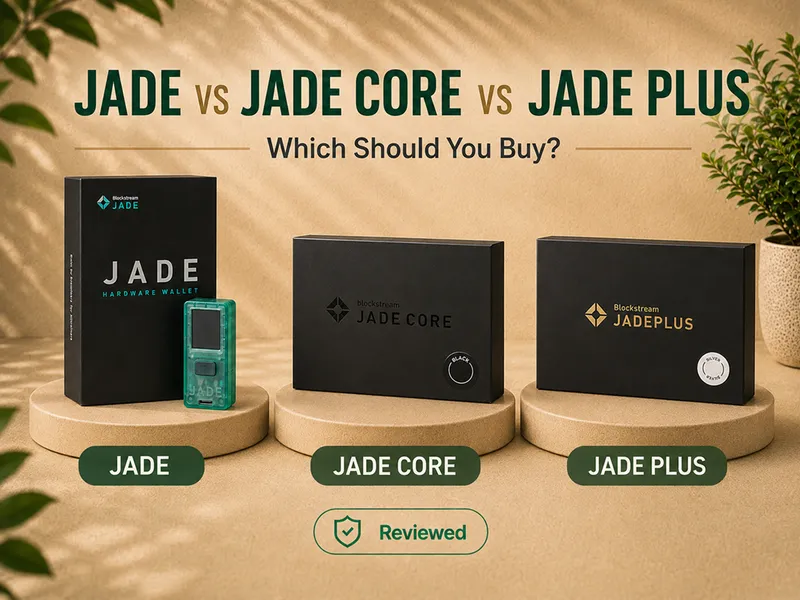
I tested Blockstream Jade. All three models share the same open-source firmware family and Blind Oracle security model, but the hardware and intended workflows differ - and Blockstream now prices and positions them as three distinct jobs.
Blockstream Jade - the origin device. Compact plastic body, small color display, click-wheel navigation, camera, battery, USB-C, Bluetooth, QR signing. Strong flexibility with visible hardware compromises. The value pick.
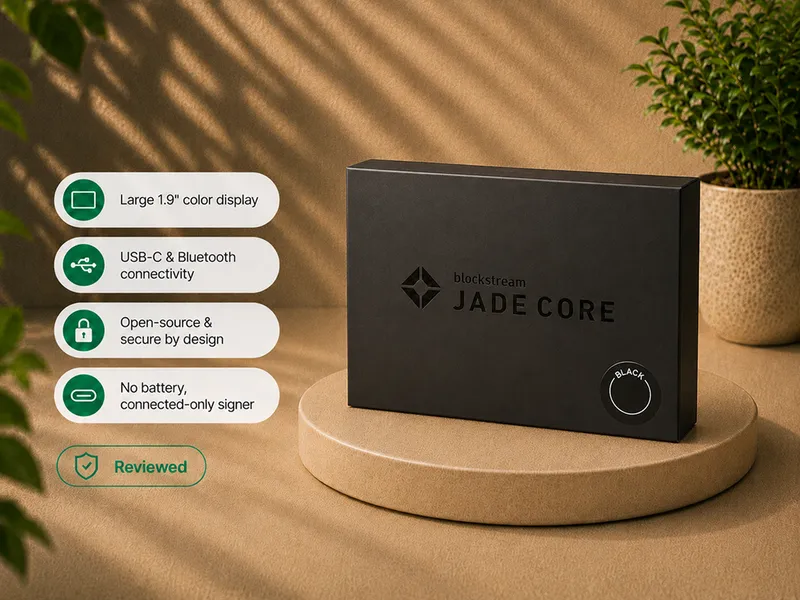
Jade Core - the off-ramp device. A larger, clearer screen and a quick setup, built for getting off an exchange, but with no camera and no battery. It is a connected USB/Bluetooth signer, not the camera-based Jade experience. Full Jade Core review.
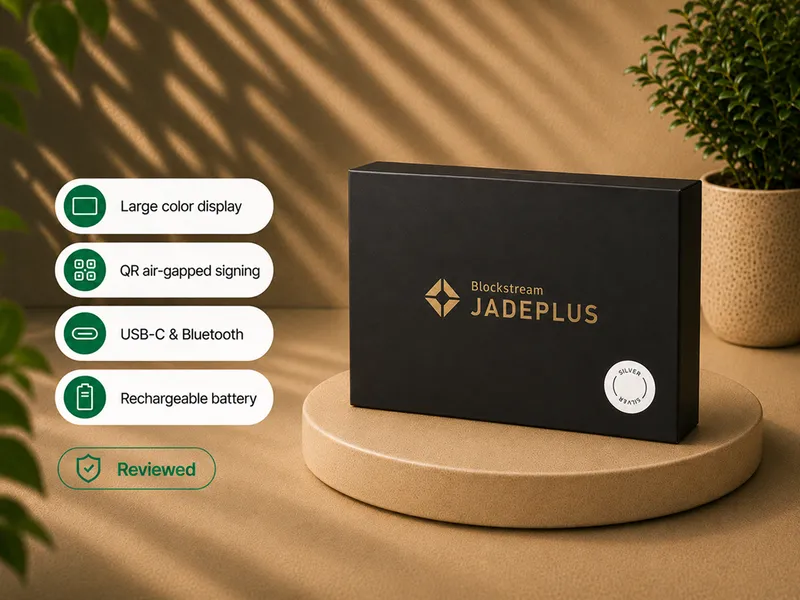
Jade Plus - the advanced device. A metal body, a much larger and brighter screen, a far better camera, a battery, and offline storage-card air-gapped updates. This is the family direction for buyers who want QR signing as the main workflow. Full Jade Plus review.
For the head-to-head, see Blockstream Jade vs Jade Core vs Jade Plus.
Choose the Jade model by workflow
| Primary need | Model direction to evaluate |
|---|---|
| Camera, battery, USB-C, Bluetooth, and QR in a value-focused compact format | Blockstream Jade |
| Simplest possible first move off an exchange, large screen, no QR needed | Jade Core |
| Strongest Jade-family camera and QR experience | Jade Plus |
| Simplest tested workflow on Blockstream Jade | Blockstream Jade over USB-C |
| Phone convenience | Bluetooth, with reconnection caveats |
| Radio-free operation | Blockstream Jade with official no-radio firmware |
| Greater isolation without moving to Plus | Blockstream Jade QR, with camera patience |
Confirm the current official specifications and availability before ordering.
Who should buy Blockstream Jade
Bitcoin holders who want workflow flexibility. Blockstream Jade supports a simple cable path and more advanced QR use in one device, at the value end of the Jade lineup.
Buyers who value open hardware and firmware. The device makes more sense for someone who wants inspectability and accepts the Blind Oracle tradeoff.
Patient first-time hardware-wallet users. Jade can be a first hardware wallet when the buyer begins with USB-C, one single-signature account, and a small test transaction. It is not the best first device for someone who wants zero troubleshooting.
QR-curious users. The original camera lets a buyer learn air-gapped transaction exchange without requiring a second device immediately.
Advanced Bitcoin users. Third-party wallet compatibility, QR, stateless workflows, multisignature, Tor, custom fees, and no-radio firmware give the device room to grow.
Multisignature participants. A low-cost open-source signer can be useful as one independent component in a broader custody arrangement.
Who should skip Blockstream Jade
Buyers who want the smoothest experience. The original Jade has too many small frictions to be the obvious no-fiddling choice.
Buyers who depend on flawless Bluetooth. My reconnection experience was not reliable enough to make Bluetooth the main purchasing reason.
Buyers who want premium hardware. The screen, controls, camera, and plastic body reveal the budget-oriented design - Jade Plus is the fix.
Buyers who reject oracle dependency. The default security architecture differs from a sealed-secure-element wallet.
Broad crypto users. Jade supports Bitcoin and Liquid, not a large multi-chain portfolio.
Buyers who want the best camera-first workflow. Blockstream Jade can complete QR signing, but Jade Plus is the more natural family direction when QR is the primary workflow.
Owners seeking one device for life-changing value. One hardware wallet should not automatically become the complete custody plan for a very large amount. Recovery design, geographic separation, inheritance, and possibly multisignature become more important as the stakes grow.
If Blockstream Jade is not the right fit
| Your priority | Better direction |
|---|---|
| Compact Bitcoin-only USB-C workflow and a sealed secure element | Read the BitBox02 Bitcoin-only review |
| The best Jade camera and QR experience | Read the Jade Plus review |
| A larger screen for simple connected signing | Read the Jade Core review |
| Larger touchscreen and more guided interaction | Read the Trezor Safe 5 Bitcoin-only review |
| Air-gap-first research | Read the air-gapped hardware wallets guide |
| Comparing trust architectures | Read the hardware wallet security models guide |
These routes keep the decision focused on fit rather than forcing Jade onto every reader.
Mid-review product route
Jade is easiest to buy correctly after choosing the workflow and model.
Buy and set up Jade without skipping the trust checks
Use the official Blockstream store or a currently authorized source. Read how to check if a hardware wallet is genuine and supply-chain risk if you are new to this.
When the device arrives:
- inspect the packaging;
- charge the battery;
- confirm that the device is uninitialized;
- install the official Blockstream app;
- run the available Genuine Check;
- update through an official firmware path;
- create the recovery phrase privately;
- verify the backup before funding;
- begin with a small transaction;
- choose USB-C, Bluetooth, or QR as the normal workflow.
Do not use recovery words supplied by another person. Do not enter the seed into a website, browser form, support chat, or ordinary phone application. Do not assume that an official-looking advertisement, direct message, or support account is legitimate.
The affiliate link on this page points to the official Blockstream store and applies a 10% discount automatically at checkout. We may earn a commission as well. Independent verification remains necessary.
Final verdict
Blockstream Jade is one of the most capable compact Bitcoin hardware wallets I have used, and it remains the value-focused entry point into the family.
Its best quality is choice. USB-C makes it straightforward. Bluetooth makes it mobile, although reconnection was frustrating. QR creates a cleaner signing boundary, although the original camera and unlock process require patience.
The open-source posture and Blind Oracle architecture make Jade technically interesting. They also make the trust model harder to summarize. The public security history reinforces the need for current firmware and deliberate ownership rather than blind confidence.
Blockstream Jade is not premium, frictionless, or universal. It is flexible, open, compact, and capable.
For a patient Bitcoin holder who wants a signer that can begin with simple USB-C use and grow toward QR, third-party wallets, stateless workflows, multisignature, or a personal oracle, Blockstream Jade is a serious candidate. For someone who wants flawless Bluetooth, effortless camera scanning, a large screen, broad asset support, or a familiar sealed-secure-element story, compare Jade Plus or another wallet before buying.
The recommendation is specific:
Choose Blockstream Jade because its workflow and trust model fit you, not because it offers the longest function list or simply appears inexpensive.
Official product route
If Blockstream Jade still fits after the connection, backup, oracle, firmware, and model tradeoffs above, verify the current model details, availability, package contents, shipping, and setup guidance directly at Blockstream.
Frequently asked questions
Did you actually test Blockstream Jade?
Yes. I tested Blockstream Jade, completed setup, wrote down the recovery phrase, used USB-C, paired it over Bluetooth, completed QR signing flows, verified receive addresses, signed send transactions, selected custom fees, and used replace-by-fee.
Which Jade model did you test?
I tested Blockstream Jade, the original small Blockstream Jade. My hands-on notes on Jade Plus and Jade Core are on their own pages.
What happened during the initial setup?
My unit arrived with very little charge and powered off close to the recovery-phrase stage. I charged it before continuing.
Which connection method worked best?
USB-C was the simplest and most reliable. QR created the cleanest isolation boundary but required more time. Bluetooth had the most frustrating reconnection behavior.
Is Bluetooth reliable on Blockstream Jade?
The initial pairing worked, but reconnection after sleep or a dropped session could require restarting the device and app, removing the old pairing, and pairing again.
Can I use Jade without Bluetooth?
Yes. Blockstream provides no-radio firmware with USB and QR support but without Bluetooth.
Can Blockstream Jade sign through QR codes?
Yes. I completed camera-based QR signing flows on Blockstream Jade. The process works, but the original camera requires positioning and patience.
Is Jade air-gapped?
Jade can sign through QR without a USB or Bluetooth connection during the transaction exchange. The complete setup still depends on secure recovery material, current firmware, legitimate wallet software, and careful verification.
What is SeedQR?
SeedQR is a scannable representation of recovery material. It must be protected like written recovery words.
Does Jade have a secure element?
It does not use a traditional sealed secure-element chip. Per Blockstream documentation, it uses a Blind Oracle virtual secure-element architecture, and the same model runs on Jade Core and Jade Plus.
What is the Blind Oracle?
It is the off-device component in Jade's default unlock architecture. It participates in access protection without learning the seed, wallet addresses, or actual PIN.
What happens if the default oracle is unavailable?
The normal default unlock route may be interrupted. The recovery phrase remains the ultimate recovery path, and advanced users can evaluate personal-oracle or stateless options.
Which firmware versions were affected by the DARKNAVY disclosure?
Firmware versions 1.0.24 through 1.0.36 were within the affected range. Version 1.0.37 contained the fix, and version 1.0.38 added anti-rollback protection.
What firmware should I use?
Use the current official stable firmware from Blockstream. The public DARKNAVY timeline is useful historical context, but the version you install should always be verified against Blockstream immediately before setup or publication.
Was the DARKNAVY vulnerability exploited in the wild?
Blockstream reported no evidence of exploitation and no confirmed fund loss related to the issue.
Was QR mode affected by that firmware vulnerability?
Blockstream states that QR mode was not affected because it does not expose the vulnerable RPC interface.
What did Ledger Donjon demonstrate?
Ledger Donjon demonstrated a physical side-channel attack against the ESP32 hardware used in the original Jade. The laboratory process required physical possession, disassembly, specialist equipment, and technical skill.
Did you reproduce either security issue?
No. The security section is based on public disclosures.
Does Jade support custom fees and replace-by-fee?
Yes. I used both during testing.
Does Jade support altcoins?
Jade is focused on Bitcoin and Liquid. It is not a broad multi-chain hardware wallet.
Does Jade work with Sparrow and other Bitcoin wallets?
Blockstream lists compatibility with several Bitcoin applications, including Sparrow, Electrum, Specter, Nunchuk, BlueWallet, and Bitcoin Core through HWI. Exact support depends on model, firmware, connection, and software version.
Should a beginner buy Blockstream Jade?
A patient beginner can start with USB-C, one single-signature Bitcoin account, and small test transactions. It is a poor fit for someone who wants zero troubleshooting or plans to begin with every advanced function.
Should I choose Blockstream Jade, Jade Plus, or Jade Core?
Choose Blockstream Jade for value and workflow flexibility, Jade Plus for the strongest QR experience, and Jade Core for a larger connected signer without a camera or battery. The full comparison explains the tradeoffs.
Who should skip Blockstream Jade?
Skip it if you need broad asset support, flawless Bluetooth, premium hardware, the easiest interface, or a traditional sealed-secure-element design.
Does Bitcoin Plaster earn a commission?
Yes. Your 10% discount is applied automatically at checkout when you use the official Blockstream store link, and Bitcoin Plaster may earn a commission as well. The connection problems, security history, and fit limitations remain part of the review.
Where to go next
- Blockstream Jade vs Jade Core vs Jade Plus - the full head-to-head.
- Blockstream Jade Plus review - the QR and air-gap upgrade.
- BitBox02 Bitcoin-only review - a sealed-secure-element alternative.
- Best Bitcoin hardware wallets - current winners by use case.