Unsafe seed phrase storage patterns to remove

Unsafe seed phrase storage usually falls into a small number of patterns: digital copies, shared failure points, casual physical locations, third-party exposure, and lifecycle confusion. Remove the pattern first, then choose the safer replacement.
Quick rule: Do not store a seed phrase where convenience creates hidden copies, where one event removes the wallet and backup together, or where secrecy makes authorized recovery impossible.
Digital storage patterns to remove
| Unsafe pattern | Why it fails | Safer replacement |
|---|---|---|
| Photo or screenshot | Copies may remain in backups, caches, recently deleted folders, transfers, and synchronized accounts. | Create a verified offline physical record. |
| Cloud note, email, or message | The phrase is copied through accounts, providers, devices, and logs. | Keep the real recovery data out of connected communication systems. |
| Ordinary phone or computer file | Malware, repair, resale, synchronization, and account recovery expand exposure. | Use the wallet's legitimate offline recording and verification process. |
| Password manager entry | A seed phrase is non-resettable wallet recovery material, not an ordinary credential. | Keep password-manager instructions non-secret and separate from the phrase. |
| Website, support chat, or AI tool | The secret leaves the controlled recovery environment. | Use official wallet procedures without transmitting the real phrase. |
Shared failure patterns to remove
| Unsafe pattern | Why it fails | Safer replacement |
|---|---|---|
| Seed phrase beside the hardware wallet | One theft, fire, flood, or removal takes both the device and recovery path. | Separate them across realistic failure events. |
| Wallet and only backup in one safe | The safe becomes the complete recovery system and one removable target. | Use the safe as one control, not the only layer. |
| Several copies in one building | Object redundancy does not create location independence. | Add another location only when it removes a named local failure. |
| Seed, passphrase, PIN, and complete instructions together | One discovery may reveal every spending dependency. | Separate components only through a recoverable, documented plan. |
Casual physical locations to remove
| Unsafe pattern | Why it fails | Safer replacement |
|---|---|---|
| Loose paper in a drawer or document pile | It can be read, discarded, damaged, or moved without notice. | Use a controlled location and durable identification process. |
| Wallet packaging or obvious Bitcoin container | The location advertises what the object protects. | Use neutral, controlled storage that does not reveal value. |
| Hidden beyond recovery | The plan depends on one person's memory and may fail during stress, incapacity, or death. | Preserve authorized findability through non-secret continuity instructions. |
| Metal backup left in plain sight | Physical durability does not prevent reading, copying, or removal. | Combine the medium with access control and location design. |
| Small lock or tamper seal as the only control | It may delay or reveal access without preventing copying. | Treat locks and seals as supporting controls. |
Third-party patterns to remove
- Sending the phrase to an engraver or seller: Buy the blank medium and enter the secret privately.
- Giving the phrase to support: A legitimate support process should not require the recovery phrase.
- Using an online seed checker: Verify through the wallet's understood recovery process, not a browser page.
- Assuming an institution guarantees privacy: Evaluate employees, procedures, legal access, and continuity.
- Using a trusted person without defined boundaries: Trust does not remove copying, loss, relationship, or succession risk.
Lifecycle patterns to remove
- Discarding setup residue casually: Worksheets, labels, test plates, packaging, and practice material may reveal sensitive information.
- Mixing old and active seeds: Obsolete records can cause recovery from the wrong wallet or remain as forgotten exposure points.
- Creating permanent marks before checking: Verify the layout and source record before irreversible punching or engraving.
- Never reviewing the location: Moving, renovation, household changes, and institutional rules can invalidate the original plan.
- Treating metal as the complete solution: Material strength does not solve wrong data, copying, access, passphrase loss, or continuity.
Safer replacement sequence
- Remove or retire digital copies and exposed temporary material.
- Confirm the active seed phrase and wallet identity.
- Verify the recovery path safely.
- Choose a controlled location using the threat model.
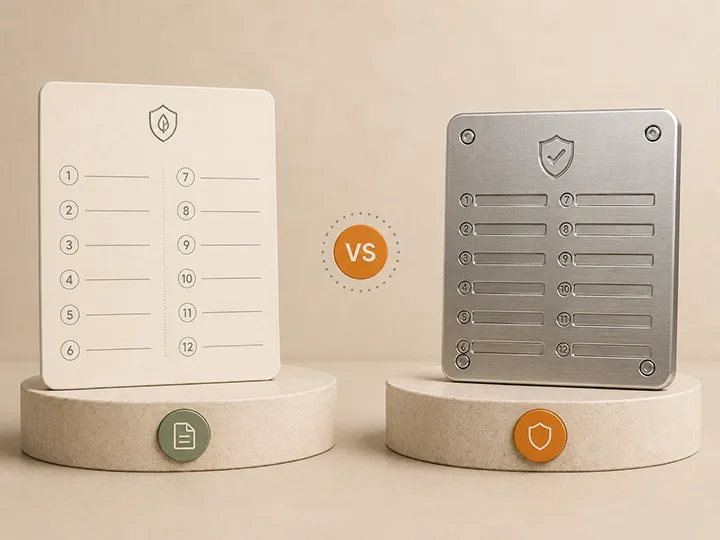
- Match paper or metal to the physical environment.
- Separate the wallet and only recovery backup from one shared failure event.
- Add another location only when it removes a defined risk.
- Document non-secret continuity and lifecycle information.
Use How to store a seed phrase safely for the complete architecture and Seed phrase backup mistakes for the prevention checkpoints.
Replace the unsafe pattern before buying
Move the seed out of connected systems, stop keeping the wallet and only backup together, and select a controlled location before choosing a metal product. Neither metal nor a small lock makes an exposed or badly located phrase safe.
For a stable fixed location, Coinplate Alpha is the permanent winner on this page. Billfodl is the reusable alternative when tool-free correction is more important, but its cassette and tile order still require controlled storage.
Official Coinplate and Billfodl store affiliate links. We may earn a commission at no extra cost to you.
Use Best metal seed phrase backups to compare the product risks that remain after the unsafe storage pattern is removed.
Common questions about unsafe seed phrase storage
Can I keep my seed phrase on my phone?
No. Phones are connected, synchronized, repaired, transferred, and frequently exposed through accounts and applications.
Is a screenshot safe if I delete it afterward?
No. Deleting the visible file does not prove that backups, caches, recently deleted folders, or synchronized copies are gone.
Can I keep a seed phrase in a password manager?
Do not use an ordinary password-manager entry for the real phrase. It is non-resettable recovery material with a different risk profile.
Is paper always unsafe?
No. A verified paper record can work in a controlled environment. Loose paper in an ordinary drawer or document pile is not a complete storage plan.
Is a metal backup automatically safe?
No. Metal improves physical resilience but does not prevent copying, theft, wrong transcription, bad placement, or continuity failure.