How to choose your first Bitcoin hardware wallet

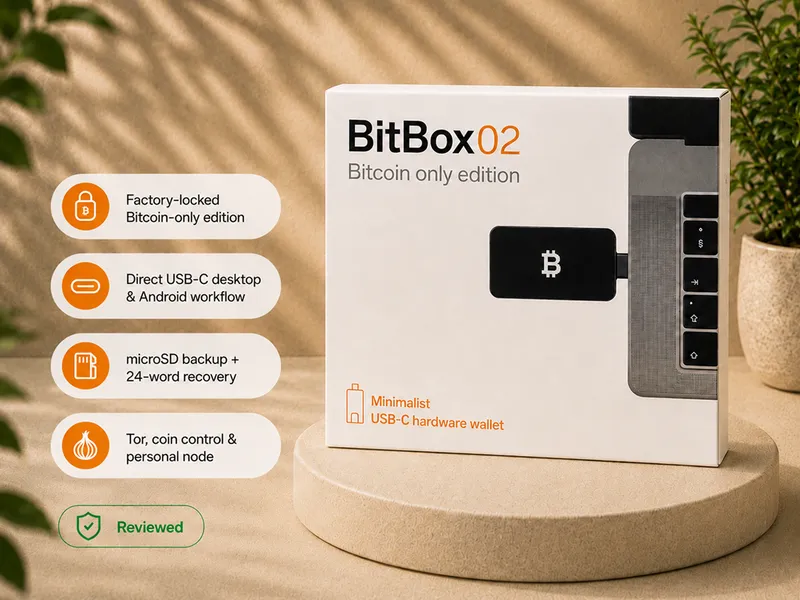
For most first-time Bitcoin holders, the default first hardware wallet pick is BitBox02 Bitcoin-only.
That does not mean BitBox02 is the best wallet for every person. It means that if you are Bitcoin-only, desktop-first or Android-compatible, and you want a clean first self-custody workflow without extra product noise, BitBox02 is the first path I would check.
The reason is not one magic feature. It is the whole first-wallet experience: focused Bitcoin-only scope, a clean companion app path, practical backup design, on-device confirmation, and fewer decisions than a more advanced QR, multisig, or phone-first setup.
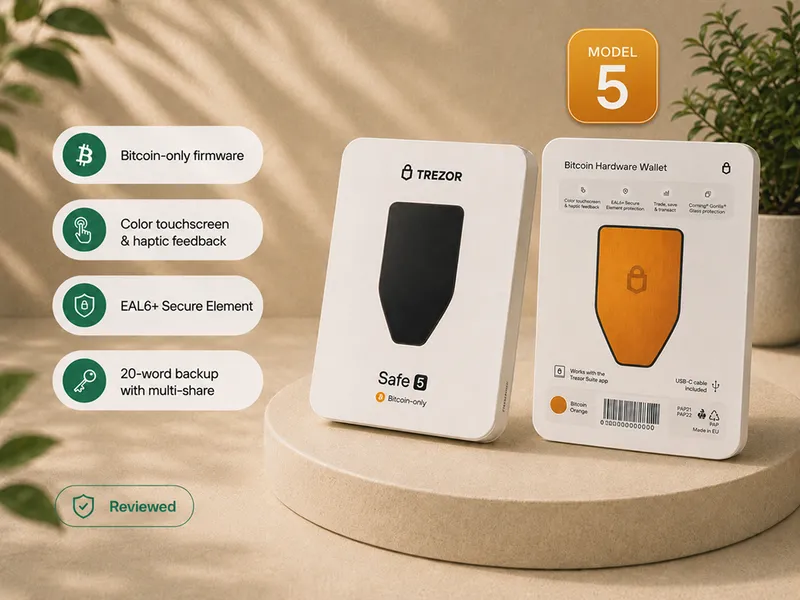
You should overrule that default if your workflow clearly points somewhere else. Choose Trezor Safe 5 if you want a smoother touchscreen Trezor experience. Choose Trezor Safe 3 if you want the lower-cost Trezor path. Choose Trezor Safe 7 if you are genuinely phone-first. Choose Blockstream Jade Plus if you specifically want QR signing as a regular workflow, or compare the Jade models when value and interface tradeoffs are still undecided.
The best first wallet is not the device with the loudest security claim. It is the device you can set up, back up, verify, maintain, and recover without guessing.
Current first-wallet pick
Default pick: BitBox02 Bitcoin-only
BitBox02 Bitcoin-only is the current default first-wallet pick for a Bitcoin-only holder who wants a clean desktop or Android-compatible setup.
In the Bitcoin Plaster review, the device was tested through the full first-wallet routine: sealed package, BitBoxApp setup, firmware update, pairing-code check, wallet creation, microSD backup, written 24-word backup, receiving Bitcoin, and sending Bitcoin back out.
That matters because the first wallet should not only look secure on a spec sheet. It should help the reader build the real custody routine.
BitBox02 wins this page because it keeps the beginner path narrow:
- Bitcoin-only focus reduces distraction.
- The BitBoxApp gives a clear first software path.
- The backup model forces the reader to take recovery seriously.
- The device is simpler than QR-first or multisig-first workflows.
- The limitations are easy to explain before buying.
It is not the right default if you are iPhone-first, if you specifically want QR signing, or if you want a larger touchscreen workflow.
Affiliate disclosure: Official manufacturer store affiliate links. We may earn a commission at no extra cost to you.
Read the BitBox02 Bitcoin-only review Check BitBox02 at the official store
Short answer
Start with BitBox02 Bitcoin-only if you are a Bitcoin-only beginner who wants a clean desktop or Android-compatible first wallet.
Choose something else only when your workflow gives you a clear reason.
A first wallet should be secure, but it also has to be usable. The best first wallet is usually not the most advanced device, the most expensive device, the cheapest device, or the loudest name in generic ranking lists.
It is the device whose workflow you can actually use:
- You can complete setup without rushing.
- You understand where the seed phrase belongs and where it must never go.
- You can verify receive addresses and send details on the device screen.
- You know how the wallet app, the hardware device, and the Bitcoin network fit together.
- You can update firmware and software through official sources without panic.
- You know what you would do if the device were lost, broken, wiped, or replaced.
Use this simple routing rule:
| If your first-wallet need is... | Start with... | Why |
|---|---|---|
| Clean Bitcoin-only desktop or Android setup | BitBox02 Bitcoin-only | Best default first-wallet path for a focused Bitcoin holder. |
| Guided touchscreen Trezor experience | Trezor Safe 5 Bitcoin-only | Better if screen comfort and guided setup matter more than minimalism. |
| Lower-cost Trezor path | Trezor Safe 3 Bitcoin-only | Better if budget matters and you accept the smaller screen and button workflow. |
| Phone-first or iPhone-first Trezor workflow | Trezor Safe 7 | Better if mobile use is the center of your setup. |
| QR signing or air-gapped habits | Compare the Blockstream Jade models | Jade Plus wins for regular QR use, while Blockstream Jade remains the value route. |
For a first wallet, the question is not only "Which one has the most features?"
The better question is:
Which device gives me the strongest custody routine I can actually repeat correctly?
Choose a different first wallet if your workflow says so
BitBox02 is the default pick on this page, not a universal winner.
A first wallet should match the way you will actually use it. If your normal device, comfort level, or signing preference points somewhere else, choose the wallet that makes correct behavior easier.
Choose Trezor Safe 5 Bitcoin-only if you want touchscreen comfort
Trezor Safe 5 is the better first-wallet path if you want a larger touchscreen, guided Trezor Suite setup, and a smoother on-device confirmation experience.
In the Bitcoin Plaster review, Safe 5 was tested through setup, firmware installation, send and receive transactions, wipe, and recovery from written backup. The touchscreen matters because PIN entry, backup confirmation, address checks, and recovery-word entry all feel easier when the device gives you more room to work.
Start here if you want a more comfortable guided Trezor experience.
Read the Trezor Safe 5 review Check Trezor Safe 5 at the official store
Choose Trezor Safe 3 Bitcoin-only if you want the lower-cost Trezor path
Trezor Safe 3 is the better first-wallet path if you want a lower-cost Bitcoin-only Trezor setup and you are comfortable with a smaller screen and two-button workflow.
The tradeoff is comfort. Safe 3 can work well for a patient desktop-first user, but address checks, PIN entry, passphrase use, and recovery steps feel slower than on a larger touchscreen device.
Start here if price matters and you do not need the smoother Safe 5 experience.
Read the Trezor Safe 3 review Check Trezor Safe 3 at the official store
Choose Trezor Safe 7 if you are phone-first
Trezor Safe 7 is the better first-wallet path if you are genuinely phone-first, especially if iPhone use is central to how you want to manage your wallet.
In the Bitcoin Plaster review, Safe 7 was tested through Bluetooth setup with an iPhone, receiving and sending Bitcoin, and passphrase flow. The larger screen, battery, Bluetooth workflow, and premium physical design make it a more natural phone-first Trezor than the smaller desktop-first devices.
Start here if mobile convenience is not optional for you.
Read the Trezor Safe 7 review Check Trezor Safe 7 at the official store
Choose Blockstream Jade if you specifically want QR signing
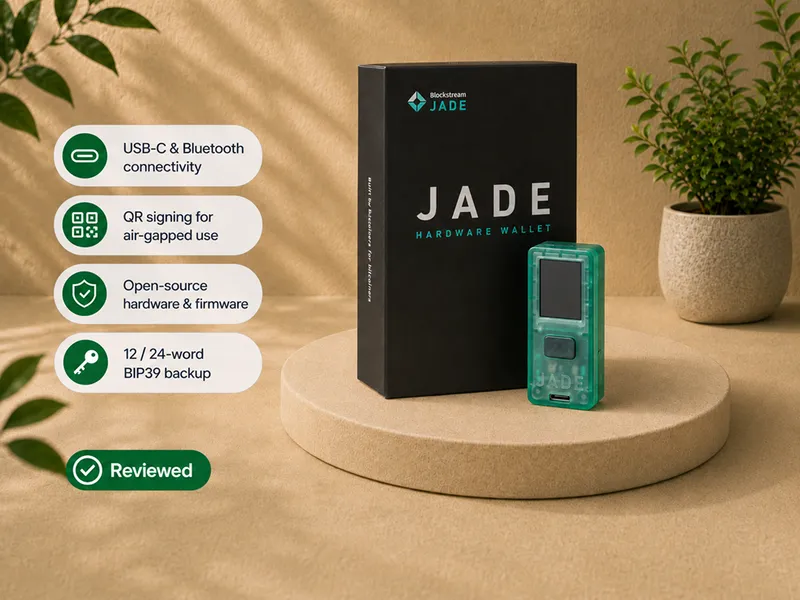
Blockstream Jade is the better first-wallet path if you already know you want QR signing, air-gapped habits, and a more manual Bitcoin workflow.
In the Bitcoin Plaster review, Jade was tested over USB-C, Bluetooth, and QR signing. USB-C was the simplest path. QR signing was the cleanest isolation path. Bluetooth was the roughest part of the experience.
That is the key tradeoff. Jade can be an excellent Bitcoin signer for a patient learner, but it should not be chosen just because "air-gapped" sounds safer.
Start here if you want to learn the QR workflow and you are willing to tolerate extra steps.
Read the Blockstream Jade review Check Blockstream Jade at the official store
Affiliate disclosure: Official Blockstream store affiliate link. Your 10% discount will be applied automatically at checkout, and we may earn a commission as well.
Do not buy a hardware wallet yet if you are not ready for the responsibility
A hardware wallet is not a magic safety upgrade.
Do not rush into buying one if:
- you are not willing to write down and protect a seed phrase;
- you plan to store the seed phrase in a phone, photo, cloud note, or password manager;
- you will approve transactions without checking the device screen;
- you do not understand the difference between the device, the app, the seed phrase, and the Bitcoin network;
- the amount is still small enough that practice matters more than hardware;
- you want a device to remove responsibility instead of helping you handle it.
In that case, the next step is not a different product. The next step is understanding the workflow.
Read these first:
Start with readiness, not the shopping list
A first hardware wallet may not be your first Bitcoin wallet.
A hardware wallet is a strong step for long-term Bitcoin self-custody. But it is not always the best first contact with Bitcoin.
If you have never received Bitcoin to your own address, never copied a Bitcoin address, never watched a transaction confirm, never written down a seed phrase, and never restored a test wallet, a hardware wallet can feel more intimidating than it needs to.
That does not mean you should leave meaningful Bitcoin on an exchange.
It means the decision should be staged.
A practical path looks like this:
- Buy or receive a small amount of Bitcoin.
- Learn what a receive address is.
- Understand the difference between an exchange balance and self-custody.
- Practice with a small non-custodial wallet if needed.
- Move long-term savings to a hardware wallet once the basic receive, backup, and recovery ideas are clear.
The goal is not to delay self-custody forever.
The goal is to avoid making your first serious hardware-wallet setup feel like a high-stakes emergency.
Your first wallet is a learning device
A first hardware wallet is not only a purchase.
It is the place where a Bitcoin holder learns the real self-custody routine.
That routine includes:
- opening the box carefully;
- checking that the device is not already configured;
- generating a fresh seed phrase;
- writing the backup offline;
- confirming the backup;
- setting a PIN;
- verifying a receive address;
- sending a small test transaction;
- reading the device screen before approval;
- learning how firmware updates happen.
A spec table can tell you whether a device has USB, Bluetooth, QR signing, a secure element, Bitcoin-only firmware, a touchscreen, multisig support, or passphrase support.
It cannot tell you whether you will feel calm enough to use those features correctly.
That is why the first-wallet question is not "Which device has the most security features?"
It is: "Which device will help me build correct habits without adding confusion?"
Understand the actual job before choosing
A hardware wallet is a signer, not a magic vault.
Bitcoin does not sit inside the device. Bitcoin remains recorded on the Bitcoin network.
The hardware wallet protects the private keys that can authorize spending. In normal use, the app or desktop wallet prepares the transaction, the hardware wallet displays what it is being asked to sign, and the Bitcoin network records the result after the signed transaction is broadcast.
That mental model matters before choosing a device.
The app is the interface.
The device is the signer.
The seed phrase is the recovery path.
The network is where the Bitcoin exists.
If you confuse those roles, product comparisons become noisy. You may overvalue the device shell, underestimate the backup, or assume the app is safer than it really is.
A good first wallet makes those roles clear.
Know what you are moving away from
Many people buy a hardware wallet because they no longer want to leave Bitcoin on an exchange.
That is a valid reason.
But the important change is not only where the Bitcoin sits. The important change is who controls the keys and who is responsible when something goes wrong.
When Bitcoin is on an exchange, the platform controls the keys. You rely on its account system, withdrawal policy, security controls, solvency, support process, and business continuity.
When Bitcoin is in self-custody, you control the keys. That removes exchange custody risk, but it gives you responsibility for seed phrase storage, device setup, address verification, firmware maintenance, and recovery planning.
A hardware wallet is a better tool for long-term self-custody than a hot wallet or exchange balance.
But it is not a support desk. It cannot reverse a wrong transaction, recover a lost seed phrase, or protect a backup you stored badly.
Before choosing a device, be clear about the risk you are moving away from and the responsibility you are accepting.
Do not choose a capability before choosing a workflow
Most poor first-wallet decisions happen when the buyer starts with features instead of workflow.
A feature list can make a device sound safer:
- air-gapped signing;
- passphrase support;
- multisig support;
- open-source firmware;
- secure element;
- large touchscreen;
- stateless mode;
- microSD signing;
- Bluetooth;
- mobile app support;
- coin control;
- advanced fee controls.
Each of those can matter.
None of them automatically makes a wallet the right first wallet.
A capability helps only when you know how it fits into your actual use:
- How will you receive Bitcoin?
- Which device will you use: phone, computer, or both?
- Which app will show your balance and build transactions?
- Where will you store the seed phrase?
- How will you verify a receive address?
- How will you practice recovery?
- What will you do if the wallet app stops working?
- How will you update firmware?
- What will you do if the device is lost or wiped?
A hardware wallet should lower your real-world risk. If a feature increases confusion, it may be a bad first-wallet feature even if it is a good advanced feature.
Fit factor 1: Bitcoin-only plan
If your plan is Bitcoin-only, narrower scope can help.
A Bitcoin-only device or Bitcoin-only firmware can make the setup easier to reason about. The device does not need to present unrelated coin accounts, unrelated transaction formats, unrelated app integrations, or unrelated upgrade decisions.
That narrower scope can reduce distraction and may reduce attack surface.
But it is still only one factor.
Bitcoin-only is not a magic label. A first wallet still needs:
- clear setup;
- credible security design;
- readable on-device verification;
- understandable backup and recovery;
- manageable firmware updates;
- a software path you can use;
- enough documentation for your level;
- a workflow you can repeat correctly.
Use Bitcoin-only as a strong filter, then compare the current Bitcoin-only winners before buying.
Fit factor 2: your actual devices
The wallet has to work with the phone or computer you will actually use.
A secure wallet can still be the wrong first wallet if it does not fit your daily hardware.
Some wallets feel natural on a desktop computer. Some are designed around a phone. Some support both, but one workflow is clearly smoother than the other. Some require cables. Some use Bluetooth, NFC, QR codes, microSD cards, or a mix of methods.
Before comparing brands, answer this:
- Will you manage the wallet mostly from a laptop or desktop?
- Will you use a phone?
- Do you use iOS, Android, Windows, macOS, or Linux?
- Are you comfortable plugging in a cable?
- Do you want a mobile-first experience?
- Are you willing to move files or scan QR codes?
- Do you already know which wallet software you want to use?
Compatibility is not a small convenience detail. It determines whether the wallet becomes a routine you can follow or a device you avoid because every use feels awkward.
Fit factor 3: setup clarity
The first setup should feel controlled, not rushed.
A first hardware wallet should guide you through setup clearly enough that you do not rely on hope, forum fragments, or rushed assumptions.
A good setup experience should make the key steps obvious:
- The device should not arrive already configured.
- The wallet should generate a fresh seed phrase.
- The seed phrase should be written offline.
- The backup should be checked.
- A PIN or device lock should be set.
- The receive address should be verified on the device.
- A small test transaction should be possible before serious value is moved.
This is where beginner experience matters more than feature count.
If the setup assumes knowledge you do not have, the risk is not only frustration. The risk is a wrong backup, an unverified address, a misunderstood PIN, or a seed phrase stored in the wrong place.
The right first wallet should slow you down at the right moments.
Fit factor 4: screen verification
The screen matters only if you can and will use it.
The device screen is not cosmetic. It is part of the security model.
A compromised phone or computer can show one address while sending a different signing request to the hardware wallet. The hardware wallet screen gives you an independent place to check what the device is actually being asked to approve.
For a first wallet, ask:
- Is the screen readable enough for you?
- Can you comfortably compare a receive address?
- Can you check the amount before approving?
- Can you see the fee?
- Can you understand which account or wallet is being used?
- Are the buttons or touchscreen clear enough that you will not rush through approvals?
A wallet that displays important details but makes them hard to read may be technically capable and still a poor fit for a beginner.
The device can show you what is being signed. It cannot make you read it.
Fit factor 5: backup and recovery
Backup is not a side task. It is the recovery system.
The seed phrase is usually the master recovery path. If the hardware wallet is lost, broken, wiped, stolen, or replaced, the seed phrase is what lets you restore access on a compatible wallet.
That makes backup the most important first-wallet decision.
Do not treat backup as admin work. Treat it as the part of the system that survives device failure.
A good first-wallet choice should make these questions easy to answer:
- Does the wallet use a recovery model I understand?
- Is the backup standard and portable enough for my needs?
- Do I know what happens if the device disappears?
- Do I know what happens if the manufacturer disappears?
- Do I know what happens if the app stops working?
- Have I checked the backup before moving serious value?
- Do I have a physical storage plan for the seed phrase?
A hardware wallet can protect the signing key during normal use. It cannot protect a seed phrase that is lost, exposed, or impossible to use.
Fit factor 6: software path
The hardware wallet is not usually used alone.
You will need a software path for setup, balance display, receive addresses, transaction creation, firmware updates, and broadcasting.
Some devices rely heavily on a manufacturer app. Some work smoothly with third-party wallet software. Some expect a desktop-first workflow. Some expect a phone-first workflow. Some advanced devices assume you are comfortable choosing your own wallet software from the beginning.
None of those paths is automatically best.
The question is whether the software path is realistic for you.
Ask:
- Which app will I use on day one?
- Which app handles firmware updates?
- Can I use the device with other wallet software later?
- Does the app explain receive and send steps clearly?
- Can I verify addresses on the hardware device itself?
- What happens if I stop using the manufacturer's app?
A strong hardware wallet with a confusing software path can become a weak first wallet.
Fit factor 7: security model you can explain
Security labels are not verdicts.
A secure element can help with some physical attack risks. Open source can improve transparency. Air-gapped signing can reduce direct communication paths. Bitcoin-only firmware can reduce scope. A companion app can make setup easier.
Each label answers a different question.
For a first wallet, ask whether you can explain the model in plain language:
- What risk does this device reduce?
- What does it ask me to trust?
- What do I still have to verify manually?
- How do updates work?
- What happens if the device is stolen?
- What happens if the backup is exposed?
- Can I recover without guessing?
If you cannot explain the security model at all, you may be buying a slogan instead of choosing a tool.
Fit factor 8: long-term maintenance
A hardware wallet is not a timeless object that can be ignored forever.
Firmware, companion apps, wallet software, cables, batteries, address formats, and operating systems may change.
A good first wallet should not require constant attention, but it should have a maintenance path you can follow calmly.
Ask:
- How are firmware updates delivered?
- Do updates require the seed phrase?
- What official source should I use?
- What if I have not used the device for a year?
- What if my laptop or phone changes?
- What if the manufacturer stops supporting the exact model?
The first wallet should be simple enough to maintain before there is pressure to move funds.
Simple vs advanced: choose the right first step
Some users should choose a guided first wallet.
Others may be ready for a more manual device.
A guided setup may be better if:
- this is your first serious self-custody setup;
- you want clear onboarding;
- you prefer a manufacturer app to walk you through the basics;
- you are still learning receive addresses, seed backups, and device-screen verification;
- you want fewer decisions on day one.
A more advanced wallet may be better if:
- you already understand wallet software;
- you want air-gapped signing;
- you plan to use multisig later;
- you want external wallet software from the beginning;
- you are comfortable with more manual update and recovery steps.
The mistake is not choosing simple or advanced.
The mistake is choosing a workflow you cannot operate.
How to overrule the default pick
BitBox02 Bitcoin-only is the default first-wallet pick on this page, but the default is not a command.
Use this framework to decide whether you should overrule it:
- Confirm that you understand what a hardware wallet does.
- Confirm that you understand what it does not solve.
- Decide whether your plan is Bitcoin-only.
- Choose the phone or computer workflow you will actually use.
- Check setup clarity.
- Check screen verification.
- Check backup and recovery.
- Check software path.
- Check maintenance path.
- Choose the least complex wallet that satisfies your real needs.
If you are desktop-first or Android-compatible and want a clean Bitcoin-only setup, the framework points back to BitBox02.
If you want a larger touchscreen and guided Trezor setup, it points to Safe 5.
If you want a lower-cost Trezor and can accept smaller-screen friction, it points to Safe 3.
If you are phone-first, it points to Safe 7.
If you specifically want QR signing and air-gapped habits, it points to Jade Plus or the Jade model comparison.
This approach makes rankings more useful because it shows whether the winner actually fits your workflow, not only the marketing page.
What not to do
Do not choose a first hardware wallet because:
- it has the most features;
- it is the cheapest;
- it is the most expensive;
- it has the strongest online fan base;
- it has a Bitcoin-only label without the rest of the model;
- it has air-gapped signing you do not understand;
- it has passphrase support you plan to treat casually;
- a ranking calls it best without explaining the user assumptions.
A first wallet should reduce uncertainty.
If the wallet increases uncertainty, choose a clearer winner for your current level.
Where product reviews fit
Product reviews are where the recommendation becomes concrete.
A buying guide can tell you which wallet path makes sense. A review shows how the device actually behaves during setup, backup, verification, signing, recovery, and maintenance.
Use the reviews this way:
- Read the BitBox02 review if the default first-wallet path fits you.
- Read the Safe 5 review if touchscreen comfort matters.
- Read the Safe 3 review if you want the lower-cost Trezor path.
- Read the Safe 7 review if phone-first use matters.
- Read the Jade Plus review for the strongest QR experience, or use the Jade comparison when you are still choosing the model.
Do not skip the review and buy from a headline alone.
A hardware wallet is not only a product. It becomes part of your recovery plan, signing routine, and long-term Bitcoin storage process.
Start with the best Bitcoin hardware wallets guide if you want the full current winner map.
The confidence test before moving meaningful Bitcoin
Before moving serious value, your first wallet should pass a simple confidence test:
- You know where the seed phrase is stored.
- You understand what the PIN protects.
- You know the seed phrase is more important than the device.
- You have verified a receive address on the hardware wallet.
- You have sent or received a small test amount.
- You have seen how the device displays a transaction.
- You know which software is official.
- You know what you would do if the device disappears.
- You can explain your setup without relying on vague confidence.
If those statements are not true yet, keep practicing with small amounts.
The goal is not to rush self-custody.
The goal is to make self-custody boring before it becomes serious.
Plain-English takeaway
For most first-time Bitcoin holders, start by looking at BitBox02 Bitcoin-only.
It is the default first-wallet pick because it gives a focused Bitcoin-only path without forcing a beginner into QR signing, multisig, mobile-first Bluetooth, or advanced manual workflows before they are ready.
But do not buy it blindly.
Choose Safe 5 if you want a smoother touchscreen Trezor. Choose Safe 3 if you want the lower-cost Trezor path. Choose Safe 7 if you are phone-first. Choose Jade Plus if you specifically want regular QR signing, or use the Jade comparison when you want the value route.
Your first Bitcoin hardware wallet should be a clear winner for your workflow, not someone else's generic ranking.
Start with the job: protect keys, verify signing, recover with the seed phrase.
Then check the parts that decide whether the wallet will work for you: device compatibility, setup clarity, screen verification, backup, software path, security model, and maintenance.
The best first wallet is the one you can use correctly when calm and recover from when stressed.
Where to go next
If the default first-wallet path fits you, start here:
If you are still comparing, use the full winner map:
If you are not ready to buy yet, read these first:
- What a hardware wallet does
- What a hardware wallet does not solve
- Hardware wallet backup basics
- Hardware wallet recovery risks
If your workflow points away from BitBox02, go directly to the relevant review:
- Trezor Safe 5 Bitcoin-only review
- Trezor Safe 3 Bitcoin-only review
- Trezor Safe 7 review
- Blockstream Jade model comparison
- Blockstream Jade Plus review
- Blockstream Jade review
FAQ
What is the best first Bitcoin hardware wallet?
For most Bitcoin-only beginners who are desktop-first or Android-compatible, the default first-wallet pick is BitBox02 Bitcoin-only. It gives a clean first self-custody path without adding unnecessary workflow complexity. Choose a different wallet if your real workflow points elsewhere: Safe 5 for touchscreen Trezor comfort, Safe 3 for the lower-cost Trezor path, Safe 7 for phone-first use, Jade Plus for regular QR signing, or Blockstream Jade for the value route.
Should beginners choose the most secure hardware wallet?
Beginners should choose the most secure wallet they can operate correctly. A more advanced wallet can be weaker in practice if the user cannot set it up, verify transactions, maintain it, or recover from it confidently. Usability is part of real security.
Is Bitcoin-only firmware important for a first wallet?
It can be important if you only plan to hold Bitcoin. It can reduce noise and scope, but it does not prove the whole wallet is safer. Usability, recovery, verification, and maintenance still matter.
Should my first wallet be air-gapped?
Usually not by default. Air-gapped signing can be useful if you specifically want QR or manual signing, but it also adds steps. For many beginners, a simpler wallet used correctly is safer than an advanced workflow used nervously. Choose Blockstream Jade Plus if you want regular QR signing, or Blockstream Jade if you accept more interface friction for the value route. Do not choose either only because air-gapped sounds safer.
How much should price matter?
Price matters, but it should not be the main criterion. For meaningful Bitcoin storage, workflow fit and recovery confidence matter more than saving a small amount on the device.
What should I do before moving serious Bitcoin?
Practice first. Set up the device, back up the seed phrase, verify a receive address, move a small test amount, and confirm that you understand how recovery would work.
Should I rely on rankings?
Use rankings only when they explain the assumptions behind the winner. A useful ranking should say who the winner is, why it wins, who should skip it, which runner-up fits each workflow, and what tradeoffs still matter before buying.