Hardware wallet security models

A hardware wallet does not make Bitcoin safe by existing.
It changes where trust sits.
The private keys move away from your everyday computer. The signing step moves onto a separate device. The recovery risk moves into your seed phrase backup. The update risk moves into the manufacturer's firmware process. The supply-chain risk begins before you even plug the device in.
That is why hardware wallet security models are not feature labels.
They are operating assumptions.
A secure element, open-source firmware, air-gapped signing, Bitcoin-only firmware, clear signing, firmware updates, and supply-chain checks can all matter. None of them proves the whole setup is safe by itself.
The useful question is not: which feature sounds safest?
The useful question is: which model reduces the risks you actually face, and can you operate that model correctly over time?
Short answer
A hardware wallet security model explains what the device is designed to protect, what it asks you to trust, and what remains your responsibility.
Most hardware wallets start from the same baseline: private keys should stay inside a dedicated signing device instead of living on an internet-connected phone or computer.
Different models then emphasize different tradeoffs:
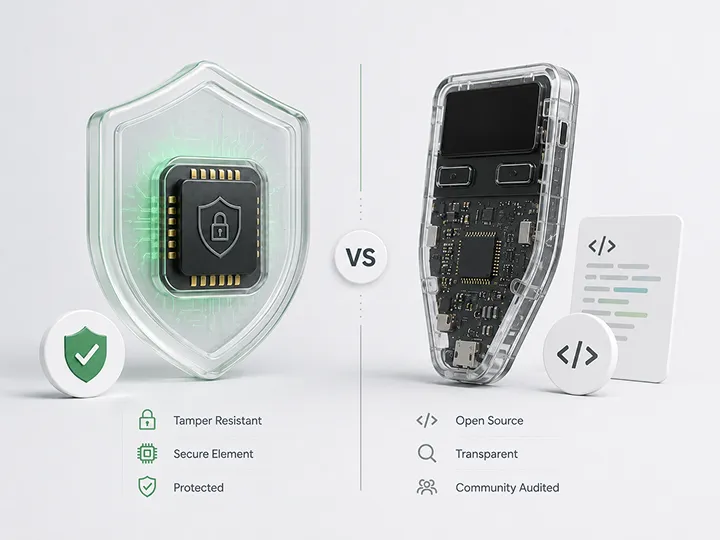
- secure elements emphasize resistance to some physical attacks;
- open-source firmware emphasizes inspectability and public review;
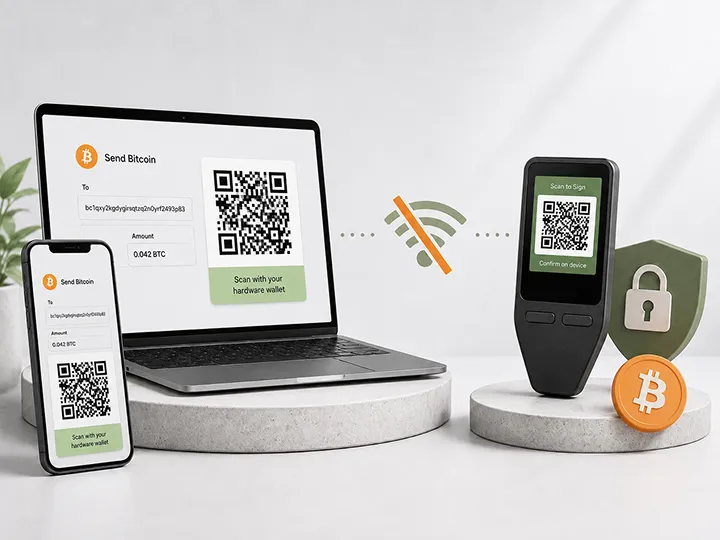
- air-gapped signing emphasizes reduced direct communication paths;
- Bitcoin-only firmware emphasizes a narrower software scope;
- companion-app workflows emphasize usability and guided setup;
- firmware-update systems emphasize long-term maintenance;
- supply-chain checks emphasize whether the device was safe before setup;
- clear signing emphasizes whether the user can understand what is being approved.
None of these models removes the need to protect your seed phrase, verify transaction details on the device screen, avoid phishing, use official sources, and understand recovery before something goes wrong.
What this means if you are choosing a wallet
Use this page as the security-model layer underneath the buying guides.
It should not replace the product reviews, but it should help you understand why different reviewed wallets make sense for different trust problems.
| Your main concern | Best starting path | Why this path fits the model | Next step |
|---|---|---|---|
| Balanced Bitcoin-only custody with low first-wallet friction | BitBox02 Bitcoin-only | Best default path when you want a focused Bitcoin-only device, clear app workflow, practical backup discipline, and fewer first-wallet decisions. | Check BitBox02 at the official store |
| Touchscreen comfort and guided Trezor setup | Trezor Safe 5 Bitcoin-only | Best path when readable on-device confirmation, PIN entry, backup confirmation, and recovery-word entry matter more than minimalism. | Check Trezor Safe 5 at the official store |
| Lower-cost Trezor security model | Trezor Safe 3 Bitcoin-only | Best path when you want the Trezor route at a lower price point and can tolerate a smaller screen, two-button workflow, and slower confirmations. | Check Trezor Safe 3 at the official store |
| Open-source Bitcoin workflow and QR signing | Blockstream Jade | Best path when you specifically want QR signing, a more manual Bitcoin workflow, and are willing to understand Jade's different security model. | Check Blockstream Jade at the official store |
Affiliate disclosure: Official manufacturer store affiliate links. When you use a Blockstream link, your 10% discount will be applied automatically at checkout, and we may earn a commission as well.
This is not a universal ranking. It is a trust-map bridge. The right wallet is the one whose security model matches the threat you actually care about and whose workflow you can operate correctly.
Start with the baseline: key isolation
The core job of a hardware wallet is not to store Bitcoin.
Bitcoin stays on the Bitcoin network. The hardware wallet protects the private keys that can authorize spending from your wallet.
In a normal hardware-wallet workflow, your phone or computer prepares the transaction, but the hardware wallet signs it. The private keys should not need to leave the device during normal use.
A simplified signing flow looks like this:
- The wallet app prepares an unsigned transaction.
- The unsigned transaction is sent to the hardware wallet.
- The hardware wallet displays the critical details.
- You check the address, amount, fee, and signing intent on the device.
- You approve or reject the request using the hardware wallet.
- The hardware wallet signs internally.
- The signed transaction goes back to the app for broadcast.
This is the baseline security idea: your everyday computer may be exposed to malware, browser extensions, downloads, phishing, clipboard attacks, or unsafe software. The hardware wallet reduces the chance that this general-purpose device can directly steal your private key.
But key isolation is not enough on its own.
If the computer prepares a bad transaction and you approve it without reading the hardware-wallet screen, the key may remain protected while the transaction is still wrong.
The device protects keys.
It does not replace judgment.
A security model is a trust map
A hardware wallet security model should answer five questions:
- What risk is this design trying to reduce?
- What does the device keep away from the phone or computer?
- What does the user still have to verify manually?
- What must be trusted about the manufacturer, firmware, app, chip, and update process?
- What happens if setup, backup, or recovery is handled badly?
That is why one feature cannot settle the whole decision.
A secure element can matter if someone physically steals the device. It does not prove the companion app is honest.
Open-source firmware can make inspection possible. It does not prove the code was reviewed, that the installed firmware matches the source, or that the hardware resists physical extraction.
Air-gapped signing can reduce direct communication with an online computer. It does not prove the transaction is the one you intended.
Bitcoin-only firmware can reduce software scope. It does not prove engineering quality, review history, update discipline, or user safety.
A guided companion app can make setup easier. It does not remove the need to protect the seed phrase or verify signing details.
A good model is not a slogan.
It is a clear explanation of where trust moves.
Treat every security label as a signal, not a verdict
Security labels are useful only when you read them as tradeoffs.
Secure element can help with some physical extraction attacks, but it does not prove full transparency, honest app behavior, safe backup, or safe user decisions.
Open source can help with inspection, criticism, and public review potential, but it does not prove the code was reviewed, the installed firmware matches the source, or the hardware resists physical attack.
Air-gapped signing can reduce direct USB, Bluetooth, or live communication paths, but it does not prove the transaction data is honest or that the user verifies it correctly.
Bitcoin-only firmware can reduce non-Bitcoin software scope, but it does not prove better security by default, active maintenance, audit quality, or usability.
A companion app can make setup and updates easier, but it does not make the computer or phone the final source of truth for signing.
Firmware updates can maintain the device over time, but they require trust in official sources and understanding of the update process.
Supply-chain checks can improve first-setup discipline, but they do not protect a bad seed backup or careless signing behavior.
Clear signing can make transaction details easier to understand, but it only helps if the user reads and understands the prompt.
Secure element emphasis
A secure element is a specialized chip designed to protect sensitive secrets and operations.
In a hardware wallet, it may be used to help protect private keys or seed material against certain physical attacks.
This model is most relevant when your concern is physical device capture.
For example: someone steals the hardware wallet, has time with it, and may have technical tools or expertise. A secure element can make some forms of key extraction harder than they would be on a simpler general-purpose chip.
That can be meaningful.
But it does not answer every question.
A secure element does not prove that the firmware is fully transparent. It does not prove that the companion app is safe. It does not protect your seed phrase backup. It does not force you to verify addresses. It does not remove supply-chain risk. It also may require trust in closed or partly closed chip internals that ordinary users cannot inspect.
The practical question is not "does it have a secure element?"
The better question is:
Which part of the wallet does the secure element protect, and what does the rest of the system still require me to trust?
Open-source emphasis
Open source matters because it can make inspection possible.
When firmware or companion software is published, outside developers and security researchers may be able to inspect it, criticize it, reproduce it, improve it, or find problems that marketing material would not reveal.
That is valuable.
But open source is not the same as automatic security.
Published code does not prove that competent review happened. It does not prove that the firmware installed on your device matches the published source. It does not prove the build is reproducible. It does not prove the hardware is resistant to physical extraction. It does not prove the update process is safe.
Open source answers a transparency question.
It does not answer every security question.
The practical question is:
What can actually be inspected, who reviews it, can builds be verified, and which parts of the device remain closed or trusted?
This is especially important when comparing open-source claims against secure-element claims. They are not opposite answers to the same question. They answer different trust problems.
Physical resistance is not the same thing as code transparency.
Air-gapped signing emphasis
Air-gapped signing usually means the hardware wallet does not use a direct live connection to the internet-connected device during signing.
Instead, transaction data moves through a limited transfer method such as QR codes or a microSD card.
This can reduce some attack paths.
A compromised computer may have fewer ways to directly communicate with the signing device. The user may also be forced into a more deliberate workflow, which can create a useful pause before signing.
But air-gapped does not mean automatically safe.
The transaction still has to be created somewhere. The data still has to move through QR codes, files, or another transfer method. That transfer method still has to be implemented safely. The device still has to parse and display the signing details clearly. And you still have to read what is shown.
An air gap does not know whether a transaction is honest.
It only changes how the transaction reaches the signer.
The practical question is:
Does this workflow make verification clearer for me, or does it add steps that I may follow mechanically without understanding?
For some users, air-gapped signing is a strong fit. For others, the extra workflow complexity can increase user error.
Bitcoin-only firmware emphasis
Bitcoin-only firmware can reduce scope.
A wallet that only supports Bitcoin does not need to support many unrelated coins, token systems, smart-contract environments, or transaction formats. Less scope can mean fewer code paths and fewer places where mistakes may appear.
That is a serious design argument for Bitcoin holders.
But Bitcoin-only is not a complete security verdict.
A Bitcoin-only wallet can still have poor firmware, weak maintenance, confusing recovery, unclear prompts, limited review, bad supply-chain handling, or a workflow that is too complex for the user.
The label tells you something about scope.
It does not prove the whole system is safer.
The practical question is:
Does the narrower firmware come with strong engineering, clear verification, active maintenance, recoverable backups, and a workflow I can actually operate?
For a Bitcoin-only holder, reduced scope is a meaningful plus. It should still be read as one part of the model, not the entire model.
Companion-app trust
Most hardware wallets still rely on a phone or computer.
The app may show balances, generate receive addresses, prepare transactions, display fees, coordinate firmware updates, and broadcast signed transactions to the network.
That makes the companion app important.
But the app is not the final source of truth for signing.
A compromised app can show one address on the computer while asking the hardware wallet to sign a transaction to another address. It can mislead the user about balances, labels, transaction intent, or urgency. It can also create fake comfort if the user trusts the large screen more than the signing device.
The hardware-wallet screen exists because the phone or computer is not fully trusted.
The practical question is:
When it matters, can I verify the signing details on the hardware wallet itself?
A good companion app can make setup and daily use easier. That is not trivial. Usability is part of real security because users make fewer mistakes when the workflow is understandable.
But convenience should not move the final signing decision back to the computer screen.
Firmware updates and manufacturer trust
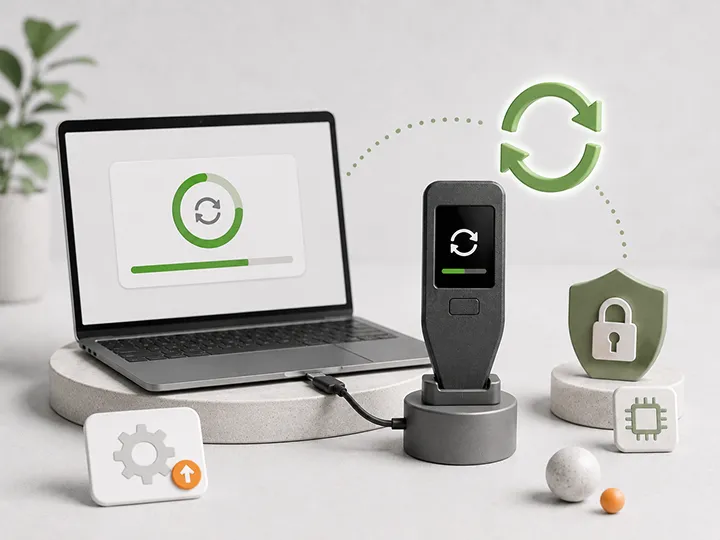
Firmware is the software running on the hardware wallet itself.
Updates can fix vulnerabilities, improve transaction parsing, patch bugs, add security features, and keep the device usable over time.
That makes the update process part of the security model.
Ignoring updates forever is not a complete safety plan. Clicking through update prompts blindly is not a complete safety plan either.
Firmware maintenance creates several trust questions:
- Where does the update come from?
- How does the device verify that the update is legitimate?
- What does the update change?
- Does the user need to enter a seed phrase anywhere?
- Is the update process clear enough to follow without panic?
- What happens if the device has not been updated for years?
A hardware wallet is not a passive object you can always treat like a metal box in a drawer. It is a security device with software, compatibility, and lifecycle risk.
The practical question is:
Can I maintain this device using official sources without exposing my seed phrase or clicking through prompts I do not understand?
Supply-chain and first setup
A hardware wallet security model begins before the first transaction.
It begins with how the device reaches you.
A strong device can still be a bad starting point if it arrives tampered with, pre-initialized, bought through an unsafe path, or paired with fake recovery material.
The most important first-setup rules are simple:
- buy from a trusted source;
- avoid used or pre-owned hardware wallets unless you fully understand the risk;
- do not use a device that arrives already initialized;
- do not use a seed phrase printed on a card inside the box;
- generate your own seed phrase during setup;
- pay attention to device authenticity checks where available;
- never enter the seed phrase into a website, support chat, form, or ordinary computer prompt.
A pre-written seed phrase is not a convenience feature.
It is a compromise.
The practical question is:
Did this device and seed phrase become mine under my control, or did someone else touch the trust path before me?
Seed generation and entropy
A hardware wallet has to create or store secret key material.
That means seed generation matters.
A device can keep a private key offline, but if the seed was generated from weak, predictable, or compromised randomness, the offline design does not solve the problem. The starting secret still has to be unpredictable.
Most users will rely on the device's built-in seed-generation process. Some advanced users may choose devices or workflows that allow extra user-provided entropy, such as dice rolls or other randomness inputs.
More control is not automatically safer.
A manually generated seed can be strong if the process is done correctly. It can be weak if the user takes shortcuts, invents patterns, uses memorable numbers, or enters too little randomness.
The practical question is:
Do I understand how the seed is generated, and am I choosing a process I can execute correctly without shortcuts?
For most users, a trusted device-generated seed is more realistic than a complicated manual process done badly.
Clear signing and device-screen verification
The device screen is not decoration.
It is part of the security model.
If malware changes a copied Bitcoin address on your computer, the hardware wallet screen may be your last chance to catch the mismatch before signing. If the companion app is compromised, the device screen is where you check what is actually being approved.
Clear signing means the device shows transaction information in a form the user can understand.
For Bitcoin, that usually means paying close attention to the destination address, amount, fee, and transaction intent.
The best signing model is not only one that protects the private key. It is one that helps the user understand what the key is being used to authorize.
A hardware wallet with poor display clarity, confusing prompts, tiny screens, unclear transaction parsing, or no independent screen shifts more trust back to the app or user assumption.
The practical question is:
Can I clearly verify what I am signing before I approve it?
If the answer is no, the security model is weaker in practice than it may look on paper.
Where hardware wallet security can still fail
A hardware wallet can be technically strong and still be used in a weak setup.
Common failure modes include:
- the seed phrase is lost, damaged, photographed, copied, or stored online;
- the user approves transactions without reading the hardware-wallet screen;
- the device was bought through an unsafe path or arrived pre-initialized;
- the user trusts packaging more than proper setup verification;
- a phishing message convinces the user to enter the seed phrase somewhere;
- the wallet is used as an everyday high-risk signing device instead of long-term storage;
- the companion app shows one thing while the signing request contains another;
- firmware updates are ignored forever or followed blindly from unofficial sources;
- the user chooses multisig, passphrase, or air-gapped workflows without understanding recovery;
- the setup is so complex that the user cannot repeat it under stress.
This is why usability is part of security.
A model that is stronger on paper can be weaker for a user who cannot operate it correctly. A simpler model used carefully can be safer than an advanced model used with confusion.
The goal is not maximum complexity. The goal is a setup that reduces the right risks and can be maintained correctly.
Match the model to the threat
There is no universal hardware wallet security leaderboard because the threats are not the same.
Start by naming your main risk, then choose the wallet path that reduces that risk without creating a workflow you cannot maintain.
If your main risk is malware on your computer, pay more attention to key isolation, device-screen verification, companion-app skepticism, and clear signing. BitBox02, Safe 5, Safe 3, Safe 7, and Jade can all help with key isolation, but the right path depends on whether your normal workflow is desktop, phone, or QR/manual signing.
If your main risk is physical theft of the device, pay more attention to secure element design, PIN behavior, passphrase discipline, physical storage, and recovery speed. Trezor Safe 5 and Safe 3 make this conversation more concrete because the secure-element question has to be paired with recovery usability and device-screen comfort.
If your main risk is supply-chain tampering, pay more attention to trusted purchase path, authenticity checks, fresh setup, and avoiding pre-written seeds. The product choice matters less than first-setup discipline if the device arrives compromised or already initialized.
If your main risk is vendor trust, pay more attention to open-source posture, reproducible builds, audits, update transparency, and long-term behavior. Jade belongs in that conversation, but it should still be judged as a full workflow rather than as an open-source slogan.
If your main risk is user error, pay more attention to simple setup, readable prompts, reliable backup, and recovery confidence. This is why BitBox02 and Safe 5 often make more sense for normal first-wallet users than a more manual setup.
If your main risk is long-term holding, pay more attention to durable backup, firmware maintenance, recovery planning, and device lifecycle. The wallet should be understandable not only on setup day, but also when you return to it months or years later.
If your main risk is advanced self-custody, pay more attention to multisig readiness, wallet-software compatibility, air-gapped workflow, and documentation discipline.
If your main risk is beginner self-custody, pay more attention to guided setup, clear screen, standard seed backup, and low-friction verification.
A feature is only useful when it matches a real risk.
How to read a hardware wallet security claim
Use the same test for every claim.
1. What exact threat does this feature reduce?
"Secure" is too broad.
Ask whether the feature helps against malware, physical theft, supply-chain tampering, firmware compromise, vendor opacity, user error, or recovery failure.
2. What does the feature not prove?
Every security feature has boundaries.
A secure element does not prove transparency. Open source does not prove review. Air-gapped does not prove transaction honesty. Bitcoin-only does not prove usability. A companion app does not prove safe signing.
3. What must I still do manually?
You may still need to verify addresses, protect the seed phrase, use official update sources, avoid phishing, maintain backups, and understand recovery.
4. What trust assumption remains?
Every model leaves some trust somewhere: chip design, firmware, update channel, companion app, wallet software, seed generation, screen clarity, supply chain, or your own operational discipline.
5. Can I operate this model for years?
A model is not only a setup-day decision.
It must survive future updates, lost devices, recovery attempts, stress, travel, heirs, backups, and changing user habits.
If you cannot explain how you would recover, the model may be too complex for your current needs.
Practical examples
Remote malware risk
You use the same laptop for browsing, downloads, email, and Bitcoin wallet software.
A hardware wallet helps because the private key does not need to live on that laptop. But the laptop can still prepare a bad transaction.
The important defense is checking the hardware-wallet screen before signing.
In this threat model, clear signing and device-screen verification are central. A clean desktop path such as BitBox02 or Safe 5 can be enough for many holders if they actually read the device screen before signing.
Physical theft risk
Someone steals the hardware wallet from a desk, bag, hotel room, or home.
PIN protection, secure element design, physical storage, and passphrase discipline may matter.
But if your seed phrase backup is stored nearby and easy to find, the hardware model may not matter much.
In this threat model, the device and the backup must be protected separately. A secure-element conversation is incomplete until the backup location and recovery plan are also part of the decision.
Supply-chain risk
The wallet arrives opened, pre-initialized, bought secondhand, or packaged with a ready-made recovery phrase.
Do not treat this as a normal setup. The risk exists before you send any Bitcoin.
In this threat model, trusted purchase path, authenticity checks, and generating your own seed phrase are more important than marketing claims. The first safe choice is buying through the right channel and initializing the wallet yourself.
Vendor-trust risk
You are concerned about closed firmware, update behavior, recovery services, or how much the manufacturer can change over time.
Open-source posture, reproducible builds, independent review, update transparency, and long-term track record become more important.
In this threat model, the question is not only what the device does today. It is what you must trust the vendor not to change tomorrow. Jade may be the better starting point for a reader who values a more open and manual Bitcoin workflow, but it still has to fit the user's patience and skill level.
User-error risk
You are new to hardware wallets and worried about setup, backup, recovery, passphrases, address types, or advanced workflows.
The most advanced model may not be the safest first model. A clearer setup with a readable screen and a recovery process you can explain may reduce more real-world risk.
In this threat model, usability is security. BitBox02, Safe 5, and Safe 3 are not interesting only because of their security labels. They are interesting because their workflows can be easier for normal holders to repeat correctly.
What no security model removes
No hardware wallet security model removes self-custody responsibility.
You still need to protect the seed phrase.
You still need to verify what you sign.
You still need to buy and initialize the device carefully.
You still need to use official sources.
You still need to understand firmware prompts.
You still need to know how recovery works before you need it.
You still need to avoid phishing and social engineering.
You still need to choose a workflow you can repeat correctly.
A hardware wallet can reduce key-exposure risk. It can make signing more deliberate. It can create a safer boundary between your Bitcoin keys and your everyday computer.
But it cannot make careless behavior safe.
The device is one part of the model. The backup, the setup path, the software, the update process, and the user are part of the model too.
Editorial boundary
This page prepares the buyer to judge security claims before a best-of page names a wallet winner.
That would be the wrong lesson.
Secure elements, open-source firmware, air-gapped signing, Bitcoin-only firmware, companion apps, firmware-update systems, and supply-chain checks all answer different questions.
The point is to understand what a winner must prove before it deserves the top spot.
The point is to make hardware-wallet security claims harder to oversell.
A device is easier to judge when you know what its security model can and cannot mean.
Where to go next
Once you understand the model, use the right next page for your decision stage.
If you are ready to compare products, start with the full winner map:
If you are choosing your first wallet, start with the first-wallet guide:
If your security question is more specific, continue here:
- Secure element vs open source to understand the tradeoff between physical attack resistance and code transparency.
- Air-gapped hardware wallets to learn what offline signing changes and what it does not change.
- Hardware wallet firmware updates to handle updates with official-source discipline.
- What a hardware wallet does to understand the baseline job before comparing advanced models.
- What a hardware wallet does not solve to keep backup, phishing, recovery, and user behavior in the picture.
If you already know which reviewed path fits your model, read the product review before using an official route:
- BitBox02 Bitcoin-only review
- Trezor Safe 5 Bitcoin-only review
- Trezor Safe 3 Bitcoin-only review
- Blockstream Jade review
Understand the model before trusting the claim.
Use the buyer guide after you understand the tradeoffs.
FAQ
Is there one safest hardware wallet security model?
No. There is no universal safest model because different models reduce different risks. Secure elements, open-source firmware, air-gapped signing, Bitcoin-only firmware, firmware updates, and supply-chain checks all answer different questions.
Does a secure element make a hardware wallet automatically safer?
No. A secure element can help with some physical attack scenarios, especially when someone has the device in hand. It does not prove that the firmware is transparent, the companion app is safe, the backup is protected, the supply-chain path was clean, or the user will verify transactions correctly.
Does open source mean the wallet is safe?
No. Open source makes inspection possible. It does not prove that expert review happened, that the installed firmware matches the published code, that builds are reproducible, that maintenance is active, or that the device resists physical extraction attacks.
Does air-gapped signing mean malware cannot trick me?
No. Air-gapped signing can reduce some direct communication paths between an online computer and the signing device. But a bad transaction can still be prepared and transferred by QR code, microSD, or another method. You still need to verify the signing details on the hardware-wallet screen.
Is Bitcoin-only firmware always safer?
No. Bitcoin-only firmware can reduce software scope, which is useful for Bitcoin holders. But the label alone does not prove firmware quality, hardware security, review history, update discipline, backup safety, or usability.
Is a more advanced hardware wallet always better?
No. Advanced features can reduce certain risks, but they can also increase user error. A model you cannot set up, maintain, or recover from confidently is not safer for you in practice.
What is the most important part of the security model for beginners?
For most beginners, the most important parts are offline seed generation, a clear device screen, reliable seed phrase backup, careful first setup, official-source discipline, and a workflow that can be repeated without confusion.
What should I ask before trusting a hardware wallet claim?
Ask what threat the claim reduces, what it does not prove, what the user still has to verify manually, what trust assumption remains, and whether the workflow is realistic for long-term use.
Which reviewed wallet path fits each security model?
Start with BitBox02 Bitcoin-only for the balanced Bitcoin-only default path, Trezor Safe 5 for touchscreen comfort and guided setup, Trezor Safe 3 for the lower-cost Trezor path, and Blockstream Jade for QR signing and a more manual open-source Bitcoin workflow. Read the full review before buying from any route.