How to check if a hardware wallet is genuine

A hardware wallet genuineness check is not about chasing perfect certainty.
It is about refusing to fund a wallet until the device, software path, setup state, and recovery flow all make sense.
That difference matters. A beginner can waste time looking for one magic proof: a seal, a hologram, a QR code, a device message, or a green checkmark inside an app.
Those signals can help, but none of them is the whole answer.
The real goal is a layered verification path before the wallet holds meaningful Bitcoin.
Bitcoin Plaster verdict
The best way to check whether a hardware wallet is likely genuine is not one single test.
The winner is a sequence:
- Start from a clean purchase source.
- Inspect the package for obvious red flags.
- Reach setup software through the manufacturer's official path.
- Run the maker's current genuine or authenticity check if the device provides one.
- Confirm the firmware path through official software or documentation.
- Initialize the device as a new wallet.
- Generate the seed phrase during your own setup, on the device.
- Reject any supplied recovery words, pre-filled setup, fake support request, or online seed entry.
- Fund the wallet only after the device state and setup flow are clean.
A genuine check can reduce risk. It should not replace source discipline, official software, fresh seed generation, backup discipline, or a small test transaction.
| Question | Bitcoin Plaster answer | Why |
|---|---|---|
| Is a genuine check useful? | Yes | It can confirm that official software recognizes the device or that the device passes the maker's expected verification process. |
| Is a genuine check enough by itself? | No | It does not prove the seller path was clean, the seed phrase is safe, or the user will set up the wallet correctly. |
| Should a beginner fund the wallet before checking? | No | The cheapest time to stop is before the wallet receives Bitcoin. |
| What is the strongest hard stop? | Any supplied seed phrase | If someone else created or saw the recovery words, they may already be able to restore the wallet. |
What this page is responsible for
This page covers the verification step after the wallet is in your hands.
It does not replace the broader hardware wallet supply-chain risk page, which covers the buying path before delivery.
It also does not replace the hardware wallet setup guide, which covers the full day-one setup workflow.
The job here is narrower: when the box arrives, what can you check before trusting the device with Bitcoin?
The first check happened before delivery
After the wallet arrives, you are already downstream from the first authenticity decision.
If you bought directly from the manufacturer or from a manufacturer-listed authorized reseller, the verification path starts cleaner.
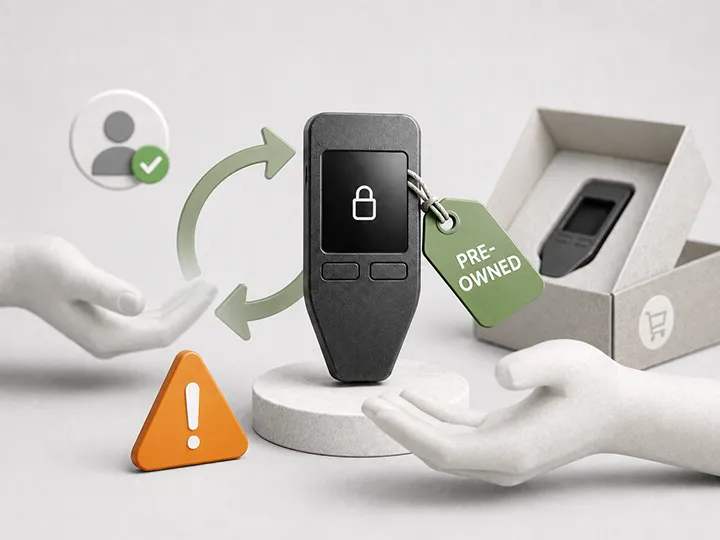
If the device came from a random marketplace listing, a suspicious discount, a returned item, an unknown reseller, or a second-hand seller, the genuineness check has to overcome more uncertainty.
That does not mean every unknown-source device is fake. It means you should not let a passed app check erase the added risk created by an unclear purchase path.
If you have not bought yet, choose from the current Bitcoin Plaster hardware wallet winners and use clean purchase paths before optimizing for price.
Step 1: inspect the package without pretending packaging proves safety
Start with the obvious physical signals.
Look for:
- damaged or reused packaging;
- missing parts;
- strange inserts;
- unexpected QR codes or setup links;
- seller-specific instructions;
- evidence that the box or device was opened;
- a device that looks used or already initialized;
- recovery words included in the box.
Packaging can stop you. It cannot fully clear the device.
A damaged seal, strange insert, missing part, or supplied seed phrase is a reason to pause. A clean box is only permission to continue to the next check.
Step 2: ignore package links until you independently find the official setup path
A common mistake is treating a printed link, QR code, support number, or package insert as automatically official.
Do not start there.
Find the manufacturer's official setup path independently. Use the official website, official documentation, and official app source for the exact model in front of you.
A real hardware wallet paired with fake setup software can still create a bad wallet flow. Fake software can ask for recovery words, show fake update prompts, redirect to a cloned site, or make attacker-controlled instructions look normal.
The device is only one part of the trust path. The software path matters too.
Step 3: run the maker's current genuine or authenticity check
Some hardware wallets provide a genuine check, authenticity check, device attestation, firmware check, or official software recognition step.
Use it if the device provides one.
But use the current official process for the exact device. Do not freeze your process around an old tutorial, a random video, a marketplace listing, or a support message that contacted you first.
The useful question is not, "Did I see a green checkmark somewhere?"
The useful question is, "Did I reach the manufacturer's current verification process through an official path, and did the device behave as expected?"
| Check | What it can help verify | What it does not prove |
|---|---|---|
| Package inspection | Obvious tampering, missing parts, strange inserts, or used-device signals. | That the device is definitely genuine or safe. |
| Official software path | That you are not using a fake setup page, fake app, or random firmware source. | That the device itself is clean. |
| Genuine check | That official software recognizes the device or confirms expected device behavior. | That the seed phrase, backup, seller path, and future use are safe. |
| Firmware check | That the device is on an expected firmware path or needs an official update. | That every future update can be ignored. |
| Fresh seed generation | That the wallet is created during your own setup instead of arriving prebuilt. | That the backup will be stored safely or recovered correctly later. |
Step 4: confirm the device is not already set up
A new hardware wallet should not arrive as a ready-to-use wallet.
It should not already contain:
- a PIN you did not create;
- a wallet name you did not choose;
- accounts you did not add;
- a balance;
- a pre-filled recovery process;
- recovery words printed, scratched, inserted, emailed, or supplied by the seller.
If the wallet appears initialized, stop before funding.
The safe beginner path is to initialize the device yourself as a new wallet using official software and official instructions.
Step 5: treat supplied seed words as a hard stop
This is the brightest line on the page.
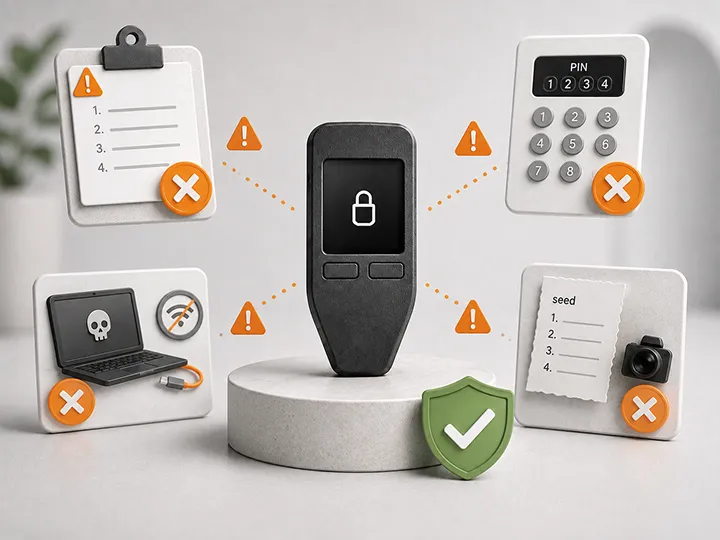
Do not use a hardware wallet seed phrase that someone else gives you.
Do not use recovery words that arrive in the box. Do not use words from a card, sticker, scratch panel, email, marketplace message, support chat, website, phone call, or setup guide.
A seed phrase is not a setup code. It is recovery authority over the wallet.
If someone else created it, saw it, printed it, or transmitted it, they may already have the ability to restore the wallet elsewhere.
A genuine hardware wallet should generate a fresh seed phrase during your own setup. You write it down offline. You do not type it into a website to prove anything.
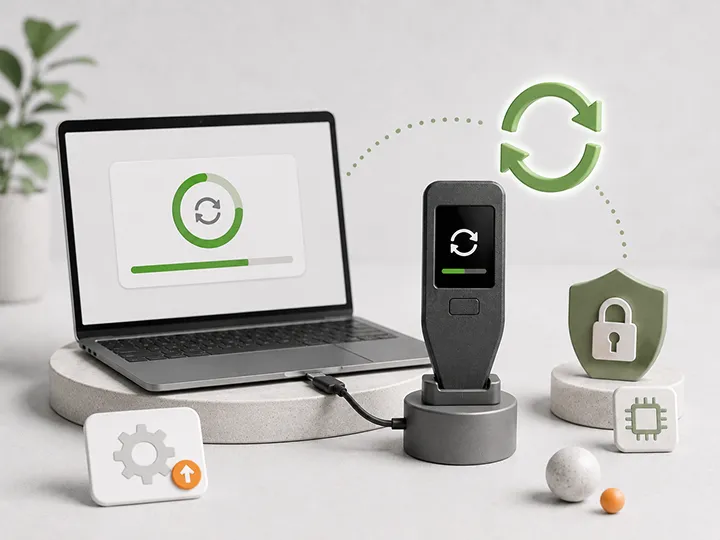
Step 6: check firmware calmly through official sources
Firmware checks belong in the same verification path, but they should not create panic.
The device may arrive with firmware that needs a normal official update. That is different from following an urgent link from an email, package insert, search ad, pop-up, or unknown support contact.
Use the manufacturer's current firmware process. Do not download firmware from forums, file-sharing links, random mirrors, or seller instructions.
Most importantly: a firmware update should not require you to type your seed phrase into a connected computer, web page, browser extension, or support chat.
If any update process asks for recovery words, stop.
What to do if something fails
| What you see | What to do | Why |
|---|---|---|
| Recovery words are included | Do not use the wallet | The wallet may already be controlled by whoever created or saw those words. |
| The device appears already initialized | Stop before funding and contact official support | A new wallet should not arrive as a finished wallet. |
| Official software fails the authenticity check | Do not fund it until the manufacturer resolves the issue | The device did not pass the expected verification path. |
| A setup page asks for seed words | Close it and assume the path may be unsafe | Recovery words should not be entered into connected surfaces for verification. |
| The seller tells you to ignore a warning | Trust the official manufacturer path instead | The seller is not the authority over device safety. |
| You are not sure | Do not send Bitcoin yet | Uncertainty is cheapest before the wallet has funds. |
What passing the check does not solve
A passed genuine check is useful, but it is not the end of self-custody responsibility.
It does not prove that your seed phrase is stored safely.
It does not prove that your PIN and passphrase choices are recoverable.
It does not prove that you will verify addresses on the device screen before signing.
It does not protect you from phishing messages after setup.
It does not remove the need for firmware maintenance.
It does not mean a second-hand purchase was wise.
For those adjacent risks, use the surrounding pages instead of trying to make this one check carry the whole system:
- What a hardware wallet does not solve for remaining user responsibilities.
- Hardware wallet firmware updates for maintenance discipline.
- Hardware wallet backup basics for recovery phrase storage.
- Common hardware wallet setup mistakes before first funding.
- Buying a hardware wallet second-hand if the device did not come from a clean source.
The first small funding test
After the device passes the relevant checks, do not make the first transfer a large one.
Send a small test amount first.
The purpose is not to test whether Bitcoin works. The purpose is to test your process:
- Can you generate a receive address through the expected wallet software?
- Can you verify the receive address on the hardware wallet screen when the device supports that step?
- Can you send from the exchange or software wallet without confusion?
- Can you wait for confirmation without changing the process halfway through?
- Can you see the transaction appear where expected?
Only after the source, device check, setup, backup, and small transfer all make sense should meaningful Bitcoin move to the wallet.
How this connects to product choice
This page does not rank devices by security.
It gives you the verification layer after a device is selected or delivered.
When you are still choosing what to buy, use the current Bitcoin Plaster hardware wallet winners page. When you want the broader evaluation method, use hardware wallet comparison criteria.
The winner-first rule belongs on buyer and comparison pages. On this page, the winner is not a brand. The winner is a clean verification sequence before funding.
Genuine wallet checklist before funding
- I bought from the manufacturer or a manufacturer-confirmed authorized reseller.
- I found the official setup path independently.
- The package does not contain strange setup instructions, supplied seed words, or obvious tamper signals.
- The device does not appear already initialized.
- I used current official software or documentation for the exact model.
- I ran the maker's genuine or authenticity check if one is available.
- I checked firmware through the official path.
- The device generated a fresh seed phrase during my own setup.
- I did not type recovery words into any connected surface.
- I am willing to stop if any step feels wrong.
- I will start with a small test transfer before moving meaningful Bitcoin.
If any item fails, do not fund the wallet yet.
Final verdict
A genuine hardware wallet check is useful, but it is not magic.
It is one layer in a sequence that starts with the purchase source and continues through package inspection, official software, device verification, firmware discipline, fresh seed generation, and cautious first funding.
Do not look for one perfect signal.
Look for a clean story from purchase to setup.
If the story breaks, stop before the wallet holds Bitcoin.
FAQ
Can I prove a hardware wallet is genuine from the packaging?
No. Packaging can reveal obvious problems, but it does not prove the device is safe. Clean packaging only means you continue to official software, genuine checks, firmware checks, and fresh seed generation.
What is a hardware wallet genuine check?
A genuine check is a manufacturer-provided process that may confirm the device is recognized as expected by official software or passes the maker's authenticity process. The exact process differs by wallet and can change over time.
Does a passed genuine check mean my Bitcoin is safe?
No. It reduces one category of risk. You still need safe seed phrase storage, official firmware discipline, device-screen verification, small test transfers, and protection against phishing or fake support.
What is the clearest sign that I should stop setup?
A supplied seed phrase is the clearest hard stop. Do not use recovery words that came from a seller, support agent, website, package insert, email, scratch card, or previous owner.
Should I enter my seed phrase to verify the device?
No. Do not type recovery words into a website, browser extension, computer prompt, update tool, seller page, or support chat to prove the wallet is genuine.
Can fake software compromise a real hardware wallet setup?
Yes. Fake setup software can lead you into seed capture, fake firmware prompts, or attacker-controlled instructions even if the physical device is real. Reach setup software through official sources.
What should I do if the authenticity check fails?
Do not send Bitcoin to the wallet. Document what happened and contact the manufacturer through an official support path that you find independently.
Is a second-hand hardware wallet safe if I reset it?
Not as a beginner path for meaningful Bitcoin. A reset does not fully solve unknown purchase history, fake instructions, previous handling, or hidden trust concerns. Use a new device from a source you can verify.
Should I open the device to inspect the hardware?
No. Normal users should not disassemble hardware wallets. Follow the manufacturer's official verification process instead.
When should I send Bitcoin to the wallet?
Only after the source, package, official software path, device state, firmware path, fresh seed generation, and backup process all make sense. Start with a small test amount before moving meaningful Bitcoin.