Common hardware wallet setup mistakes to avoid

Most hardware wallet setup mistakes are not advanced attacks. They are ordinary first-time errors made while the device is still new, the interface is unfamiliar, and the user wants to finish quickly.
That is good news. The biggest mistakes are usually preventable before the wallet holds meaningful Bitcoin.
This page is not another full setup guide. Use how to set up a Bitcoin hardware wallet for the safe day-one sequence and what to do after buying a hardware wallet for the first-week routine. This page is the mistake map: what to avoid, when to stop, and which problem belongs on a deeper page.
Bitcoin Plaster verdict
The best setup mistake is the one you catch while the wallet is still empty.
| Mistake | Severity | Safer move |
|---|---|---|
| Using recovery words supplied in the box or by a seller | Hard stop | Do not fund that wallet. Create a fresh wallet from a clean source. |
| Typing the seed phrase into a website, phone, computer, or support chat | Hard stop | Treat the seed as exposed and do not rely on that wallet for meaningful Bitcoin. |
| Importing an old hot-wallet seed as the beginner default | High risk | Generate a new hardware-wallet seed and move funds gradually. |
| Skipping backup verification | High risk | Verify that the written backup is complete, readable, private, and recoverable before funding. |
| Approving without reading the hardware wallet screen | High risk | Use the device screen as the trust surface for receive addresses and signing details. |
| Enabling passphrase because it sounds more secure | Medium to high risk | Learn normal recovery first. Add passphrase only when you understand the recovery cost. |
| Sending the full balance as the first transaction | High risk | Send a small receive test before scaling. |
The winner is not the most complicated setup. The winner is the setup that keeps the seed private, proves the backup, verifies the device screen, and stays simple enough to operate under stress.
What this page is responsible for
This page is responsible for preventing beginner failures. It does not explain every product workflow, and it does not decide which hardware wallet to buy.
Use it when you are asking:
- What mistakes can ruin a new wallet before I fund it?
- Which setup problems are hard stops?
- Which mistakes can be fixed while the wallet is empty?
- Which advanced choices should wait until I understand recovery?
- Which adjacent Bitcoin Plaster guide should I use next?
For product selection, use best Bitcoin hardware wallets or how to choose your first Bitcoin hardware wallet. This page exists to keep a good device from becoming a bad custody setup.
Mistake 1: using a pre-written seed phrase
A proper hardware wallet setup creates a fresh recovery phrase during your setup. The words should not arrive already written down. They should not come from the seller. They should not be printed on a card with instructions to use them.
This is the clearest hard stop in hardware wallet setup.
| What you see | What it means | What to do |
|---|---|---|
| Recovery words printed in the box | Someone else may already know the wallet | Do not use that wallet for funds |
| A seller says the wallet is already set up | You are being asked to trust their secret | Stop before funding |
| A support page gives you seed words | That is not a private recovery phrase | Leave the flow and verify the official source |
| The device shows a new phrase during your setup | This is the normal clean setup path | Write it offline and verify it |
A pre-written seed is not a discount. It is a custody failure before custody begins. For the broader purchase-path version of this problem, read hardware wallet supply-chain risk and buying a hardware wallet second-hand.
Mistake 2: importing an old phone or desktop wallet seed
A common beginner misunderstanding is to buy a hardware wallet and restore an existing software-wallet seed onto it. That may feel like an upgrade, but it does not create the clean security benefit people usually expect.
If the old seed was created on a phone, laptop, browser wallet, screenshot, cloud backup, or connected device, it may already have touched the environment the hardware wallet is meant to avoid.
The safer beginner default is:
- Create a new wallet on the hardware wallet.
- Write the new seed phrase offline.
- Verify the backup.
- Generate a receive address from the new hardware-wallet account.
- Move funds gradually, starting with a small test.
Importing an old seed is not automatically impossible for an advanced user, but it is not the normal beginner winner. The beginner winner is a fresh seed generated during the hardware wallet setup.
Mistake 3: turning the seed phrase into a digital file
The seed phrase is not a normal password. It is the recovery authority for the wallet. Anyone who gets it may be able to move the Bitcoin without the physical device.
That means these are not harmless backup tricks:
- taking a photo of the seed phrase;
- saving it in a cloud note;
- putting it in a password manager;
- typing it into email or chat;
- printing it from a connected computer;
- scanning it for convenience;
- sending it to support;
- entering it into a browser recovery page.
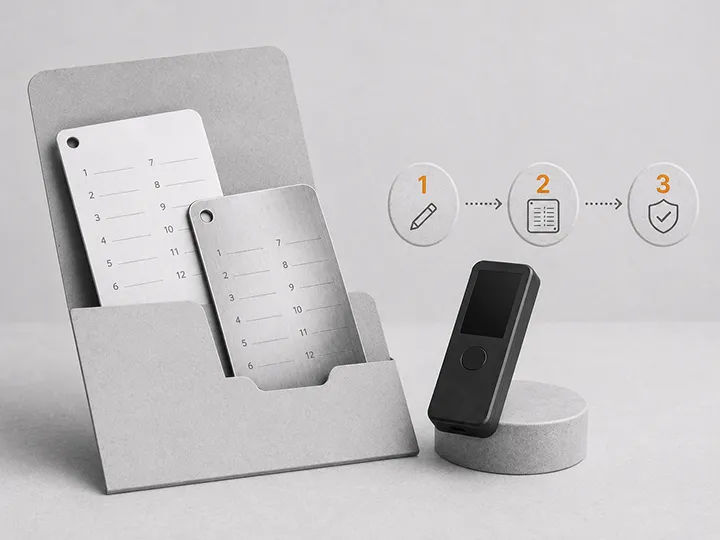
The seed phrase should stay offline. Write it clearly on physical backup material you control. Then verify that it is complete, in order, readable, private, and findable later.
For the deeper backup model, use hardware wallet backup basics.
Mistake 4: skipping backup verification before funding
A written backup is not automatically a working backup. A single wrong word, missing word, bad order, unclear handwriting, or misplaced sheet can turn recovery into a crisis later.
Backup verification does not mean exposing the seed online. It means using the safe verification methods provided by the device or official workflow where available, and checking the physical backup before the wallet holds meaningful Bitcoin.
| Backup problem | How it shows up later | Pre-funding fix |
|---|---|---|
| Wrong word order | Recovery fails when the device is gone | Check the backup during setup |
| Unreadable handwriting | You guess under stress | Rewrite before funding |
| Backup stored with the device | One theft or accident can remove both | Store them separately |
| Backup hidden too well | You cannot find it when recovery is needed | Make the location memorable without exposing the words |
| No recovery logic | You panic when the device fails | Understand recovery before scaling |
Recovery problems usually appear when the user is already stressed. Fix the backup while the wallet is empty and the downside is low.
Mistake 5: trusting the app screen more than the device screen
The companion app is convenient, but it is not the whole trust model. Your computer or phone can be wrong, compromised, spoofed, or simply confusing.
When the hardware wallet shows a receive address or signing details, treat the device screen as the important verification surface. Do not approve just because the connected app looks polished.
| Moment | Mistake | Better habit |
|---|---|---|
| Receive address | Copying from the app without checking the device when supported | Compare the address shown on the hardware wallet |
| Send transaction | Clicking approve without reading amount and destination | Read the device screen before approving |
| Firmware prompt | Following urgency instead of official-source discipline | Slow down and verify the update path |
| Recovery prompt | Typing seed words into a connected screen | Stop unless the official device workflow clearly requires a safe offline check |
The point of a hardware wallet is weakened if you approve without reading. Device-screen verification is a habit, not a decoration.
Mistake 6: sending too much as the first transaction
The first transfer to a new hardware wallet should prove the workflow. It should not prove your confidence.
A small receive test helps you catch problems while the cost of learning is low:
- you confirm the wallet account you are using;
- you verify the receive address path;
- you see how the sending wallet or exchange withdrawal works;
- you practice waiting for the transaction to appear;
- you learn the difference between a small test and a serious balance move.
If the test feels confusing, do not scale immediately. Use what to do after buying a hardware wallet or withdraw Bitcoin to a hardware wallet before moving more.
Mistake 7: enabling passphrase before understanding recovery
A passphrase can be useful, but it is not a beginner safety badge. It changes the recovery problem.
If you use a passphrase, the seed phrase alone may not recover the same wallet. You need the seed phrase and the exact passphrase. If you forget it, mistype it, store it badly, or misunderstand which wallet contains funds, you can create a recovery failure for yourself.
For a first setup, the safer default is usually:
- Learn normal seed recovery logic first.
- Keep the first meaningful setup simple.
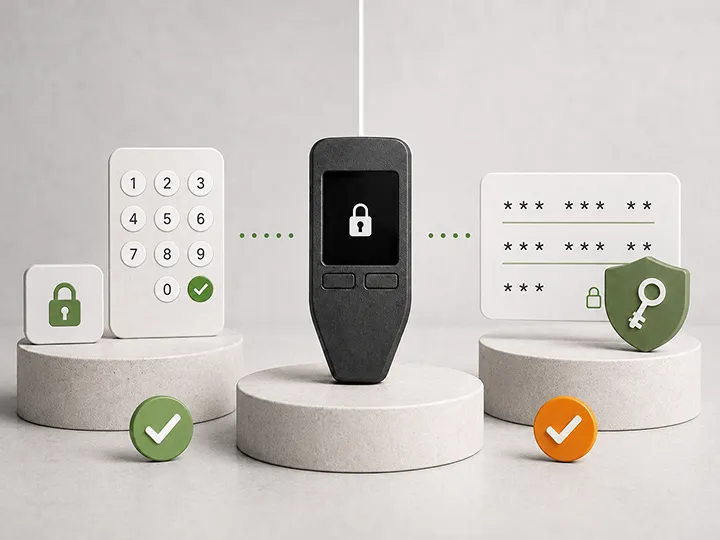
- Understand PIN, seed phrase, and passphrase as different controls.
- Add passphrase later only when you can explain the recovery consequence.
The next page in this plan is dedicated to this distinction: hardware wallet PIN and passphrase basics.
Mistake 8: using unofficial setup, update, or recovery paths
Fake setup pages, malicious search ads, copied-looking apps, and support scams all target the moment when a new user is trying to follow instructions.
Use the official setup path for your exact device. Be especially careful around:
- search ads that look like the manufacturer;
- QR codes or inserts from unclear sellers;
- download links sent in email or chat;
- browser pages asking for seed words;
- urgent firmware warnings that create panic;
- support agents asking for recovery words.
A real support process should not need your seed phrase. A real firmware update should not ask you to type the seed into a random connected screen. If the flow asks for the recovery phrase outside a safe official device process, stop.
Use hardware wallet firmware updates for the calm maintenance version of this rule.
Where people get stuck
The hardest part of setup is not pressing the buttons. It is deciding when to slow down.
| Stuck point | Why it happens | Bitcoin Plaster route |
|---|---|---|
| The box looks strange | The user does not know which packaging signals matter | Check if the wallet is genuine |
| The wallet asks to update firmware | Update prompts feel urgent or risky | Understand firmware updates |
| The seed phrase feels like a password | Normal app habits do not map to Bitcoin recovery | Read backup basics |
| Passphrase sounds safer | The user sees the word security and misses the recovery risk | Separate PIN and passphrase |
| The device feels too hard to use | The workflow may not fit the user's real habits | Revisit first-wallet choice |
Do and don't list before funding
| Do | Don't |
|---|---|
| Use a fresh seed generated during setup | Use seed words supplied by a seller or support page |
| Write the seed phrase offline | Photograph, screenshot, scan, upload, or type the seed into connected devices |
| Verify the backup before meaningful funding | Assume setup completion proves recovery |
| Check receive addresses and signing details on the hardware wallet when supported | Approve because the app screen looks right |
| Send a small receive test first | Make the first transaction the full balance |
| Keep the first setup simple enough to recover | Add passphrase complexity before understanding it |
If you already made one of these mistakes
Do not panic, but do not ignore it. The right response depends on the mistake and whether the wallet already holds meaningful Bitcoin.
| What happened | Risk level | Practical response |
|---|---|---|
| You used a supplied or pre-written seed | Hard stop | Do not add funds. Create a new wallet with a fresh seed from a clean setup path. |
| You typed the seed into a website or connected app | Hard stop | Treat that seed as exposed. Do not rely on it for future meaningful Bitcoin. |
| You took a photo of the seed | High | Assume the seed may have touched synced storage. Consider moving to a new clean wallet. |
| You skipped a backup check | Fixable before funding | Verify the backup before sending more Bitcoin. |
| You enabled a passphrase and are unsure what it does | High if funded | Stop scaling until you understand exactly which wallet holds the funds and what recovery requires. |
| You sent a small test without checking the address on device | Process problem | Do not scale until you can verify addresses and signing details properly. |
If meaningful Bitcoin is already involved and you are uncertain, slow down and use official documentation for the exact device. Avoid support chats, strangers, and anyone asking for your seed phrase.
Why simple beats clever during first setup
Many beginners try to solve every possible threat on day one. They add passphrases, hidden wallets, multiple devices, complicated hiding places, and unusual backup plans before they can explain basic recovery.
That can make the setup look stronger while making the user weaker.
A clean first setup should answer four questions without drama:
- Where did the wallet seed come from?
- Where is the backup, and can it be read later?
- How do you verify a receive address or transaction on the device?
- What would you do if the device was lost, damaged, wiped, or replaced?
If you cannot answer those, more complexity is not the answer. Better basics are.
Common questions
What is the most dangerous hardware wallet setup mistake?
Using or exposing a seed phrase is the highest-stakes mistake. A pre-written seed, a seed typed into a website, or a seed saved as a photo can defeat the purpose of using a hardware wallet.
Is it safe to import my old phone wallet seed into a hardware wallet?
It is usually not the beginner winner. A seed that was created or stored on a phone or computer may already have been exposed. The cleaner default is to generate a new seed on the hardware wallet and move funds gradually.
Is taking a seed phrase photo dangerous if I delete it later?
Yes. Photos can sync, back up, remain in deleted folders, or exist on other connected devices. The safer baseline is no seed phrase photos at all.
Do I need to do a small test transaction?
Yes, it is strongly recommended. A small test checks your receive workflow before the stakes are high. The first transaction should not be the serious one.
Should I enable a passphrase during first setup?
Usually not by default. A passphrase can be useful later, but it also creates a stricter recovery requirement. Learn normal seed recovery first.
Final rule
Hardware wallet setup is safest when it is boring.
Use a clean device path. Generate a fresh seed. Keep the seed offline. Verify the backup. Check the hardware wallet screen. Send a small test. Keep advanced features out of the first setup until you understand the recovery consequences.
That is not the flashiest setup. It is the one most likely to still work when you need it.