Hardware wallet supply chain risk

Hardware wallet supply-chain risk starts before the wallet is plugged in.
That is what makes it different from many other hardware-wallet risks.
Malware risk appears when you use a phone or computer. Backup risk appears when you write and store the seed phrase. Firmware risk appears when the device is maintained over time.
Supply-chain risk appears earlier.
It asks a simpler question: can you trust that this device, seller, software path, and setup process were clean before any Bitcoin was sent to the wallet?
The answer does not come from panic. It comes from a controlled purchase path, official setup process, fresh seed generation, and stopping before funding anything suspicious.
Bitcoin Plaster verdict
The best supply-chain defense for most Bitcoin holders is not a complicated inspection ritual.
The winner is a clean purchase and setup path:
- buy directly from the manufacturer when possible;
- use an authorized reseller only when the manufacturer clearly confirms it;
- reach the seller and setup software through official sources, not ads or random links;
- reject any wallet that arrives initialized or includes a pre-written recovery phrase;
- generate a new seed phrase on the device during your own setup;
- fund the wallet only after the source, device state, software path, and backup flow all make sense.
For beginners, direct manufacturer purchase wins over marketplace convenience. A small discount is not worth adding uncertainty to the device that may later protect long-term Bitcoin.
Authorized resellers can be acceptable when they are verifiable. Second-hand devices should be treated as a beginner no-go for meaningful funds.
| Purchase path | Bitcoin Plaster verdict | Why |
|---|---|---|
| Manufacturer official store | Best default path | Fewer unknown hands before setup and clearer support path. |
| Manufacturer-listed authorized reseller | Acceptable with verification | Can be reasonable if the manufacturer clearly confirms the reseller. |
| Marketplace listing | Avoid for meaningful Bitcoin unless authorization is clear | Listings can look official while the seller, history, and handling remain unclear. |
| Second-hand wallet | Do not use as a first serious wallet | You cannot fully know whether it was initialized, modified, mishandled, or paired with known recovery material. |
| Device with pre-written seed words | Stop immediately | If someone else supplied the seed phrase, they may already control the wallet. |
What supply-chain risk means
Supply-chain risk is the risk that something went wrong before you completed a clean setup.
It can include:
- a fake or modified device;
- a real device sold through an untrustworthy channel;
- a device that was opened, used, returned, or repackaged;
- a pre-initialized wallet with recovery words already known to someone else;
- a fake setup app or fake firmware file;
- a package insert, QR code, email, ad, or support message that sends you away from the official process;
- a seller who creates pressure to skip verification.
This is not the same as saying every device is dangerous.
The point is narrower: if you plan to store meaningful Bitcoin, you should reduce avoidable uncertainty before the wallet ever receives funds.
The risk exists before the wallet has Bitcoin
The strange part of supply-chain risk is that it can feel invisible on setup day.
A compromised path may still look like a normal shopping experience. The box may arrive. The device may turn on. The instructions may look polished. The app may seem convincing.
The real warning signs are often procedural, not dramatic.
A supplied recovery phrase is not a helpful convenience. It is a stop sign.
A setup link from a package insert is not automatically official. It should be verified independently.
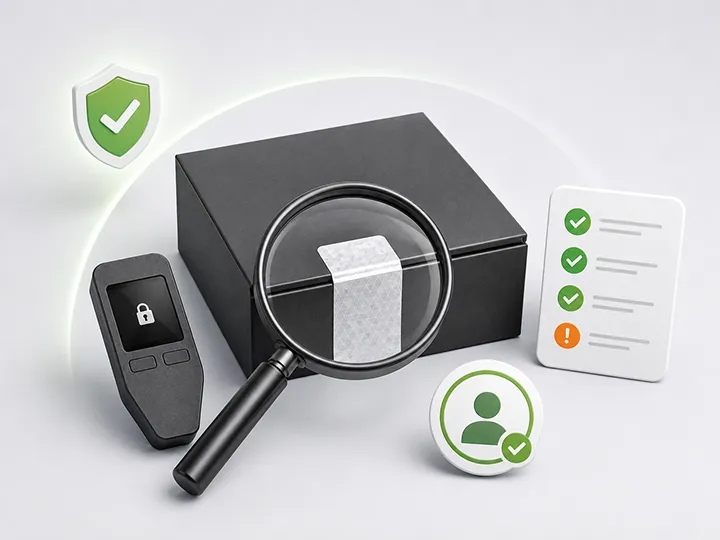
A sealed box is not proof by itself. Packaging can warn you when something is wrong, but clean packaging does not prove that everything is right.
A low price is not automatically a deal. It may be a reason to slow down and verify the seller.
The clean setup sequence
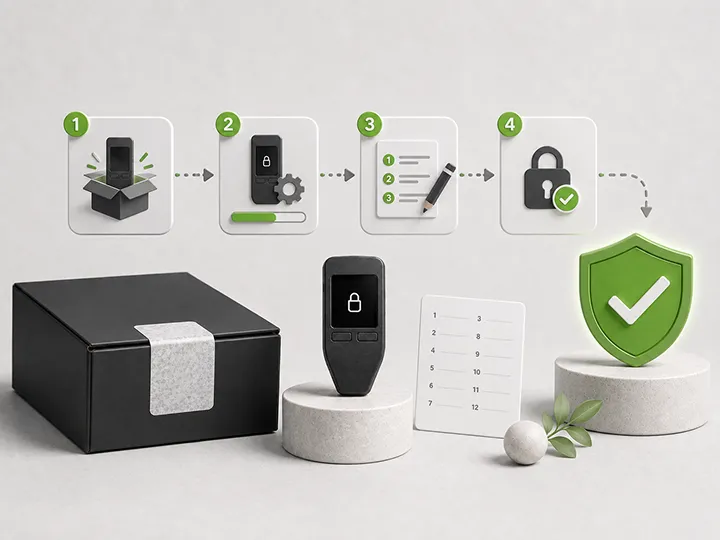
Use this sequence before sending Bitcoin to a new hardware wallet.
- Choose the purchase source deliberately. Prefer the manufacturer's official store. Use an authorized reseller only when the manufacturer confirms it through official information.
- Reach the source safely. Avoid search ads, direct messages, social posts, suspicious emails, and random QR codes when navigating to purchase or setup pages.
- Inspect the package calmly. Look for obvious damage, reused packaging, missing materials, inconsistent labels, or anything that does not match the official setup path.
- Use the official setup software. Download software, firmware, and instructions from the current official source for your exact model.
- Confirm the device starts as new. A new device should not already contain a wallet, PIN, account, balance, or recovery phrase.
- Generate a fresh seed phrase during setup. The recovery words should be created during your own setup flow, not supplied by the seller.
- Verify the backup step. Do not skip the seed phrase confirmation just to finish faster.
- Send a small test amount first. After the setup path is clean, a small test withdrawal can confirm the receive workflow before larger transfers.
- Only then move meaningful Bitcoin. If any earlier step feels wrong, stop before funding.
This is not overthinking.
It is the hardware-wallet equivalent of checking the lock before storing valuables inside.
The most dangerous supply-chain pattern
The most dangerous beginner pattern is the pre-written seed phrase scam.
The wallet arrives with recovery words already printed, written, scratched, inserted, or supplied in the package. The instructions tell the buyer to use those words during setup.
That is not a normal setup.
If someone else created or saw the seed phrase, that person may be able to restore the wallet elsewhere and move any Bitcoin later.
A real self-custody setup should create a fresh recovery phrase during your setup process. The seed phrase is the recovery authority. It should not come from a seller, support agent, package insert, website, email, marketplace message, or video tutorial.
Packaging helps, but it is not proof
Packaging can reveal obvious problems.
Damaged seals, missing parts, inconsistent documentation, strange inserts, altered labels, or evidence that the device was opened should all make you pause.
But packaging is only a signal.
It is not a final proof of authenticity. Seals can be copied. Boxes can be repackaged. Printed instructions can look professional.
That is why packaging inspection should be combined with official setup instructions, genuine checks where available, firmware checks where appropriate, and fresh seed generation.
If the package looks wrong, stop.
If the package looks right, still complete the official setup checks.
Official software path matters
Supply-chain risk is not only about the physical device.
The software path can also be compromised.
A fake app, cloned website, malicious browser extension, fake firmware file, or fake support page can create risk even when the hardware wallet is genuine.
Do not type a recovery phrase into a website because a page claims it is needed for verification.
Do not download firmware from a forum, message, file-sharing link, or package insert without independently verifying the official source.
Do not assume the first search result is safe.
Use the manufacturer's current official setup instructions for the exact device. If those instructions conflict with what the device, package, or seller is asking you to do, stop and investigate before funding.
What a genuine check can and cannot prove
Some hardware wallets provide an authenticity or genuine check through official software.
That check can be useful. It may confirm that the device is recognized by the manufacturer's official system or that the setup path matches expected device behavior.
But a genuine check should not be treated as a magic guarantee.
| Check | What it can help with | What it does not prove |
|---|---|---|
| Package inspection | Obvious damage, missing parts, strange inserts. | That the device is definitely safe. |
| Genuine check | Whether official software recognizes the device as expected. | That the buyer reached the right software path or handled setup correctly. |
| Firmware check | Whether the device is on an expected firmware path. | That future updates can be ignored. |
| Fresh seed generation | That the wallet was created during your setup. | That the backup will be stored safely later. |
| Small test transaction | That the receive workflow works for a small amount. | That every future transaction can be approved without checking. |
The full defense is not one check.
It is the sequence.
When to reject the device
Reject the device or pause before funding if you see any of these signs:
- recovery words are included in the box;
- the wallet appears already set up;
- the seller says the device is preconfigured for convenience;
- the instructions ask you to use a supplied seed phrase;
- setup requires entering seed words into a website or unknown app;
- the package routes you to a URL you cannot verify;
- the device behavior does not match official setup instructions;
- the seller cannot be verified as official or authorized;
- the device came from a second-hand source and you want to store meaningful Bitcoin;
- you feel pressured to skip verification because the price was good or the setup looks easy.
The safest moment to stop is before the wallet has Bitcoin.
Second-hand devices are the wrong beginner shortcut
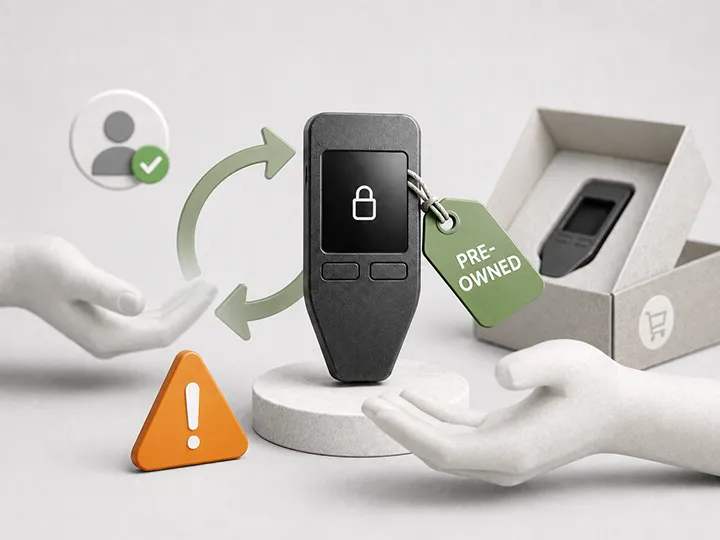
A second-hand hardware wallet may look harmless because the device can be wiped.
That is the wrong frame for most beginners.
The problem is not only whether the screen currently looks empty. The problem is that the device has a history you cannot fully verify.
It may have been initialized. It may have been handled by someone who knows the recovery phrase. It may have been sold with fake instructions. It may have been modified. It may have simply been mishandled in a way you cannot detect.
Advanced users may have stronger procedures for testing and reinitializing devices. That is not the right standard for a first serious wallet.
If the Bitcoin is meaningful, buy a new device from a source you can verify.
For the dedicated page on this topic, read buying a hardware wallet second-hand.
Delivery privacy and physical handling
Supply-chain risk also includes what the purchase reveals about you.
Hardware wallet orders can involve names, addresses, emails, phone numbers, shipping details, and payment records. That information can become sensitive if exposed or mishandled.
You do not need to become paranoid, but you should understand the privacy tradeoff.
Use a purchase path you trust. Avoid unnecessary public disclosure that you bought a hardware wallet. Do not store the device and seed phrase together. Do not leave packaging, recovery cards, or device materials visible where visitors, roommates, coworkers, or contractors might notice them.
The supply chain does not end at delivery. Physical handling after delivery is part of the same operating discipline.
How this page connects to product choice
This page does not name one safest hardware wallet.
That belongs on the current Bitcoin Plaster hardware wallet winners page, where product picks can be compared by use case.
The job here is different: make sure the product path is clean before any product is trusted.
Once you understand supply-chain risk, use these pages next:
- How to check if a hardware wallet is genuine for the verification step after opening the box.
- Buying a hardware wallet second-hand for the used-device decision.
- Common hardware wallet setup mistakes before creating or funding the wallet.
- Hardware wallet firmware updates for official-source maintenance after setup.
- Hardware wallet threat models to map purchase risk against the other risks.
- Hardware wallet comparison criteria when you are ready to judge devices by more than brand recognition.
Supply-chain checklist before funding
- I bought from the manufacturer or a manufacturer-confirmed authorized reseller.
- I reached the seller through a source I verified independently.
- The device did not arrive initialized.
- No recovery phrase was included, supplied, printed, scratched, emailed, or prefilled.
- I used the official setup software for the exact model.
- I completed any official genuine or firmware checks available for the device.
- The device generated a fresh seed phrase during my setup.
- I wrote and verified the backup offline.
- I understand that support should not ask for my seed phrase.
- I am willing to stop if the source, software path, device state, or recovery flow looks wrong.
If you cannot check these boxes, do not fund the wallet yet.
Final verdict
Hardware wallet supply-chain risk is not solved by fear.
It is solved by controlling the path before trust is required.
Buy from a source you can verify. Use official software. Inspect without pretending packaging is proof. Generate your own seed phrase during setup. Reject pre-written recovery words. Avoid second-hand devices for meaningful funds. Stop before funding if anything feels wrong.
A hardware wallet can be a strong custody tool only after the setup path is clean.
Do the boring checks first.
Then move on to product selection, setup, backup, and long-term maintenance.
FAQ
Is hardware wallet supply-chain risk real?
Yes. The practical risk is that the device, seller, setup path, software path, or recovery phrase could be compromised before the wallet ever receives Bitcoin. The response is not panic. It is controlled buying, official setup, fresh seed generation, and refusing suspicious devices.
What is the safest place to buy a hardware wallet?
The safest default path is the manufacturer's official store. A manufacturer-confirmed authorized reseller can also be acceptable. Random marketplace listings and second-hand devices add avoidable uncertainty.
Does sealed packaging prove a hardware wallet is safe?
No. Packaging can reveal obvious problems, but it is not final proof. Seals, inserts, and boxes can be copied or manipulated. Use official setup and verification processes as well.
What should I do if the wallet comes with recovery words?
Do not use it. A hardware wallet should generate a fresh seed phrase during your own setup. If someone else supplied the recovery words, they may already be able to access the wallet.
Are authorized resellers safe?
They can be acceptable if the manufacturer clearly lists or confirms them. The word authorized should come from the manufacturer, not only from the seller's listing.
Is it safe to buy a hardware wallet second-hand?
Not as a beginner path for meaningful Bitcoin. A second-hand wallet has a history you cannot fully verify. Use a new device from a source you can verify.
Can a genuine check replace careful setup?
No. A genuine check can be useful, but it does not replace official setup, fresh seed generation, backup discipline, and cautious funding.
Should I disassemble the device to check it?
No. Normal users should not disassemble a hardware wallet or follow hardware tampering guides. Follow the manufacturer's official verification process instead.
When is it safe to send Bitcoin to the wallet?
After the source is verified, the device starts clean, official software is used, the device generates a fresh seed phrase, the backup is written and verified, and nothing in the process feels suspicious. Start with a small test amount before moving meaningful Bitcoin.