Hardware wallet maintenance checklist

Hardware wallet maintenance is not about constantly touching the device. A good setup should become calmer over time, not more fragile.
The maintenance job is simple: keep the recovery path alive, keep the signing workflow understandable, review firmware and companion software from official sources, and avoid urgent improvisation when nothing is actually broken.
This checklist is for Bitcoin holders who already own a hardware wallet and want a long-term operating routine that does not create new risks.
Bitcoin Plaster verdict
The winner is calm periodic maintenance, not constant tinkering. A hardware wallet that you understand, can recover, and can use through official software is usually safer than a setup you keep changing because you feel nervous.
| Maintenance choice | Bitcoin Plaster verdict | Why |
|---|---|---|
| Quarterly backup and workflow review | Best default | Frequent enough to catch decay, calm enough to avoid unnecessary changes |
| Annual deep review | Strong long-term habit | Good for firmware, device condition, recovery plan, and life changes |
| Checking before a meaningful withdrawal | Required | Large transfers should not depend on memory or a stale setup |
| Constant device fiddling | Avoid | More touching can mean more mistakes, more exposure, and more confusion |
| Never reviewing the setup | Avoid | Backups fade, devices age, software changes, and recovery plans get forgotten |
Product winners belong on the best Bitcoin hardware wallets page. This page is about keeping a working setup reliable after purchase.
Maintenance means preserving recovery ability
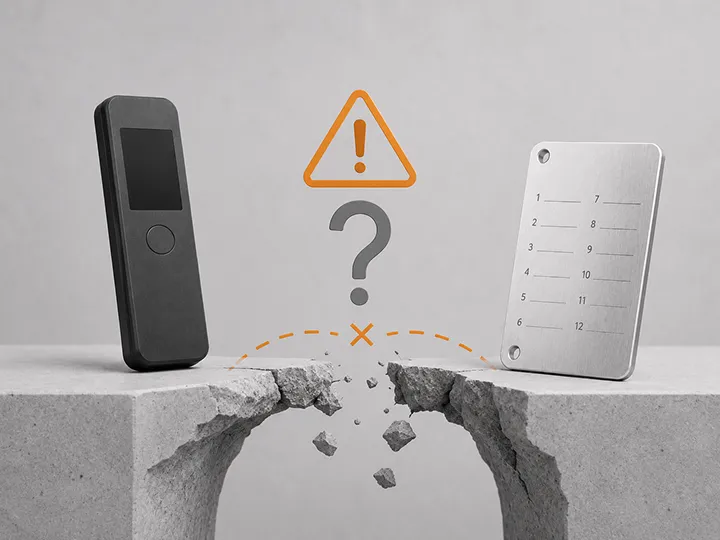
The most important maintenance question is not whether the device still looks new. It is whether you could recover if the device disappeared today.
A hardware wallet can be lost, damaged, wiped, outdated, or replaced. The Bitcoin is not stored inside the device. Your recovery materials and workflow are what keep access possible.
| Maintenance target | What to verify | Route if unclear |
|---|---|---|
| Seed backup | The words are readable, complete, offline, private, and stored where you can find them | Backup basics |
| Recovery plan | You know what would happen if the device failed, was lost, or was wiped | Recovery risks |
| PIN and passphrase | You know what each one protects and what happens if it is forgotten | PIN and passphrase basics |
| Firmware path | You know where official update information comes from and when not to rush | Firmware updates |
| Companion app | You know which software you use and where the legitimate version comes from | Companion apps |
If any of those answers are vague, maintenance should start with clarity, not a new purchase or a rushed transfer.
A simple maintenance rhythm
You do not need to inspect every detail every week. You need a rhythm that catches real decay before it becomes an emergency.
| When | What to do | What not to do |
|---|---|---|
| After initial setup | Confirm backup, address verification habit, small receive test, and basic recovery logic | Move meaningful Bitcoin before you understand the setup |
| Quarterly | Check backup readability, device location, software source, PIN memory, and any passphrase notes | Restore, wipe, or move funds without a reason |
| Annually | Review firmware status, companion app support, device condition, emergency instructions, and balance size | Ignore changes in your life, device support, or balance |
| Before a large withdrawal | Recheck backup, receiving address verification, fee awareness, and device-screen confirmation | Make the first large withdrawal as a rushed test |
| After a major life change | Review storage locations, trusted-person assumptions, inheritance notes, and privacy exposure | Leave old instructions in place when access responsibility changed |
| After seed exposure or suspected compromise | Treat it as a security event and plan a safe move to a clean wallet | Assume the old seed is still safe because the device is present |
The goal is a setup you can explain clearly after months of not touching it.
Quarterly hardware wallet checklist
Use this as a calm quarterly check. The point is to observe and confirm, not to make unnecessary changes.
| Check | Pass condition | Fail condition |
|---|---|---|
| Device location | You know where the hardware wallet is and it has not been handled by unknown people | You cannot locate it, it appears disturbed, or its origin is uncertain |
| Backup readability | Every word is readable, in order, and not physically degraded | Words are faded, damaged, incomplete, photographed, copied online, or mixed with unrelated notes |
| Backup privacy | The backup is offline and not visible to guests, coworkers, cloud tools, cameras, or connected devices | The words exist in photos, screenshots, email, cloud notes, password managers, chats, or browser forms |
| Backup findability | You can find the backup without exposing it casually | You are not sure where it is or who could access it |
| PIN memory | You know the PIN and understand device lockout behavior | You are guessing, rushing, or mixing it with other passwords |
| Passphrase memory | If you use one, you know exactly what it is and that it opens a different wallet | You are unsure, relying on memory only, or have unlabeled funds behind it |
| Official software path | You know the legitimate app, website, download source, or update channel | You search randomly and click ads, lookalike sites, or urgent prompts |
| Device screen | The screen is readable and you can verify addresses or transaction details where supported | The screen is unreadable, damaged, or ignored during signing |
| Cable, card, or connection path | You can connect through the expected USB, Bluetooth, NFC, QR, or microSD workflow | You rely on borrowed adapters, unknown cards, fake apps, or rushed workarounds |
| Documentation | Non-sensitive notes explain what device, app, and wallet role you use | Your future self would not know what setup this is or how to proceed safely |
Do not write seed words into a maintenance checklist. The checklist should describe the setup without exposing the secret.
Backup maintenance is the highest priority
The seed phrase backup is the recovery authority for most hardware wallet setups. Maintenance should treat it as the center of the system.
Readable means you can read every word clearly. Findable means you can locate it when needed. Private means the wrong person cannot see it. Recoverable means it is complete enough to restore access if the device fails.
| Backup problem | Why it matters | Maintenance response |
|---|---|---|
| Faded or damaged writing | A partial seed may be useless when recovery is needed | Create a safer physical copy only while following a clean offline process |
| Backup stored with device | The same theft or disaster can affect both | Separate device and backup storage |
| Digital backup | Connected storage can leak the recovery words | Move to offline physical backup and consider the digital exposure a serious risk |
| Too many copies | Every copy is another access point | Reduce to intentional locations with clear purpose |
| No clear label | Future recovery can become confusing | Use non-sensitive labels that do not reveal the seed itself |
| Paper only for meaningful long-term savings | Paper can burn, fade, tear, or be damaged by water | Consider durable backup material once the amount justifies it |
For the baseline model, read hardware wallet backup basics before changing anything.
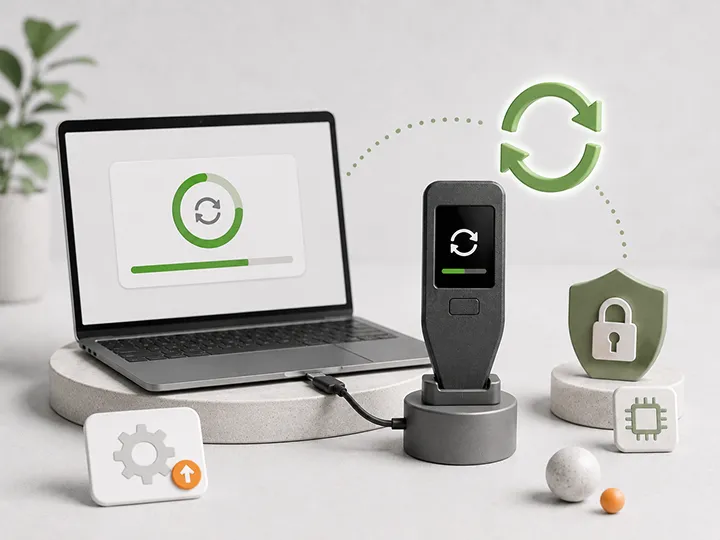
Firmware review should be deliberate
Firmware updates are part of long-term custody, but they are not an excuse to click every prompt that feels urgent.
A good maintenance process asks three questions: is the update from the official source, does the update matter to my device and workflow, and am I prepared to stop if anything asks for seed words in connected software?
| Firmware situation | Good maintenance move | Risky move |
|---|---|---|
| Normal periodic update available | Read official notes, confirm device model, update when calm | Ignore updates forever or update while distracted |
| Security update announced | Use official source and follow the device-specific process carefully | Follow social media links, ads, DMs, or fake support pages |
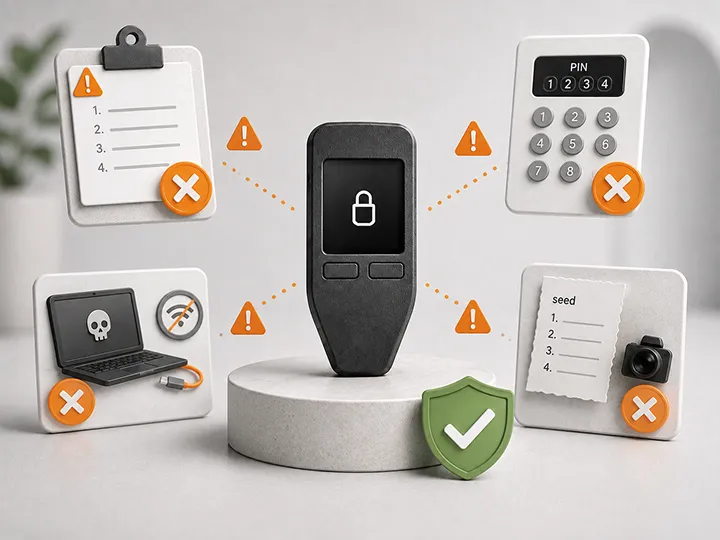
| Device asks for seed words through software | Stop and treat it as a warning sign | Type recovery words into the computer or phone |
| Manual microSD or file-based update | Use the official file and expected workflow | Use unknown files, reused cards with unknown contents, or unofficial guides |
| Old device has weak support | Review whether the hardware still fits your custody needs | Keep meaningful Bitcoin on a device you no longer understand or trust |
For a fuller update workflow, use hardware wallet firmware updates.
Companion app maintenance matters too
The hardware wallet signs. The companion app helps you view balances, prepare transactions, see receive addresses, or manage device settings. That software path still matters.
Maintenance should confirm that you know which app you use and where the real version comes from.
| Companion-app check | Why it matters | Safe habit |
|---|---|---|
| Official download source | Fake apps and lookalike sites can target wallet users | Use known official sources, not search ads or random links |
| Device-screen verification | The app display can be compromised or misleading | Confirm critical details on the hardware wallet screen where supported |
| Mobile vs desktop fit | A workflow that annoys you may lead to shortcuts | Choose a workflow you can repeat calmly |
| Connection method | USB, Bluetooth, NFC, QR, and microSD create different friction points | Know the normal path before you need it under pressure |
| Browser interface | Browser-based setup can make URL discipline more important | Bookmark official pages and avoid urgent search-result clicking |
If the app workflow is the pain point, read mobile vs desktop wallet companion apps.
Annual deep review
Once a year, do a slower review of the whole custody system. This is not a ritual for moving funds. It is a way to check that the setup still fits your life.
- Confirm the device is physically available and works normally.
- Confirm the seed backup is readable, offline, private, and not colocated with the device.
- Confirm you understand any passphrase you use and what wallet it opens.
- Review firmware status from official sources.
- Review whether the companion app still fits your phone, desktop, browser, or air-gapped workflow.
- Confirm your receive-address verification habit before any future transfer.
- Review whether the balance has grown enough to justify stronger backup material, separated wallets, or more serious planning.
- Review who knows about the setup and whether that privacy exposure still makes sense.
- Update non-sensitive notes for your future self without writing seed words in them.
- Decide whether anything actually needs to change.
For deciding whether more devices are actually useful, read how many hardware wallets do you need.
What to leave alone
Maintenance does not mean proving you are in control by touching everything. Some actions are high-risk and should only happen for a specific reason.
| Action | Why it can create risk | When it may be justified |
|---|---|---|
| Wiping the device | You may force a recovery event unnecessarily | You are intentionally testing recovery on a small or controlled setup |
| Entering seed words | The wrong interface can expose the wallet | Only through the correct device recovery process, never random connected software |
| Adding a passphrase | It can create a different wallet that may be unrecoverable if forgotten | You understand the risk and have a documented operating reason |
| Moving all funds | Large transfers create address, fee, timing, and stress risk | Seed exposure, compromised setup, or planned migration to a better wallet |
| Changing devices | A new device resets setup, backup, firmware, and workflow assumptions | The old device is unsupported, damaged, unsuitable, or no longer trusted |
| Following urgent warnings | Scammers use panic to create mistakes | Only after verifying through official sources and slowing down |
When a setup already works, restraint is part of security.
When maintenance should become a real change
Sometimes the correct maintenance conclusion is that the setup needs an upgrade or migration. The key is to name the reason.
| Trigger | Why it matters | Likely next move |
|---|---|---|
| Seed phrase was exposed | Anyone with the words may control the wallet | Plan a clean new wallet and safe transfer |
| Backup is unreadable or incomplete | Recovery may fail when needed | Fix backup quality before moving more Bitcoin in |
| Passphrase is uncertain | Funds behind a forgotten passphrase may be unreachable | Pause and clarify before adding funds or changing structure |
| Device came from uncertain source | Clean-origin trust is weak | Review supply-chain risk and consider a clean device |
| Genuine check failed or could not be completed | You may not have the device you think you have | Use how to check if a hardware wallet is genuine |
| Device is physically damaged | Future signing or recovery may become harder | Prepare replacement before an emergency |
| Balance is now meaningful | The old casual setup may no longer match the risk | Review backup material, separation, device fit, and recovery plan |
| Workflow is too annoying | Friction can create unsafe shortcuts | Reconsider product fit using comparison criteria |
If you need a different device, route through the buyer layer: best Bitcoin hardware wallets and how to choose your first Bitcoin hardware wallet.
Checklist before moving meaningful Bitcoin
Before a large withdrawal or consolidation, do a focused maintenance check.
| Question | Pass condition |
|---|---|
| Do you trust the device origin? | Clean purchase path, no pre-written seed, no pre-initialized wallet |
| Is the backup ready? | Readable, offline, private, findable, and not digitally stored |
| Can you explain recovery? | You know what happens if the device is lost, wiped, or replaced |
| Do you understand PIN and passphrase boundaries? | You know that PIN protects device access and passphrase can create a different wallet |
| Is the firmware path clear? | You know the official source and will not type seed words into software |
| Can you verify the receive address? | You confirm critical details on the hardware wallet screen where supported |
| Have you done a small test? | You have practiced receiving before moving a meaningful amount |
| Can you stop if something feels wrong? | You are not rushing because of a prompt, deadline, panic, or social pressure |
If the answer is no, pause. Fix the weak point first.
Maintenance mistakes to avoid
Most long-term mistakes come from neglect or overreaction.
| Mistake | Why it is dangerous | Better habit |
|---|---|---|
| Never checking the backup | You discover the failure only during recovery | Quarterly readability and location check |
| Taking a photo of seed words for convenience | The backup becomes digital and easier to leak | Use offline physical backup discipline |
| Updating from search results | Ads and lookalike sites can target wallet users | Use official app or bookmarked official source |
| Adding a passphrase because it sounds advanced | You may create an access problem for yourself | Use passphrase only with a clear reason and recovery plan |
| Ignoring device-screen verification | Compromised software can show misleading details | Verify critical information on the hardware wallet screen where supported |
| Keeping all instructions in your head | Stress makes memory unreliable | Keep non-sensitive notes about workflow, not seed words |
| Changing the setup during panic | Panic creates bad transfers, bad backups, and bad recovery attempts | Slow down and verify the problem first |
For setup-stage errors, read common hardware wallet setup mistakes.
Where to go next
| Reader state | Next page |
|---|---|
| You need to fix the backup | Hardware wallet backup basics |
| You worry recovery would fail later | Hardware wallet recovery risks |
| You need firmware guidance | Hardware wallet firmware updates |
| You use mobile, desktop, QR, NFC, USB, or microSD workflows | Mobile vs desktop companion apps |
| You are deciding whether to add another device | How many hardware wallets do you need? |
| You think your current device no longer fits | Best Bitcoin hardware wallets |
FAQ
How often should I check my hardware wallet setup?
A quarterly backup and workflow check is a good default. Add a slower annual review for firmware, companion app support, device condition, recovery planning, and life changes.
Should I plug in my hardware wallet every month?
Not necessarily. Maintenance is not constant device use. The more important habit is knowing where the device is, keeping the backup readable and private, and reviewing official software or firmware information calmly.
Do firmware updates require my seed phrase?
A normal firmware update should not require you to type seed words into a computer, phone, browser, or random app. If connected software asks for the recovery phrase, stop and verify the situation through official sources.
Should I test recovery every year?
Recovery testing can be useful, but it can also create risk if done carelessly. For many users, the safer routine is checking backup readability and understanding the recovery path. A full restore test should be deliberate, calm, and preferably done before meaningful funds are involved or with a controlled test setup.
What is the most important maintenance item?
Backup quality. If the device fails but the seed backup is complete, readable, private, and recoverable, access can usually be restored. If the backup is lost or exposed, the device alone cannot fix that problem.
When should I replace a hardware wallet?
Consider replacement if the device is damaged, unsupported, difficult to use safely, from an uncertain source, or no longer fits your balance and workflow. Do not replace it only because a new model looks exciting.
Should I keep a written maintenance checklist?
Yes, but keep it non-sensitive. It can record device model, wallet role, official app source, review dates, and reminders. It should not contain seed words, passphrases, PINs, or enough information to let someone access the wallet.