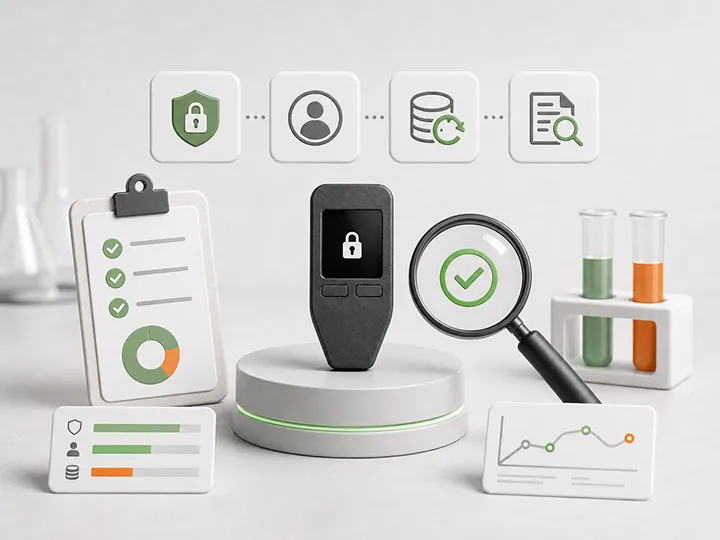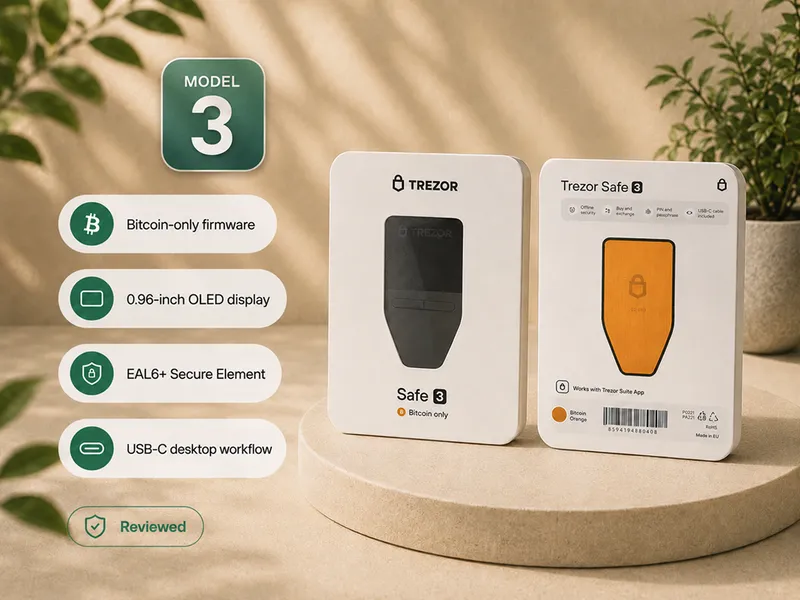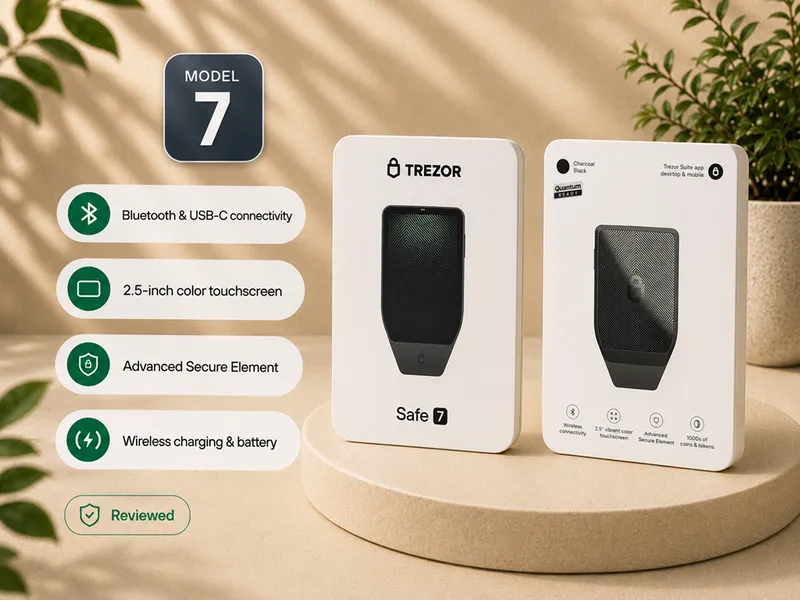
Hardware wallet comparison criteria

A hardware wallet comparison should not begin with the most famous brand, the newest model, the most advanced feature list, or the highest commission link.
It should begin with the job the device must do for a Bitcoin holder: generate keys safely, keep those keys isolated, make signing understandable, protect recovery, survive normal maintenance, and fit the way the user will actually operate it.
This page explains the Bitcoin Plaster comparison framework. It is the standard behind hardware wallet buying pages, review pages, and support pages. It exists so a reader can see why one device may be the right winner for one use case and the wrong recommendation for another.
Bitcoin Plaster verdict
The comparison winner is not the device with the loudest security label. The winner is the device that clears the important safety filters and matches the reader's actual workflow.
For most Bitcoin holders, usable security wins. That means recovery is understandable, the signing process is clear, firmware and software paths are official, the device can be sourced safely, and the user can repeat the routine without rushing or improvising.
| Comparison layer | What wins | What loses |
|---|---|---|
| Recovery | A backup model the user can record, protect, verify, and recover from | Unclear seed handling, forgotten passphrase risk, digital seed storage, supplied seed words |
| Security model | A clear explanation of how keys are generated, stored, and used for signing | Vague claims like military grade, cold, or unhackable without workflow detail |
| Verification | A practical device-screen or hardware-side verification habit | Trusting only the phone, desktop app, browser page, or clipboard |
| Source and authenticity | Official purchase path, clean initialization, genuine check, and official setup flow | Unknown sellers, second-hand devices for meaningful Bitcoin, pre-initialized wallets |
| Firmware and software | Official updates, maintained apps, understandable companion workflow | Fake downloads, panic updates, abandoned apps, seed prompts in software |
| Reader fit | The simplest setup that solves the reader's real threat model | Complexity chosen because it sounds safer |
Current product winners belong on the best Bitcoin hardware wallets page. This page defines what a winner has to prove before it deserves that position.
The first comparison question is reader state
Hardware wallet comparisons go wrong when every reader is treated as the same person.
A beginner buying a first wallet, a mobile-first user, a long-term cold-storage holder, a privacy-focused user, and an advanced multisig planner do not need the same device profile. A criterion can be decisive for one reader and secondary for another.
| Reader state | Highest-weight criteria | Wrong default |
|---|---|---|
| First hardware wallet | Guided setup, clear backup, clean purchase path, simple verification | Buying the most advanced device before understanding recovery |
| Mobile-first user | Companion app quality, phone workflow, connection method, app sourcing | Choosing a desktop-first wallet that feels inconvenient every time |
| Long-term holder | Backup durability, recovery confidence, firmware maintenance, low distraction | Focusing only on daily convenience |
| Higher-threat user | Airgap, open review, secure hardware, privacy controls, recovery separation | Assuming one label solves every threat |
| Advanced multisig user | External wallet support, PSBT workflow, interoperability, documentation | Using a single-device beginner workflow for a coordination-heavy setup |
Reader state does not excuse weak safety. It decides how the criteria are weighted.
Hard filters come before nice features
Some criteria are not ranking points. They are filters.
If a device or buying path fails a hard filter, price, screen quality, app design, brand reputation, or feature count should not compensate for it.
| Hard filter | Why it matters | Better route |
|---|---|---|
| No supplied seed words | A seed written by someone else is not your recovery authority | Only use a wallet that generates a fresh seed during your own setup |
| Clean source | The device must be trusted before setup begins | Prefer manufacturer-direct or clearly authorized reseller paths |
| Official setup path | Fake setup pages and random downloads are common failure points | Start from the manufacturer source, not search ads or support links |
| Understandable backup | The device can be replaced, but a failed backup can end recovery | Choose a wallet whose recovery flow you can explain back to yourself |
| Clear verification model | The connected phone or computer should not be the final authority | Check critical details on the hardware wallet or the wallet's intended hardware-side process |
| No seed entry into software | Seed-entry prompts are a major fake recovery and fake support risk | Never type recovery words into a browser, phone app, desktop app, cloud note, or chat |
For the purchase-path version of this rule, read hardware wallet supply-chain risk and how to check if a hardware wallet is genuine.
Security model is more than a label
A good hardware wallet should be evaluated as a complete security system.
Private key storage, firmware scope, secure hardware, open review, transaction display, update process, recovery design, and user behavior all interact. A single label can help explain one part of the model, but it rarely proves the whole system.
| Signal | What it can tell you | What it does not prove alone |
|---|---|---|
| Secure element | The device may offer stronger physical key-protection assumptions | That the firmware, app, recovery process, or user workflow is automatically best |
| Open source | More code or design can be inspected, discussed, and challenged | That every user can personally audit it or that the hardware path has no trust assumptions |
| Airgapped workflow | The signing device avoids some direct connection paths | That extra QR, microSD, or file steps will be easier or safer for every beginner |
| Bitcoin-only firmware | The software scope can be narrower and less distracted by unrelated assets | That the device automatically has the best hardware, backup, app, or maintenance design |
| Large touchscreen | Reviewing addresses and transaction details may feel easier | That the user will actually verify details instead of tapping through |
| Low price | The device may be easier to justify for a first setup | That it is the best value if workflow, screen, support, or backup clarity are weak |
For deeper trade-off pages, use hardware wallet security models, secure element vs open source, and air-gapped hardware wallets.
Recovery gets more weight than most buyers expect
Recovery is where many hardware wallet comparisons become too shallow.
A device can look secure on a spec sheet and still be a poor fit if the user cannot protect the seed phrase, understand the passphrase boundary, verify the backup, or recover later without panic.
| Recovery criterion | Strong signal | Weak signal |
|---|---|---|
| Seed generation | Fresh seed generated during setup on the intended device workflow | Pre-written words, imported hot-wallet seed, or unclear generation path |
| Backup clarity | The user understands where to store the backup and how to read it later | Backup feels like a checkbox before funding |
| Passphrase support | Clearly explained as optional advanced protection with lockout risk | Presented as a simple upgrade for users who cannot manage it |
| Restore confidence | The user knows what would be needed if the device were lost or wiped | Recovery has never been thought through until an emergency |
| Durability path | Paper can start small, metal or stronger storage can be added as value grows | Meaningful Bitcoin depends on fragile, unreadable, or exposed storage |
For the support layer, read hardware wallet backup basics, hardware wallet recovery risks, and PIN and passphrase basics.
Companion app quality is part of custody quality
The hardware wallet signs. The companion app prepares transactions, displays account data, manages update prompts, and shapes the user's daily workflow.
That software layer should be judged because it affects behavior. A confusing app can make a strong device feel dangerous. A polished app can also create false confidence if the user forgets that the device screen is the safer place to verify critical details.
| App and workflow criterion | Why it matters | Question to ask |
|---|---|---|
| Platform fit | The wallet must work on the phone or computer the user will actually use | Will I use this on mobile, desktop, browser, or external wallet software? |
| Official sourcing | Fake downloads and cloned setup pages are practical attack paths | Can I reliably find and verify the official app source? |
| Verification prompts | The app should support careful device-side review, not replace it | Does the workflow make address and transaction checks obvious? |
| Firmware path | Updates are lifecycle trust events | Are update steps understandable and clearly official? |
| Distraction level | Trading, token clutter, accounts, and cloud features can confuse the custody job | Does the app keep Bitcoin custody focused? |
| Interoperability | Some users need Sparrow, Nunchuk, PSBT, or multisig support later | Will this wallet still fit if my custody needs mature? |
For a full workflow comparison, read mobile vs desktop hardware wallet apps and hardware wallet firmware updates.
Value is not the same as cheap
Price matters, but it should be connected to risk reduction.
A cheap device can be excellent value if it gives a beginner a clean, understandable, recoverable Bitcoin custody workflow. An expensive device can be poor value if the buyer pays for features they will not use, does not understand, or will operate badly.
| Question | Good comparison use | Bad comparison use |
|---|---|---|
| Is it affordable? | Does it let the reader start safely without overbuying? | Cheapest wins automatically |
| Is it premium? | Does the price buy screen clarity, durability, secure hardware, support, or workflow fit? | Most expensive equals safest |
| Is it beginner friendly? | Does it reduce errors while still teaching correct custody? | Simpler means weaker |
| Is it advanced? | Does the added complexity solve a defined threat model? | Advanced means universally better |
| Is it Bitcoin-only? | Does narrower scope improve focus for this holder? | Label replaces recovery and verification analysis |
Good value is the point where safety, usability, recovery, and cost make sense for the user's Bitcoin amount and maturity level.
How Bitcoin Plaster ranks hardware wallet winners
When a page is a product-ranking page, Bitcoin Plaster should name the winner and explain why it wins. But the winner cannot be chosen by payout, popularity, or isolated specs.
A hardware wallet winner has to answer four questions clearly:
- What user is this device best for?
- Which risks does it reduce better than the alternatives?
- Which tradeoffs or weak fits should make someone avoid it?
- What support pages should the reader understand before funding it?
| Winner type | What the page must show | Reader protection |
|---|---|---|
| Best overall | Why this device is the strongest default for the target reader | Who should not buy it |
| Best beginner wallet | Why setup, backup, and app flow reduce first-time mistakes | Where the device may feel limiting later |
| Best advanced wallet | Which threat model or workflow justifies the complexity | Why beginners may be better served elsewhere |
| Best value | Which meaningful protections the price actually buys | What compromises remain |
| Best mobile or desktop fit | Why the companion workflow matches the reader's real habits | What happens if the reader's platform preference is different |
This is winner-first, not winner-only. A recommendation is stronger when it names the winner and names the boundary.
What to ignore while comparing
Some buying signals feel useful but do not carry much weight by themselves.
| Signal to de-weight | Why it is weak alone | Replace it with |
|---|---|---|
| Brand familiarity | Famous does not automatically mean best fit | Recovery, verification, update, and workflow evidence |
| Spec quantity | More features can create more user responsibility | Defined threat model and clear operational benefit |
| Security slogans | Labels can hide tradeoffs | Explainable key storage, signing, firmware, and recovery model |
| One viral incident | Anecdotes can distort the broader evaluation | Current documentation, security practices, and product maintenance |
| Affiliate payout | Revenue is not a custody criterion | Visible criteria, disclosure, and reader-fit boundaries |
| Overconfidence | Any device can be misused | Small tests, backup discipline, and boring repeatable workflow |
Use this comparison order
If you are comparing devices, use this order before you read product reviews:
- Define the amount and purpose: learning amount, meaningful savings, long-term cold storage, or advanced custody.
- Decide your real workflow: mobile, desktop, browser interface, QR, microSD, USB, Bluetooth, NFC, or external wallet software.
- Filter for clean source and no supplied seed phrase.
- Filter for understandable backup and recovery.
- Evaluate security architecture: secure element, open source, firmware scope, airgap, screen, and signing flow.
- Evaluate companion app and firmware maintenance.
- Evaluate privacy, interoperability, and long-term support.
- Only then compare price and product winners.
If you want the product-selection layer now, go to best Bitcoin hardware wallets. If this is your first device, start with how to choose your first Bitcoin hardware wallet.
Where this page routes next
| If you need... | Read next |
|---|---|
| Current product winners | Best Bitcoin hardware wallets |
| First-device guidance | How to choose your first Bitcoin hardware wallet |
| Public evaluation methodology | How we evaluate hardware wallets |
| Security architecture | Hardware wallet security models |
| Threat-model fit | Hardware wallet threat models |
| Day-one setup | How to set up a Bitcoin hardware wallet |
| Long-term maintenance | Hardware wallet maintenance checklist |
FAQ
What is the most important hardware wallet comparison criterion?
Recovery and verification are usually the highest-consequence criteria. If the user cannot protect the backup or verify critical details correctly, other features matter less.
Is the most secure hardware wallet always the best choice?
No. A technically strong wallet can be the wrong choice when the workflow is too confusing for the user. The best practical choice is the strongest setup the reader can operate correctly.
Should beginners choose the most advanced hardware wallet?
Not by default. Beginners should first prioritize clean setup, clear backup, official software, and repeatable verification. Advanced workflows make sense when they solve a defined problem the user understands.
Does Bitcoin-only support matter?
It can matter because it narrows the software scope and keeps the custody experience focused on Bitcoin. It is still one criterion, not a replacement for recovery, security model, app quality, and maintenance review.
Is open source always better than a secure element?
No. Open source and secure elements answer different trust questions. Open source helps inspectability. Secure elements can help with physical resistance. Neither proves the whole wallet is the best fit alone.
Is airgapped always safer?
No. Airgapped workflows reduce some direct connection paths, but they add steps. They are best when the user understands the added workflow and will not shortcut it under pressure.
Should I buy through the cheapest marketplace listing?
Not for meaningful Bitcoin. Source risk matters before setup. Manufacturer-direct or clearly authorized reseller paths are usually stronger defaults than unknown marketplace listings.
Why does Bitcoin Plaster separate criteria pages from best-of pages?
Criteria pages show the standard. Best-of pages apply the standard to product winners. Keeping them separate makes the recommendation process easier to audit and harder to confuse with sales pressure.