What to do after buying a hardware wallet

Buying a hardware wallet is not the finish line. It is the point where custody changes from a shopping decision into an operating routine.
This page is for the first few days after the device arrives. The goal is not to move as much Bitcoin as possible immediately. The goal is to prove that the device, software path, backup, receive flow, and your own signing habits are clean enough before the stakes rise.
If you have not opened the box yet, start here. If you are already inside the setup screens, use how to set up a Bitcoin hardware wallet beside the official instructions for your exact device.
Bitcoin Plaster verdict
The winner after buying a hardware wallet is a staged first-week routine, not a rushed full-balance transfer.
| Post-purchase choice | Verdict | Why it matters |
|---|---|---|
| Inspect package and seller path before setup | Required | Problems before setup are easier to stop than problems after funding. |
| Run genuine and firmware checks through official paths | Best default | They reduce blind trust without replacing clean setup discipline. |
| Create a fresh wallet on the device | Required for meaningful Bitcoin | A pre-existing or supplied seed destroys the clean-origin assumption. |
| Verify the backup before meaningful funding | Required | A hardware wallet without a usable recovery path is fragile. |
| Send a small receive test first | Strongly recommended | It tests the workflow before a mistake can become expensive. |
| Move meaningful Bitcoin gradually | Best default | Gradual movement keeps panic, address mistakes, and setup surprises smaller. |
The device is not ready because it arrived. It is ready when the first-week checks prove that you can operate it calmly.
What this page is responsible for
This page covers the operating window after purchase and before meaningful funding. It is not a model-specific setup tutorial, and it is not a product ranking.
Use this page to answer one practical question: what should happen between buying the device and trusting it with meaningful Bitcoin?
The answer is a short staged routine:
- Inspect the purchase and package.
- Use only official setup and firmware paths.
- Run the available genuine or authenticity check.
- Create a fresh wallet on the hardware wallet.
- Write and verify the backup offline.
- Send a small receive test.
- Confirm you understand the recovery logic before scaling.
That sequence overlaps with setup, but the emphasis is different. The setup page explains what to do during the setup session. This page explains how to treat the first week as a custody shakedown before bigger funds move.
The first seven-day routine
The exact timing does not matter. The order matters. You can compress this into one careful weekend or stretch it across a week. Do not compress it into panic.
| Window | Action | Pass condition |
|---|---|---|
| Before opening | Confirm where you bought it and inspect the package. | No strange inserts, supplied seed words, unexplained setup state, or seller red flags. |
| Setup session | Use official software, run authenticity checks when available, and update firmware only through the official path. | You know which official path you used and no screen asked for the seed phrase. |
| Wallet creation | Create a new wallet and write the seed phrase offline. | The seed was generated during your setup and never became a photo, file, cloud note, chat message, or password-manager entry. |
| Backup review | Check that the backup is complete, readable, private, and stored away from the device. | You can find the backup later without exposing it now. |
| Small receive test | Generate a receive address, verify it on the hardware wallet when supported, and send a small amount. | The small amount arrives where expected and you understand which wallet controls it. |
| Recovery logic check | Explain how recovery would work if the device were lost, damaged, wiped, or replaced. | You know that recovery depends on the seed phrase and any passphrase you chose, not on customer support. |
| Scale decision | Decide whether to move more Bitcoin gradually. | No unresolved device-origin, backup, firmware, address, passphrase, or software-path doubts remain. |
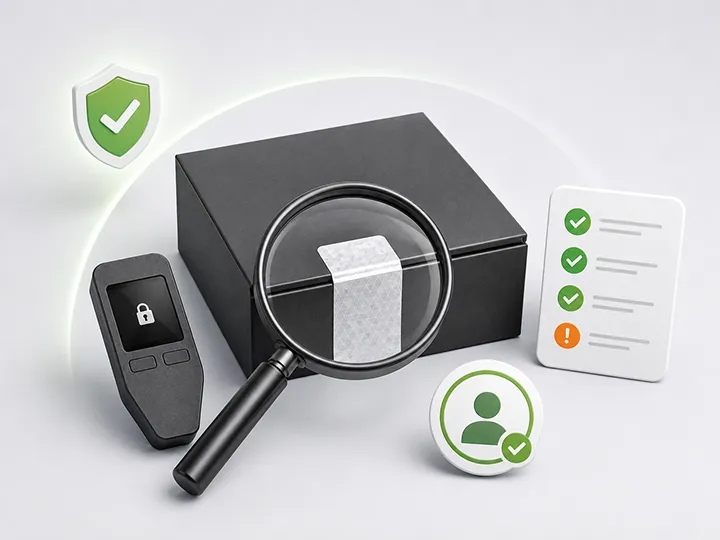
Step 1: inspect the device before trusting the device
The first mistake is treating the sealed box as proof that everything is fine. Packaging can be useful, but it is not the whole security model.
Before setup, check four things:
- the purchase source makes sense;
- the package matches the manufacturer guidance for that model;
- the device does not appear already initialized;
- there are no recovery words, PINs, or setup instructions supplied by the seller.
If the device arrives with a pre-written seed phrase, stop. Do not fund it, do not test it with meaningful Bitcoin, and do not try to make that wallet safe. A proper setup creates a fresh seed during your setup, not before it.
Use hardware wallet supply-chain risk for purchase-path risk and how to check if a hardware wallet is genuine for post-unboxing verification.
Step 2: use official setup, genuine check, and firmware paths
After buying, the user is often excited and impatient. That is when fake setup links, rushed firmware prompts, and unclear software downloads become dangerous.
Use only the official setup path for the exact device you own. If the manufacturer offers a genuine check or authenticity check, run it before serious funding. If the device needs firmware work, follow the official update flow and slow down around any prompt you do not understand.
| Check | Good sign | Stop or slow down if |
|---|---|---|
| Setup source | You reached it from the manufacturer or documented official app path. | You found it through an ad, message, forum link, seller insert, or random QR code. |
| Genuine check | The official app or device flow confirms the device as expected. | The check fails, is unavailable in a suspicious way, or requires a strange third-party tool. |
| Firmware check | The official flow explains the update and does not ask for seed words on a computer or phone. | A screen asks you to type the seed phrase outside the device or official recovery-check process. |
| Software path | You understand which desktop, mobile, web, or companion app path is being used. | You cannot explain what app is controlling the setup. |
Firmware is not a panic button. It is lifecycle maintenance. For the full operating model, read hardware wallet firmware updates.
Step 3: create the wallet, then protect the backup before funding
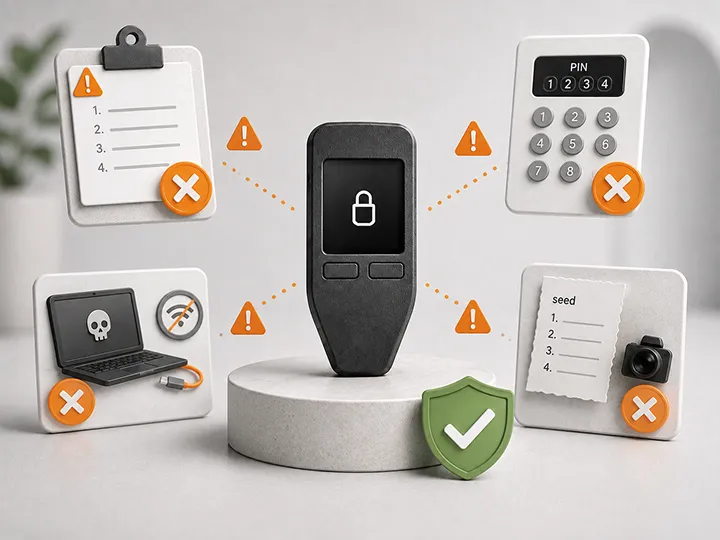
The wallet should be created fresh during your setup. Do not use recovery words that came in the box. Do not import an old phone wallet seed as the normal beginner path. Do not let a website, chat tool, support agent, browser extension, or exchange handle the seed phrase.
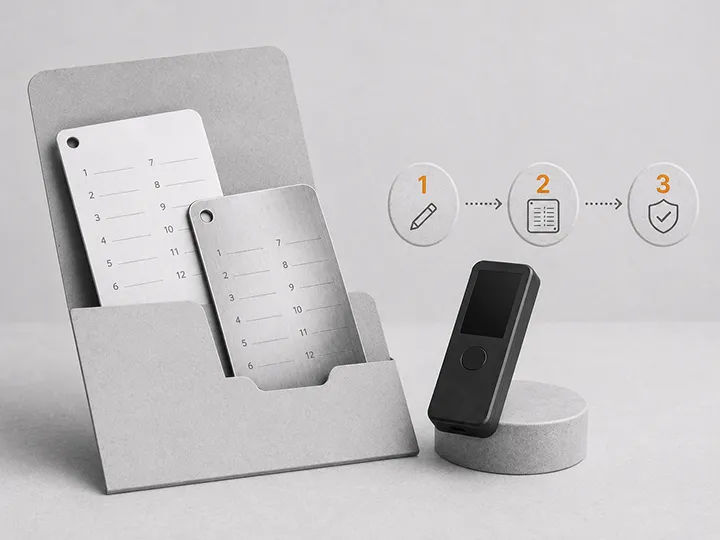
After the seed appears, your immediate job is backup quality. A backup is useful only if it is private, complete, readable, findable, and recoverable later.
| Backup question | Good answer |
|---|---|
| Did you write every word in order? | Yes, and the words are readable without guessing. |
| Did the seed ever become digital? | No photo, screenshot, cloud note, email, password manager, computer file, or chat message. |
| Can you recover later? | You understand that the seed phrase restores the wallet if the device is lost or replaced. |
| Is the backup stored away from the device? | Yes, so one theft, loss, or accident is less likely to remove both objects. |
| Did you add a passphrase? | Only if you understand that the passphrase is also required for recovery. |
If any answer is unclear, stay small. Use hardware wallet backup basics before moving more Bitcoin.
Step 4: send a small receive test before scaling
A small receive test is the first practical proof that your wallet flow works. It tests more than the network. It tests your address handling, your exchange or sending wallet workflow, and your ability to verify rather than rush.
The receive test should be boring:
- Generate a Bitcoin receive address in the wallet software.
- Confirm the address on the hardware wallet screen when the device supports it.
- Send a small amount first.
- Wait for it to appear where expected.
- Confirm that the wallet software still shows the hardware wallet as the signing device.
- Only then consider a larger transfer.
Do not make the first transfer the full balance. The first transfer is a workflow test, not a bravery contest.
If the Bitcoin is coming from an exchange, the dedicated operating page is withdraw Bitcoin to a hardware wallet.
Step 5: test recovery logic without creating a new risk
Recovery risk is where many users misunderstand hardware wallets. The device is replaceable. The recovery path is not optional.
You do not need to run a destructive recovery drill with meaningful funds during the first week. For many beginners, that creates more risk than it removes. What you do need is a recovery-logic check.
| Scenario | Correct recovery logic |
|---|---|
| The device is lost | Funds are recoverable only if the seed backup, and any passphrase, are correct. |
| The device is wiped | The device can be restored from the seed if you have the complete backup. |
| The device is damaged | A compatible wallet can restore access if the recovery material is usable. |
| The PIN is forgotten | The PIN does not recover funds. The seed backup is what matters after reset or replacement. |
| A passphrase was enabled | The seed alone may not be enough. The exact passphrase is also required. |
If your device or official app offers a safe backup-check flow, use only that official flow. Do not type the seed phrase into a website, browser extension, phone note, chat window, or random recovery page.
For the full topic, use hardware wallet recovery risks.
Step 6: make one non-sensitive custody note
A good first-week routine includes one boring note that does not contain secret material.
The note can include:
- device model;
- date of setup;
- official wallet software used;
- whether a firmware update was completed;
- where the device is stored in general terms;
- where the backup is stored in general terms;
- whether a passphrase exists, without writing the passphrase itself;
- which exchange or wallet sent the first test transaction.
Do not write the seed phrase in this note. Do not include the PIN. Do not include a passphrase. The note is for operational memory, not secrets.
When to move meaningful Bitcoin
Meaningful Bitcoin should move only after the workflow is boring enough to explain.
| State | Move more? | Reason |
|---|---|---|
| Device origin unclear | No | Fix supply-chain confidence before funding. |
| Seed was supplied or pre-written | No | That wallet should be treated as unsafe. |
| Backup not checked | No | You may not discover the problem until recovery is needed. |
| No small receive test yet | Not yet | Test the path before scaling. |
| Passphrase added but not understood | No | You may create a wallet you cannot recover. |
| Small test worked and recovery logic is clear | Gradually | The workflow is proven enough to move in stages. |
Gradual movement is not weakness. It is how you avoid turning a small first-week mistake into a long-term custody failure.
What not to do in the first week
The first week is not the time to collect advanced features. It is the time to prove the basics.
| Mistake | Better move |
|---|---|
| Move the full balance immediately | Send a small receive test first, then scale gradually. |
| Photograph the seed for convenience | Keep the seed offline from the start. |
| Ignore the device screen | Read address, amount, fee, and approval details on the hardware wallet when supported. |
| Add a passphrase because it sounds safer | Learn the recovery consequence before enabling it. |
| Trust a support message asking for seed words | Assume any seed request is hostile unless it is the device's own official recovery-check flow. |
| Keep device and backup together | Separate them so one incident does not remove both layers. |
For the broader beginner-failure list, use common hardware wallet setup mistakes.
When the device choice itself may be the problem
This page does not name a product winner because the device has already been purchased. The operating winner is the careful first-week routine.
However, the first week can reveal that the chosen device is a poor fit. That matters before meaningful Bitcoin moves.
| First-week signal | What it may mean | Where to route next |
|---|---|---|
| You cannot follow the companion app workflow | The device may not fit your normal phone or desktop environment. | Mobile vs desktop wallet companion apps |
| You cannot verify addresses comfortably | The screen, app, or signing flow may be wrong for your habits. | Hardware wallet comparison criteria |
| You bought before understanding tradeoffs | You may need the buyer layer before scaling. | How to choose your first Bitcoin hardware wallet |
| You still need a device or replacement | Use the current money page instead of guessing. | Best Bitcoin hardware wallets |
That is the correct winner-first route for this page: do not force a bad setup just because the box arrived. If the workflow fails the first-week shakedown, route back to the buyer layer before moving more Bitcoin.
First-week checklist
Before moving meaningful Bitcoin, the answer should be yes to each of these:
- I know where the device came from.
- The device did not arrive already set up.
- No seed words were supplied by the seller, package, email, website, or support chat.
- I used the official setup path for the exact device.
- I completed any available genuine check through the official path.
- I understand the firmware status and did not enter seed words into a computer or phone.
- The wallet seed was created during my setup.
- The seed backup is offline, readable, complete, private, and findable.
- The device and seed backup are not stored together.
- I verified a receive address on the hardware wallet when supported.
- A small receive test arrived where expected.
- I understand what would be needed to recover if the device were lost.
- I did not enable a passphrase unless I understand how it changes recovery.
- I have one non-sensitive note about the setup, with no seed, PIN, or passphrase.
- I am moving larger amounts gradually, not emotionally.
Frequently asked questions
Should I move all my Bitcoin right after buying the hardware wallet?
No. Buying the device does not prove the setup, backup, receive path, or recovery logic. Start with a small test and move more gradually only after the first-week checks are complete.
Is a genuine check enough to trust the wallet?
No. A genuine check is useful, but it is one signal. You still need a trusted purchase path, official setup software, clean seed generation, firmware awareness, offline backup discipline, and a small receive test.
Should I update firmware before moving Bitcoin?
Use the official guidance for your device. The key rule is that firmware work should happen through the official path and should not require typing the seed phrase into a computer, phone, browser, or chat screen.
Do I need to test recovery immediately?
You need to understand recovery immediately. You do not necessarily need a destructive recovery drill during the first week. Use official backup-check flows when offered, avoid entering the seed into online screens, and keep the first transfer small until recovery logic is clear.
What if setup feels confusing after I already bought the device?
Do not move meaningful Bitcoin just to justify the purchase. Keep the amount small, use the support pages, and consider whether the device workflow fits you before scaling.
Final rule after buying
The first week after buying a hardware wallet should make self-custody more boring, not more dramatic.
Inspect the box, verify the device path, use official software, create a fresh seed, protect the backup, test a receive address, understand recovery, and scale gradually.
When that routine is complete, the hardware wallet is no longer just a purchase. It is part of a custody system you have actually tested.