Trezor Safe 7 hands-on review

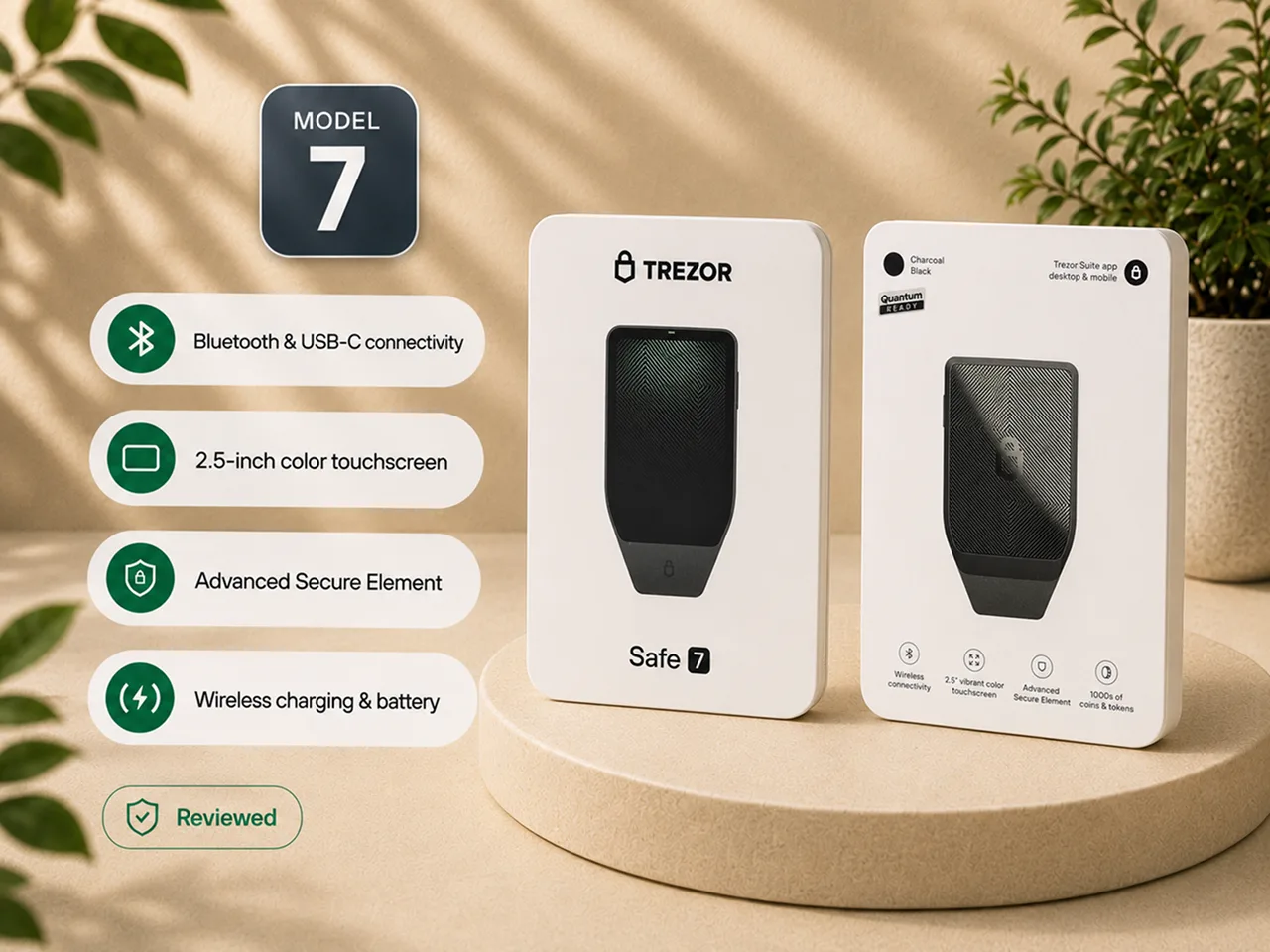
I bought the Trezor Safe 7, opened it from a sealed box, set it up over Bluetooth with an iPhone, installed the firmware, ran the genuineness check, created a wallet, wrote down the backup, set a PIN, received and sent Bitcoin, tested a passphrase wallet, and continued using the mobile app after setup.
The result is the most modern Trezor experience I have used.
It is also a premium hardware wallet whose strongest advantage is comfort: a clearer screen, a genuinely mobile workflow, and a physical device that feels built for repeated use. Those upgrades can make careful self-custody easier. They do not remove the need to protect the backup, verify transactions, and understand what the device cannot do.
My verdict
The Trezor Safe 7 is the best Trezor for a Bitcoin holder who wants a genuinely phone-first wallet, the clearest verification screen in the current Trezor line, and a premium physical device.
It is the first Trezor I have used that feels designed around a phone rather than adapted to one. Bluetooth setup from an iPhone was clear and deliberate. The larger display made addresses, amounts, fees, and approval prompts easier to inspect. The aluminum body felt substantially more serious than the lighter and more utilitarian Trezor models.
The premium makes sense when those improvements change how the owner behaves. A larger screen is valuable when it makes you read the full transaction instead of approving by habit; phone-first use is valuable when it means you will actually use the hardware wallet.
The Safe 5 gives you a touchscreen without charging for Bluetooth, a battery, and flagship materials. The Safe 3 performs the core Trezor custody job for less. An air-gapped wallet belongs in a different category when QR-based or SD-card signing is a hard requirement.
Buy the Safe 7 if you want the best phone-first and premium-comfort experience in the Trezor line, and you will use its larger screen to verify transactions carefully. Buy the Safe 5 if you want the better-value touchscreen Trezor and are comfortable with USB-C. Buy the Safe 3 if price matters more than interface comfort. Choose another wallet category if air-gapped signing is non-negotiable.
Review accountability
I tested the standard Trezor Safe 7, not the dedicated Bitcoin-only edition.
The Bitcoin-only edition uses the same physical device. My observations about the packaging, build, display, touchscreen, haptics, Bluetooth pairing, iPhone setup, wallet creation, backup flow, PIN, passphrase use, receiving, sending, and mobile-app behavior therefore apply to the shared hardware experience. Firmware scope is the difference.
I directly tested:
- the sealed-box and USB-C-port-seal inspection;
- Bluetooth pairing with an iPhone;
- firmware installation during setup;
- the software genuineness check;
- creation of a new wallet;
- the default 20-word backup flow;
- PIN setup;
- receiving and sending Bitcoin;
- device-screen address and amount verification;
- a passphrase wallet;
- routine use of the mobile application.
I did not perform a teardown, chip inspection, extraction attack, penetration test, firmware audit, or multi-year battery test. I also did not wipe and restore this unit from its backup during this review.
Claims about the secure-element architecture, Trezor Host Protocol, battery chemistry, IP rating, quantum-ready positioning, and formal third-party compatibility come from Trezor documentation unless I explicitly describe something I observed myself.
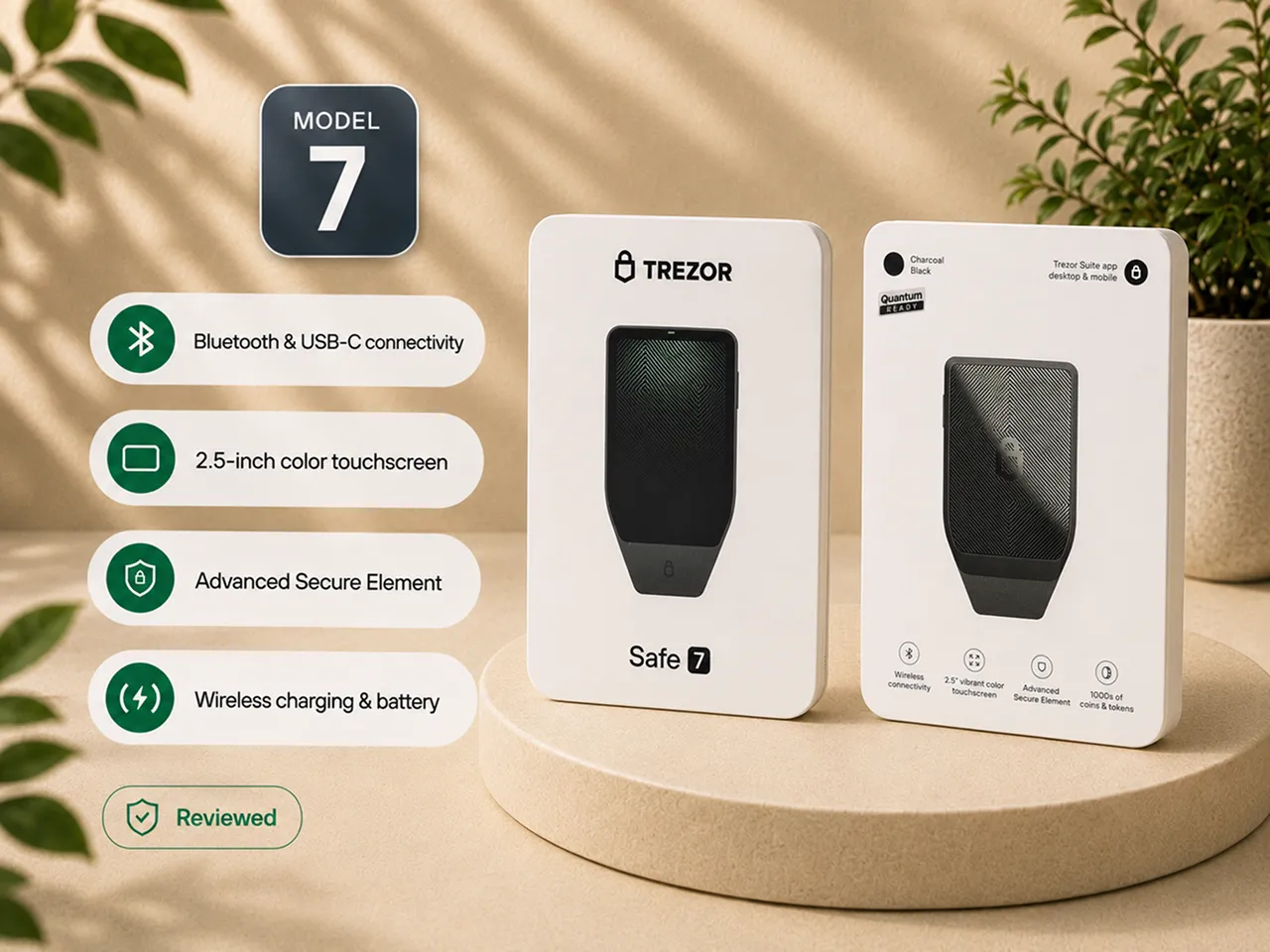
Trezor Safe 7 at a glance
| Category | What matters in practice |
|---|---|
| Best fit | Bitcoin holders who want the most comfortable phone-first Trezor experience |
| Why it wins inside the Trezor line | Bluetooth, the larger screen, battery-powered use, and premium build remove more daily friction than the cheaper models |
| Price position | Premium tier. Confirm the current official-store price and stock before ordering |
| Main upgrade over Safe 5 | Native wireless phone use, a larger display, battery, wireless charging, and a more substantial body |
| Main upgrade over Safe 3 | A much easier interface, better mobile use, a larger touchscreen, and premium construction |
| Screen | 2.5-inch color touchscreen, per Trezor documentation |
| Connection | Bluetooth and USB-C; no QR-code or SD-card air-gapped signing path |
| Backup | 20-word Single-share Backup by default in the flow I used; other recovery options are documented by Trezor |
| Mobile use | The strongest reason to buy the Safe 7, especially for an iPhone-centered workflow |
| Security hardware | Documentation-based dual-chip and auditable secure-element claims; not independently lab-tested in this review |
| Battery | Documentation-based LiFePO4 battery with wired USB-C operation available; long-term aging not tested |
| Bitcoin-only option | Same hardware experience with a narrower firmware scope |
| Final verdict | The best Trezor for phone-first use and premium comfort, but not the best value for every holder |
How I tested it
I did not judge the Safe 7 from its product page or stop when the onboarding screens looked polished.
I started with the physical device. I inspected the box and the seal over the USB-C port before setup. I powered the device on, scanned the QR code, installed the mobile app through the official path, and paired the wallet with an iPhone over Bluetooth.
The phone and the Safe 7 displayed the device identity and pairing information. I compared the codes, approved the connection on the hardware wallet, and completed the additional one-time security-code step. I then let the official app install the firmware and complete the genuineness check before creating a wallet.
After that, I:
- created a new wallet;
- wrote the backup down by hand;
- completed the guided backup confirmation;
- set a PIN;
- received a small Bitcoin test transaction;
- sent a small Bitcoin test transaction;
- checked addresses and amounts on the Safe 7 screen;
- opened and used a passphrase wallet;
- continued using the iOS app beyond onboarding.
The rough edges matter as much as the successful steps. During my use, the guided setup checked only three of the twenty backup words. I saw a white-overlay glitch in the iOS app. One Bluetooth connection dropped during a receive flow. The tamper sticker on my unit came away more easily than I wanted.
None of those issues made the wallet unusable. All of them belong in the buying decision.
The first physical impression was premium, except for the first trust signal
The Safe 7 is the nicest Trezor I have held.
The aluminum unibody gives it weight and rigidity. The glass back makes it feel more like a finished consumer device than a lightweight security accessory. The larger front display dominates the design, and the overall object feels made for a buyer who expects to keep using it for years.
That matters less than the security model, but a clear and responsive device can reduce hesitation during security-sensitive actions.
The packaging was tidy, and the box contained the expected setup materials, cable, backup cards, safety information, and device.
My concern was the seal over the USB-C port. On my unit, it came away more easily than I expected.
A physical seal is not final proof of genuineness; the official setup path, firmware installation, and software check provide stronger signals. But it is the first trust signal the buyer sees, and I wanted it to feel more convincing.
My setup rule would be:
- buy directly from Trezor or a currently authorized reseller;
- inspect the package and device before connecting anything;
- stop if the packaging or seal looks suspicious;
- install firmware only through the official software path;
- run the genuineness check before creating or funding a wallet;
- never use a device that arrives initialized or with recovery words already supplied.
Bluetooth setup felt designed into the product, not bolted onto it
The Safe 7's biggest practical change is not the metal body. It is the fact that the wallet finally feels natural with a phone.
Older Trezor use often felt desktop-first: find a cable, connect the device, open the computer, and work through Trezor Suite. The Safe 7 changed that category for me. I could start from an iPhone and complete the important setup stages without treating the phone as a secondary interface.
Pairing was more deliberate than tapping a device name and hoping for the best.
The phone and wallet presented matching information. I confirmed the pairing on the Safe 7 and completed an additional one-time code step. The extra ceremony made the wireless connection feel like a security-sensitive action rather than a convenience toggle.
Per Trezor documentation, the connection is encrypted through its protocol layer and Bluetooth is separated from the secure elements. I did not independently audit that implementation. What I could test was the user boundary: the phone prepared actions, but the Safe 7 still required approval on its own screen.
Bluetooth made the workflow easier. It did not make the phone the source of truth.
I still treated the hardware-wallet display as the place where every important action had to be checked.
The larger screen is the best reason to pay more
The 2.5-inch display is the Safe 7 feature I would expect an owner to value years after the novelty of Bluetooth and wireless charging has faded.
A hardware wallet's screen is where the device shows what it is being asked to authorize. The owner should read the address, amount, fee, and confirmation prompts there rather than trusting the phone or computer that prepared the transaction.
The Safe 7 gave those checks more room.
Receiving Bitcoin was a good example. The app initially withheld the complete receive-address flow until I returned to the device. I compared the address shown in the app with the address on the Safe 7 before using it.
Sending followed the same principle. I prepared the transaction in the app, then reviewed the recipient address, amount, and total on the wallet. Signing required a deliberate hold on the device. Only after the Safe 7 signed did the app broadcast the transaction.
That separation was clear:
- the phone prepared and broadcast;
- the hardware wallet displayed and authorized;
- I remained responsible for comparing the details.
The larger screen did not remove that responsibility. It made the responsibility easier to carry out.
That is the strongest safety-relevant argument for the Safe 7.
What impressed me
| Strength | What I actually experienced |
|---|---|
| Phone-first setup | Bluetooth pairing from an iPhone was clear, deliberate, and did not require a computer |
| Verification screen | The larger display made addresses, amounts, fees, and prompts easier to read before approving |
| Correct trust boundary | The app prepared and broadcast transactions while the device displayed and authorized them |
| Address protection | The receive flow pushed me back to the hardware-wallet screen before I relied on the complete address |
| Build quality | The aluminum body felt substantially more serious than the lighter Trezor models |
| Haptic confirmation | The soft response made hold-to-sign feel deliberate rather than ambiguous |
| Guided onboarding | Firmware installation and the genuineness check happened before wallet creation and funding |
| Bitcoin-only path | The same hardware can be used with a narrower firmware scope for a cleaner Bitcoin workflow |
Haptics made the interface feel modern, but they were not always helpful
The haptic response gives taps and confirmations a soft, physical finish. Important actions felt less ambiguous, although the device sometimes reacted when I intended to scroll. That was a minor annoyance rather than a security problem, and the feature can be adjusted or disabled.
Haptics improve interface feedback. They do not tell you that an address is correct.
The backup flow contained the most important weakness I found
The Safe 7 defaulted to a 20-word backup format in the setup path I used.
The app explained the basic responsibility correctly: write the words down physically, preserve their order, keep them offline, and do not photograph, type, upload, or share them.
The weak part came after I wrote them down.
The guided setup asked me to verify only three of the twenty words before moving on. That can catch an obvious mistake. It cannot prove that the full backup is readable, correctly ordered, and complete.
A hardware wallet is replaceable. The backup is what allows the wallet to be recovered after loss, theft, damage, reset, or replacement. Treating a partial word check as sufficient creates false confidence at the most important point in setup.
The Safe 7 includes a complete backup-check function. I would run it before moving meaningful Bitcoin to the wallet.
My order would be:
- write the full backup by hand;
- check spelling, order, and readability;
- store it away from cameras and connected devices;
- run the complete backup check;
- only then fund the wallet beyond a small test amount.
I did not wipe and restore this Safe 7 during the review, so I am not presenting an untested recovery as part of my hands-on evidence.
PIN and passphrase solved different problems
The PIN protects access to the physical device.
It does not replace the backup, and it does not stop someone who obtains the backup from restoring the wallet elsewhere.
The passphrase feature creates a different wallet derived from the backup plus the exact passphrase. That can add protection in a carefully designed setup. It can also create permanent loss when the owner forgets the wording, capitalization, spacing, or even that a passphrase wallet was used.
I tested the passphrase flow and found it accessible enough to use. Accessibility is not the same as suitability.
The Safe 7 made the feature easy to reach. It could not judge whether my recovery plan was mature enough to carry the additional secret.
For a first hardware wallet, I would prefer a simple backup that has been completely checked over an advanced setup that has never been recovered.
The iPhone experience was both the breakthrough and the unfinished part
The mobile app is the reason the Safe 7 feels different from older Trezors. Its structure is familiar to desktop Trezor Suite users, and accounts, balances, receive and send actions, settings, and wallet switching were easy to locate.
I did not need to build the session around a computer and cable. For an iPhone user, that is a major change rather than a small convenience.
The app was not flawless.
I encountered a white-overlay screen that required me to leave or restart the affected flow. I also had one dropped Bluetooth connection while receiving. No transaction was signed incorrectly, but the interruption mattered because mobile polish is one of the main reasons to pay for the Safe 7.
A premium phone-first hardware wallet should be judged more strictly on mobile reliability than a desktop-first model.
My experience was strong enough to support the recommendation, but not polished enough to describe the software as frictionless.
Receiving and sending taught the correct trust boundary
The Safe 7 cannot prevent every mistake. It can make the correct checking sequence hard to ignore.
When receiving, I used the address shown on the device as the authoritative address. The phone was useful for displaying and sharing the QR code, but it was not the final source of truth.
When sending, the app handled the convenient work: entering or scanning the destination, choosing the amount, selecting a fee, and preparing the transaction.
The Safe 7 handled the trust-sensitive work: showing the address and amount on an independent screen and requiring physical approval before signing.
That division is the core value of a hardware wallet. It also explains the limit: if I approve the wrong address without reading it, expose the backup, or forget a passphrase, the device cannot reverse the mistake.
The wallet creates a better place to make the decision. It does not make the decision on my behalf.
Bitcoin-only firmware made the product easier to recommend for Bitcoin
I tested the standard Safe 7 hardware. For a reader who holds only Bitcoin, I would choose the Bitcoin-only firmware scope.
The narrower experience removes non-Bitcoin assets and reduces the amount of software surface competing for attention. That does not change the connection model or the recovery responsibility. It does make the product more coherent for its intended use.
Bitcoin-only firmware should be understood as a focus decision:
- fewer irrelevant asset surfaces;
- less temptation to treat the wallet as a trading dashboard;
- a cleaner custody workflow;
- the same responsibility for backup, PIN, passphrase, software source, and transaction verification.
The physical advantages I tested, including the screen, Bluetooth, build, haptics, battery-powered use, and mobile interaction, come from the shared Safe 7 hardware.
The firmware decides how much other functionality sits around that experience.
The battery and wireless charging are convenient, but not the buying thesis
A battery is necessary for the phone-first behavior that makes the Safe 7 distinctive.
Untethered setup and transaction use made the wallet feel like a mobile product rather than a wired accessory. Wireless charging was convenient, but it did not change how I protected the backup or verified a transaction.
Long-term battery aging remains unknown from my testing. I have not owned the Safe 7 for years, and I cannot tell a reader how a specific unit will behave after extended storage and repeated charging cycles.
Trezor documents a LiFePO4 battery choice and wired USB-C operation. Those details reduce some concern, but they do not turn a new product into long-term evidence.
I would buy the Safe 7 for the complete phone-first workflow.
I would not buy it because a hardware wallet can charge without a cable.
The security architecture sounded stronger than I could personally test
Trezor positions the Safe 7 around a dual-chip architecture and an auditable secure element, alongside its open-source software and hardware philosophy.
That direction is meaningful, but it is also where a hands-on review must stay disciplined.
I could test:
- whether the device arrived uninitialized;
- whether firmware installed through the official flow;
- whether the app completed a genuineness check;
- whether approvals stayed on the hardware-wallet interface;
- whether the receive and send sequence returned me to the device screen.
I could not verify the silicon, independently evaluate extraction resistance, audit the Bluetooth stack, or prove the manufacturer's chip claims.
The same boundary applies to “quantum-ready” language. The positioning concerns device authentication, boot, and update paths described by Trezor. It does not make Bitcoin's current cryptography quantum-proof.
For the owner, the practical hierarchy remains:
- buy from a source you can verify;
- initialize through official software;
- keep the backup offline and recoverable;
- use a strong, remembered PIN;
- use a passphrase only with a tested plan;
- verify every transaction on the device;
- keep firmware and compatibility current.
It is not an air-gapped wallet
The Safe 7 connects through Bluetooth or USB-C.
There is no camera-based QR signing flow and no SD-card transaction-signing path. It is therefore not an air-gapped signer in the sense used by wallets built around offline QR or removable-media workflows.
That gives the Safe 7 a different security and usability model. It prioritizes:
- phone-first setup;
- wireless convenience;
- guided software;
- a large verification screen;
- a familiar Trezor ecosystem.
An air-gapped wallet prioritizes stronger separation from connected devices, usually at the cost of more steps. The question is whether the Safe 7's connection model fits your threat model and whether you will verify every approval on its screen.
Trezor Suite was the easiest default, not the only possible software path
Trezor Suite made setup, firmware installation, wallet creation, account discovery, receiving, sending, and device management understandable.
The mobile app also includes additional services and multi-asset surfaces that are not required for Bitcoin custody. A Bitcoin-only owner can ignore most of them and keep the workflow narrow.
Trezor documents compatibility with third-party Bitcoin software, including tools used for more specialized workflows. New hardware can reach external applications at different times, so I would confirm current support in the exact software and version I intend to use before buying.
This matters particularly for readers who depend on:
- Sparrow;
- Electrum;
- Specter;
- multisignature coordination;
- a specific desktop operating system;
- a particular hardware-wallet integration.
Do not buy the device on the assumption that every external tool supports every new model immediately.
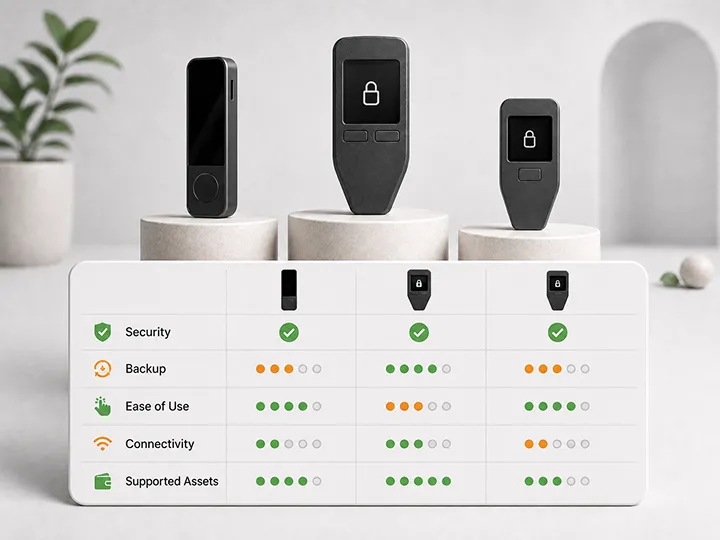
Safe 7 vs Safe 5 vs Safe 3 at a glance
| Safe 7 | Safe 5 | Safe 3 | |
|---|---|---|---|
| Interface | 2.5-inch color touchscreen | Touchscreen | Two physical buttons |
| Phone use | Native Bluetooth workflow, including iPhone | Wired workflow | Wired workflow |
| Battery | Yes | No | No |
| Wireless charging | Yes | No | No |
| Build | Aluminum unibody and glass back | Lighter, utilitarian build | Compact, utilitarian build |
| Air-gapped signing | No | No | No |
| Bitcoin-only firmware | Available | Available | Available |
| Best for | Best phone-first and premium Trezor experience | Better-value touchscreen Trezor | Lowest-cost credible Trezor option |
| Full review | This page | Read Safe 5 review | Read Safe 3 review |
Choose the Safe 7 when phone-first use, the larger screen, and premium construction will be used regularly. Choose the Safe 5 when you want a touchscreen but do not need wireless use. Choose the Safe 3 when price matters more than interface comfort.
None is an air-gapped signer. If full connection separation is the deciding requirement, compare another wallet category.
Who should buy the Trezor Safe 7
The Safe 7 may fit if:
- you want the best phone-first experience in the Trezor line;
- you use an iPhone and do not want a desktop-centered hardware-wallet routine;
- you value a large screen for reading addresses, amounts, fees, and prompts;
- you expect to use the wallet often enough that interface quality matters;
- you want premium materials and a more substantial physical device;
- you prefer Trezor's guided setup and open-source posture;
- you will use Bitcoin-only firmware for a focused Bitcoin workflow;
- you understand that Bluetooth adds convenience rather than air-gapped isolation;
- you have a written, offline backup plan and will run the complete backup check;
- you are willing to pay for comfort rather than the lowest entry price.
Who should skip it
Skip the Safe 7 or compare another category first if:
- you want the cheapest credible cold-storage option;
- the wallet will remain in storage and be used only rarely;
- you do not value phone-first use;
- you prefer a simple device without a battery or wireless features;
- you require QR-based or SD-card air-gapped signing;
- you need a microSD-dependent workflow;
- one specific third-party wallet must support the device immediately;
- early mobile-app rough edges are unacceptable;
- you may use a passphrase or advanced backup without testing recovery;
- the premium price would reduce the attention or budget available for a sound backup plan.
What frustrated me
| Limitation | What I experienced or could not verify |
|---|---|
| Weak first physical trust signal | The tamper sticker on my unit came away more easily than I expected |
| Partial guided backup check | The setup checked only three of twenty words; I would run the complete check before funding |
| No hands-on restore test | I did not wipe and recover this unit, so this review does not claim a completed recovery test |
| Mobile-app glitch | I encountered a white-overlay screen in the iOS app |
| Bluetooth interruption | One connection dropped during a receive flow |
| Haptic over-response | The device sometimes reacted when I intended to scroll |
| Not air-gapped | Bluetooth and USB-C are convenient, but there is no QR or SD-card signing path |
| No microSD slot | Buyers who depend on microSD-based features need another workflow |
| External-software timing | Third-party support can lag behind a new hardware release |
| Battery uncertainty | I did not test multi-year battery aging |
| Premium value question | The higher price mostly buys comfort, screen space, materials, and wireless use |
| Marketing interpretation risk | “Quantum-ready” must not be read as quantum-proof Bitcoin |
Final verdict
The Trezor Safe 7 is the best Trezor for a Bitcoin holder who wants phone-first use and premium comfort.
The recommendation comes from the parts I handled: deliberate iPhone setup, easier on-device verification, substantially better physical quality, and transaction flows that returned the final decision to the wallet screen.
The drawbacks were real. The seal should have inspired more confidence, the guided backup check was too shallow, the iOS app showed a visual glitch and dropped one connection, and the wallet is not air-gapped. The battery and newer hardware claims still need time and independent testing.
None of those points changed the verdict.
I would buy the Safe 7 over the Safe 5 when iPhone use, Bluetooth, the larger screen, and premium construction will be used regularly. I would buy the Safe 5 when I want a touchscreen but do not need wireless use. I would buy the Safe 3 when price matters more than comfort. I would choose an air-gapped wallet when isolation is the deciding requirement.
The Safe 7 does not make self-custody effortless.
It makes the correct actions easier to perform. For the right owner, that is a meaningful upgrade.
Official product route
Buy from Trezor's official store or a currently authorized reseller. Then independently inspect the packaging, install firmware through the official application, and complete the genuineness check before creating or funding a wallet.
Price, stock, package contents, firmware, supported platforms, and third-party compatibility can change. Confirm the current details directly at Trezor before purchasing.
Frequently asked questions
Did you actually test the Trezor Safe 7?
Yes. I bought the standard Safe 7, opened it from a sealed box, paired it with an iPhone over Bluetooth, installed firmware, ran the genuineness check, created a wallet, wrote down the 20-word backup, set a PIN, received and sent Bitcoin, tested a passphrase wallet, and used the mobile app beyond onboarding.
I did not perform a teardown, firmware audit, multi-year battery test, or wipe-and-restore recovery test.
Did you test the Bitcoin-only edition?
I tested the standard Safe 7. The Bitcoin-only edition uses the same physical hardware, so the build, screen, Bluetooth, mobile setup, backup interaction, PIN, passphrase, and signing experience are relevant to both. The firmware scope differs.
Is the Safe 7 the best Trezor?
It is the best Trezor for phone-first use and premium comfort. The Safe 5 is the better-value touchscreen Trezor for a wired workflow. The Safe 3 is the lower-cost choice for the essential custody job.
Does the Safe 7 make Bitcoin safer than the Safe 5 or Safe 3?
Not automatically. The larger screen can make verification easier, but backup protection, phishing resistance, passphrase discipline, and transaction attention still determine the real outcome.
Is Bluetooth safe on the Safe 7?
Trezor documents an encrypted protocol and separation between Bluetooth and the secure elements, while transactions still require device approval. I did not independently audit that implementation. Use USB-C or choose an air-gapped category if wireless does not fit your threat model.
Is the Safe 7 air-gapped?
No. It connects through Bluetooth or USB-C. It does not sign through a camera-based QR workflow or an SD-card transaction path.
What is the biggest backup concern?
The guided setup checked only three of the twenty backup words in my flow. That is not enough evidence for meaningful funds. Run the complete backup check before funding the wallet beyond a small test amount.
Did you test recovery from the backup?
No. I created the backup and completed the guided confirmation, but I did not wipe and restore this unit. I have kept that limitation explicit.
Should I use a passphrase?
Only with a tested recovery plan. A forgotten or mistyped passphrase can make the intended wallet inaccessible even when the backup words are correct.
Should a Bitcoin-only holder use Bitcoin-only firmware?
Yes, when the device is used only for Bitcoin. It narrows the software scope and removes unrelated asset surfaces. It does not change the connection model or replace backup discipline.
Does “quantum-ready” mean the Safe 7 makes Bitcoin quantum-proof?
No. Trezor's positioning concerns parts of the device's authentication, boot, and update architecture. A hardware wallet cannot independently change Bitcoin's cryptography.
What happens if the battery ages?
I did not test multi-year aging. Trezor documents a LiFePO4 battery and wired USB-C operation; check current official guidance for long-term assumptions.
Can I use the Safe 7 with Sparrow, Electrum, or Specter?
Trezor documents third-party compatibility, but support for new hardware can arrive at different times. Confirm the exact application and version before buying.
Should I upgrade from a Safe 3 or Safe 5?
You do not need to upgrade when the current device works and fits your routine. The Safe 7 mainly upgrades the screen, phone use, physical quality, and daily comfort.
Changing devices does not itself move Bitcoin. The backup restores access to the same accounts. Follow official guidance and do not erase the old device until the new setup has been verified.
Who should skip the Safe 7?
Skip it or compare another option first if you want the lowest price, do not value phone-first use, require QR-based or SD-card air-gapped signing, depend on a microSD workflow, or need completely mature support in one specific external wallet from day one.
Where should I buy it?
Use Trezor's official store or a currently authorized seller. Inspect the package, install firmware through official software, run the genuineness check, and never use a device that arrives initialized or with recovery words already supplied.