Exposure
Someone else gets the phrase because it was copied, photographed, synced, shared, typed, or stored somewhere reachable.
Enter your email to receive the free PDF checklist.
For subscriber questions or corrections, use the Contact / Corrections page.
Seed Phrase Storage
Common seed phrase backup mistakes, why each one is dangerous, and the safer habit to use instead. Practical Bitcoin self-custody guidance with no product pitch.
Starting point
The goal is not to make self-custody feel impossible. The goal is to help you build a backup that stays private, recoverable, and usable later.
Nothing looks broken on the day the mistake happens. The problem shows up later, at the moment you need the backup to work.
Most seed phrase backup mistakes come from the same few patterns: exposure, loss, physical damage, unclear writing, over-clever storage, or unsafe verification.
This page is a safety and method page. It does not recommend a product, rank backup materials, add a /go route, or ask you to enter a real seed phrase anywhere.
Someone else gets the phrase because it was copied, photographed, synced, shared, typed, or stored somewhere reachable.
You lose access because the backup is destroyed, misplaced, unreadable, hidden too well, or impossible to find when needed.
The backup looks fine, but it would not actually help you recover because of a copying error, word-order problem, or untested assumption.
Safety boundary
This page will never tell you to type, photograph, screenshot, upload, scan, email, message, or paste your real seed phrase into any app, website, cloud document, password manager, chat tool, recovery service, or AI tool.
Nothing else should ask you to do that either.
If a tool, guide, support agent, forum user, or website asks for your real seed phrase to “check,” “verify,” “register,” “sync,” or “recover” something, treat that as a warning sign. A real seed phrase should stay offline and private.
Failure model
Most seed phrase backup mistakes are specific versions of exposure, loss, or false confidence. Keep that frame in mind before trusting any storage habit.
Failure mode 1
Failure mode 2
Failure mode 3
Mistake map
The common mistakes cluster around exposure, loss, and correctness. That makes the page easier to use as a checklist before you rely on a backup.
Safer replacement habits
The right fix is not to make the backup system complicated. The right fix is to keep the phrase offline, readable, findable by plan, and recoverable without unnecessary exposure.
Do not put a real seed phrase in phones, computers, cloud tools, password managers, chat apps, websites, or AI tools.
The words need to remain legible, complete, in order, and clear enough to use later under stress.
The backup should not be obvious to casual access, but it should not depend on a hiding puzzle only you understand.
Emergency access should be planned deliberately without casually revealing the phrase today.
Mistakes 1 and 2
The first two mistakes are the cleanest examples of the loss-versus-exposure tradeoff. One copy can disappear. A digital copy can spread.
A seed phrase backup usually fails quietly.
Nothing looks broken on the day the mistake happens. The paper still sits in a drawer. The single copy still exists. The hiding place still feels clever. The problem shows up later, at the moment you need the backup to work.
That is why seed phrase backup mistakes are worth catching early. Most of them are preventable, and most come from the same few patterns.
This page walks through the common mistakes, why each one is dangerous, and the safer habit to use instead. The goal is not to make self-custody feel impossible. The goal is to help you build a backup that stays private, recoverable, and usable later.
The mistake: Writing the seed phrase down once and keeping that single copy in one place.
Why it is dangerous: One copy is a single point of failure. If it is destroyed, lost, stolen, or becomes unreadable, there is no fallback. The wallet may still exist, but your recovery path does not.
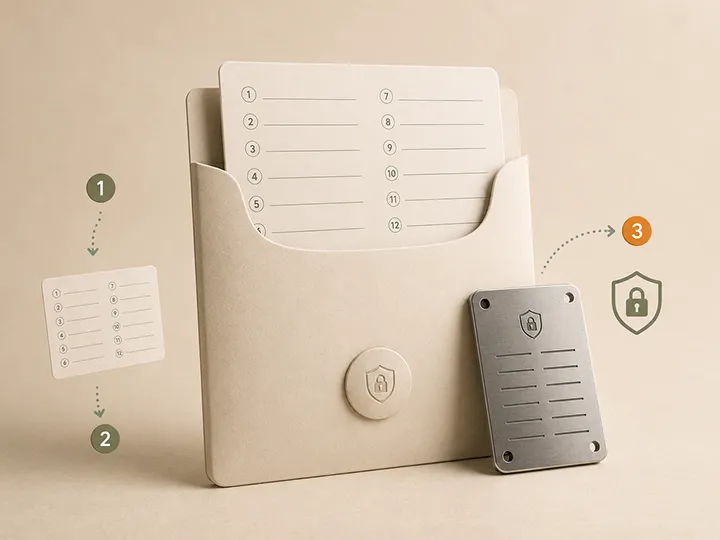
Safer replacement: Keep more than one offline copy, in separate controlled locations, so that one failure does not lock you out. Balance this carefully. Too few copies increases loss risk. Too many copies increases exposure risk.
The right answer is not to scatter backups everywhere. The right answer is a small number of controlled, offline copies that you can realistically protect and find later.
This connects directly to physical disaster planning. For the durability side, read the guide to seed phrase fire and water risk. For the human recovery side, build an emergency recovery plan.
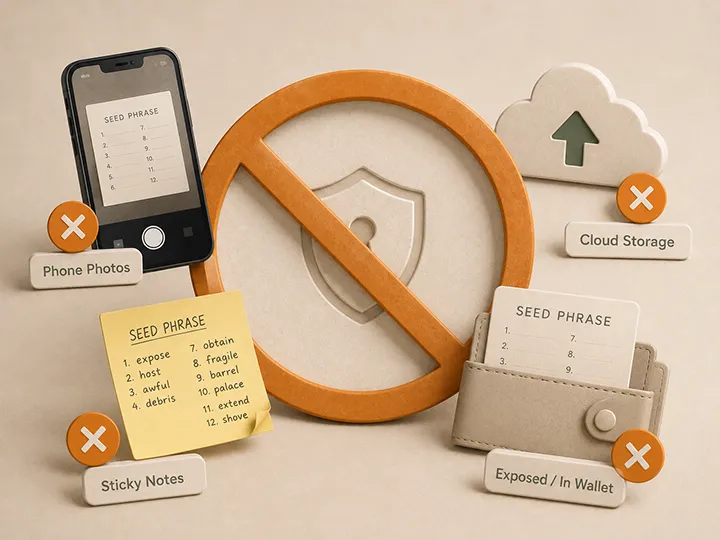
The mistake: Turning the seed phrase into a photo, screenshot, text file, cloud note, password manager entry, email, message, online document, or AI prompt.
Why it is dangerous: A seed phrase is supposed to be an offline recovery secret. Once it becomes digital, it can be synced, backed up, indexed, copied, accessed by software, or exposed through an account or device compromise.
The dangerous part is that you may not get a useful warning. A digital copy can sit unnoticed for a long time before you learn it was reachable by something or someone you did not intend.
Safer replacement: Keep the seed phrase offline on physical media. Do not make a photo “just in case.” Do not put it in a password manager “temporarily.” Do not paste it into a note, document, website, wallet checker, chat app, or AI tool.
If you feel tempted to make a quick digital backup because you are afraid of losing the physical one, that is the signal to improve the physical backup plan instead.
To think through who or what you are protecting against, use the seed phrase storage threat model.
Mistakes 3 and 4
A seed phrase only helps if it can be read correctly later. Recovery depends on the right words in the right order.
An obvious location increases exposure risk. A clever but fragile location increases loss risk.
People often overcorrect from one problem into the other. They move from “too easy to find” to “almost impossible to find,” including for themselves or the people who may need to help later.
Detailed guidance
These two mistakes are boring on setup day and expensive on recovery day.
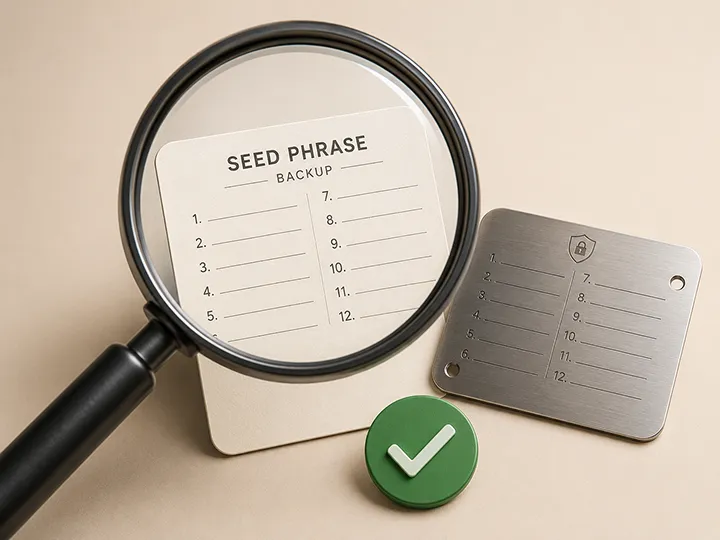
The mistake: Rushing the handwriting, leaving unclear words, mixing up word order, failing to label which wallet the backup belongs to, or storing the backup without checking that it is readable.
Why it is dangerous: A seed phrase only helps if it can be read correctly later. Recovery depends on the right words in the right order. If a word is ambiguous, a number is mistaken for a letter, the order is unclear, or you cannot tell which wallet the phrase belongs to, the backup may fail when you need it.
Safer replacement: Write the words clearly and in order. Record the word count. Keep the wallet association clear without exposing sensitive details in an obvious way. Before storing the backup, read it back offline and confirm that every word is legible.
This is a visual and organizational check. It is not a reason to enter the words into software.
A deeper recovery check belongs in a dedicated process. That is covered in how to verify your seed phrase backup.
The mistake: Using a location that is easy for someone else to find, or using a hiding place so clever that you may forget it yourself.
Too obvious looks like a labeled envelope in a desk drawer, a note near the computer, or a backup kept with the hardware wallet. Too clever looks like a hiding scheme that depends on perfect memory, secret clues, or luck.
Why it is dangerous: An obvious location increases exposure risk. A clever but fragile location increases loss risk.
People often overcorrect from one problem into the other. They move from “too easy to find” to “almost impossible to find,” including for themselves or the people who may need to help later.
Safer replacement: Use a location that is not obvious to a casual visitor, contractor, burglar, or houseguest, but is still findable under a deliberate plan. Do not store the backup right next to the device it protects. Do not rely on a hiding system only you understand if family recovery matters.
This is where threat modeling and emergency planning overlap. Your seed phrase storage threat model helps decide how much secrecy you need. Your emergency recovery plan helps make sure the backup can still be found by the right person under the right conditions.
Physical and human recovery
A private and correctly written backup can still fail if the medium does not survive or if the right person cannot recover under the right conditions later.
Physical risk
Fire, water, humidity, tearing, fading, and local disaster risk are storage questions, not product-rank questions.
Ask what ordinary disaster could affect your home, then ask whether your backup would still be usable afterward.
Human risk
The safer replacement is to separate present access from emergency access, with controlled instructions for the right person under the right conditions.
Present privacy and future recoverability have to be solved together without exposing the phrase today.
Mistakes 5 and 6
These mistakes happen when backup storage is treated as finished too early.
The mistake: Treating the backup as complete just because the words are written down, without thinking about fire, water, humidity, tearing, fading, or long-term physical damage.
Why it is dangerous: This is a loss-of-access problem. A backup can be private and correctly written, but still fail because the medium did not survive. Paper can burn, soak, fade, tear, or become unreadable over time. The risk is worse when every copy is exposed to the same local disaster.
Safer replacement: Treat physical durability as part of the backup plan. Paper may be a starting point, especially while setting up, but long-term storage deserves a medium and location strategy that can survive realistic household risks.
Keep the language simple: ask what ordinary disaster could affect your home, then ask whether your backup would still be usable afterward.
For the physical risk side, read seed phrase fire and water risk. For choosing a durable backup medium without turning the decision into a product ranking, use metal backup selection criteria.
The mistake: Sharing the phrase, or its exact location, with someone who should not have that power. The opposite mistake is keeping everything so private that no one can recover your Bitcoin if something happens to you.
Why it is dangerous: Telling the wrong person increases exposure risk. Telling no one can create a permanent recovery problem for your family or executor.
Self-custody creates a real tension here. You want the phrase private while you are alive and capable. You may also want a trusted recovery path if you die or become incapacitated. Those are different problems, and they should not be solved by casually sharing the words.
Safer replacement: Separate present access from emergency access.
Present access should be tightly controlled. Emergency access should be planned deliberately, with instructions that help the right person find and use the right materials under the right conditions, without exposing the phrase today.
That is the job of an emergency recovery plan.
Complexity warning
Treating the seed phrase and an optional passphrase as the same thing can make a backup incomplete even when the written phrase is physically safe.
Cutting the seed phrase into pieces can make recovery harder without providing the protection people expect.
For most holders, a small number of complete, well-protected offline copies is easier to reason about than an improvised split.
Mistakes 7 to 10
The last four mistakes are about assumptions. A backup can fail because a second secret is missing, a homemade split cannot be recovered, memory fades, or verification is unsafe.
The mistake: Treating the seed phrase and an optional passphrase as the same thing, or assuming the passphrase is just another seed word.
Why it is dangerous: They are different secrets. If your setup uses a passphrase and you lose or misremember it, the seed phrase alone may not recover the wallet you expect. The backup can be physically safe and still be incomplete.
Safer replacement: Know whether your setup uses a passphrase at all. If it does, understand that the passphrase is a separate recovery-critical secret. Do not add one casually because it sounds more secure.
This page is not the place to teach passphrase setup. The important point here is to avoid confusing the two. Read passphrase vs seed phrase before making passphrase decisions.
The mistake: Cutting the seed phrase into pieces and storing each part separately because it seems automatically safer.
Why it is dangerous: Casual splitting can make recovery harder without providing the protection people expect. Depending on how it is done, losing one piece may be enough to lose access, while finding enough pieces may still expose the wallet. A homemade split can increase complexity faster than it increases safety.
Safer replacement: Do not split a seed phrase as a first instinct. First understand what splitting is meant to protect against, what it does to recoverability, and what mistakes it introduces.
For most holders, a small number of complete, well-protected offline copies is easier to reason about than an improvised split. If you are considering splitting, read should you split a seed phrase before acting.
The mistake: Planning to remember the seed phrase instead of keeping a physical backup.
Why it is dangerous: Human memory is not reliable enough for this job. A seed phrase must be exact, in order, and recoverable under stress. Years can pass between setup and recovery. Illness, injury, aging, stress, or simple disuse can break confidence that once felt solid.
Memory also does not solve inheritance. A phrase that only exists in your head may disappear with you.
Safer replacement: Keep a physical backup as the source of truth. Memory can be a supplement, not the backup plan. The reason seed phrases exist is to make recovery possible without relying on perfect memory.
The mistake: Writing the backup, storing it, and assuming it is correct. The more dangerous version is trying to “test” it by entering the real words into a random app, website, recovery checker, AI tool, or unverified software.
Why it is dangerous: An unverified backup can create false confidence. It looks like a backup, but you do not know whether it would actually work. Unsafe testing adds a second problem: it can expose a seed phrase that was otherwise private.
You do not want to turn a good backup into a compromised one while trying to check it.
Safer replacement: Verify the backup, but do it safely. At creation time, confirm the words are legible and in the correct order, offline, with your own eyes. For recovery-level verification, use official wallet documentation or a dedicated verification guide that keeps the phrase out of random software and online tools.
Do not improvise with seed checkers, recovery websites, support agents, forums, chat apps, or AI tools.
The safe verification process is specific enough to deserve its own page. Read how to verify your seed phrase backup before you test anything.
At a glance
Use this as a quick scan after reading the detailed sections. It is not a substitute for the safety boundaries above.
One copy is a single point of failure. More than one controlled offline copy reduces lockout risk without scattering the phrase everywhere.
A photo, screenshot, note, email, password manager entry, message, document, or AI prompt turns an offline recovery secret into a digital secret.
Recovery depends on the right words in the right order. Unclear handwriting, missing labels, and unchecked readability create false confidence.
An obvious place increases exposure risk. A clever but fragile location increases loss risk.
A backup can be private and correct but still fail because the medium did not survive ordinary household risks.
Present access and emergency access are different problems. Do not solve either by casually sharing the words.
They are different secrets. A missing passphrase can make the seed phrase insufficient for the wallet you expect.
A homemade split can increase complexity faster than it increases safety. Understand recoverability before acting.
A seed phrase must be exact, ordered, and recoverable under stress. Memory can be a supplement, not the backup plan.
An unverified backup can look reassuring while being wrong. Unsafe testing can expose a phrase that was otherwise private.
Simple setup check
You do not need to memorize every mistake on this page. Use the three-failure model before you rely on a backup.
If the storage habit makes the phrase easier for another person, app, device, or service to reach, improve the backup before relying on it.
If one accident, disaster, memory failure, or missing label could make recovery impossible, the backup plan is too fragile.
If a word, order, wallet association, passphrase assumption, or verification step is uncertain, the backup may be giving false confidence.
Backup standard
It is private enough that other people cannot use it, durable enough that ordinary disasters do not erase it, findable enough that you can recover when needed, and verified enough that you are not trusting a copying mistake.
FAQ
Practical answers for avoiding backup mistakes without exposing a real seed phrase.
Making a digital copy is one of the most serious mistakes because it changes the seed phrase from an offline recovery secret into a digital secret that can be copied, synced, backed up, or exposed. Keep the seed phrase offline and out of phones, computers, cloud accounts, password managers, email, chat apps, websites, and AI tools.