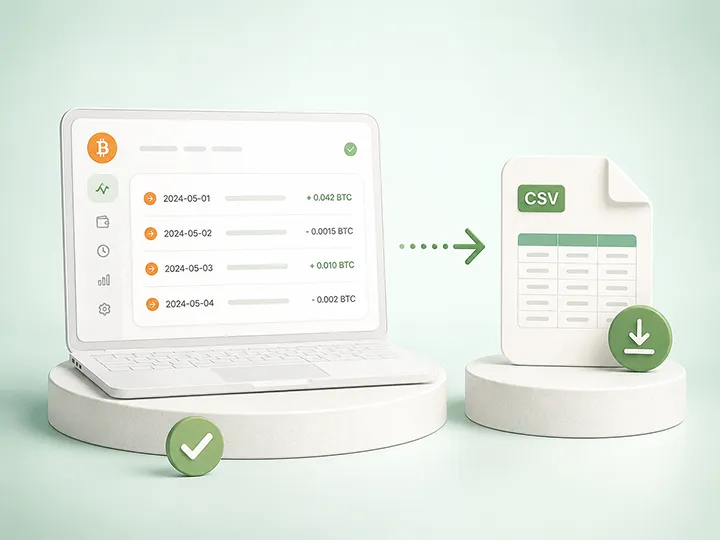
Export Bitcoin transaction history
Assemble a complete export set before importing records into tax software.

Enter your email to receive the free PDF checklist.
Read our Privacy Policy. For subscriber questions or corrections, use the Contact & Corrections page.
Bitcoin Tax Software
A Bitcoin CSV import problem can look like a software problem. Sometimes the file will not upload. Sometimes it uploads but the output looks wrong. Sometimes the numbers are far higher or lower than expected, or transfers, fees, and timestamps do not line up.
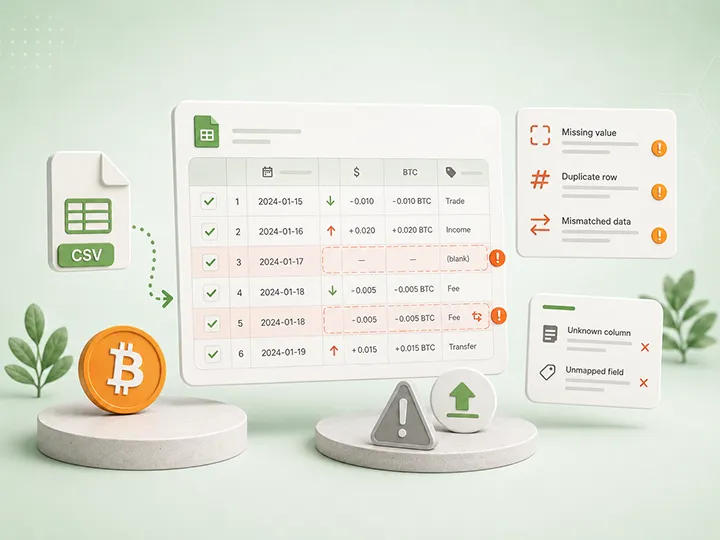

A Bitcoin CSV import problem can look like a software problem. Sometimes the file will not upload. Sometimes it uploads but the output looks wrong. Sometimes the numbers are far higher or lower than expected, or transfers, fees, and timestamps do not line up.
The first rule is not to panic and not to assume the software is broken. A failed or messy import is usually a signal about record quality, file structure, missing context, or incomplete sources. The core distinction is simple: a failed or messy CSV import is a record and data-quality signal, not a tax verdict and not proof that the software is broken.
This page explains Bitcoin CSV import problems at the recordkeeping and input-quality level. It is educational only, not tax, legal, or financial advice; rules differ by jurisdiction and change over time. For the scope of the lane, read the Bitcoin tax disclaimer; for the map, start at the hub.
How this section is written: the failure patterns below reflect issues that recur across published documentation, pricing, setup-flow review, and hands-on use only where explicitly stated, rendered product-neutral. No tool is named, and no CSV-repair tutorial is given.
Loud failures are obvious: the file is rejected, a required column is missing, the format is unsupported, nothing useful imports. Frustrating, but visible - and a visible problem is one you will actually fix, because you cannot ignore it.
Silent errors are the dangerous ones: the file imports, a report generates, the numbers look organized - but the output is incomplete, duplicated, mislabeled, or missing context because the source records did not tell the full story. Nothing on screen warns you. For Bitcoin holders, the silent category matters more than for almost any other kind of record, because self-custody routinely splits a history across exchange exports, wallet history, on-chain transaction IDs, labels, and personal notes - so a single imported file is often only part of the story by design, not by accident.
A loud failure says: the file was not read. A silent error says: the file was read, but the record story may still be wrong or incomplete. The first interrupts you; the second waits quietly inside a clean-looking report.
Consider a common situation. A holder buys Bitcoin on an exchange, withdraws it to a hardware wallet, and a year later imports only the wallet history into tax software. The CSV imports cleanly and a report appears. But the wallet history shows coins arriving with no purchase behind them, so the tool marks the position as having missing cost basis - or treats the later movement as if the coins appeared from nowhere.
Nothing failed on screen. The import was "successful." No error was shown. The real problem is that the exchange acquisition record was never included, so one side of the story is simply absent - and the report, being tidy, gives no hint of it. The fix is not to edit the report; it is to add the exchange record, connect the withdrawal to the wallet receipt, and preserve the transaction ID, fee, and a label. Only then is the record reviewable. This page does not decide how the movement is treated; it shows why a clean import can still be an incomplete record, and why "it imported fine" is not the same as "it is right."
Software works from supplied records, so an import problem is usually pointing at one of two things. A file-structure issue means the file itself could not be read correctly: an unreadable type, missing or renamed columns, the wrong delimiter or encoding, ambiguous dates, lost precision, or a manually altered file. A record-completeness issue means the file read fine but the history behind it is incomplete: missing exchange records, missing wallet history, missing transaction IDs, missing fees, missing labels, disconnected withdrawals and receipts, or incomplete acquisition context. The import problem is the symptom; the record set is almost always where the real investigation starts. (For the deeper software-expectation picture, see Bitcoin tax software limitations.)
These stop the file before it becomes output. They are usually structure problems, not tax conclusions:
(For preventing these at the source, see common Bitcoin tax record mistakes.)
The import completes; the story is still incomplete. The common silent errors:
A clean import is only a successful file read. It is not proof that the record set is complete. The safer question is: can I trace the output back to source records? Check whether:
Passing these prompts does not guarantee a correct tax result - that depends on facts and rules beyond this page - but it clears the most common reasons a Bitcoin import is quietly wrong.
Not a step-by-step import workflow - a safer record-quality order. First, preserve the original files and work from copies. Second, decide whether the problem is loud (rejected/unreadable) or silent (imported but wrong-looking). Third, map your sources - which exchange records, wallet histories, transaction IDs, labels, and fee records are included, and what is missing. Fourth, connect movements - for self-custody, check that withdrawal, receipt, transaction ID, fee, source, destination, and label are linked. Fifth, review output against records, not just the final number. Sixth, mark unresolved questions clearly. Seventh, route interpretation questions to qualified review when facts are missing or treatment depends on your situation. (See when to use a tax professional.)
Some import issues are routine cleanup - gather a missing export, reconnect a withdrawal to a receipt, add a label, preserve a transaction ID. Others exceed a recordkeeping explainer: acquisition records are missing, older records must be reconstructed, wallet ownership is unclear, sources and output do not line up, a movement involves business, payment, gift, or donation context, prior-year gaps exist, or there is formal contact from a tax authority. This page gives no tax advice or treatment conclusions; it helps you read record and data-quality signals.
There are two kinds of Bitcoin CSV import problem. A loud failure is visible: the file is rejected. A silent error is harder: the file imports, but the output is wrong-looking or incomplete because the record story is incomplete - often because self-custody split the records across exchange exports, wallet history, transaction IDs, labels, and notes. Software calculates from supplied records; records preserve facts; qualified review interprets facts when the issue exceeds recordkeeping. A clean import is a successful file read, not a correct result.
For the full tax-scope boundary, see the Bitcoin tax disclaimer.
Why will my Bitcoin CSV not import? Often because the file type is not what the tool expected, required fields are missing or renamed, the delimiter or encoding is unreadable, dates are ambiguous, precision was changed, or the file was manually altered. That is a data-quality signal, not a tax verdict.
What is the difference between a loud failure and a silent error? A loud failure is visible - the file is rejected. A silent error is harder to notice - the file imports, but the output is incomplete, duplicated, or missing context.
Does a clean import mean the result is correct? No. A clean import means the file was read. It does not prove all exchanges, wallets, labels, fees, transaction IDs, and acquisition records are complete. The output still needs review against source records.
Why does self-custody make imports harder? It splits records across exchange exports, wallet history, on-chain data, labels, fees, and notes. If one side of a movement is missing or unlabeled, the tool needs more context before the output can be reviewed confidently.
Should I edit a CSV before importing it? Avoid unnecessary edits to the original export - manual changes can alter formatting, dates, precision, columns, or separators. Keep the original untouched, work from a copy, and document any changes.
Can tax software fix missing CSV records? It can organize and calculate from records supplied to it. It cannot reliably replace missing exports, wallet history, labels, transaction IDs, or acquisition context. Missing facts need more record-gathering or qualified review.
When should a CSV problem go to qualified review? When acquisition records are missing, older records must be reconstructed, wallet ownership is unclear, output cannot be explained, business or payment context is involved, prior-year gaps exist, or treatment questions exceed recordkeeping.
Assemble a complete export set before importing records into tax software.
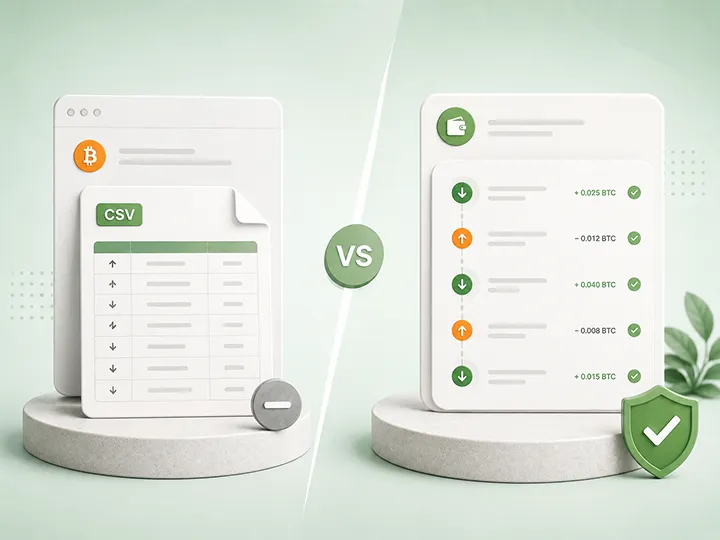
Reconcile exchange exports, wallet history, on-chain records, and your own labels.
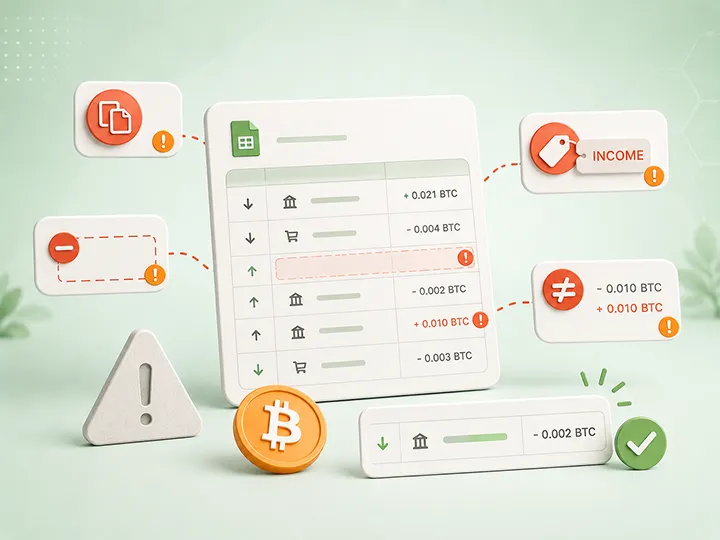
Turn common record gaps into better habits before they become software import problems.

Preserve ownership, purpose, source, destination, and uncertainty without recording wallet secrets.