Trezor Safe 5 Bitcoin-Only hands-on review

My verdict
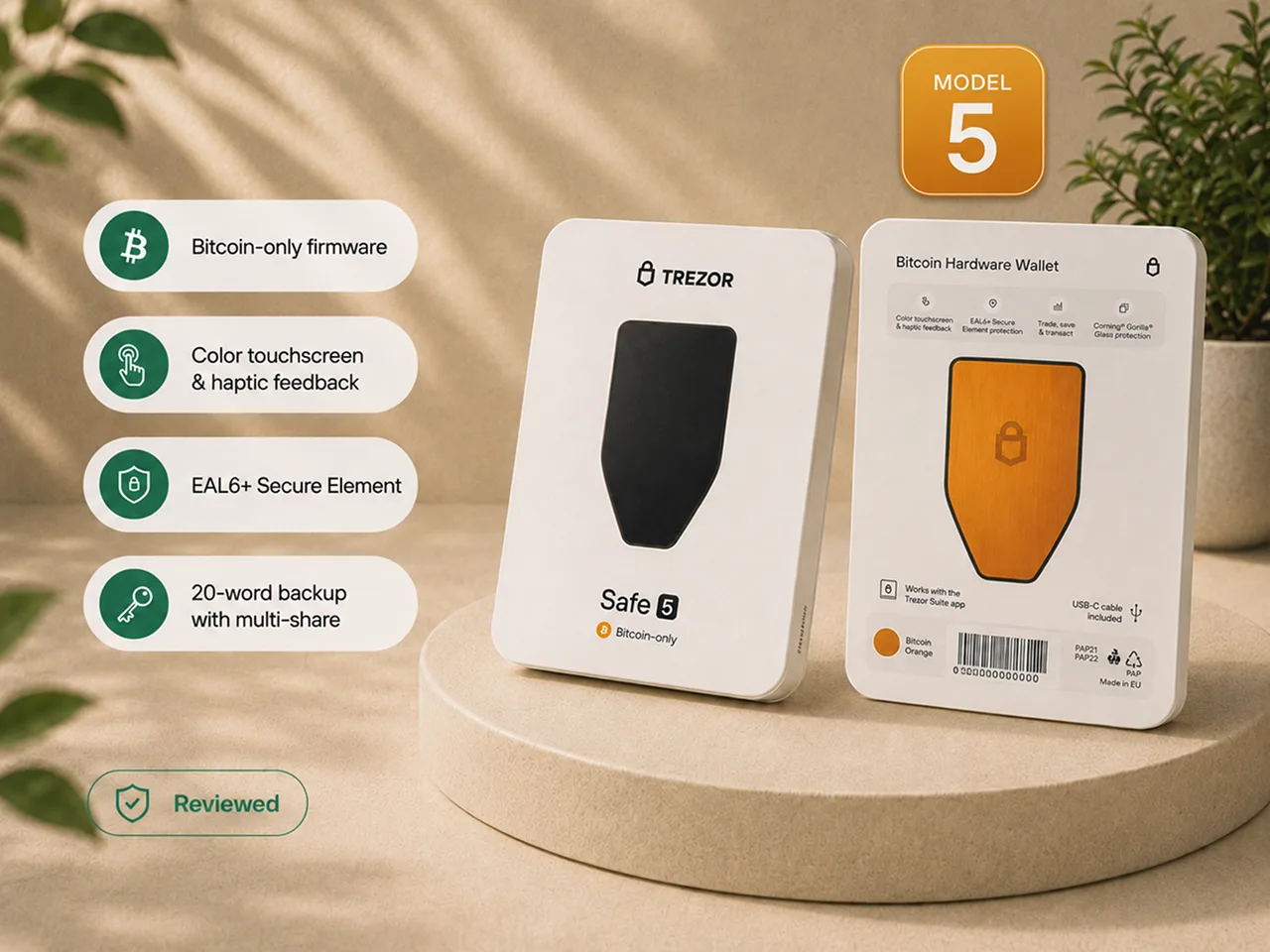
The Trezor Safe 5 Bitcoin-Only is the Trezor I would recommend to a Bitcoin-only holder who wants the easiest setup, recovery, and signing experience in the current Trezor line, and who is willing to pay more than the Safe 3 for a touchscreen.
The recommendation is not based on the orange backplate or the product looking premium. It is based on the moments where interface friction can turn into carelessness.
The touchscreen made PIN entry faster, recovery-word input less tiring, and transaction approval easier to follow. Haptic feedback confirmed that a touch had registered. Those improvements matter when the wallet is used regularly.
They matter less when the device will spend most of its life in storage. In that case, the Safe 3 Bitcoin-Only can perform the essential job for less money.
The Safe 5 is also not the right security model for everyone. It connects through USB-C, is not a QR-based air-gapped signer, and its lightweight body feels more practical than luxurious. Its 20-word SLIP39 backup deserves deliberate recovery planning rather than an assumption that every wallet will treat it like a common 12 or 24-word seed.
Buy the Safe 5 Bitcoin-Only if you want a focused Bitcoin wallet, prefer Trezor's guided software experience, and expect the touchscreen to make you more careful over years of ownership. Buy the Safe 3 if price matters more than comfort. Choose a different wallet category if air-gapped signing is non-negotiable.
Review accountability
I inspected the sealed packaging and the protection over the USB-C port, installed firmware through the official setup path, completed the available device check, created a fresh wallet, wrote the backup by hand, set a PIN, received and sent small amounts of Bitcoin, wiped the device, and restored the wallet from the written backup.
I also used Trezor Suite beyond onboarding and connected the device to compatible non-Trezor Bitcoin software.
Physical observations, touchscreen behavior, setup, backup, transaction flow, wipe, and recovery come from direct use. Display specifications, listed weight, materials, and Secure Element certification come from Trezor documentation rather than my own measurement or lab testing.
Bitcoin Plaster may earn a commission when a reader purchases through an affiliate route on this page. The affiliate relationship does not change the verdict, the drawbacks, or who I think should skip the device.
Trezor Safe 5 Bitcoin-Only at a glance
| Category | What matters in practice |
|---|---|
| Best fit | Bitcoin-only holders who want the smoothest Trezor setup, recovery, and signing experience |
| Why it wins inside the Trezor line | The touchscreen and haptics make important security actions easier to complete carefully |
| Main upgrade over Safe 3 | Faster PIN entry, easier recovery input, clearer navigation, and less button work |
| Main compromise | The higher price mostly buys usability, not freedom from backup responsibility |
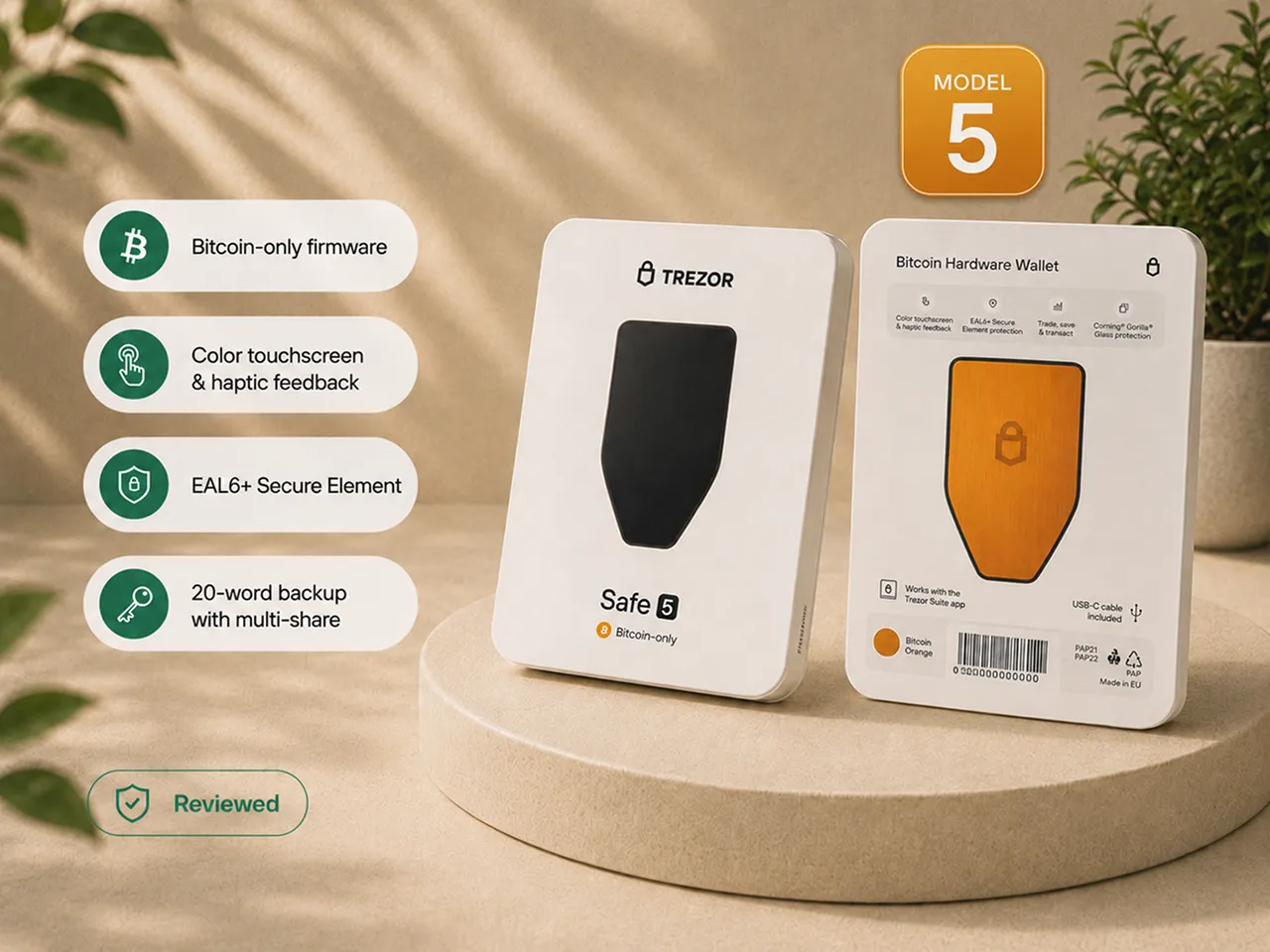
| Display | 1.54-inch, 240 × 240 color touchscreen with haptic feedback and Gorilla Glass 3, per Trezor documentation |
| Listed weight | Approximately 23 g, which matches the light feel in the hand |
| Materials | PC-ABS body with an anodized aluminum backplate, per Trezor documentation |
| Security hardware | Trezor documents an EAL6+ Secure Element; this review does not independently test extraction resistance |
| Connection | Wired USB-C, with no camera-based air-gapped signing workflow |
| Default backup | 20-word SLIP39 Single-share Backup, with a path toward Multi-share Backup |
| Software | Trezor Suite is the easiest default; compatible alternative Bitcoin interfaces add flexibility |
| Final verdict | The best Trezor choice for Bitcoin-only users who value usability more than the lowest price |
How I tested it
I did not stop after the onboarding screens looked polished.
| Test step | What I checked |
|---|---|
| Package inspection | Box condition and the seal over the USB-C port |
| Initial setup | Official software path, firmware installation, device check, and touchscreen tutorial |
| Wallet creation | Fresh Bitcoin wallet, handwritten backup, and PIN |
| Bitcoin use | Small receive and send tests with on-device verification |
| Recovery | Full device wipe and restoration from the written backup |
| Wider software path | Trezor Suite beyond onboarding and compatible non-Trezor Bitcoin software |
The wipe and recovery mattered most. A hardware wallet can make a good first impression and still leave its owner with an untested recovery plan.
The first thing the device asked me to do was distrust it
Before connecting anything, I checked the package and the seal over the USB-C port. Removing the seal left a visible VOID indication. That is useful because earlier removal should be obvious.
The less polished part was the adhesive. The seal left sticky residue that I had to clean manually.
I also noticed dust beneath the protective layer on the front of my unit. The display itself was not damaged, but the detail weakened the premium first impression. The included USB-C cable worked beside a laptop and felt short at a desktop workstation.
The Bitcoin-orange rear panel gives the edition a clear identity. The front glass feels good, and the device is compact. At roughly 23 grams, it is also very light. That helps storage and portability but makes the body feel more practical and plastic than the product photography suggests.
The product looks more premium than it feels. Its real premium is the interface.
Setup felt reassuring because the device started clean
The Safe 5 did not arrive as an initialized wallet.
I connected it, installed firmware through the official setup path, completed the available device check, and only then created the wallet.
That order matters. A new hardware wallet that arrives with a wallet already created, recovery words supplied, or a setup state that asks the buyer to trust someone else's initialization should be treated as compromised. Use the same checks in How to check if a hardware wallet is genuine.
The on-device tutorial introduced tap, swipe, and hold-to-confirm before the critical steps. Haptic feedback made it clear when an action registered.
The setup was guided without pretending responsibility had disappeared. I still had to keep the backup offline, understand what the PIN protects, and read what the device asked me to approve.
The touchscreen is the reason to pay more than the Safe 3
PIN entry was the clearest example.
The numbers appear in a randomized layout, so the same finger movement does not map to the same number sequence each time. The layout does not eliminate every observation risk, but it is a thoughtful security detail.
During recovery, the word-entry interface used grouped letter choices and narrowing suggestions rather than forcing me to hunt through a full grid of tiny characters. That made entering a long backup faster and less error-prone.
Tap, swipe, hold-to-confirm, and haptic response also reduced repetitive button work during setup, address checks, and approvals.
The screen is still compact. Someone with large fingers may want more space. But compared with the Safe 3, the Safe 5 made the important actions easier enough that the difference felt meaningful rather than cosmetic.
The Safe 3 performs the essential job for less money.
The Safe 5 makes the essential job less annoying.
The backup started as a piece of paper and became evidence
The Safe 5 uses a 20-word SLIP39 Single-share Backup by default.
I wrote the words down by hand, in order, and kept them away from the connected computer. The setup reinforced the correct boundary: no photo, phone, password manager, email, cloud note, website, or support form.
Trezor's SLIP39 model also supports Multi-share Backup. Multiple shares and a recovery threshold can reduce dependence on one complete copy, but only when the owner understands how many shares exist, how many are required, where they are stored, and how recovery will work years later.
A sophisticated backup is not safer merely because it has more parts. The underlying recovery responsibilities are covered in Hardware wallet backup basics.
Then I reached the most important part of the test.
To prove the written backup worked, I had to wipe a functioning wallet and recover it.
Until that moment, the paper beside me was something I believed I had copied correctly. I had followed the process, but I had not depended on the backup to reconstruct the wallet.
I wiped the device, entered the words through the grouped-letter recovery interface, and restored the wallet. The accounts and test balance matched the wallet created before the wipe.
Until that point, I had a piece of paper I believed was correct. After recovery, I had evidence.
A backup you have never used to recover the wallet is still an assumption.
That test did more for my confidence than the orange backplate, polished dashboard, or certification label.
PINs and passphrases solve different problems
The PIN protects access to the physical device. It does not protect a stolen wallet backup from being restored elsewhere.
A passphrase can create a separate hidden wallet that the backup alone cannot recover. That can add protection, but it also creates another permanent secret.
A forgotten passphrase cannot be reset. A typo can open a different empty wallet. A passphrase omitted from an inheritance or recovery plan can create permanent loss.
The touchscreen makes passphrase entry easier. It does not make the decision less consequential. Review the distinction in Hardware wallet PIN and passphrase basics.
Receiving and sending: the device screen is the source of truth
For receiving, I generated a Bitcoin address in Trezor Suite and compared it with the address shown on the Safe 5 before using it.
That comparison is the security habit. A compromised computer can show a substituted address. The hardware-wallet screen gives the owner a separate place to verify it.
For sending, Trezor Suite prepared the transaction. I entered the recipient, amount, and fee, then reviewed the critical details on the Safe 5 before approving the signature.
The separation of duties is simple:
- the application prepares and broadcasts;
- the device holds the signing keys;
- the device screen shows the critical details;
- the owner decides whether to sign.
After signing, the device does not need to remain connected. The Bitcoin exists on the network; the Safe 5 protects and uses the keys required to authorize movement.
Trezor Suite is the easiest default
Trezor Suite provided one clear place for setup, accounts, receiving, sending, labels, device management, and firmware-related tasks.
View-only access lets the owner check balances without connecting the device. Labels can keep transaction history understandable. Multiple Bitcoin accounts can separate savings, testing, or different funding sources.
The Safe 5 can also work with compatible alternative Bitcoin software such as Sparrow or Specter. The device keeps the keys while the other application provides the interface.
One caution deserves to be explicit:
Buying Bitcoin inside Trezor Suite relies on third-party providers. Those providers can apply their own identity verification, fees, regional restrictions, pricing, and terms.
For a clean self-custody learning path, master receiving, backup, recovery, and transaction verification before treating in-app purchase options as a reason to choose the wallet.
Bitcoin-only scope made the device quieter
The Bitcoin-only edition removes unrelated assets and networks from the normal device experience. I did not need to navigate token support, staking, smart-contract functions, or networks that did not belong in the setup.
The narrower scope is useful. It is not a magic security label.
Bitcoin-only firmware cannot protect a photographed backup, fake software, phishing, a forgotten passphrase, a wrong recipient, or an approval the owner did not read.
This page reviews the dedicated Bitcoin-only product. It does not assume that firmware-switching behavior from a regular Safe 5 configured with Bitcoin-only firmware applies to this edition. Verify current edition and firmware behavior through Trezor's official product and support pages before purchasing.
What the Safe 5 cannot protect you from
The Safe 5 improves the signing path. It cannot protect Bitcoin when the owner:
- photographs or uploads the wallet backup;
- enters recovery words into a website, phone, computer, or support form;
- downloads fake Trezor software;
- approves a transaction without reading the device screen;
- buys an initialized device or accepts prewritten recovery words;
- forgets a passphrase;
- stores every multi-share backup together;
- loses every usable recovery copy;
- follows a phishing message or fake support request;
- treats Bitcoin-only firmware as a replacement for judgment.
This is the full warning. The buying decision can remain confident: the Safe 5 is a strong product when the owner uses the security model it provides.
Trezor Safe 5 Bitcoin-Only vs Safe 3 Bitcoin-Only
Both devices still require an offline backup, careful address verification, official software paths, deliberate transaction approval, and a tested recovery plan.
The Safe 5 wins on interaction. The touchscreen, haptics, PIN entry, navigation, and recovery interface made the important actions more comfortable.
The Safe 3 wins on price. If the wallet will be used rarely and two buttons do not bother you, it is the more rational spend.
- Choose Safe 5 Bitcoin-Only when usability will matter over years of setup, verification, and recovery.
- Choose Safe 3 Bitcoin-Only when you want the lower-cost Trezor and can accept a basic interface.
- Choose neither when a wired USB-C workflow does not fit your security model.
Official Trezor store
Compare the Safe 5 and Safe 3 before paying for the touchscreen.
Check current pricing and Bitcoin-only availability, then decide whether the Safe 5 usability premium matches how often you will use the device.
Check Trezor Safe 5 at the official storeOfficial Trezor store affiliate link. Bitcoin Plaster may earn a commission at no extra cost to you.
Safe 5 vs the obvious Bitcoin-only alternatives
The first-hand evidence on this page is for the Safe 5. These are buyer-routing cues, not a claim that every competing device was retested in the same session.
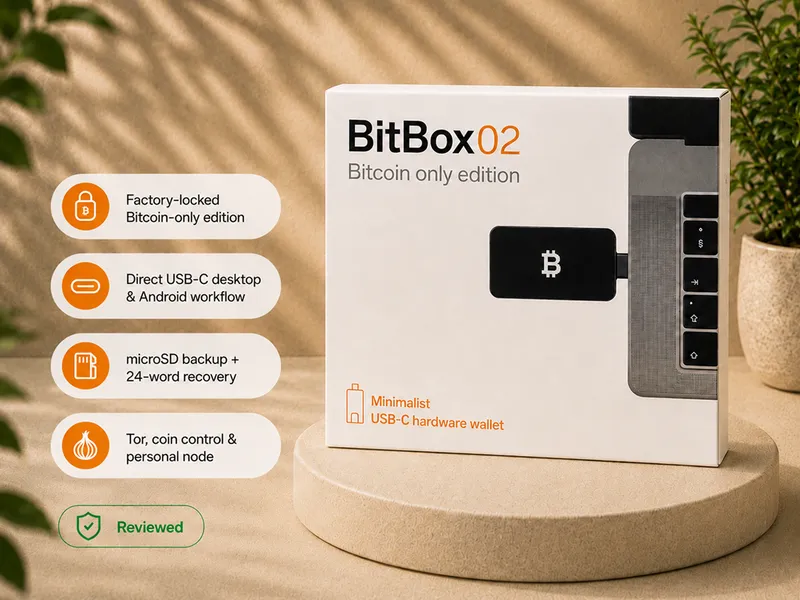
Safe 5 vs BitBox02 Bitcoin-only
Choose the Safe 5 when you want a color touchscreen, guided Trezor Suite onboarding, and direct on-device interaction during PIN entry, recovery, and approvals.
Consider BitBox02 Bitcoin-only when its different interaction and backup model better match you and a color touchscreen is not important.
Read the BitBox02 Bitcoin-only review.
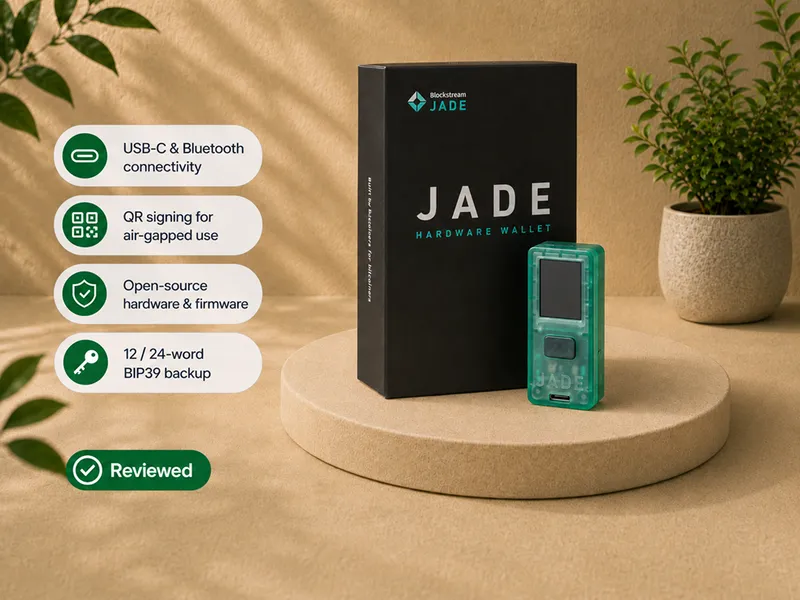
Safe 5 vs Blockstream Jade
Choose the Safe 5 for a polished, wired desktop workflow with a touchscreen and the Trezor software ecosystem.
Consider Blockstream Jade when a QR-oriented, air-gap-focused signing path is a higher priority than touchscreen comfort.
Read the Blockstream Jade review.
Fit decision
May fit if
- you want a clean Bitcoin-only device;
- you want the easiest Trezor interface for PIN entry, recovery, address checks, and signing;
- you use the wallet often enough that touchscreen friction matters;
- you prefer guided setup through Trezor Suite;
- you want alternative Bitcoin software compatibility later;
- you will keep the backup offline and test recovery;
- you accept a wired USB-C workflow;
- you are willing to pay more than the Safe 3 price for usability.
Pause if
- your only goal is the lowest credible Trezor price;
- the touchscreen will have little value because the wallet is rarely used;
- you require QR-based air-gapped signing;
- you want a wireless or mobile-first wallet;
- you need one device for non-Bitcoin assets;
- you expect universal compatibility from the 20-word backup;
- you may enable passphrase or Multi-share Backup without testing it;
- you expect a heavy, metal-feeling device.
Verify before purchase
- current Bitcoin-only edition, price, package contents, and regional availability;
- current firmware and edition behavior at Trezor's official source;
- the seller's official or authorized status;
- whether a wired desktop workflow fits you;
- whether SLIP39 fits your recovery requirements;
- your recovery-test plan before meaningful funding;
- whether the Safe 5 premium buys something you will use.
What frustrated me
| Limitation | What I experienced |
|---|---|
| Light physical feel | The orange rear panel and glass screen look premium; the roughly 23 g body feels more practical and plastic |
| Seal residue | The VOID indication was useful, but the adhesive needed cleaning |
| Dust under protective layer | The screen was not damaged, but the detail weakened the unboxing |
| Short cable | Fine beside a laptop, awkward at a desktop workstation |
| Compact display | Much better than buttons, but still a 1.54-inch hardware-wallet screen |
| Not air-gapped | USB-C is convenient, but not a QR-based isolation model |
| Recovery compatibility | SLIP39 has advantages, but should not be assumed to work like every 12 or 24-word seed |
| Advanced complexity | Passphrases and Multi-share Backup punish misunderstanding |
Final verdict
The Trezor Safe 5 Bitcoin-Only is the best Trezor hardware wallet for a Bitcoin-only holder who values usability.
The device started clean. Setup was clearly ordered. The touchscreen made PIN entry and recovery input easier. Haptic feedback improved control. Trezor Suite made receiving and sending understandable. Bitcoin-only scope removed irrelevant noise.
Most importantly, I wiped the device and recovered the same wallet from the written backup.
That is where the Safe 5 stopped being a polished object and became a custody setup I had exercised.
The drawbacks remain real: light physical feel, sticky residue, dust under the protective layer, short cable, compact display, wired connection, SLIP39 compatibility considerations, and advanced options that punish misunderstanding.
None of them changed my recommendation.
I would buy the Safe 5 Bitcoin-Only over the Safe 3 when the budget allows and the wallet will be used regularly. The touchscreen makes the responsibilities of self-custody easier to carry out, and that is a meaningful upgrade.
I would buy the Safe 3 to save money. I would choose a QR-based air-gapped device for a different security model. I would buy the Safe 5 because it is the most comfortable Trezor interface for setup, backup, recovery, address verification, and transaction approval.
Official product route
Buy the Trezor Safe 5 Bitcoin-Only from the official Trezor store
Price, stock, package contents, editions, and regional availability can change. Confirm current details directly at Trezor before purchasing.
Official Trezor store
Still a fit after the full hands-on review?
Confirm the current edition, price, stock, package contents, and regional availability directly at Trezor.
Check Trezor Safe 5 at the official storeThis is an official Trezor store affiliate link. Bitcoin Plaster may earn a commission at no extra cost to you. It does not change the verdict or the limitations documented above.
Frequently asked questions
Did you actually test and recover the device?
Yes. I inspected the sealed package, installed firmware, created a wallet, recorded the backup, received and sent small Bitcoin test amounts, wiped the device, and restored the wallet from the written backup.
I did not perform a teardown, extraction test, penetration test, or independent firmware audit.
What does the touchscreen improve?
It improves PIN entry, navigation, backup confirmation, recovery-word input, address checks, and transaction approval. The randomized PIN layout, grouped-letter recovery input, and haptic confirmation are practical interaction improvements.
Is it worth paying more for than the Safe 3?
Yes, when the touchscreen will improve how often and how carefully you use the wallet. The Safe 3 performs the essential job at a lower price; the Safe 5 makes setup, recovery, verification, and approvals easier.
What is the 20-word backup?
It is a 20-word SLIP39 Single-share Backup. Trezor's model also supports Multi-share Backup with multiple shares and a selected recovery threshold.
Do not assume every unrelated wallet will handle it like a common 12 or 24-word seed.
Can it recover an existing 12 or 24-word backup?
The supplied research materials indicate support for recovering existing 12 and 24-word backups. Confirm current format support through Trezor's official documentation before relying on a migration plan.
Does the PIN protect the backup?
No. The PIN protects the physical device. The backup can restore the wallet elsewhere and must remain private and physically protected.
Should a beginner use a passphrase or Multi-share Backup?
Not by default. Both can improve a well-understood setup and create permanent recovery problems when misunderstood. Use them only after the recovery procedure has been explained and tested.
Is the Safe 5 air-gapped?
No. It connects through USB-C. It is not a camera-based or QR-based air-gapped signing device.
Can I use it without Trezor Suite?
Trezor Suite is the easiest setup and maintenance path. The Safe 5 also works with compatible alternative Bitcoin software such as Sparrow or Specter.
Can the dedicated Bitcoin-only edition switch to universal firmware?
Do not assume the switching behavior of a regular Safe 5 configured with Bitcoin-only firmware applies to the dedicated edition. Verify current edition and firmware behavior through Trezor's official product and support pages.
Is buying Bitcoin inside Trezor Suite the same as buying from Trezor?
No. The in-app purchase path uses third-party providers that can apply their own identity verification, fees, availability, and terms.
Where should I buy it?
Use Trezor's official store or a currently authorized seller. Inspect the package, install firmware through the official software path, and never use a wallet that arrives initialized or with prewritten recovery words.