What a Bitcoin hardware wallet does not solve

A Bitcoin hardware wallet can reduce one important risk: private keys living on an everyday internet-connected device.
That is a real benefit. It is also a narrow benefit.
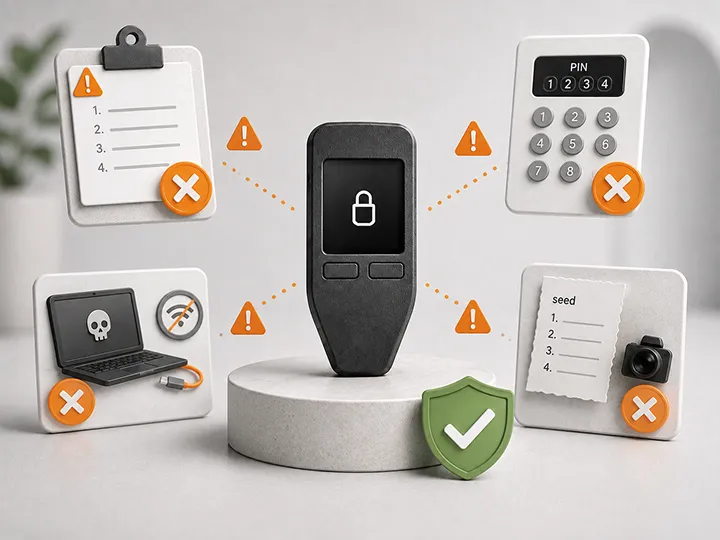
A hardware wallet does not make the whole self-custody setup safe by itself. It does not protect a careless seed phrase backup, verify your intended address, judge phishing attempts, keep firmware current, reset a forgotten PIN, or make your Bitcoin private.
The device protects the signing layer.
The custody system around it still has to be operated well.
Short answer
A Bitcoin hardware wallet helps by keeping private keys away from your normal phone or computer and signing transactions inside a dedicated device.
It does not take over the operating responsibilities around that device.
The important remaining categories are:
- seed phrase storage;
- backup verification;
- recovery planning;
- clean wallet generation;
- transaction verification;
- phishing and software-source discipline;
- PIN and passphrase handling;
- firmware maintenance;
- purchase-source caution;
- privacy and long-term storage habits.
Those are not reasons to avoid a hardware wallet. They are the responsibilities that make a hardware wallet useful instead of falsely reassuring.
The boundary: the device protects keys, not the whole setup
A hardware wallet is best understood as a key-isolation and signing device. Your bitcoin is not stored inside the hardware wallet. Bitcoin remains recorded on the Bitcoin network. The device protects the private keys that can authorize spending from your wallet.
That distinction separates the device from the custody system around it.
If the device is lost but your seed phrase backup is correct, access can usually be restored on another compatible wallet. If the seed phrase is lost, exposed, unreadable, or unusable, the device cannot solve that.
What the device can help with
A hardware wallet can help with:
- keeping private keys away from the phone or computer you use every day;
- showing transaction details on its own screen before signing;
- signing transactions internally so the private key does not need to leave the device;
- reducing exposure to malware, fake apps, clipboard attacks, and compromised everyday devices during the signing step;
- making the approval step more deliberate than a normal software-wallet click.
What remains outside the device
A hardware wallet does not automatically solve:
- seed phrase storage, privacy, durability, and recovery quality;
- address verification and approval discipline;
- phishing resistance and software-source judgment;
- PIN, passphrase, and access planning;
- firmware maintenance and device readiness;
- purchase-source and supply-chain caution;
- separation between long-term storage and routine online activity;
- privacy around exchange withdrawals, shipping records, wallet activity, and public identity.
The hardware wallet handles one layer. Your operating habits decide whether the whole setup holds.
The false-confidence problem
The most dangerous hardware wallet user is not always the person with the weakest device.
It is often the person who buys a good device and then relaxes.
A hardware wallet can create a feeling of finality: the purchase is complete, the box looks official, the app says the device is genuine, and the seed phrase is written somewhere.
That feeling can hide the real weak points:
- the backup was never tested;
- the address is not checked on the device;
- the device is ignored for years;
- the user clicks urgent email links;
- the savings wallet gets used for every risky interaction;
- the passphrase is treated casually;
- the recovery process is assumed rather than practiced.
The device is useful because its job is limited.
The mistake is treating that limited job as complete security.
The responsibilities the device does not take over
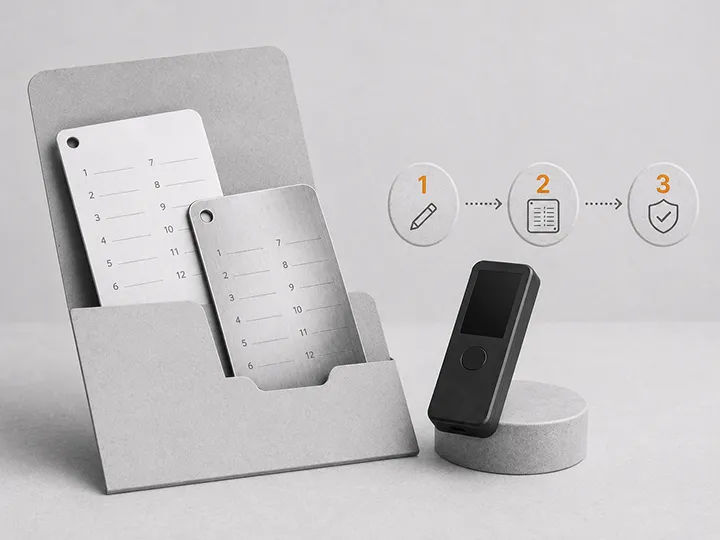
1. Seed phrase storage
The device may generate and display your seed phrase during setup, but it cannot store those words safely for you.
The seed phrase should stay offline, private, readable, and protected from realistic physical damage.
Do not photograph it. Do not type it into a website. Do not store it in cloud notes. Do not share it with a person or support agent.
If the seed phrase is exposed, the hardware wallet no longer matters as a protection layer.
The seed phrase is not a normal password. It is the recovery authority for the wallet.
2. Backup verification
Writing the words down is not the same as having a working recovery path.
The backup has to be accurate, in the correct order, legible after time has passed, and findable when it matters.
For serious self-custody, verification should happen before serious value depends on the setup. A recovery plan that has never been tested is still an assumption.
A safer first experience is to practice with small amounts, confirm the backup process, and understand how restoration works before moving meaningful bitcoin.
3. Recovery planning
Recovery is not something to invent during stress.
You should know how access would be restored if the device is lost, damaged, wiped, stolen, or no longer supported by the original manufacturer.
A good recovery plan answers three questions:
- Where is the backup?
- How is it used?
- Who can follow the process if the owner is unavailable?
The answer should not require revealing live seed words to a website, support agent, random app, or untrusted tool.
4. Clean wallet generation
The security model starts with how the wallet is created.
A hardware wallet should generate a fresh seed phrase during setup. Do not use a seed phrase that arrives pre-written in the box. Do not treat an already-configured device as safe.
Be careful with old software-wallet seeds too. If a seed phrase was created or stored on an internet-connected phone or computer, moving that same seed into a hardware wallet does not erase the earlier exposure.
A cleaner setup uses a fresh seed generated by the hardware wallet, then moves funds to the new addresses.
5. Transaction verification
The hardware wallet screen shows what the device is being asked to sign. It does not know what you intended to do.
Before approval, verify the amount, destination address, fee, and wallet context on the device itself.
Checking only a few address characters is a weak habit, especially when attackers can use look-alike addresses or transaction-history tricks.
A small test transaction can reduce some mistakes, but it does not replace checking the larger transaction that follows.
6. Phishing and software-source discipline
Most attacks do not need to break the hardware. They try to persuade the owner.
Fake support messages, cloned wallet sites, urgent security warnings, fake firmware prompts, and malicious wallet software all exist to make you reveal the seed phrase or approve something you do not understand.
A legitimate wallet process should not ask you to type your seed phrase into a website.
The device can protect the key during signing. It cannot decide which site, app, download, message, or support request deserves your trust.
7. PIN, passphrase, and access discipline
A hardware wallet PIN is not like an online account password.
The manufacturer should not know it, and support should not be able to reset it for you.
On many devices, repeated wrong PIN attempts can wipe the device by design. That is useful against theft, but it means recovery depends on your seed phrase backup.
Passphrases can add another layer for advanced users, but they also add another way to lose access. A passphrase that is forgotten, undocumented, misspelled, or misunderstood can become a self-inflicted recovery failure.
A passphrase is not a casual nickname. It creates a different wallet.
8. Firmware and maintenance
A hardware wallet is a small security device, not a timeless object that can be forgotten forever.
Firmware, companion apps, and wallet software may need updates for security fixes, compatibility, and clearer transaction handling.
The worst time to discover years of maintenance is when the market is volatile or you urgently need to move funds. Periodic calm maintenance is safer than rushed troubleshooting.
The goal is not to click every prompt blindly. The goal is to maintain the device through official software, from trusted sources, when there is no pressure to improvise.
9. Purchase source and physical handling
Supply-chain risk begins before the device is funded.
Buy from the manufacturer or an authorized source. Check setup instructions carefully. Reject any device that arrives already configured or with a pre-written seed phrase.
Physical storage also matters. The device and seed backup should not be kept in a way where one theft, fire, flood, or careless discovery compromises both.
Anyone who finds the seed phrase may not need the device at all.
10. A workflow you can actually operate
A more complex setup is not automatically safer.
Air-gapped signing, passphrases, multisig, seed splitting, encrypted backups, dice-roll entropy, and external wallet software can all be useful in the right hands.
They can also create more ways to fail if the user does not understand them.
The safest setup is not the one with the most security features. It is the strongest setup you can correctly use, maintain, and recover.
Quick boundary check
A hardware wallet can help reduce private-key exposure on a normal laptop.
It does not solve:
- a photographed, exposed, lost, or unreadable seed phrase;
- a wrong address that the user approves;
- a phishing email or fake support website;
- a forgotten passphrase;
- a neglected firmware update process;
- privacy after an exchange withdrawal;
- a setup so complex that the owner cannot recover it.
The device is a strong component when the surrounding system is strong.
It is a weak comfort object when the surrounding system is ignored.
A hardware wallet is not automatically cold storage
A hardware wallet is a device. Cold storage is a usage pattern.
A hardware wallet used for long-term storage and simple, carefully verified transfers can function as cold storage. The same device used frequently with risky sites, speculative apps, unclear signing requests, or neglected software is still a hardware wallet, but it is no longer being used with the same cold-storage discipline.
This distinction matters because the device protects private keys. It does not automatically make every action safe.
The more often a wallet signs unnecessary or unclear requests, the more the user must rely on separation, judgment, and operating habits.
Air-gapped does not mean risk-free
Air-gapped signing can reduce direct communication between the signing device and an internet-connected computer or phone.
That can be useful for long-term storage and higher-control workflows.
But air-gapped does not remove the human checkpoint.
A QR code or microSD workflow can still carry an unsigned transaction that sends to the wrong address. The device can still ask you to approve something. The backup can still be lost. The passphrase can still be forgotten. The firmware still has to be maintained.
Air-gapped changes the communication path. It does not remove the need to verify.
Privacy is a separate discipline
A hardware wallet changes who controls the private keys.
It does not erase what the Bitcoin network shows, what an exchange knows, or what a vendor may know from a purchase record.
If bitcoin is withdrawn from an exchange that verified your identity, that exchange may know where the withdrawal went. If a hardware wallet is shipped to your home address, that creates a separate privacy consideration. If you talk publicly about holdings or custody habits, the device does not undo that exposure.
Privacy and key security overlap, but they are not the same problem.
A hardware wallet can help with key control while still leaving privacy work outside the device.
The safety plan lives around the device
A useful hardware-wallet setup has layers.
The device layer protects private keys during normal signing.
The backup layer protects recovery if the device fails.
The software layer prepares transactions, displays balances, coordinates updates, and broadcasts signed transactions.
The human layer decides where the device is bought, whether the seed is exposed, which address is verified, which update prompt is trusted, and whether the workflow stays simple enough to repeat correctly.
The device layer matters. It is not the only layer.
The best question to ask
Do not ask only: "Is this hardware wallet secure?"
Ask:
- What risk does the device reduce?
- Which risks remain mine?
- Can I verify what I sign?
- Can I recover if the device disappears?
- Can I maintain the device without panic?
- Can I explain the setup in plain language?
- Am I using the wallet as long-term storage or as a risky everyday signing tool?
A hardware wallet is not the end of self-custody responsibility.
It is where that responsibility becomes more explicit.
Where to go next
If this page clarified the boundary, the next step depends on the question you still have:
- To compare current winners before buying, read best Bitcoin hardware wallets.
- To understand the basic signing workflow, read what a hardware wallet does.
- To compare security claims without falling for feature labels, read hardware wallet security models.
- To understand the Bitcoin-only label, read Bitcoin-only hardware wallets.
- To choose a first device by fit, read how to choose your first Bitcoin hardware wallet.
FAQ
Does a hardware wallet protect my seed phrase?
No. A hardware wallet may generate and display the seed phrase during setup, but the owner must store it safely offline.
Can a hardware wallet stop phishing?
No. It can protect the key during signing, but it cannot judge websites, emails, support messages, downloads, or fake apps for you.
Can customer support reset my PIN?
Usually no. A hardware wallet PIN is local device access control. If the device is wiped or locked, recovery usually depends on the seed phrase backup.
Does air-gapped signing remove all risk?
No. Air-gapped signing changes the communication path. You still need to verify transaction details, protect backups, use official sources, and understand recovery.
Is a hardware wallet automatically cold storage?
No. A hardware wallet is a device. Cold storage is a disciplined usage pattern. Frequent risky signing can weaken the cold-storage posture.
What is the biggest mistake hardware wallet users make?
The biggest mistake is treating the device as the whole safety plan. The device helps with key isolation, but the backup, verification, recovery, software, and user habits remain critical.
Should beginners avoid hardware wallets because of these responsibilities?
No. Beginners should understand the responsibilities before moving meaningful value. A simple, well-operated setup is usually safer than an advanced setup used with confusion.