Trezor Safe 3 Bitcoin-Only hands-on review

My main takeaway is simple:
The Safe 3 Bitcoin-Only is not a premium hardware wallet experience. It is a focused, disciplined, desktop-first Bitcoin wallet that makes the important steps clear and leaves very little room for distraction.
That simplicity is its strongest feature. It is also the source of most of its limitations.
Quick verdict: A strong fit for a Bitcoin-only holder who wants a guided setup, physical confirmation, and a lower-cost Trezor without a touchscreen. Skip it if you want a mobile-first workflow, a larger display, fast passphrase entry, or a more premium interface.
Review disclosure
I personally bought, set up, and used this device. The observations about the packaging, setup flow, backup process, buttons, display, Trezor Suite, and Bitcoin-only experience come from my own use.
Hardware specifications, certification details, supported backup formats, and platform limitations come from Trezor's current documentation. I did not perform a hardware teardown, physical extraction test, or independent security audit.
Bitcoin Plaster may earn a commission if you use an affiliate link on this page. That does not change anything I say in this review.
Trezor Safe 3 Bitcoin-Only at a glance
| Category | What matters in practice |
|---|---|
| Best fit | Bitcoin-only holders who want a simple desktop-first hardware wallet |
| Main strength | A clean, well-ordered setup that keeps attention on verification and backup |
| Main compromise | Small screen and two-button input |
| Connection | USB-C, with no internal battery |
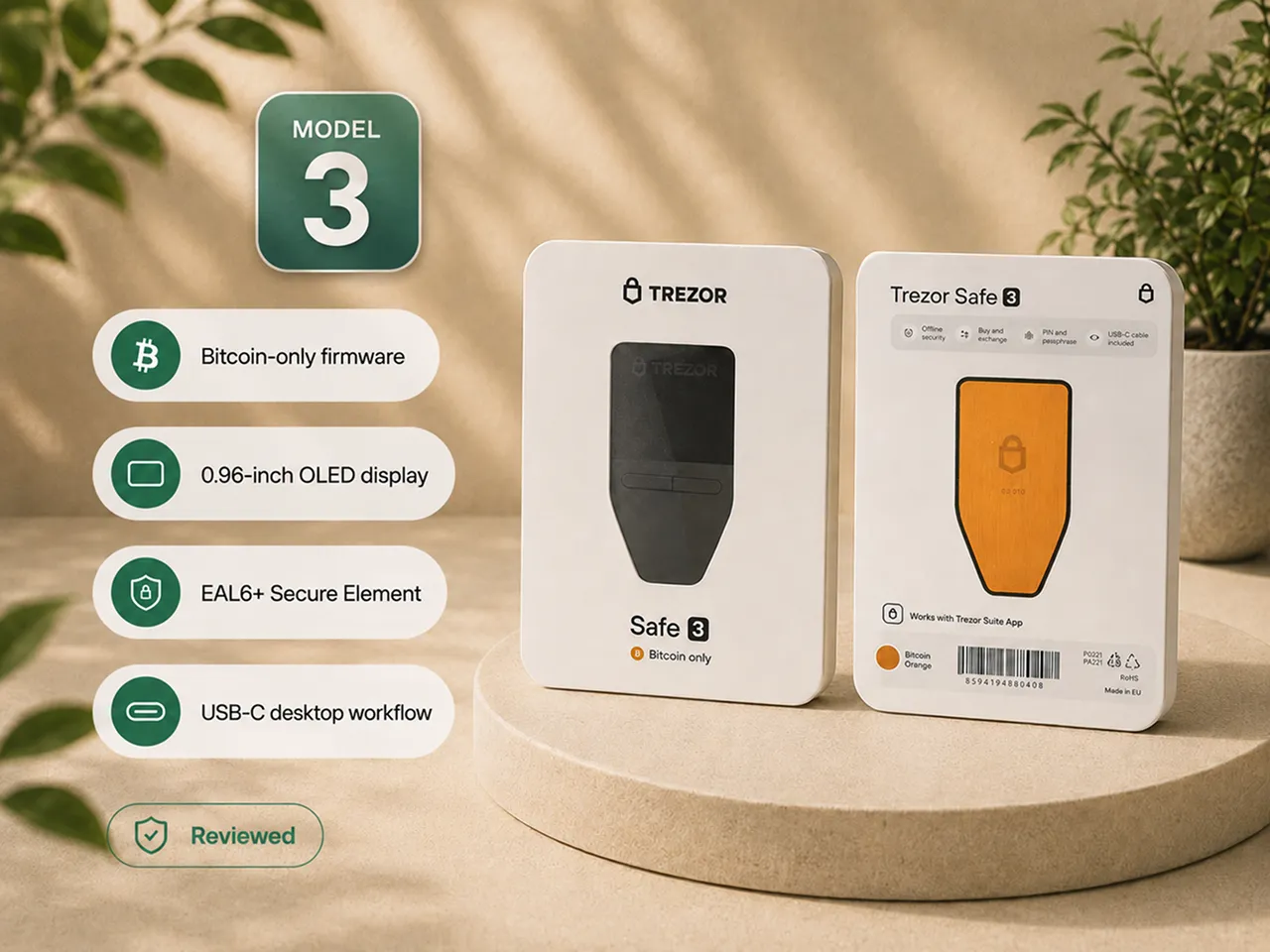
| Interface | 0.96-inch monochrome OLED and two physical buttons |
| Security hardware | EAL6+ certified OPTIGA Trust M Secure Element, according to Trezor |
| Wallet backup | Current Trezor support includes 12, 20, and 24-word backups and multi-share backup |
| Software | Trezor Suite and compatible third-party Bitcoin wallets |
| Mobile limitation | Trezor documents no setup, sending, swapping, or device management on iOS |
| Verdict | Good value if you want focus and accept the basic interface |
My experience with the Trezor Safe 3 Bitcoin-Only
The experience starts before the device is connected
The first useful part of the setup was not an app screen. It was checking the box and the device before trusting either of them.
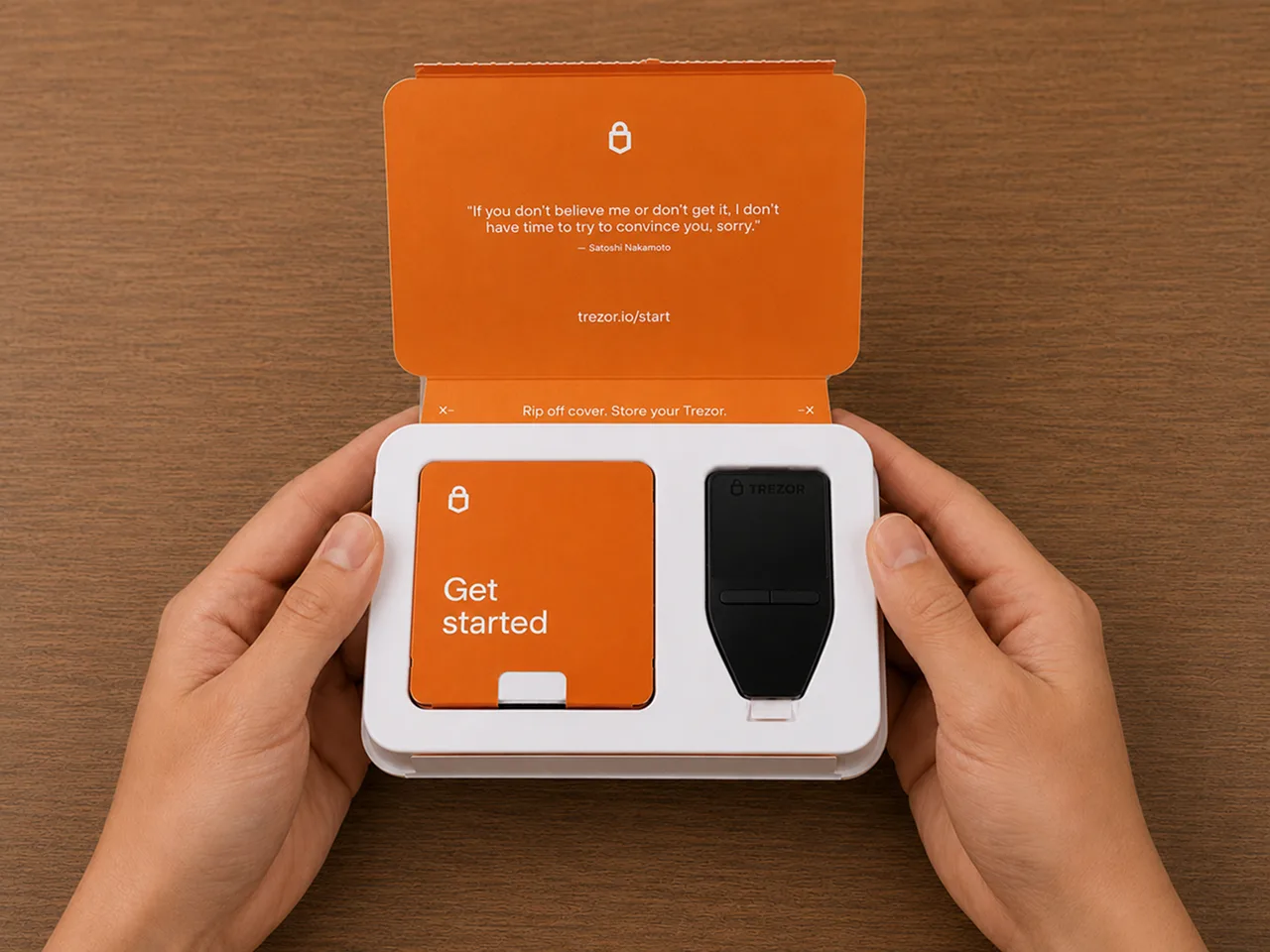
The packaging was simple rather than luxurious. Inside were the wallet, a USB-C cable, backup cards, basic instructions, and the usual small extras. What mattered more was the visible security packaging and the holographic seal over the USB-C port.
That seal immediately changed how I approached the device. Instead of treating it like a normal gadget, I had to stop and inspect it before doing anything else. The setup begins by asking a security question: does this device look untouched?
That is good product design for a hardware wallet. It introduces the right habit before the software even opens. Before trusting any new device, use the same checks in How to check if a hardware wallet is genuine.
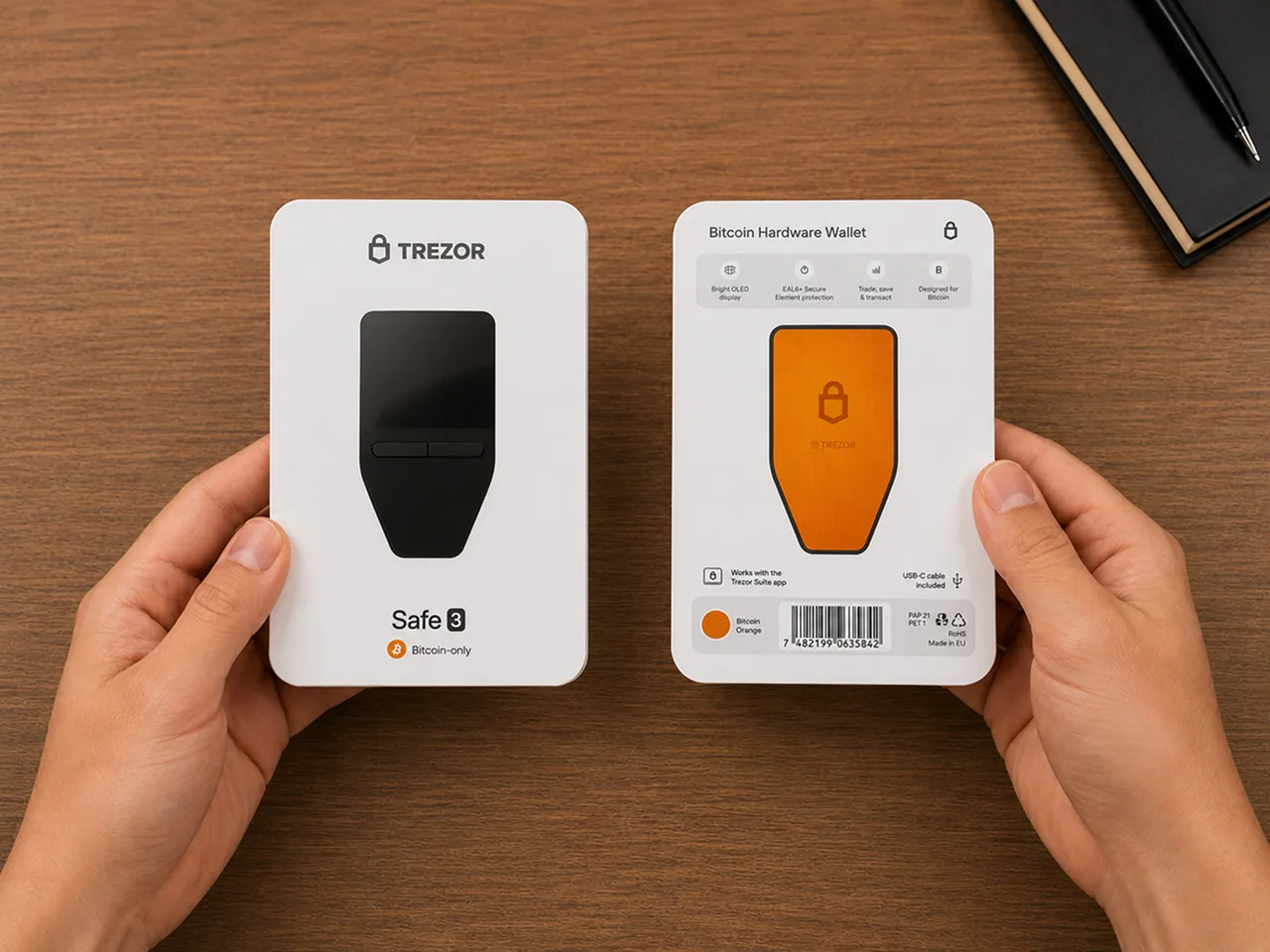
The Bitcoin-only model also has a clear visual identity. The orange rear panel makes it obvious that this is the focused version rather than the universal Safe 3. It does not improve security, but it reinforces what the device is for.
Physically, the Safe 3 is small, light, and plain. It feels like a tool, not a premium piece of consumer electronics. I did not mind that. The design matches the job.
Setup through Trezor Suite was clear and correctly ordered
I used the Trezor Suite desktop app for setup.
The device ships without installed firmware, so the first process includes connecting it over USB-C and installing the current firmware through Suite. That adds a step, but it made the setup feel more controlled rather than more complicated.
Trezor Suite then guided me through the device security and authenticity checks before wallet creation. After that, the short device tutorial explained how the two buttons work and how to confirm or reject an action.
The complete order made sense:
- Inspect the packaging and device.
- Connect through the official software.
- Install the firmware.
- Complete the device check.
- Learn the controls.
- Create the wallet.
- Record and verify the wallet backup.
- Set the PIN.
- Decide whether a passphrase belongs in the setup.
- Verify receiving and signing details on the device.
Nothing about the process felt luxurious or entertaining. It felt deliberate. That is the correct tone for self-custody.
The strongest part of Trezor Suite is that it reduces uncertainty without pretending the responsibility has disappeared. It tells you what to do next, but the critical actions still happen on the hardware wallet.
The backup process is where the wallet becomes serious
The backup was the most important part of the entire experience.
The words appeared on the device screen rather than on the computer. I recorded them by hand and worked through the verification step. The process was slower than the rest of the setup and demanded more attention.
That friction was useful.
A product like this should not make backup creation feel like another button to click through. The device forces the user to stop, record the information carefully, and confirm that the backup will not be stored digitally.
This is also where the marketing idea of "easy security" meets the reality of self-custody. The device can create and display the backup securely, but it cannot decide where you will store it, whether you copied it correctly, whether someone else can find it, or whether your recovery plan will still make sense years later.
The Safe 3 supports different backup formats, including multi-share recovery. That flexibility can be valuable, but more options are not automatically better. A multi-share setup adds locations, thresholds, and more pieces to maintain. I would not choose it merely because it sounds more advanced.
The practical rule is simpler: use the least complicated backup arrangement that solves your actual recovery risks and that you can test, store, and explain. Our guides to hardware wallet backup basics, storing a seed phrase, and verifying the finished backup cover that work separately.
The PIN is easy. The passphrase requires more honesty
Setting the PIN was straightforward.
The important distinction is that the PIN protects access to the physical device. It does not protect a stolen wallet backup. Anyone who obtains the complete backup can restore the wallet elsewhere without knowing the device PIN.
The optional passphrase is a much more consequential decision.
It can create a separate wallet that cannot be restored from the backup alone. That can add meaningful protection, but it also creates another secret that must be entered exactly and never forgotten.
The Safe 3 allows on-device entry, which keeps the passphrase away from the computer. The practical compromise is the two-button interface. Entering a longer value one character at a time is slow and tiring.
That friction is not merely inconvenient. It can influence behavior. A user may choose a weaker passphrase, avoid using the feature, or make mistakes because the input process is tedious.
My conclusion is not that passphrases are bad. It is that they should not be enabled because a setup guide makes them look like a free security upgrade. On the Safe 3, the protection is real, and so is the operational burden. Read hardware wallet PIN and passphrase basics before adding one to a new setup.
The small screen is usable, but it asks for patience
The 0.96-inch monochrome display is sufficient for the essential tasks.
I could navigate the menus, review prompts, and check addresses. The two buttons are positioned closely enough that one-handed confirmation is possible, and the controls become predictable quickly.
Still, the screen is small. Long addresses must be checked carefully, and text entry is slower than on a touchscreen device. The Safe 3 does not make verification comfortable. It makes verification possible at a lower price.
That distinction matters.
A hardware wallet screen is not there to impress you. It is there to give you a trusted place to confirm what the computer is asking the wallet to sign. The Safe 3 performs that job, but it gives you very little extra space or comfort.
For occasional receiving, sending, and long-term storage, I found it workable. For frequent use, repeated passphrase entry, or anyone with poor eyesight, the interface may become the reason to choose a larger device.
Receiving Bitcoin made the value of the device obvious
The most important habit in the receive flow is comparing the address shown in Trezor Suite with the address displayed on the Safe 3 itself.
The computer can display an address and a QR code, but the hardware wallet screen is the confirmation point. The device makes that distinction visible in a way that a software-only wallet cannot.
That was the clearest expression of what the Safe 3 adds to a Bitcoin setup. It does not merely hold keys away from the computer. It gives the user a separate place to verify critical information before acting.
The sending flow follows the same principle in reverse. The recipient, amount, and fee are prepared in Suite, then the important details must be checked and confirmed on the device.
The screen does not eliminate mistakes. A person can still rush, fail to read, trust the computer, or approve the wrong details. The device creates an opportunity to catch those errors. The user still has to use it.
Bitcoin-only firmware made the experience quieter
The Bitcoin-only edition uses the same Safe 3 hardware as the universal version. The meaningful difference is the firmware scope.
In Trezor Suite, the Bitcoin-only experience felt cleaner because the wallet had one clear purpose. There were no additional networks, token lists, staking prompts, or unrelated asset decisions competing for attention.
That did not make the chip stronger or the backup safer. It made the workflow easier to understand.
For a person who only wants to hold Bitcoin, this narrower environment has real practical value:
- fewer irrelevant settings;
- fewer asset and network decisions;
- fewer contract and token approval paths;
- a clearer dashboard;
- a device identity that matches the user's actual strategy.
This is not automatically the better version for everyone. If you expect to hold other assets later, Bitcoin-only firmware becomes a limitation. If you have already decided that the device exists only for Bitcoin, the limitation becomes the point.
Trezor Suite is approachable, but the wallet remains desktop-first
Trezor Suite was one of the stronger parts of the experience.
The interface kept setup, accounts, receiving, sending, firmware management, backup checks, PIN settings, passphrase settings, privacy tools, and device management in one place. I did not have to guess which application controlled which part of the device.
The cost of that simplicity is dependency on the desktop workflow.
The Safe 3 has no internal battery and turns on only when connected. There is no Bluetooth or wireless phone connection. Trezor currently documents that iOS does not support setup, sending, swapping, or device management for this device.
For me, the wired design made the wallet feel controlled and predictable. I connected it when I needed it and put it away when I did not.
For someone who expects to manage a hardware wallet primarily from an iPhone or while travelling, the same design will feel restrictive.
The physical design is practical, not durable-looking or premium
The Safe 3 is easy to store because it is compact and has no battery to maintain.
USB-C is a meaningful improvement over older cable standards. It is easy to replace, commonly available, and gives the device a current connection without introducing wireless complexity.
The buttons felt functional and more useful than decorative. The device was easy to operate after the short tutorial.
The weaker part of the physical experience was the display surface. It can show signs of wear if it is carried loose with other objects. That does not affect the security model, but it reinforces that this is not a rugged everyday gadget.
I would give it a dedicated storage place or simple sleeve rather than throw it into a bag with keys and cables.
What the Safe 3 actually protects
The Safe 3 gives private-key operations a dedicated physical environment. According to Trezor, the device uses an EAL6+ certified OPTIGA Trust M Secure Element, and the firmware and overall design are open source.
Those are meaningful design choices, but they should not be converted into a claim that the wallet is "unhackable."
My hands-on use can evaluate the setup, controls, verification flow, and daily friction. It cannot verify the chip certification or prove resistance to a physical extraction attack. Those claims belong to documentation and specialist testing.
What I could directly observe was the security workflow:
- the device arrived with visible security packaging;
- firmware was installed during setup;
- Suite performed device checks;
- backup words remained on the device;
- the PIN was entered on the device;
- important addresses and signing details required device confirmation.
That workflow reduces several common risks, but the Safe 3 cannot protect you from:
- photographing or typing the wallet backup;
- downloading fake wallet software;
- approving an address without checking it;
- forgetting a passphrase;
- storing the device and backup in the same failure location;
- following fake support instructions;
- failing to test the recovery plan;
- creating a setup that no authorized person can understand later.
The device protects a part of the system. It is not the whole system.
What I liked most
The setup teaches the correct sequence
The device does not rush directly to the dashboard. It places inspection, firmware, device checking, backup, PIN, and verification before funding.
Bitcoin-only scope reduces noise
The single-asset environment makes the product easier to understand and keeps attention on Bitcoin custody rather than wallet feature discovery.
Critical actions return to the device
The Safe 3 consistently pushes important confirmation away from the computer and onto the wallet screen.
No battery means one less ageing component
The wallet stays off until connected and does not depend on a rechargeable battery that will degrade over time.
Trezor Suite is clear enough for a first hardware wallet
The process remains serious, but the software reduces the amount of guessing a new user has to do.
What frustrated me
Two-button text entry is slow
Basic navigation is fine. Longer PIN or passphrase entry is where the minimal interface becomes tedious.
The display is small
It can show the necessary information, but users who want easier address verification or more readable prompts may prefer a larger touchscreen model.
It is not a mobile-first wallet
The wired, battery-free design works well at a desk. It does not suit someone who expects full hardware-wallet management from an iPhone.
Advanced backup choices can overwhelm beginners
Multi-share backup is powerful, but it adds complexity at the exact moment when a new user is already processing many unfamiliar responsibilities.
The physical finish is basic
The device feels functional rather than premium, and the screen deserves more protection than its small portable form suggests.
Who should buy the Trezor Safe 3 Bitcoin-Only?
The Safe 3 Bitcoin-Only is a strong fit if:
- you hold Bitcoin and do not want a multi-asset wallet;
- this is your first hardware wallet and you want a guided setup;
- you prefer a wired desktop workflow;
- you value open-source firmware;
- you want Trezor's Secure Element model without paying for a touchscreen;
- you will use the wallet occasionally rather than as a high-frequency signing device;
- you are willing to slow down and verify details on a small screen;
- you already understand that the wallet backup is more important than the device.
Who should skip it?
Choose a different device if:
- you want to manage multiple cryptocurrencies;
- you expect full setup and sending from an iPhone;
- you want Bluetooth, a battery, or wireless use;
- you frequently enter a long passphrase;
- you have difficulty reading a small display;
- you want a premium touchscreen experience;
- you are not ready to create, store, and test a recovery plan.
Trezor Safe 3 Bitcoin-Only versus the regular Safe 3
The hardware and core security model are the same. The practical choice is about firmware scope.
Choose the Bitcoin-only edition when:
- the device will be used only for Bitcoin;
- you want the cleanest possible Trezor Suite experience;
- you do not want token or contract functionality on the wallet;
- long-term Bitcoin storage is the primary job.
Choose the universal Safe 3 when:
- you genuinely need other supported assets;
- you prefer one device for a broader portfolio;
- the additional asset support is more important than the quieter Bitcoin-only environment.
The Bitcoin-only label should reflect how you actually use the wallet. It is not a security shortcut and it does not compensate for a weak backup plan. For a broader device decision, compare it with our Trezor Safe 5 Bitcoin-Only review, Trezor Safe 7 review, and first Bitcoin hardware wallet guide.
My final verdict
The Trezor Safe 3 Bitcoin-Only is one of the clearest entry points into Bitcoin self-custody if you accept what it is.
It is not luxurious. The screen is small, the controls are slow for text entry, and the workflow is tied to a cable and computer. None of that disappeared during my use.
What it did well was more important: it made the order of responsibility clear.
I had to inspect the device, install the firmware, complete the device checks, record the backup, understand the PIN, consider the passphrase risk, and verify important information on the hardware itself.
That is the experience I would want a first-time hardware-wallet owner to have.
I would recommend the Safe 3 Bitcoin-Only to a Bitcoin holder who wants a simple, focused, lower-cost Trezor and is comfortable treating the wallet as a deliberate desktop security tool. I would not recommend it to someone whose main priorities are mobile use, a large display, fast text entry, or a premium interface.
The Safe 3 does not make self-custody easy in the sense of removing responsibility. It makes the responsibility easier to see and follow.
Official product route
Check the current Trezor Safe 3 Bitcoin-Only price and availability
Product pricing, included accessories, firmware behavior, and platform support can change. Confirm the current details on Trezor's official product page before purchasing.
Official Trezor store
Still a fit after reading the full review?
Use the official product route to confirm the current price, edition, included accessories, and platform support.
Check Trezor Safe 3 at the official storeOfficial Trezor store affiliate link. Bitcoin Plaster may earn a commission at no extra cost to you. It does not change anything I say in this review.
Frequently asked questions
Is the Trezor Safe 3 Bitcoin-Only different from the regular Safe 3?
The hardware and core security model are the same. The Bitcoin-only edition uses firmware focused exclusively on Bitcoin, while the universal version supports additional coins and tokens.
Is the Safe 3 Bitcoin-Only more secure than the universal version?
It has the same hardware security. Bitcoin-only firmware reduces software scope and removes unrelated token and contract functionality, which can reduce complexity and unwanted signing paths. It does not protect a leaked backup or careless transaction approval.
Did you actually use the device?
Yes. I bought it, opened it from a sealed box, installed the firmware, completed the setup and device checks, created and verified the wallet backup, used the device controls, and worked through the Bitcoin receiving and signing flow in Trezor Suite.
I did not perform a hardware teardown, physical extraction test, or independent security audit.
What backup formats does it support?
Trezor currently documents support for 12, 20, and 24-word wallet backups, along with advanced multi-share backup. The best format depends on the current firmware, your recovery requirements, and your ability to maintain the setup correctly.
Is the two-button interface difficult to use?
Basic confirmation and navigation become easy quickly. Long text entry, especially a passphrase, is noticeably slower than on a touchscreen device.
Can I use the Safe 3 with an iPhone?
Trezor currently documents limited iOS functionality. Setup, sending, swapping, and device management are not supported on iOS, so treat the Safe 3 as a desktop-first device unless Trezor changes that support.
Does the PIN protect my wallet backup?
No. The PIN protects access to the physical device. A person who obtains the complete wallet backup can restore the wallet on another compatible device.
Should a beginner use multi-share backup?
Only when the user understands the threshold, storage locations, recovery process, and maintenance burden. A more advanced backup is not safer when it is more likely to be mismanaged.
Is it worth buying if I only hold a small amount of Bitcoin?
That depends on the amount, your current custody risk, and whether you are ready to manage a wallet backup. The device is useful only when the recovery plan is clearer and safer than the arrangement it replaces.
Where should I buy it?
Use Trezor's official store or a seller currently authorized by Trezor. Inspect the packaging and device state, install firmware through the official application, and never use a device that arrives initialized or with prewritten backup words.