Secure element vs open source hardware wallets

A secure element and open-source design are not rival slogans.
They answer different trust questions.
A secure element is mainly about resisting some physical attacks on the device. Open source is mainly about letting outsiders inspect the code, design, or software behavior. One points toward hardware resistance. The other points toward transparency.
Neither label proves that the whole wallet is safe.
The useful question is not: which word sounds safer?
The useful question is: which trust problem are you trying to reduce, which wallet path fits that trust problem, and what still remains your responsibility after the purchase?
Bitcoin Plaster verdict
For physical device resistance, a secure element usually wins that specific argument.
For inspectability and public review, open source usually wins that specific argument.
But a hardware wallet purchase is not won by either label alone.
A strong Bitcoin hardware wallet setup has to combine credible key protection, clear signing, trustworthy firmware updates, careful first setup, recoverable seed phrase backup, and a workflow the owner can actually use correctly.
That is why the practical answer is not “secure element or open source?”
The practical answer is:
- Choose BitBox02 Bitcoin-only if you want the balanced Bitcoin-only default path and your desktop or Android workflow fits it.
- Choose Trezor Safe 5 Bitcoin-only if you want touchscreen comfort, guided Trezor setup, and a more comfortable device-side confirmation flow.
- Choose Trezor Safe 3 Bitcoin-only if you want the lower-cost Trezor path and accept the smaller screen and button workflow.
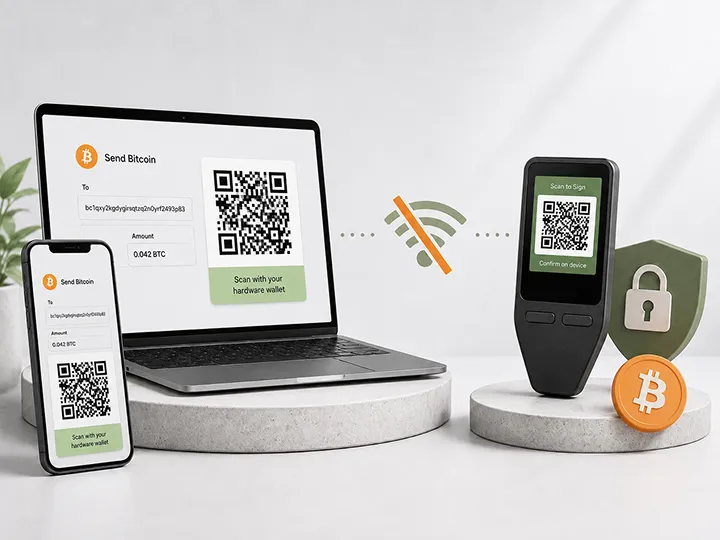
- Choose Blockstream Jade if open-source Bitcoin signing, QR workflows, and a more manual trust model matter more to you than the easiest beginner flow.
That product map matters because this debate is only useful when it helps the reader choose a wallet they can actually run.
| Question | Secure element helps most when... | Open source helps most when... |
|---|---|---|
| What are you worried about? | Someone gets the physical device and tries to extract secrets. | You want independent review of firmware, software, or design decisions. |
| Where does trust move? | Toward chip architecture, certification, vendor integration, and hardware behavior. | Toward public code, review culture, reproducible builds, issue history, and maintenance. |
| What does it not solve? | Bad backup storage, phishing, careless signing, poor firmware discipline, or weak companion software. | Physical extraction resistance, actual code review, build verification, or safe user behavior. |
| Best reader takeaway | Useful signal for physical capture risk. | Useful signal for transparency and vendor-trust risk. |
What this means if you are buying a wallet
If you are comparing wallets, do not let either label do all the thinking for you.
A secure element can make a device harder to attack after physical capture. Open source can make parts of the system easier to inspect and challenge. A Bitcoin-only firmware path can reduce unrelated asset complexity. A good companion app can reduce beginner mistakes. A larger screen can make transaction checks less stressful. QR signing can reduce direct connection, but it also adds steps.
The buying decision should combine all of those pieces into one workflow.
| Your main concern | Best starting path | Why | Next step |
|---|---|---|---|
| Balanced Bitcoin-only first wallet | BitBox02 Bitcoin-only | Best default path if you want focused Bitcoin-only custody, clean setup, and practical backup discipline without starting from QR-first complexity. | Check BitBox02 at the official store |
| Touchscreen comfort and guided Trezor setup | Trezor Safe 5 Bitcoin-only | Best path if you want a more comfortable device screen for PIN entry, backup confirmation, recovery-word entry, address checks, and approval. | Check Trezor Safe 5 at the official store |
| Lower-cost Trezor path | Trezor Safe 3 Bitcoin-only | Best path if you want the Trezor route at a lower price point and you can live with smaller-screen, two-button friction. | Check Trezor Safe 3 at the official store |
| Open-source Bitcoin workflow and QR signing | Blockstream Jade | Best path if you specifically want QR signing, open-source Bitcoin tooling, and you are willing to handle a more manual workflow. | Check Blockstream Jade at the official store |
Affiliate disclosure: Official manufacturer store affiliate links. When you use a Blockstream link, your 10% discount will be applied automatically at checkout, and we may earn a commission as well.
This table is not a replacement for the deeper buyer guide. It is the practical bridge from the security-model debate to the product decision.
For the full current winner map, use the best Bitcoin hardware wallets guide.
Why this comparison gets oversimplified
Hardware-wallet marketing often compresses security into one impressive label.
One product emphasizes secure element protection. Another emphasizes open-source firmware. Another emphasizes air-gapped signing. Another emphasizes Bitcoin-only scope. Another emphasizes mobile convenience.
Those labels can be meaningful, but they are not full security verdicts.
The mistake is treating one security feature as if it answers every risk at once.
A secure element does not tell you whether the firmware is easy to inspect. Open-source firmware does not tell you whether a thief with hardware tools can extract secrets from the chip. A clean public repository does not protect a seed phrase stored in a phone photo. A certified chip does not force a user to read the device screen before signing.
Security is not the label.
Security is the full workflow.
What a secure element actually means
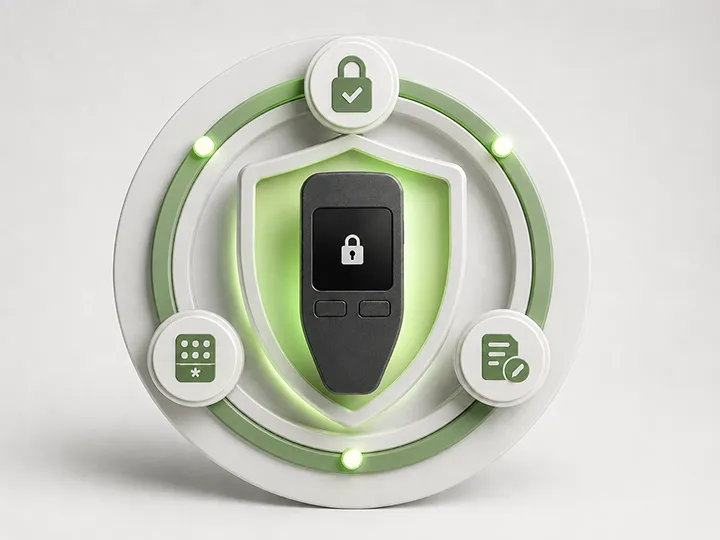
A secure element is a specialized chip designed to protect sensitive material and sensitive operations.
In a hardware wallet, it may be used to protect secrets such as seed material, private keys, PIN-related data, or signing operations, depending on the device architecture.
The strongest case for a secure element appears when physical access is part of the threat model.
Imagine the device is stolen from a desk, luggage, hotel room, car, or home. The attacker has the hardware wallet in hand. They may have time, tools, and technical skill. A secure element can make some extraction attacks harder than they would be on a simpler general-purpose chip.
That is a real benefit.
But it has boundaries.
- It does not prove the companion app is honest.
- It does not prove the firmware is fully inspectable.
- It does not prove the device screen displays every signing detail clearly.
- It does not protect the seed phrase if the backup is exposed.
- It does not remove supply-chain risk before setup.
- It does not prevent a user from approving the wrong transaction.
The better question is: what exact secret or process is the secure element protecting, and what must still be trusted outside the chip?
Where secure elements can improve real-world safety
For many normal users, the most realistic physical scenario is not a laboratory attack. It is a device being lost, stolen, borrowed, inspected, or left somewhere it should not be.
A secure element can improve the physical-resistance side of the setup, especially when combined with PIN behavior, tamper resistance, signed firmware, and sane device storage.
The experience benefit is psychological too: the user knows the hardware is not just a USB shell holding secrets in an ordinary way. There is dedicated protection around sensitive material.
That confidence is useful, but it should not become overconfidence.
If the recovery phrase is stored next to the device, the secure element may not matter. If the user types the seed phrase into a website, the secure element may not matter. If the user never checks addresses on the device screen, the secure element may not matter at the moment of signing.
The chip can harden the device. It cannot harden every habit around the device.
What open source actually means
Open source means some part of the wallet stack is published for inspection.
That may include the firmware, companion app, hardware design files, build tools, wallet libraries, or only selected parts of the system.
The strongest case for open source appears when vendor trust is part of the threat model.
A user may want to know what the firmware does, how transactions are parsed, how updates are handled, how randomness is used, whether the code has been criticized publicly, and whether independent people can inspect the project over time.
That transparency can be valuable.
But open source has boundaries too.
- Published code does not prove competent review happened.
- Published code does not prove the installed firmware matches the source.
- Published code does not prove reproducible builds exist.
- Published code does not prove the hardware resists physical extraction.
- Published code does not prove the update channel is safe.
- Published code does not protect a user who mishandles backup or signing.
The better question is: what is open, who has reviewed it, can users verify builds, and which parts of the system remain closed or trusted?
Where open source can improve real-world safety
Open source can reduce blind trust.
It gives outside developers and security researchers a way to inspect, criticize, reproduce, test, and improve parts of the system. It also makes the vendor more accountable because claims can be checked against public material.
For Bitcoin users, that matters because custody products should not rely only on marketing language.
The experience benefit is not that every normal holder will read the code. Most will not. The benefit is that the project can be challenged by people who can read the code.
But that only helps when the transparency is real and maintained.
A neglected repository is not the same as active review. A partial source release is not the same as full verifiability. An open companion app is not the same as open firmware. Open hardware files do not automatically prove a secure manufacturing chain.
Transparency is a strong signal. It is not the whole system.
They are not opposites
The most important lesson is that secure element and open source are not opposite answers to the same question.
Physical resistance and inspectability are different properties.
A wallet can use a secure element and still publish important parts of its software. A wallet can be highly transparent and still use hardware that is less specialized against physical extraction. A wallet can avoid traditional secure elements and instead use another model, such as stateless signing, server-assisted unlocking, air-gapped workflows, multisig assumptions, or commodity hardware.
Those are different trust maps.
Do not ask only whether a wallet is secure element or open source.
Ask what the complete system asks you to trust.
| Trust area | Secure element question | Open-source question |
|---|---|---|
| Physical theft | What extraction attacks is the chip meant to resist? | Can the physical-security model be inspected or independently discussed? |
| Firmware behavior | How does the secure element interact with firmware and updates? | Can firmware behavior be reviewed, built, and verified? |
| Transaction display | Does the protected device still show clear signing details? | Can transaction parsing and display logic be inspected? |
| Updates | Can updates change behavior around protected secrets? | Are update files, signatures, release notes, and build processes transparent? |
| Recovery | Does the chip protect device secrets if the device is stolen? | Is the backup and recovery logic understandable and reviewable? |
| User error | Does the device reduce damage from physical access? | Does the project make the workflow easier to understand and audit? |
The experience angle: what the owner actually feels
From the outside, these arguments sound technical. In real use, they show up as ownership experience.
A secure-element-heavy wallet can feel reassuring because the device is built around protected hardware. The owner may feel more comfortable if the wallet is stolen, assuming the seed phrase is stored separately and the PIN/passphrase setup is sane.
An open-source-heavy wallet can feel reassuring because the owner does not have to accept every vendor claim on faith. The design can be inspected, debated, criticized, and improved in public.
Both feelings can be valid.
Both can also be misleading.
The user who buys a secure-element device and ignores the seed phrase has not solved recovery risk. The user who buys an open-source device but never verifies firmware sources has not solved update risk. The user who chooses the most transparent advanced wallet but does not understand the workflow may create more real risk than they removed.
Usable security matters.
The safest model on paper is not the safest model if the owner cannot set it up, maintain it, verify transactions, and recover under stress.
How the reviewed wallets fit this tradeoff
The point of this page is not to turn a security-model debate into brand tribalism. It is to show how the tradeoff affects a real buyer.
BitBox02 Bitcoin-only: balanced default, not an ideology pick
BitBox02 Bitcoin-only is the easiest recommendation when the reader wants a focused Bitcoin-only setup and does not need the page to become a secure-element purity test or an open-source purity test.
In the Bitcoin Plaster review, the device was used through the full first-wallet routine: sealed package, BitBoxApp setup, firmware update, pairing-code check, wallet creation, microSD backup, written 24-word backup, receiving Bitcoin, and sending Bitcoin back out.
That matters because real security is not only a chip discussion. It is whether the user can complete the custody loop without losing the plot.
Choose this path if you want the default Bitcoin-only recommendation and your desktop or Android workflow fits.
Read the BitBox02 Bitcoin-only review or Check BitBox02 at the official store.
Affiliate disclosure: Official manufacturer store affiliate links. We may earn a commission at no extra cost to you.
Trezor Safe 5 and Safe 3: secure-element plus Trezor workflow
The Safe 5 and Safe 3 paths matter because they show how the secure-element conversation can become a usability decision.
Safe 5 is the stronger comfort pick because the larger touchscreen improves PIN entry, backup confirmation, address checks, transaction approval, and recovery-word entry. Safe 3 is the lower-cost Trezor path, but the smaller screen and two-button workflow require more patience.
The important buyer point is simple: the secure element is not the only reason to choose the Trezor path. The guided Trezor workflow and device-side confirmation experience also matter.
Choose Safe 5 if you want the more comfortable Trezor experience. Choose Safe 3 if you want the lower-cost Trezor route and accept more friction.
Read the Safe 5 review or Check Trezor Safe 5 at the official store.
Affiliate disclosure: Official manufacturer store affiliate links. We may earn a commission at no extra cost to you.
Read the Safe 3 review or Check Trezor Safe 3 at the official store.
Affiliate disclosure: Official manufacturer store affiliate links. We may earn a commission at no extra cost to you.
Blockstream Jade: open-source Bitcoin workflow with a different trust model
Jade is the clearest reviewed path when the reader cares more about open-source Bitcoin tooling, QR signing, and a more manual workflow than about choosing the most guided beginner experience.
In the Bitcoin Plaster review, Jade was tested through USB-C, Bluetooth, and QR signing. USB-C was the simplest path. QR signing was the cleanest isolation path. Bluetooth was the roughest part of the experience.
Jade also changes the secure-element conversation because it does not follow the normal sealed secure-element model. It uses a different security model that the buyer must understand before treating it as the obvious answer.
Choose Jade if you specifically want that more manual Bitcoin workflow. Do not choose it only because “open source” or “air-gapped” sounds safer.
Read the Blockstream Jade review or Check Blockstream Jade at the official store.
Affiliate disclosure: Official Blockstream store affiliate link. Your 10% discount will be applied automatically at checkout, and we may earn a commission as well.
How to choose between the two emphasis points
Use the comparison as a filter, not as a final buying decision.
| If your main concern is... | Prioritize... | Still check... |
|---|---|---|
| Someone physically steals the device | Secure element, PIN behavior, device storage, and optional passphrase discipline. | Seed phrase separation and recovery confidence. |
| Vendor opacity | Open-source firmware, source verifiability, review history, and issue transparency. | Hardware security and update discipline. |
| Beginner mistakes | Clear setup, readable screen, guided recovery, and low-friction verification. | Whether advanced transparency or chip claims make the workflow harder. |
| Long-term holding | A balanced system: physical resistance, reviewability, maintenance, and recovery plan. | Firmware update path, backup durability, and whether the product will be understandable years later. |
| Advanced custody | Inspectability, multisig compatibility, app independence, and clear signing. | Whether the complexity is recoverable by the person who will actually use it. |
Do not buy from this debate alone
This page names product paths, but it does not claim one universal winner for every buyer.
That would be the wrong frame for this specific question.
Secure element wins one kind of argument. Open source wins another kind of argument. The hardware wallet you should buy depends on the full custody workflow, not on a single label.
Before buying, read the full product review for the wallet that fits your path:
- BitBox02 Bitcoin-only review
- Trezor Safe 5 Bitcoin-only review
- Trezor Safe 3 Bitcoin-only review
- Blockstream Jade review
For the full current Bitcoin Plaster winner map, use the dedicated buyer guide:
Compare the current Bitcoin hardware wallet winners.
For the framework behind that buying decision, read:
- Hardware wallet security models
- Hardware wallet threat models
- Hardware wallet comparison criteria
- How to choose your first Bitcoin hardware wallet
Practical decision checklist
Before you let either label decide the purchase, run this checklist.
- What risk am I mainly trying to reduce: malware, physical theft, vendor trust, setup error, supply chain, or recovery failure?
- Does the wallet protect private keys and signing away from my everyday phone or computer?
- Can I clearly verify receive addresses and transaction details on the device screen?
- What parts of the wallet are open, closed, certified, or vendor-trusted?
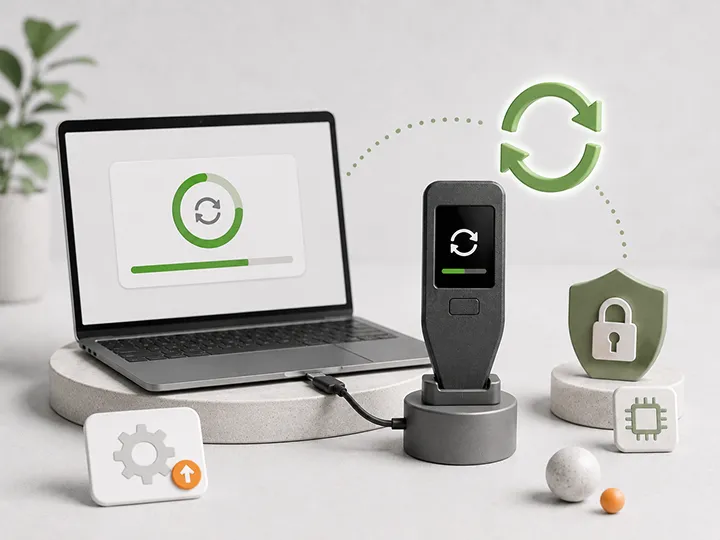
- Can I update firmware from official sources without exposing my seed phrase?
- Can I back up and recover the wallet without relying on memory or support?
- Would I still understand this setup six months from now?
- Does the wallet fit my real use: beginner holding, long-term savings, mobile use, desktop use, or advanced custody?
If you cannot answer those questions, the comparison is not finished.
Bottom line
A secure element can be valuable because physical attacks are real. Open source can be valuable because vendor trust is real.
Neither one removes the need for a careful setup, a protected seed phrase, clear transaction verification, trusted firmware sources, and a recovery plan.
The right reading is simple:
Secure element is a physical-resistance signal.
Open source is a transparency signal.
A good hardware wallet decision uses both signals, then checks the full workflow.
If you want the balanced default Bitcoin-only path, start with BitBox02 Bitcoin-only. If you want Trezor touchscreen comfort, compare Safe 5. If you want the lower-cost Trezor path, compare Safe 3. If you want QR signing and a more open Bitcoin workflow, compare Jade.
FAQ
Is secure element better than open source?
Not universally. A secure element is better for some physical-resistance questions. Open source is better for some inspectability questions. They solve different trust problems.
Does a secure element make a hardware wallet safe?
No. It can help protect secrets inside the device against certain physical attacks, but it does not protect a poorly stored seed phrase, a careless signature, a fake update source, or a bad recovery plan.
Does open source make a hardware wallet safe?
No. Open source can make inspection possible, but it does not prove that review happened, that builds are reproducible, that the installed firmware matches the source, or that the hardware resists physical extraction.
Can a hardware wallet be both secure-element based and open source?
Yes, depending on what is open and how the secure element is used. Many wallets mix trust models. The useful question is which parts are transparent, which parts are closed, and what each part is supposed to protect.
Should beginners prioritize secure element or open source?
Beginners should prioritize a wallet they can set up, back up, verify, update, and recover correctly. Secure element and open source both matter, but usability mistakes can defeat either model.
Which wallet should I start with after reading this page?
Start with BitBox02 Bitcoin-only if you want the balanced Bitcoin-only default path. Compare Trezor Safe 5 if you want touchscreen comfort, Trezor Safe 3 if you want the lower-cost Trezor path, and Blockstream Jade if you specifically want QR signing and a more open Bitcoin workflow.
What should I read next?
Read hardware wallet security models for the wider trust map, then use best Bitcoin hardware wallets when you are ready to compare current product winners.