
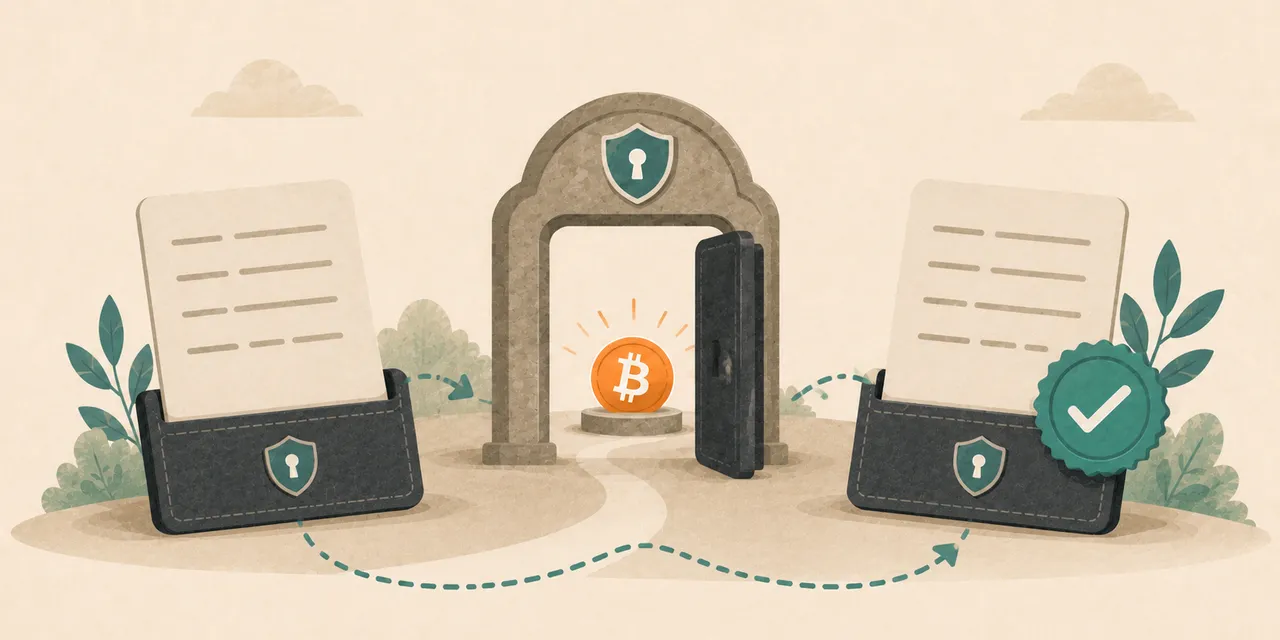

A potentially weak seed creates a difficult situation: waiting may leave funds exposed, but rushing can create a second and more immediate failure.
The correct goal is not simply to move Bitcoin quickly. The goal is to move it to a wallet controlled by a completely new seed, while proving that the new wallet, backup, receiving address, and recovery path all work before the full balance is transferred.
The non-negotiable rule: importing the same recovery words into another device does not fix the problem. The same seed recreates the same private keys.
Last verified: August 3, 2026
Status: Based on Coinkite's advisory and technical backgrounder updated August 1, 2026. The vendor investigation remains ongoing.
Who This Guide Is For
Use this guide when you have already determined that the seed should be treated as affected, or when the seed-generation history is uncertain enough that migration is the conservative choice.
Before moving funds, complete the exposure check:
Was My Coldcard Seed Affected? A Step-by-Step Check
This article focuses on controlled migration. It is not a seed checker, recovery service, or substitute for specialist help with a complex multisignature wallet.
Security notice: Never enter seed words, BIP39 passphrases, PINs, dice sequences, private keys, wallet files, or recovery screenshots into a website, form, chat, email, or support message.
The Migration Boundary
A real migration must change the secret that controls the Bitcoin.
These actions do not repair an affected seed:
- updating firmware while continuing to use the old seed;
- restoring the old words on a different Coldcard;
- restoring the old words on another hardware-wallet brand;
- changing wallet software;
- changing the device PIN;
- moving the same seed into a new multisig coordinator;
- adding a passphrase after the fact and assuming the original wallet is repaired.
The affected seed remains the same mathematical secret. A firmware update can correct future seed generation, but it cannot add randomness to private keys that already exist.
A completed migration has three parts:
- a fixed or independent seed-generation process;
- a completely new seed and wallet;
- an on-chain transfer from the old wallet to addresses derived from the new seed.
Before You Touch the Existing Wallet
Prepare the destination first. Do not erase, reset, or alter the old wallet until the replacement setup has been created and verified.
Record Non-Secret Reference Information
Preserve:
- the old wallet fingerprint;
- the Coldcard model and current firmware version;
- the firmware release track, Standard or Edge;
- the public wallet descriptor when multisig is involved;
- public receiving addresses or transaction IDs needed for accounting;
- purchase records and vendor communications if funds were lost.
Do not place secret recovery material in screenshots, cloud notes, spreadsheets, or support tickets.
Verify the Old Backup Before Erasing Anything
You may need the old seed to sign the migration transaction. Keep the old backup available until the complete balance has arrived at the new wallet and the new wallet has been independently verified.
Do not destroy the old backup merely because a new wallet has been created.
Step 1: Install the Fixed Firmware Before Generating the New Seed
If the replacement seed will be generated on a Coldcard, first install the fixed release for the exact model and release track.
| Device and track | Fixed release |
|---|---|
| Mk2 or Mk3 | 4.2.0 or later |
| Mk4 or Mk5, Standard | 5.6.0 or later |
| Q, Standard | 1.5.0Q or later |
| Mk4 or Mk5, Edge | 6.6.0X or later |
| Q, Edge | 6.6.0QX or later |
Standard and Edge are separate release tracks. A larger leading version number does not prove that an older Edge release contains the fix.
Verify the firmware version on the device before allowing it to create the replacement seed.
You Do Not Have to Buy Another Coldcard
Coinkite states that fixed firmware can generate a replacement seed correctly. A newer device is not technically required.
However, using a second device can simplify the process because the old wallet remains available while the new wallet is tested. One-device migration requires carefully switching between the old and new seeds without losing track of fingerprints, backups, or receiving addresses.
The essential requirement is not a new brand logo. It is a genuinely new seed generated through a fixed or independent process.
Step 2: Generate a Completely New Seed
Use the replacement device's normal new-wallet flow only after the fixed firmware or unaffected setup has been verified.
Do not:
- restore the old words;
- reuse part of the old phrase;
- choose words manually;
- photograph the new phrase;
- type the phrase into a phone, computer, password manager, or cloud document;
- send the phrase to anyone for verification.
The fixed firmware's normal device-generated seed is sufficient to address this incident. Dice rolls are optional, not mandatory.
Optional Dice-Only Generation Is an Advanced Route
Coinkite documents an optional dice-only method for an empty Mk2 or Mk3 running version 4.2.0 or later. It requires at least 99 fair, independent, private dice rolls.
This is not the ordinary setup flow and should not be improvised. The roll sequence is secret key material. A mistake in recording, privacy, or wallet switching can create a new failure.
For most users, the corrected normal new-wallet flow is the simpler route.
Step 3: Record and Verify the New Backup
Do not fund the new wallet substantially until the backup has been checked.
At minimum:
- record every word privately and in the correct order;
- check spelling and word position;
- use the device's supported backup-verification process;
- record the new wallet fingerprint separately from the seed;
- confirm that any passphrase is backed up exactly and separately;
- store the signer and recovery backup in different failure domains.
A metal backup can protect a correctly generated seed from physical damage. It cannot repair weak randomness or compensate for a phrase that was recorded incorrectly.
Related guidance:
Step 4: Verify the Destination Wallet Identity
Before sending Bitcoin, verify that the destination wallet shown in the companion software is the wallet created by the new seed.
Check:
- the new wallet fingerprint;
- the receive address displayed on the hardware wallet screen;
- the address shown in the coordinator or companion application;
- the network, account, and script type used by the new wallet.
The receive address on the computer or phone should match the address shown on the trusted device screen.
Do not rely only on a clipboard, QR code displayed by untrusted software, or an address sent through chat.
Passphrase Users Must Verify the Wallet Fingerprint
Every BIP39 passphrase, including a passphrase containing a typo, creates a valid wallet. A typing mistake may open an empty but mathematically valid wallet without warning.
Before sending funds, confirm the expected fingerprint and receive address for the exact seed-plus-passphrase combination.
A device PIN is not a BIP39 passphrase.
Step 5: Send a Small Test Transaction
The test transaction proves several things before the full balance is placed at risk:
- the receiving address belongs to the intended new wallet;
- the transaction can be signed by the old wallet;
- the new wallet can detect the incoming funds;
- the backup, fingerprint, and software configuration are consistent;
- the destination is on the correct Bitcoin network.
After the test confirms, verify that the new wallet can be reopened or restored correctly before moving the remaining balance.
The test amount should be meaningful enough to confirm the workflow, but small enough that a setup error does not expose the main balance.
Step 6: Move the Remaining Balance
Once the new wallet, backup, fingerprint, receiving address, and test transaction have all been verified, move the remaining Bitcoin.
Before signing:
- confirm the destination address again on the hardware wallet screen;
- review the amount and miner fee;
- check that no unintended change or recipient output has been added;
- avoid copying an address from an earlier message or screenshot;
- avoid adding unrelated wallet changes during the emergency migration.
After broadcast, wait for confirmation and verify the final balance from the new wallet.
Keep the old seed backup until every expected UTXO has been moved and confirmed.
Privacy Tradeoffs During an Urgent Migration
Combining several UTXOs in one migration transaction may reveal that they are controlled by the same wallet. That can weaken transaction privacy.
However, a complicated attempt to preserve every existing separation can add delay, signing mistakes, wrong-address risk, and recovery confusion.
The right balance depends on:
- how urgent the exposure is;
- how many UTXOs are involved;
- the user's technical ability;
- whether the wallet is single-signature or multisignature;
- whether the existing privacy separation is materially important.
During an active key-compromise risk, preventing theft may reasonably take priority over preserving perfect UTXO separation. Do not add transaction complexity that you cannot verify confidently.
When a Temporary Destination May Be Necessary
A permanent hardware-wallet setup is not always available immediately.
Possible temporary destinations include:
- a newly generated software or mobile wallet;
- a trusted exchange account;
- a collaborative custody service;
- a separate hardware wallet with a new independently generated seed.
Each option introduces different risks. A hot wallet increases exposure to an internet-connected device. An exchange introduces custody, privacy, withdrawal, and counterparty risk. A collaborative service introduces operational and service dependencies.
A temporary destination should be used only when leaving funds under the potentially weak seed is judged more dangerous than the temporary tradeoff.
Do not restore the affected seed into a temporary wallet. The temporary wallet must also use a new seed.
Special Case: Migrating With Only One Mk2 or Mk3
Coinkite provides a one-device migration path after installing version 4.2.0 or later. The general sequence is:
- verify the old written backup and wallet fingerprint;
- install fixed firmware and confirm the version;
- generate the new seed on an empty device;
- record and verify the new backup, fingerprint, and receive address;
- restore the old seed and send a small test transaction;
- restore the new seed and confirm the fingerprint and incoming funds;
- restore the old seed and move the remaining balance;
- restore the new seed and confirm the final migration.
This route requires repeated wallet switching and exact fingerprint verification. A second fixed or unaffected device is operationally simpler when one is available.
Special Case: Multisignature Wallets
Multisignature migration cannot be reduced to the single-signature checklist.
First determine:
- which device and firmware created each signer;
- which signers are independently generated;
- the spending threshold;
- whether affected keys alone can satisfy that threshold;
- whether wallet descriptors and derivation paths are fully backed up;
- whether prior spending has revealed scripts or public keys.
A two-of-three wallet with one affected signer and two independent signers is not compromised by that one key alone. A two-of-three wallet with two affected signers may be exposed because the affected keys can satisfy the threshold.
Broadcasting a multisignature spend can reveal script and public-key information. In a narrow set of cases, an attacker who has reconstructed affected keys may try to replace an unconfirmed migration transaction.
Do not improvise an advanced multisig migration under pressure. Preserve the descriptor and recovery data, and obtain experienced technical assistance before broadcasting when the threshold can be met with affected keys.
This article intentionally does not provide a universal RBF, private-pool, or mempool procedure. Those methods are situation-specific and can fail when applied without direct expertise.
If Funds Were Already Moved Without Your Permission
Preserve the physical device and non-secret evidence.
Keep:
- the Coldcard device;
- serial and purchase information;
- firmware records;
- wallet fingerprints and public descriptors;
- transaction IDs and public addresses;
- vendor communications;
- dates and times associated with the loss.
Do not destroy, reset, sell, or unnecessarily modify the device. Legal and evidentiary requirements depend on jurisdiction and the facts of the case.
What Not to Do
- Do not enter the seed into a website to check whether it is affected.
- Do not restore the old seed onto a newly purchased wallet and call that a migration.
- Do not generate the replacement seed before installing the fixed firmware.
- Do not send the full balance before testing the destination.
- Do not erase the old wallet before the new wallet and backup are verified.
- Do not assume a PIN is a passphrase.
- Do not rely on a short or reused passphrase as the only barrier.
- Do not add multisig complexity during the incident unless the recovery process is fully understood.
- Do not publish addresses, wallet files, descriptors, or screenshots without understanding the privacy impact.
- Do not let urgency replace address verification.
Controlled Migration Checklist
- Confirm that the seed should be treated as affected or uncertain.
- Preserve the old backup, wallet fingerprint, and non-secret records.
- Install and verify the fixed firmware before generating a replacement seed.
- Generate a completely new seed.
- Record and verify the new backup.
- Verify the new wallet fingerprint.
- Verify the receiving address on the hardware wallet screen.
- Send a small test transaction.
- Confirm the test arrived in the expected wallet.
- Confirm recovery before moving the main balance.
- Move the remaining funds carefully.
- Keep the old backup until the full migration is confirmed.
Frequently Asked Questions
Can I Keep Using the Same Coldcard After Updating It?
Yes, fixed firmware can generate a replacement seed correctly. Updating the device does not repair the old seed, so a new wallet must still be created and funded through an on-chain transfer.
Do I Need to Buy a Different Hardware Wallet?
No. A second or different device can simplify the process, but the essential requirement is a completely new seed generated through a fixed or independent process.
Can I Restore the Old Seed on a Trezor, BitBox, Jade, or Another Wallet?
You can technically restore it, but that does not remove the weakness. The same words derive the same private keys regardless of the device holding them.
Are Dice Rolls Required for the New Seed?
No. Coinkite states that normal seed generation on the fixed firmware is sufficient. Dice-only generation is an optional advanced procedure.
Should I Use a Passphrase on the New Wallet?
A passphrase is a separate custody choice. It can add an independent barrier, but it also creates backup and recovery responsibilities. A typo opens a different wallet, and losing the passphrase can permanently block access.
How Large Should the Test Transaction Be?
There is no universal amount. It should be large enough to prove the complete workflow and small enough that a destination error does not expose the main balance.
Should I Consolidate Every UTXO Into One Transaction?
Not automatically. Consolidation can reduce transaction count but may weaken privacy. During urgent migration, avoid complexity you cannot verify and prioritize protecting exposed funds.
Is a Multisig Wallet Automatically Protected?
No. The relevant question is whether the spending threshold can be satisfied entirely with affected keys. Multisig protection comes from signer independence, not from the number of keys alone.
Related Reading
- Coldcard Seed Vulnerability: What Happened and Why It Matters
- Was My Coldcard Seed Affected? A Step-by-Step Check
- How to Set Up a Bitcoin Hardware Wallet
- How to Withdraw Bitcoin to a Hardware Wallet
- How to Verify Your Seed Phrase Backup
This migration guide contains no product ranking or affiliate call to action. The immediate task is to replace the affected key material without creating a second operational failure.
Update Log
August 3, 2026
- Verified the fixed firmware matrix against Coinkite's current advisory.
- Clarified that a replacement device is optional, while a completely new seed is mandatory.
- Included the vendor's one-device Mk2/Mk3 migration boundary.
- Separated ordinary single-signature migration from advanced multisignature risk.
- Added backup, fingerprint, receive-address, test-transaction, privacy, and evidence-preservation checks.
Primary Sources
- Coinkite, Coldcard Security Advisory, published July 30, 2026 and updated August 1, 2026.
- Coinkite, Technical Deep Dive into the Entropy Issue, published July 30, 2026 and updated August 1, 2026.