Best Bitcoin hardware wallets

This is the current Bitcoin Plaster best Bitcoin hardware wallets guide.
It is a money page, so it should name winners clearly. It is also a self-custody page, so every winner still has to earn the recommendation through workflow fit, backup discipline, verification behavior, and real review evidence.
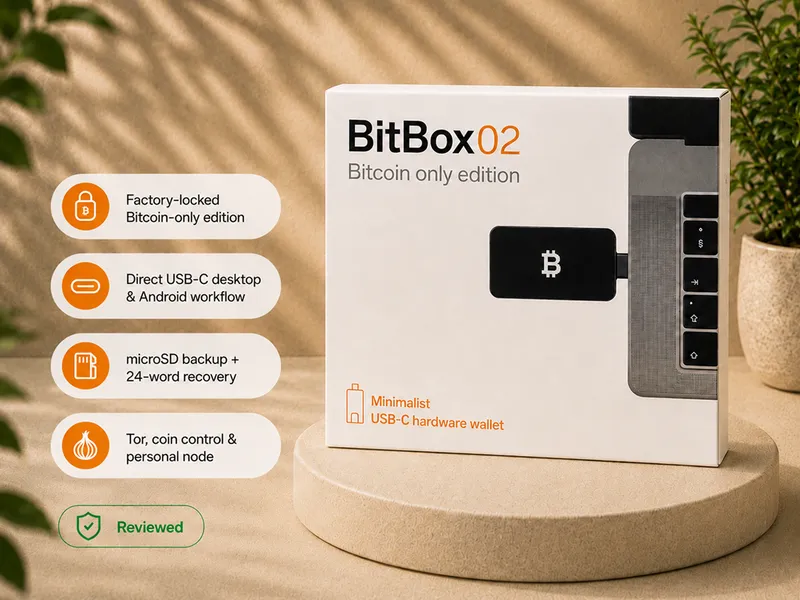
The simple answer is this: BitBox02 Bitcoin-only is the current best overall Bitcoin-only hardware wallet for most desktop or Android-compatible Bitcoin holders. It is the default pick in this review set because it gives a focused Bitcoin-only path without forcing a beginner into QR signing, wireless workflows, multisig, or advanced manual custody before they are ready.
That does not make BitBox02 the right wallet for every reader. Trezor Safe 5, Blockstream Jade Plus, Blockstream Jade, Trezor Safe 3, and Trezor Safe 7 win different buyer situations. The point of this page is to help you choose the right winner, not to pretend every wallet is equally right for every person.
Affiliate disclosure: Official manufacturer store affiliate links. When you use a Blockstream link, your 10% discount will be applied automatically at checkout, and we may earn a commission as well.
Current winners
| Category | Winner | Best for | Main reason to skip |
|---|---|---|---|
| Best overall Bitcoin-only pick | BitBox02 Bitcoin-only | Bitcoin-only desktop or Android-compatible holders who want a focused first custody workflow | Not ideal if you are iPhone-first or want QR signing as the main workflow |
| Best Trezor touchscreen pick | Trezor Safe 5 Bitcoin-only | Bitcoin holders who want Trezor Suite, Bitcoin-only firmware, and a more comfortable touchscreen | Not the cheapest Trezor and not an air-gapped device |
| Best air-gapped Bitcoin pick | Blockstream Jade Plus | Bitcoin users who want the strongest Jade camera, screen, and repeatable QR signing workflow | Unnecessary if USB-C simplicity or value matters more than QR comfort |
| Best budget Trezor pick | Trezor Safe 3 Bitcoin-only | Buyers who want a lower-cost Bitcoin-only Trezor and can tolerate a smaller screen | Not the best choice if you want touchscreen comfort |
| Best high-end mobile Trezor pick | Trezor Safe 7 | Users who want the premium Trezor phone-first direction | Not the right first choice if you want the simplest or lowest-cost setup |
Use the table as a starting point, not as permission to buy blindly. A hardware wallet becomes part of your backup plan, signing routine, and recovery process. The winner only matters if you can use it correctly.
How to use this guide
Most hardware-wallet mistakes start before the device is ever funded. Buyers often ask which wallet has the strongest security claim, the most features, or the most impressive spec sheet. Those questions matter, but they are not the first filter.
The first filter is workflow.
A good Bitcoin hardware wallet should help you do four things consistently:
- generate or protect keys away from everyday internet-connected devices;
- write down and protect the recovery material offline;
- verify receive addresses and transaction details on the device itself;
- recover or migrate later without depending on memory, panic, or guesswork.
The best wallet for you is the strongest wallet whose routine you can actually repeat. A more advanced device can be worse in practice if it makes you nervous, careless, or dependent on instructions you do not understand.
Best overall Bitcoin-only pick: BitBox02 Bitcoin-only
Winner: BitBox02 Bitcoin-only.
Why it wins: BitBox02 Bitcoin-only is the strongest current default pick for a Bitcoin-only holder who wants a focused device, a clean setup path, practical backup discipline, and less product noise than a broader multi-asset or advanced manual workflow.
In the Bitcoin Plaster review, the device was tested through the complete first-wallet routine: sealed package, BitBoxApp installation, firmware update, pairing-code check, wallet creation, microSD backup, written 24-word backup, receiving Bitcoin, and sending Bitcoin back out.
That matters because BitBox02 does not win only by being Bitcoin-only. It wins because the whole experience stays narrow. The app path is clear, the backup model forces recovery discipline, and the limitations are easy to explain before buying.
The main limit is workflow fit. The original BitBox02 model is not the right first pick if you are iPhone-first or if you want a fully offline QR signing routine. It is a USB-C device for desktop or Android-compatible use, not a phone-native or air-gapped signer.
Best for: Bitcoin-only holders who want a serious but not overly theatrical first self-custody setup.
Skip it if: you want iPhone-first use, a large touchscreen, Bluetooth-first mobile convenience, or QR signing as the core reason you are buying.
Check BitBox02 at the official store Read the BitBox02 review
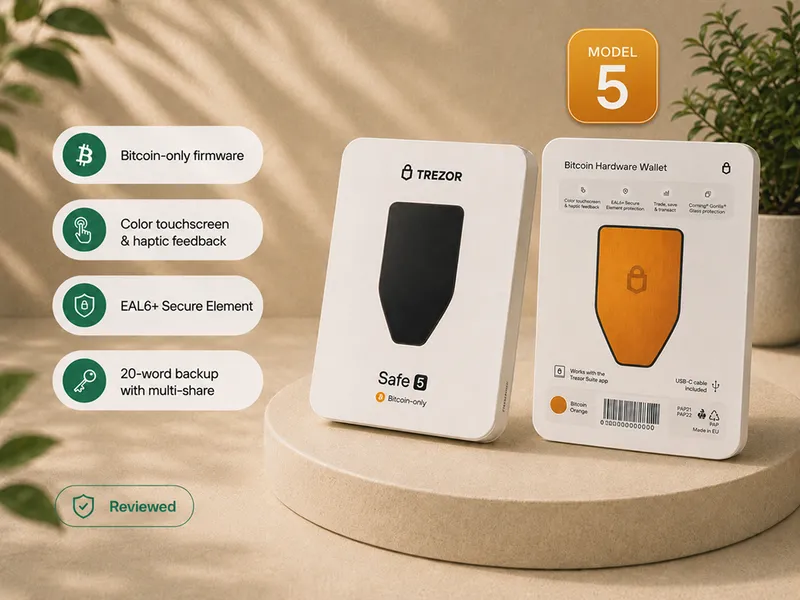
Best Trezor touchscreen pick: Trezor Safe 5 Bitcoin-only
Winner: Trezor Safe 5 Bitcoin-only.
Why it wins: Trezor Safe 5 is the best current Trezor pick when the buyer wants Bitcoin-only firmware, a larger touchscreen, Trezor Suite onboarding, and more comfortable on-device confirmation than the smaller button-based Safe 3.
In the Bitcoin Plaster review, Safe 5 was tested through setup, firmware installation, send and receive transactions, wipe, and recovery from written backup. The touchscreen is not just a luxury detail. It changes the feel of PIN entry, backup confirmation, recovery-word entry, address checks, and approval steps.
Safe 5 wins when usability is part of the security decision. A first hardware wallet is only useful if the owner will actually check the device, complete the backup, and understand the recovery path. The larger screen gives a beginner more room to work.
The tradeoff is that Safe 5 is not the cheapest Trezor path and it is not an air-gapped signer. It is a guided, comfortable, desktop-first Trezor choice.
Best for: Bitcoin holders who want the Trezor ecosystem with a more comfortable device interface.
Skip it if: you want the lowest-cost Trezor, QR signing, or the leaner BitBox02-style Bitcoin-only path.
Check Trezor Safe 5 at the official store Read the Safe 5 review
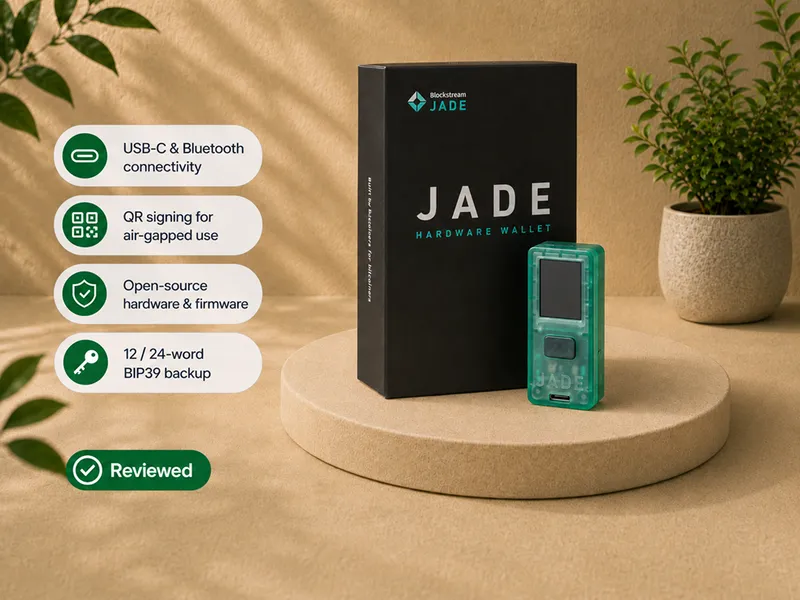
Best air-gapped Bitcoin pick: Blockstream Jade Plus
Winner: Blockstream Jade Plus.
Why it wins: Jade Plus keeps the Bitcoin-focused, open-source, camera-based signing model of Blockstream Jade, then improves the camera, screen, and controls that determine whether QR signing is comfortable enough to use repeatedly.
In the Bitcoin Plaster review, Jade Plus was tested through USB-C, Bluetooth, QR PIN unlock, QR transaction signing, receive-address verification, and send approval on the device. The improved camera and larger screen made the QR workflow materially easier to repeat than on Blockstream Jade.
That is why Plus wins this category. Air-gapped habits are still not automatically better for every beginner, and QR signing still adds steps. Plus simply makes those steps less frustrating when QR is the actual reason for the purchase.
Best for: Bitcoin users who want the strongest Jade-family QR experience and expect to use camera-based signing regularly.
Skip it if: you mainly want USB-C simplicity or the strongest value. In that case, read the Blockstream Jade review before paying for the improved interface.
Check Blockstream Jade Plus at the official store Read the Blockstream Jade Plus review Compare all Blockstream Jade models
Best budget Trezor pick: Trezor Safe 3 Bitcoin-only
Winner: Trezor Safe 3 Bitcoin-only.
Why it wins: Trezor Safe 3 is the current lower-cost Trezor recommendation for buyers who want Bitcoin-only firmware and the Trezor ecosystem without paying for the Safe 5 touchscreen experience.
In the Bitcoin Plaster review, Safe 3 was tested as a real Bitcoin-only self-custody device. The review found a simple and workable setup, but also a clear usability tradeoff: the small screen and two buttons make address checks, PIN entry, passphrase use, and recovery steps slower than on a touchscreen device.
That does not make Safe 3 weak. It makes the fit narrower. Safe 3 is strongest for the patient desktop-first buyer who wants the Trezor lane at lower cost and does not need premium comfort.
Best for: Bitcoin holders who want a lower-cost Trezor path and can tolerate a smaller screen and button workflow.
Skip it if: you expect to use passphrases often, you want a smoother recovery-entry experience, or you already know touchscreen comfort matters to you.
Check Trezor Safe 3 at the official store Read the Safe 3 review
Best high-end mobile Trezor pick: Trezor Safe 7
Winner: Trezor Safe 7.
Why it wins: Trezor Safe 7 is the current high-end Trezor pick for buyers who specifically want the newer phone-first Trezor direction, including the wireless and premium-device experience.
In the Bitcoin Plaster review, Safe 7 was tested through Bluetooth setup with an iPhone, receiving and sending Bitcoin, and passphrase flow. The larger screen, battery, Bluetooth workflow, and stronger physical feel make it the Trezor model that feels most natural for a phone-first user.
That does not make it the default first wallet. Safe 7 is a narrower recommendation for the buyer who wants the premium mobile Trezor lane and accepts the added cost and product complexity.
Best for: Bitcoin holders who want Trezor's newer phone-first experience and are not optimizing for minimum price.
Skip it if: you want the simplest first hardware wallet, the lowest-cost Trezor, QR signing, or a conservative USB-only workflow.
Check Trezor Safe 7 at the official store Read the Safe 7 review
How to choose between the winners
If you still cannot decide, do not start by asking which device is most secure in the abstract. Ask which mistake you are most likely to make.
| Your likely problem | Better starting point | Reason |
|---|---|---|
| You want the cleanest Bitcoin-only desktop path | BitBox02 Bitcoin-only | It keeps the setup focused and avoids extra product scope. |
| You worry you will make mistakes on a small screen | Trezor Safe 5 | The touchscreen makes confirmation and recovery steps more comfortable. |
| You want Trezor but need to control cost | Trezor Safe 3 | It gives the Trezor path with a more basic interface tradeoff. |
| You are genuinely phone-first | Trezor Safe 7 | It is the reviewed Trezor option that best fits mobile-first use. |
| You want QR signing as a regular workflow | Blockstream Jade Plus | Its improved camera, screen, and controls make repeated QR signing easier. |
This is the practical lesson from hardware-wallet testing and category research: usability is not separate from security. If the wallet makes correct behavior easier, that is part of the security result. If it makes you skip checks, avoid maintenance, or fear recovery, the spec sheet is not enough.
Do not buy yet if you cannot explain the workflow
A hardware wallet is not a magic safety device. It protects keys and signing better than a normal phone or computer, but it also moves responsibility to you.
Before buying any winner on this page, make sure you can explain:
- where the Bitcoin actually lives;
- what the seed phrase restores;
- why the device screen matters;
- what the companion app does and does not control;
- how you would recover if the device were lost, broken, wiped, or replaced;
- why buying from an official source matters;
- which workflow you will actually use: desktop, phone, USB, Bluetooth, QR, or something else.
If you cannot explain those points yet, start with the educational pages before buying. The right first step may be learning the custody model, not choosing a product.
How we decide winners
This page uses a winner-first structure, but the winner still has to earn the position.
The main criteria are:
- Bitcoin relevance and scope;
- setup clarity;
- backup and recovery path;
- device-screen verification;
- security model and trust assumptions;
- software and firmware maintenance path;
- realistic buyer fit;
- supporting Bitcoin Plaster review evidence;
- approved affiliate-route availability where a buy button appears.
Commission size is not a ranking criterion. If the evidence changes, the winner should change.
Which wallet should most Bitcoin-only holders start with?
Start with BitBox02 Bitcoin-only if you want the current best overall Bitcoin-only pick in this review set and your workflow is desktop-first or Android-compatible.
Choose Trezor Safe 5 Bitcoin-only if you want a stronger Trezor touchscreen experience.
Choose Blockstream Jade Plus if QR signing and air-gapped habits are the point of the purchase. Choose Blockstream Jade when value matters more than the smoother camera and screen.
Choose Trezor Safe 3 Bitcoin-only if you want a lower-cost Trezor path and accept smaller-screen friction.
Choose Trezor Safe 7 if you specifically want the newer high-end Trezor mobile direction.
What to read before buying
If this is your first device, read how to choose your first Bitcoin hardware wallet.
If you are not sure what a hardware wallet actually does, start with what a hardware wallet does.
If you are worried about false confidence, read what a hardware wallet does not solve.
If you are comparing security labels, read hardware wallet security models.
If you only want Bitcoin, read Bitcoin-only hardware wallets.
If your main question is secure element versus open source, read secure element vs open source.
FAQ
What is the best Bitcoin hardware wallet?
The current Bitcoin Plaster overall Bitcoin-only pick is BitBox02 Bitcoin-only. It is the best default for a Bitcoin-only desktop or Android-compatible holder who wants a clean first custody workflow. Trezor Safe 5, Blockstream Jade Plus, Blockstream Jade, Trezor Safe 3, and Trezor Safe 7 win different use cases.
Is BitBox02 Bitcoin-only the best hardware wallet for everyone?
No. BitBox02 is the current overall Bitcoin-only pick in this review set, not a universal winner. Choose Trezor Safe 5 if you want touchscreen comfort, Blockstream Jade Plus if you want the best Jade QR workflow, Blockstream Jade if you want the value route, Trezor Safe 3 if you want the lower-cost Trezor path, or Trezor Safe 7 if phone-first Trezor use matters most.
Should beginners choose the most secure hardware wallet?
Beginners should choose the most secure wallet they can operate correctly. A more advanced wallet can be weaker in practice if the owner cannot set it up, back it up, verify transactions, maintain it, or recover from it confidently.
Is an air-gapped hardware wallet automatically better?
No. Air-gapped signing can be useful for users who specifically want QR or manual signing, but it also adds steps. Blockstream Jade Plus is the current QR winner, while Blockstream Jade remains the value route. Choose either deliberately, not because the label sounds safer.
Should I buy through the affiliate links?
The routes open official manufacturer stores. Blockstream links apply a 10% discount automatically at checkout, and we may earn a commission.
Do affiliate commissions decide the ranking?
No. Commission size is not a ranking criterion. A product should win because it is the best current answer for the stated use case.
Will these winners change?
Yes. Hardware wallets, firmware, product availability, affiliate routes, and review evidence can change. This page should be updated when the evidence changes.