Blockstream Jade Core hands-on review

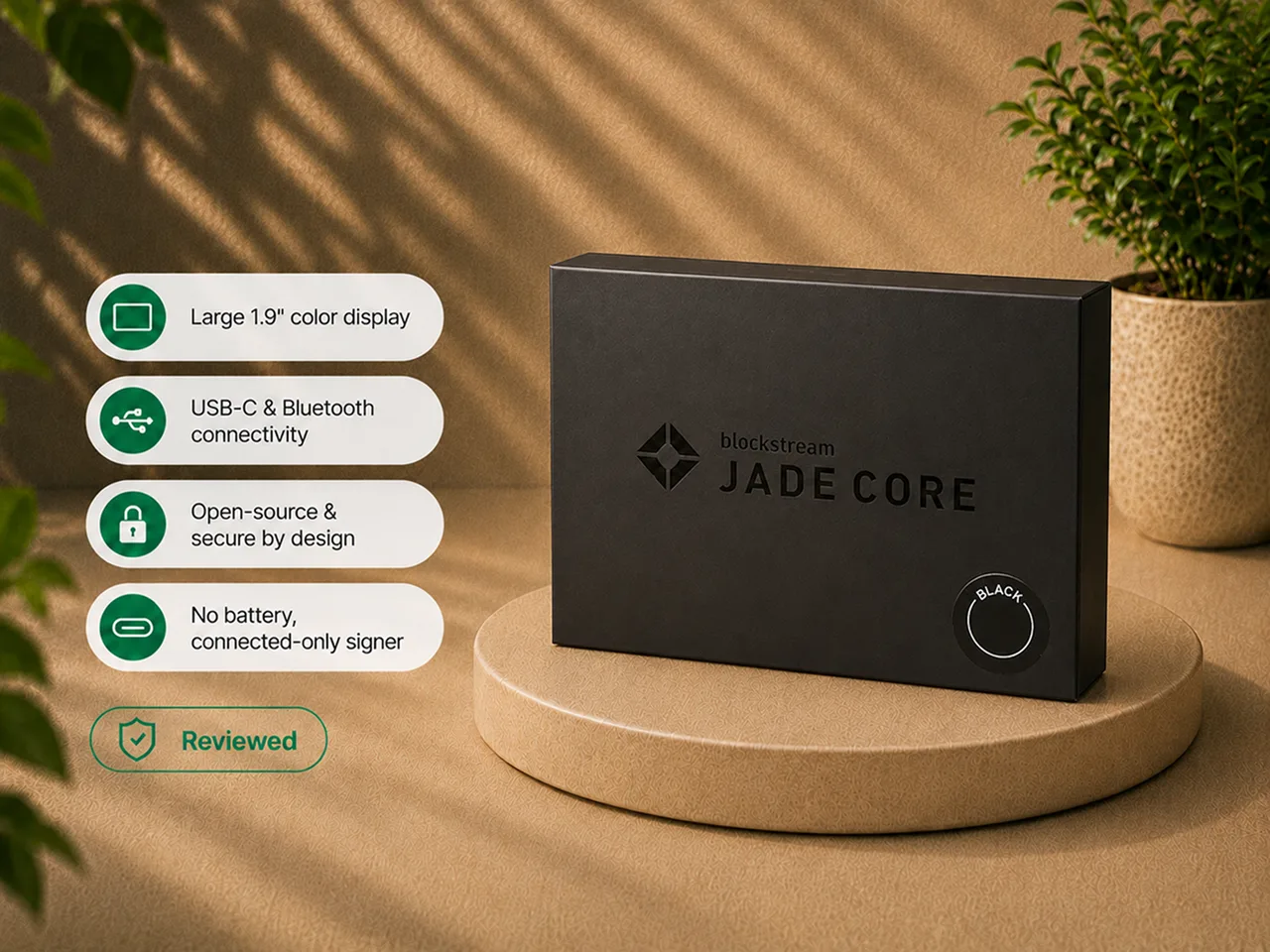
Frederick Staunch tested Jade Core, set it up over USB-C, recorded and confirmed the recovery phrase, verified receive addresses on the large screen, and signed send transactions with the device as the source of truth. Angela Blake uses that credited hands-on evidence here to evaluate buyer fit and the lineup tradeoffs.
That evidence produced a clear, and slightly awkward, verdict.
Jade Core is a good connected Bitcoin signer with a large, readable screen and simple controls. It is also the hardest device in the Jade lineup to recommend broadly because it occupies a higher lineup position than Blockstream Jade while dropping the two features that make Blockstream Jade unusually flexible: the camera and the battery.
Blockstream positions Core as an off-ramp device: a simple first step for moving Bitcoin from an exchange into self-custody, with a large screen, straightforward setup, and Genuine Check. That framing is fair. Core is a legitimate beginner device, but it remains a narrow value proposition beside the more capable Blockstream Jade and the fuller Jade Plus.
Bottom line: buy Jade Core if you specifically want the big Jade screen, you will only ever sign over USB-C or Bluetooth, you never plan to use QR air-gapping, and you like the idea of a signer with no battery to age. For most other buyers, Blockstream Jade is the better value and Jade Plus is the better device.
Hands-on scope and evidence boundary
The hands-on work behind this review covered:
- unboxing and handling Jade Core;
- connecting it over USB-C and completing first setup;
- creating a new wallet and recording the recovery phrase;
- confirming the requested recovery words;
- setting and using the PIN;
- navigating with the two top buttons and the front confirm button;
- generating receive addresses and verifying them on the large screen;
- preparing send transactions and reviewing the destination, amount, and fee on the device;
- approving signing physically;
- confirming first-hand that there is no camera and no battery.
Frederick's credited hands-on work did not include:
- performing a hardware teardown;
- reproducing a physical side-channel attack;
- auditing the firmware;
- independently reproducing a public vulnerability;
- testing every compatible third-party wallet;
- using Bluetooth as the primary workflow for an extended period;
- using Jade Core as the only signer for a large treasury.
The Blind Oracle model, public security disclosures, and third-party compatibility details below are documentation-based unless the page explicitly attributes them to Frederick's hands-on testing.
Verdict
Jade Core is not a bad hardware wallet. The screen is significantly easier to read than the small Blockstream Jade display, the controls are simple, USB-C signing is direct, transaction details are clearly visible, and it uses the same broader Jade security and software approach as the rest of the lineup.
The problem is value and identity.
Core gives up the camera, QR air-gapped signing, SeedQR scanning, the battery, mobile use without a cable, and the fast seed loading that makes stateless workflows attractive. In exchange, it gives you a larger display, simpler controls, and a deliberately connected workflow.
That trade can be rational for someone who values screen clarity above every other Jade feature and wants the simplest possible connected signer. It is not the trade most Jade buyers are likely to want.
Jade Core is easiest to recommend when the buyer wants:
- the simplest possible way to get off an exchange, with a large clear screen;
- USB-C or Bluetooth signing only, with no interest in QR;
- a device with no internal battery to age over years of storage;
- the Jade software and Blind Oracle security model in a plain connected signer;
- Genuine Check and open-source hardware and firmware.
It is harder to recommend when the buyer wants:
- camera-based QR air-gapped signing (buy Jade Plus);
- the strongest feature-to-value balance (choose Blockstream Jade instead);
- SeedQR or practical stateless workflows;
- a battery for mobile use;
- a sealed secure element (BitBox02 fits better).
Jade Core at a glance
| Item | What it means in practice |
|---|---|
| Official lineup name | Jade Core ("the off-ramp device") |
| Asset scope | Bitcoin and Liquid |
| Dimensions | 65 x 30 x 12 mm |
| Weight | 20 g |
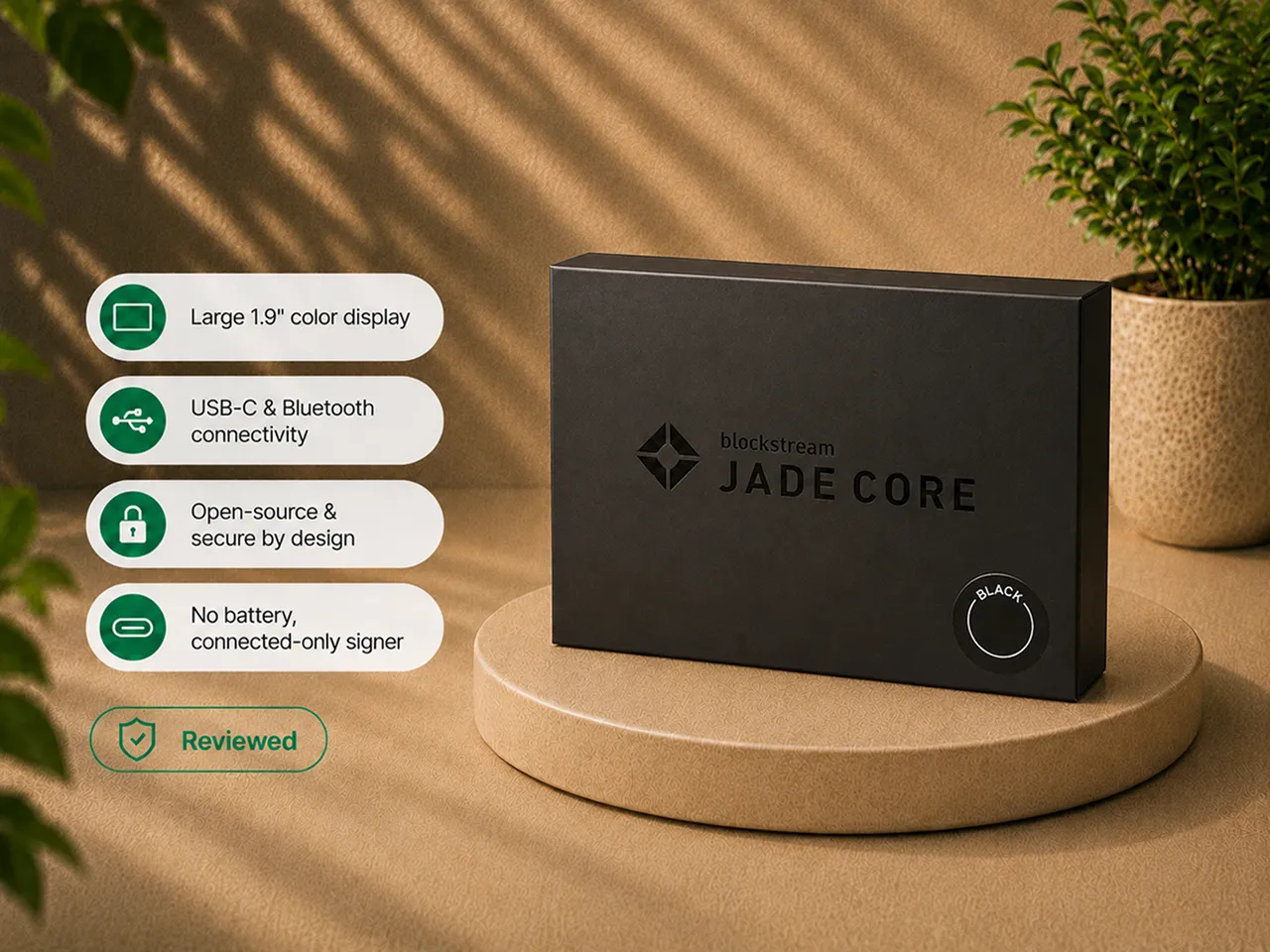
| Screen | 1.9-inch IPS LCD, 320 x 170 - the larger, clearer Jade display |
| Camera | None |
| Battery | None (must be powered by the connected device) |
| Connections | USB-C and Bluetooth only |
| QR air-gapped signing | No |
| SeedQR scanning | No (recovery words must be entered manually) |
| Offline firmware update path | No |
| Controls | Two top navigation buttons, front confirm button, power control |
| Construction | Plastic body |
| Backup | 12-word or 24-word recovery phrase; optional passphrase |
| Security architecture | Blind Oracle virtual secure element (same as the rest of the lineup) |
| Genuine Check | Yes |
| Companion software | Blockstream app (formerly Blockstream Green); also Sparrow, Nunchuk, BlueWallet, Electrum |
| Main advantage | A large, readable screen and a quick, plug-and-play setup |
| Main drawback | A narrower workflow than Blockstream Jade because it removes the camera and battery |
How Jade Core was evaluated
The Jade Core decision comes down to a short list of questions, and the hands-on work tested against them:
- Does the larger screen actually improve transaction verification? (Yes.)
- Are the buttons easier than the original Jade click wheel? (Yes.)
- What does losing the battery change? (Portability, plus a durability argument in Core's favor.)
- What does losing the camera change? (Everything about the Jade "air-gapped" identity.)
- Is USB-C signing smooth enough to justify the model? (Yes, for the right buyer.)
- Does the shared security model still mean something without the distinctive Jade workflows? (Yes, but so does its main objection.)
- Is the lineup position sensible against Blockstream Jade and Jade Plus? (This is the hard part.)
Core works. The harder question is whether it earns its position in the lineup - and the answer depends entirely on whether you are the specific buyer it was built for.
The larger screen is Jade Core's strongest feature
The display is the clearest argument for Core, and it is a real one.
Compared with the small Blockstream Jade screen, the 1.9-inch panel is brighter, larger, and far more comfortable when checking a receive address, a destination address, an amount, a fee, menu text, and setup prompts. Hardware-wallet screens are not cosmetic: the device is supposed to be the trusted display, and if the screen is hard to read, people skim and rush. Core genuinely improves that.
The body resembles the larger Jade Plus form, but it is plastic rather than the metal of Plus. It does not feel unusable or badly made - it simply makes clear that the screen, not premium materials, is the reason this model exists.
The controls are simple and easy to learn
Core uses a straightforward interface: two buttons for navigation, a front button for confirmation, a power control, and USB-C for power and connected use.
The setup flow is quick:
- connect the device;
- create a new wallet;
- record the recovery phrase;
- confirm the requested words;
- choose USB or Bluetooth;
- set the PIN;
- create the account in the wallet application.
There is far less physical fiddling than with the compact click wheel on Blockstream Jade. The larger screen and separated buttons make menus feel deliberate. That is a real usability improvement - it just does not compensate for every removed capability. If you are new to this, our setup guide and what to do after buying a hardware wallet cover the first-week routine.
No battery is both a limitation and a durability argument
Jade Core must be connected to be used. That removes spontaneous battery-powered signing and makes it less natural for mobile use - even over Bluetooth, the device still needs power from the connected host.
For many buyers, that reads as an obvious downgrade. But there is one fair argument in Core's favor: batteries age.
A hardware wallet can spend years in a drawer, and an internal lithium cell can degrade, lose capacity, swell, or eventually fail. A device with no battery removes that component from the long-term failure list. There is nothing to maintain, nothing to worry about storing for a decade, and the signer stays a simple cable-powered tool.
Whether that is a benefit depends on your workflow. For someone who signs a few times a year from a desktop, the missing battery may never matter. For someone who wants phone-based or portable signing, it matters immediately, and both Jade Plus and Blockstream Jade keep the battery.
The missing camera changes the entire character of the device
This is more important than the battery.
Without a camera, Jade Core cannot provide the QR workflow the Jade name is known for. It cannot scan an unsigned transaction from a phone or computer, return a signed transaction as a QR code, scan SeedQR for fast restoration or stateless signing, or act as a visually separated air-gapped signer.
Private keys still remain on the device during normal connected signing, and Core still shows transaction details and requires physical approval. But the device must communicate electronically over USB-C or Bluetooth. That makes it a connected signer, not an air-gapped one.
There is nothing wrong with a connected signer - many excellent hardware wallets work that way. The issue is product identity. Camera-based QR signing is one of the features that made Jade unusually capable for its position in the lineup. Removing it turns Core from "a Jade with a bigger screen" into "a different category of Jade." If air-gapping is why you were looking at Jade at all, Core is not the model you want; read air-gapped hardware wallets and then look at Plus.
USB-C is the natural Jade Core workflow
USB-C use is smooth and direct, and it is where Core makes the most sense.
Connect the device, open the wallet application, unlock the signer, and use it to verify and approve transactions.
For receiving:
- generate the address in the application;
- show the address on Jade Core;
- compare the two;
- use the address only after they match.
For sending:
- enter the destination, amount, and fee in the application;
- review the transaction on Jade Core;
- confirm the destination;
- confirm the amount;
- confirm the fee;
- approve signing physically.
The large screen improves the most important part of this workflow - verification. If USB-C is already the workflow you want, Core feels coherent. It becomes less coherent the moment you expect the broader camera-based Jade experience.
Bluetooth adds convenience, but not air-gapping
Bluetooth gives Core a wireless option, which can be convenient for mobile use. But it does not change the basic security category: the device is still electronically connected to the phone. Do not treat "wireless" and "air-gapped" as interchangeable.
Bluetooth can reduce cable clutter and let a phone act as the interface. As with any radio connection, pairing and reconnection behavior needs to be reliable in current firmware and app versions. Frederick did not use Bluetooth as the primary workflow long enough to characterize its reconnection behavior on Core specifically, and this review does not treat Bluetooth convenience as a reason to buy on its own.
Manual seed entry weakens the stateless use case
Stateless signing is only practical when the seed can be loaded quickly. Blockstream Jade and Jade Plus can scan SeedQR with a camera. Core cannot.
That means a Core owner who wants to load a wallet temporarily must enter the recovery words manually. For an occasional emergency restore, that is manageable. For repeated stateless signing, it becomes tedious. The missing camera therefore affects more than transaction signing - it affects recovery speed, stateless convenience, the willingness to keep the device empty between sessions, and the practicality of passphrase-protected temporary wallets. Core can still be restored; it simply loses the workflow that makes repeated restoration attractive.
The security model is the Jade security model
Core uses the same general security architecture as the rest of the family: open-source firmware, a Blind Oracle virtual secure-element approach, device authenticity via Genuine Check, physical confirmation of transaction details, and recovery through the seed phrase.
Removing the camera and battery does not change that architecture - it changes how you communicate with the signer. That creates a slightly strange result: Core keeps the Blind Oracle tradeoff that some buyers already question, while removing the camera-based workflow that made the tradeoff more appealing to others.
A buyer who dislikes off-device oracle dependency will not solve that concern by choosing Core. A buyer who accepts the Blind Oracle model but wants only connected signing may find Core perfectly adequate. For the full explanation of the model - including that your recovery phrase always recovers funds even if the oracle is unavailable - see the Blockstream Jade review and secure element vs open source.
Security history that applies to Jade Core
Jade Core shares the Jade firmware family and Blind Oracle architecture, so firmware maintenance and trusted-host discipline remain relevant.
The detailed disclosure timeline belongs on the main Blockstream Jade security section. The practical Core-specific point is narrower: Core has no camera-based QR mode, so normal use depends on a connected USB-C or Bluetooth interface. Keep firmware current, use official software and update channels, and do not approve transactions or host requests you do not understand.
Liquid support remains available
Core supports the Liquid Network alongside Bitcoin mainnet. For someone already using Liquid, hardware support can be useful. For a mainnet-only holder, Liquid should not drive the buying decision - the central reason to choose Core remains the screen.
Jade Core vs Blockstream Jade
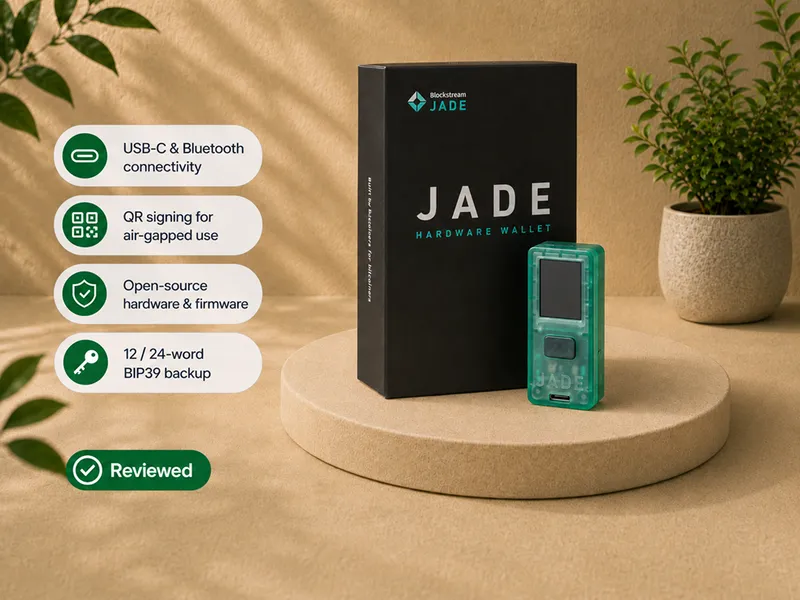
Choose Blockstream Jade for a camera, QR air-gapped signing, a built-in battery, SeedQR scanning, more flexible connected and disconnected workflows, and the stronger feature-to-value balance.
Choose Jade Core for a much larger display, easier physical navigation, cable-powered use without battery aging, and a deliberately connected USB or Bluetooth workflow.
Core improves the interface and reduces the feature set - and occupies a less favorable value position. For most people, Blockstream Jade is the stronger value. Core makes sense only when the large screen and the battery-free design are the point.
Jade Core vs Jade Plus
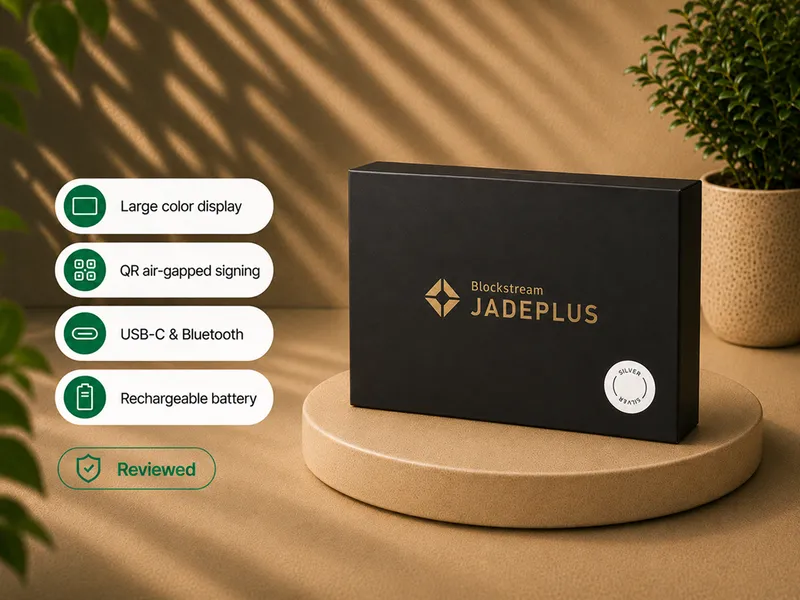
Choose Jade Plus for the same large screen plus premium construction options, a camera, QR air-gapped signing, a battery, SeedQR, supported offline firmware updates, and the complete premium Jade workflow.
Choose Jade Core for a lower entry cost than Plus, no internal battery, connected signing only, and a simpler feature set.
The decision is straightforward: a buyer who mainly wants the larger screen may decide that the move to Jade Plus is more coherent than accepting Core's missing camera and battery. The full three-way comparison explains the tradeoff.
Who should buy Jade Core
- Beginners who want the simplest possible plug-and-play move off an exchange, with a big clear screen.
- Desktop users who sign through USB-C.
- Mobile users who are satisfied with Bluetooth and do not need a battery.
- Buyers who want a large display for transaction verification.
- Owners who prefer a signer with no internal battery to age.
- Users who accept the Jade security model but do not want QR signing.
Who should skip Jade Core
- Anyone who wants QR air-gapped signing (choose Jade Plus).
- Anyone chasing the best feature-to-value balance (choose Blockstream Jade).
- Buyers who want SeedQR or practical stateless signing.
- Buyers who need a battery for mobile use.
- Buyers who dislike the Blind Oracle model or want a sealed secure element.
- Buyers already close enough in budget to choose Jade Plus.
- Owners who rarely sign and can tolerate the smaller Blockstream Jade display.
If Jade Core is not the right fit
| Your priority | Better direction |
|---|---|
| Best value: camera + battery + QR in the value-focused model | Read Blockstream Jade review |
| The best camera and QR air-gapped experience | Read the Jade Plus review |
| A sealed secure element in a Bitcoin-only device | Read the BitBox02 Bitcoin-only review |
| A larger touchscreen and guided interaction | Read the Trezor Safe 5 Bitcoin-only review |
| Comparing trust architectures | Read the hardware wallet security models guide |
Compare before choosing
Jade Core makes sense for a specific buyer. If that buyer is you - big screen, connected-only signing, no battery - it is easiest to buy correctly from the official source.
Buy and set up Jade Core without skipping the trust checks
Use the official Blockstream store or a currently authorized source, and read how to check if a hardware wallet is genuine first.
When the device arrives:
- inspect the packaging;
- confirm that the device is uninitialized;
- install the official Blockstream app;
- run Genuine Check;
- update firmware through an official path;
- create the recovery phrase privately;
- verify the backup before funding;
- begin with a small transaction;
- choose USB-C or Bluetooth as your normal workflow.
Do not use recovery words supplied by another person. Do not enter the seed into a website, browser form, support chat, or ordinary phone application. Verify the current product details and setup instructions through Blockstream before funding the device.
Final verdict
Jade Core is a competent connected signer in an awkward product position. Its screen is genuinely better than the Blockstream Jade display, its controls are easier, USB-C signing is clear, and a battery-free design may age more predictably over years of storage.
But Core removes the camera, battery, QR signing, and SeedQR workflow that make Blockstream Jade unusually capable - and it sits above Blockstream Jade in the lineup to do it. Blockstream's "off-ramp device" framing is fair for a beginner who just wants the simplest large-screen way off an exchange, and for that buyer Core is a reasonable, honest product. For most other buyers, it is too much to give up.
Jade Core is the right choice only for a buyer who specifically wants the large screen, signs through USB or Bluetooth, and prefers not to own a battery-powered device. Blockstream Jade is the value winner. Jade Plus is the overall winner.
Compare the current Jade models
If Jade Core still fits after the camera, battery, and value tradeoffs above, verify the current model details, availability, package contents, shipping, and setup guidance directly at Blockstream.
Frequently asked questions
Did you actually test Jade Core?
Yes. Frederick Staunch tested Jade Core, completed setup over USB-C, recorded and confirmed the recovery phrase, verified receive addresses on the large screen, and signed send transactions with physical approval.
Does Jade Core have a camera?
No. That means it cannot do camera-based QR transaction signing or SeedQR scanning.
Is Jade Core air-gapped?
No, not in the QR-signing sense used by Blockstream Jade and Jade Plus. Core signs over USB-C or Bluetooth and is a connected signer.
Does Jade Core have a battery?
No. It must be powered by the connected device when used.
Is the missing battery a problem?
It reduces portability and mobile convenience. It can also be viewed as a long-term durability advantage, because there is no internal battery to age, swell, or fail over years of storage.
What is the main advantage of Jade Core?
The large, readable 1.9-inch screen and a fast, plug-and-play setup. It makes address, amount, and fee verification easier than the smaller Blockstream Jade display.
Is Jade Core better than Blockstream Jade?
Only for a buyer who values the larger screen and battery-free design more than the camera, battery, QR signing, and SeedQR. Blockstream Jade offers broader workflow flexibility.
Is Jade Core better than Jade Plus?
No, as an overall product. Jade Plus keeps the large screen while adding a camera, battery, QR signing, and offline updates. Core can still be a better fit for someone who deliberately wants no battery and no camera.
Does Jade Core use a secure element?
No. Like the rest of the Jade lineup, it uses a Blind Oracle virtual secure-element model rather than a sealed secure-element chip.
Does Jade Core support Sparrow and other wallets?
Blockstream lists compatibility with the Blockstream app, Sparrow, Nunchuk, BlueWallet, Electrum, and more. Support depends on connection, firmware, and version.
Which firmware should I run?
Use the current official stable firmware from Blockstream. Verify the current release and update instructions immediately before setup; do not hard-code a current firmware number into evergreen copy.
Can Jade Core be used statelessly?
A wallet can be restored manually, but the lack of a camera removes fast SeedQR loading. That makes repeated stateless use much less convenient than on Blockstream Jade or Jade Plus.
Does Jade Core support Liquid?
Yes, alongside Bitcoin mainnet. It is not a broad multi-chain wallet.
Who should buy Jade Core?
A USB-C or Bluetooth user who wants a large display, accepts the Jade security model, does not need QR signing, and sees a battery-free device as a benefit.
Where to go next
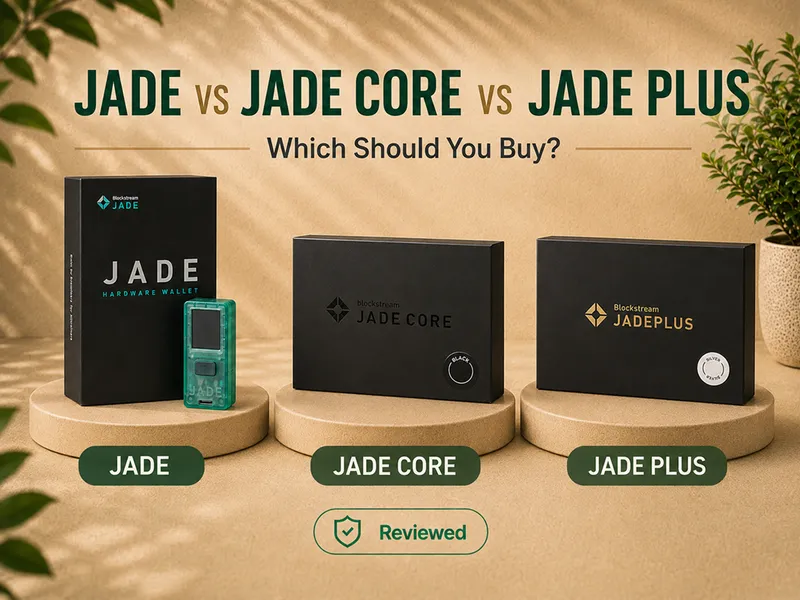
- Blockstream Jade vs Jade Core vs Jade Plus - the full head-to-head.
- Blockstream Jade review - the value pick.
- Blockstream Jade Plus review - the QR and air-gap winner.
- Best Bitcoin hardware wallets - current winners by use case.